1. Pengenalan
The AULA F108 is a full-size wireless mechanical keyboard designed for versatile use across various operating systems and devices. It features tri-mode connectivity (Bluetooth 5.0, 2.4GHz wireless, and USB-C wired), hot-swappable switches, PBT keycaps, RGB backlighting, and a robust internal structure for enhanced typing experience.
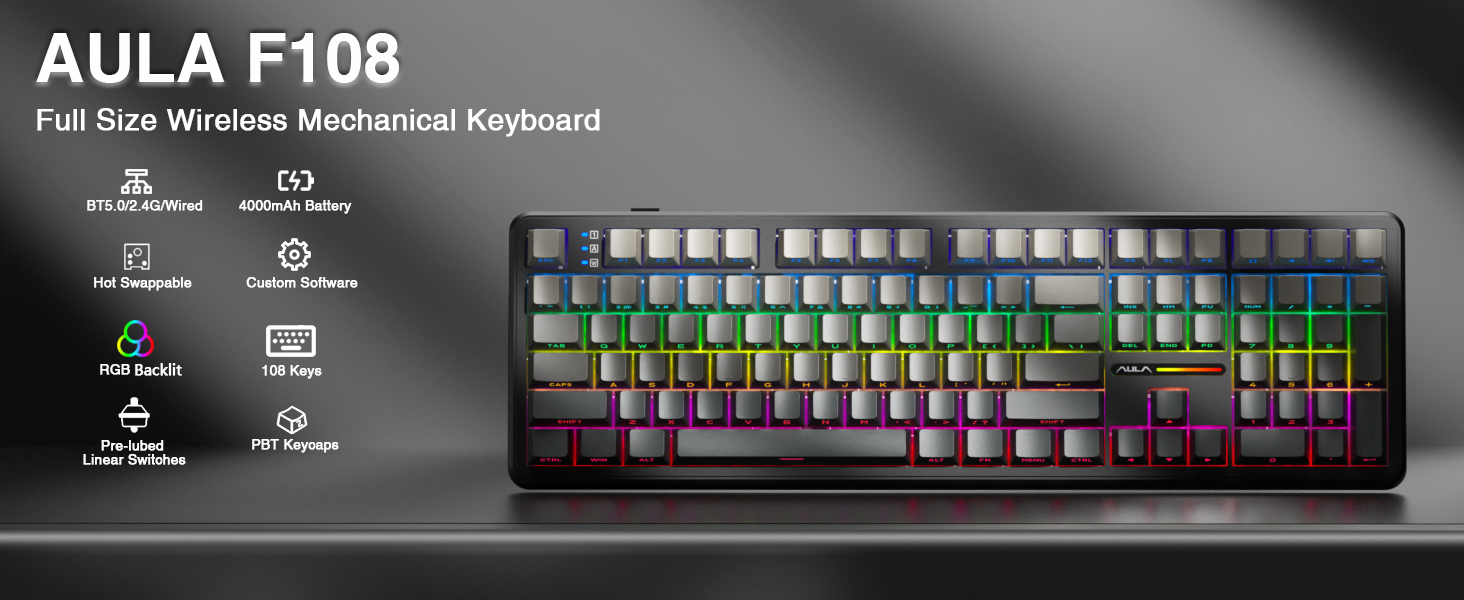
Imej: Selesaiview of the AULA F108 Wireless Mechanical Keyboard, showcasing its full-size layout and key features such as tri-mode connection, 4000mAh battery, hot-swappable design, RGB backlight, PBT keycaps, pre-lubed linear switches, and custom software compatibility.
2. Kandungan Pakej
Sahkan bahawa semua item terdapat dalam pakej:
- Papan Kekunci Mekanikal x1
- Extra Switches x2
- Keycap/Switches Puller x1
- Kabel USB x1
- Penerima 2.4GHz x1
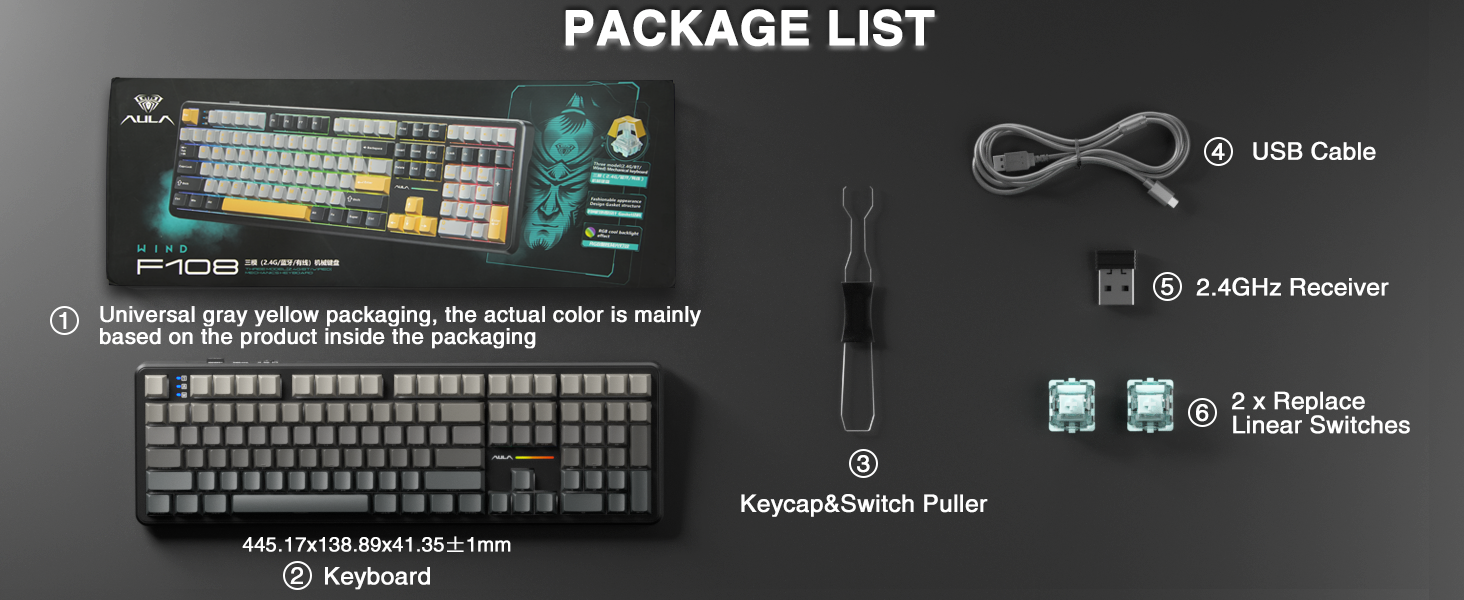
Image: A visual representation of the package contents, including the AULA F108 keyboard, USB cable, 2.4GHz receiver, keycap/switch puller, and two extra switches.
3. Produk Lebihview
3.1 Ciri-ciri Utama
- Kesambungan Tri-mod: Menyokong sambungan berwayar Bluetooth 5.0, tanpa wayar 2.4GHz dan USB-C.
- Hot-swappable Sockets: Compatible with 3-pin and 5-pin mechanical switches for customization.
- Kekunci PBT: Durable, fade-resistant, and sweat-proof keycaps with side-printed legends.
- Pencahayaan latar RGB: Multiple dynamic effects and customizable colors.
- Advanced Structure: Five layers of sound-absorbing foam for reduced noise and improved typing feel.
- Bateri 4000mAh: Long-lasting power for wireless operation.
3.2 Komponen
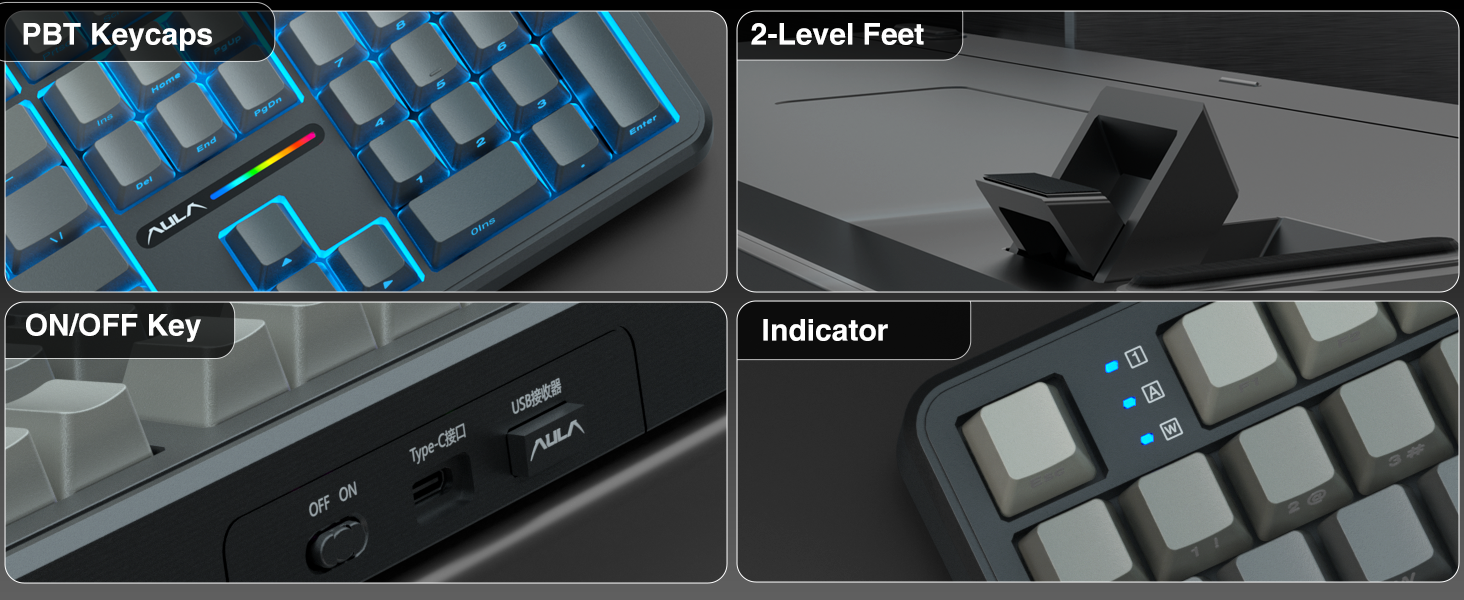
Imej: Terperinci views of the AULA F108 keyboard's physical features, including the texture of PBT keycaps, the two-level adjustable kickstands, the ON/OFF switch and Type-C port, and the status indicator lights.
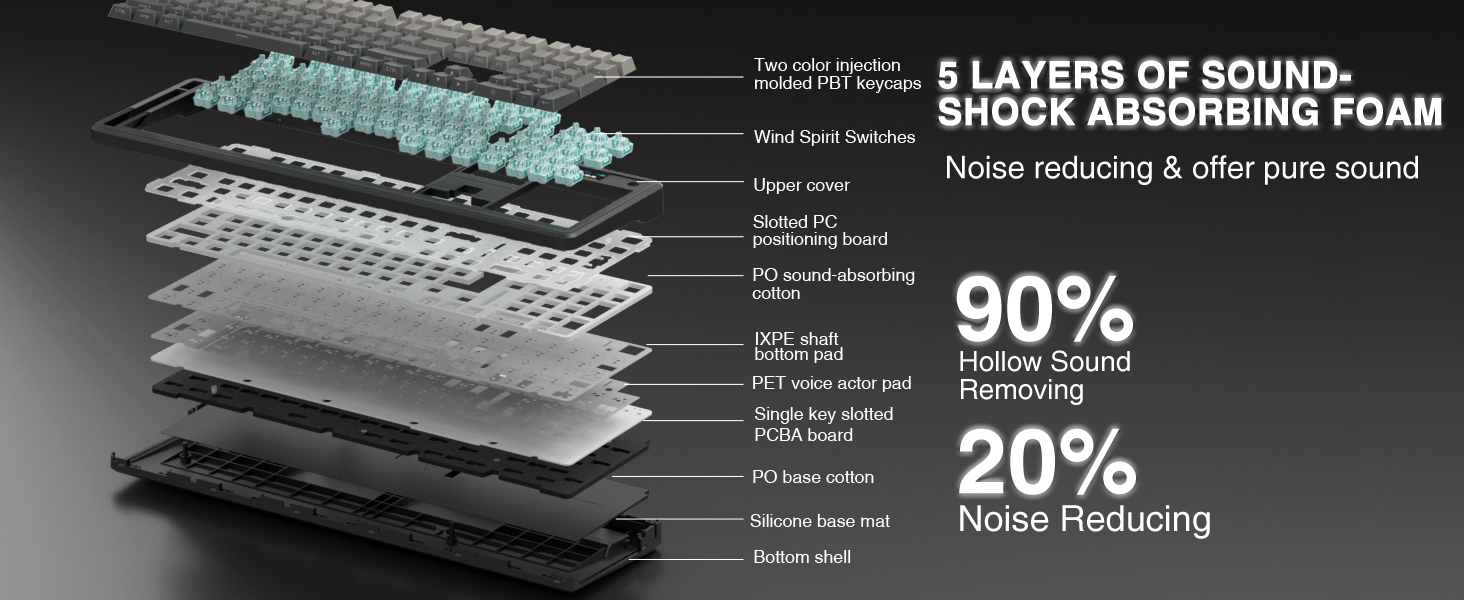
Image: An exploded diagram illustrating the five-layer sound-shock absorbing foam structure of the AULA F108 keyboard, designed to reduce hollow sound and noise.
4. Persediaan
4.1 Sambungan Berwayar
- Connect the provided USB-C cable to the keyboard's Type-C port.
- Sambungkan hujung kabel USB-C yang satu lagi ke port USB yang tersedia pada komputer anda.
- Papan kekunci akan dikenali secara automatik dan sedia untuk digunakan.
4.2 Sambungan Wayarles 2.4GHz
- Cari penerima USB 2.4GHz.
- Masukkan penerima ke dalam port USB yang tersedia pada komputer anda.
- Hidupkan papan kekunci menggunakan suis ON/OFF yang terletak di sisi.
- Tekan fn + ~ to switch to 2.4GHz wireless mode. The indicator light will confirm the connection.
4.3 Bluetooth 5.0 Sambungan
- Hidupkan papan kekunci menggunakan suis ON/OFF.
- Tekan fn+1, fn+2, atau fn+3 to select a Bluetooth channel. The indicator light for the selected channel will blink, indicating pairing mode.
- On your device (PC, Mac, laptop, tablet, smartphone), enable Bluetooth and search for new devices.
- Select "AULA F108" from the list of available devices to pair.
- Setelah dipasangkan, lampu penunjuk akan berhenti berkelip dan kekal pepejal.
- Untuk bertukar antara peranti Bluetooth yang dipasangkan, tekan Fn + 1/2/3.
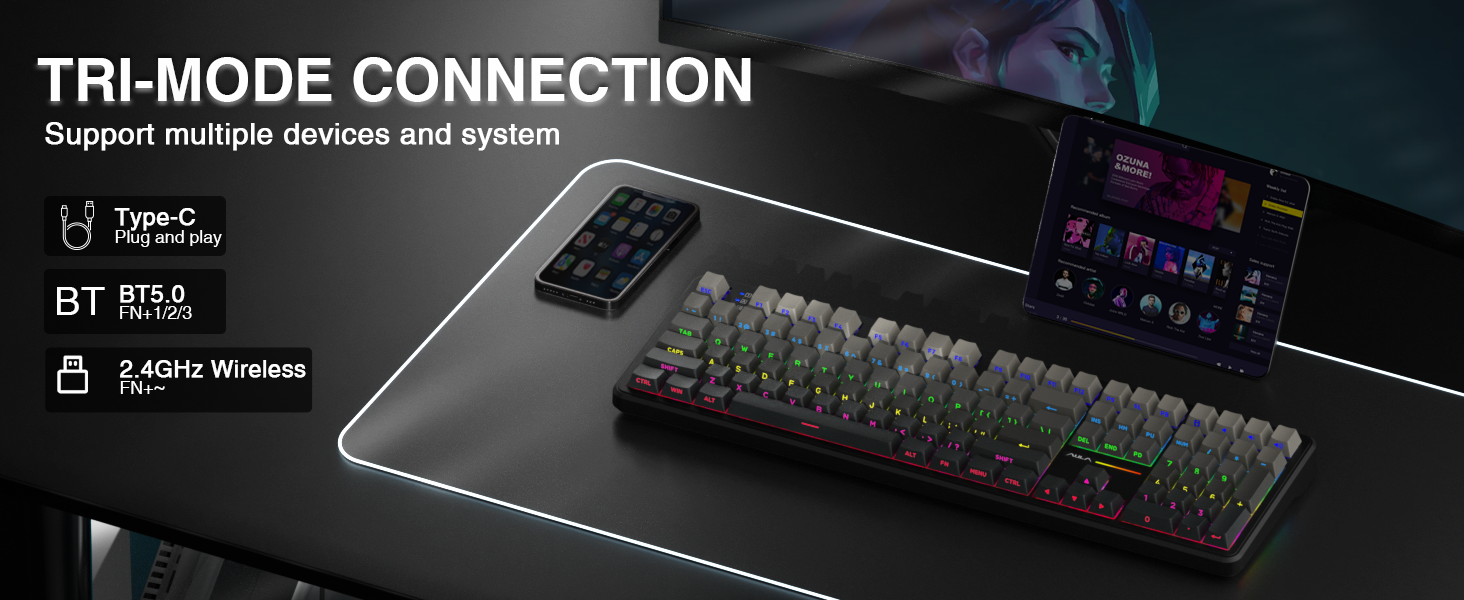
Image: A visual guide to the tri-mode connection, showing the Type-C wired, Bluetooth 5.0, and 2.4GHz wireless options, along with shortcut keys for switching between modes and operating systems.
5. Arahan Operasi
5.1 Penukaran Keserasian Sistem
The keyboard is compatible with Windows, Mac, iOS, and Android operating systems. Use the following shortcuts to switch system layouts:
- Fn + W: Tukar kepada susun atur Windows
- Fn + E: Switch to Mac layout
- Fn + Q: Switch to Android layout
- Fn + R: Switch to iOS layout
Note: In Linux systems, incompatible driver versions may cause abnormal F-zone functionality. This is a normal phenomenon and does not indicate a defect.
5.2 Kawalan Lampu Latar RGB
Adjust the keyboard's RGB backlighting using the following shortcut keys:
- Fn + \|: Switch between 16 lighting effects or turn off the backlight.
- Fn + Tab: Switch lighting colors.
- Fn + ↑: Tingkatkan kecerahan pencahayaan.
- Fn + ↓: Kurangkan kecerahan pencahayaan.
- Fn + ←: Decrease lighting speed.
- Fn + →: Increase lighting speed.
For side-light adjustment:
- Fn + Left Shift: Switch side-light mode.
- Fn + Kiri Ctrl: Switch side-light speed.
- Fn + Left Alt: Switch side-light brightness.
- Fn + Z: Switch side-light colors.
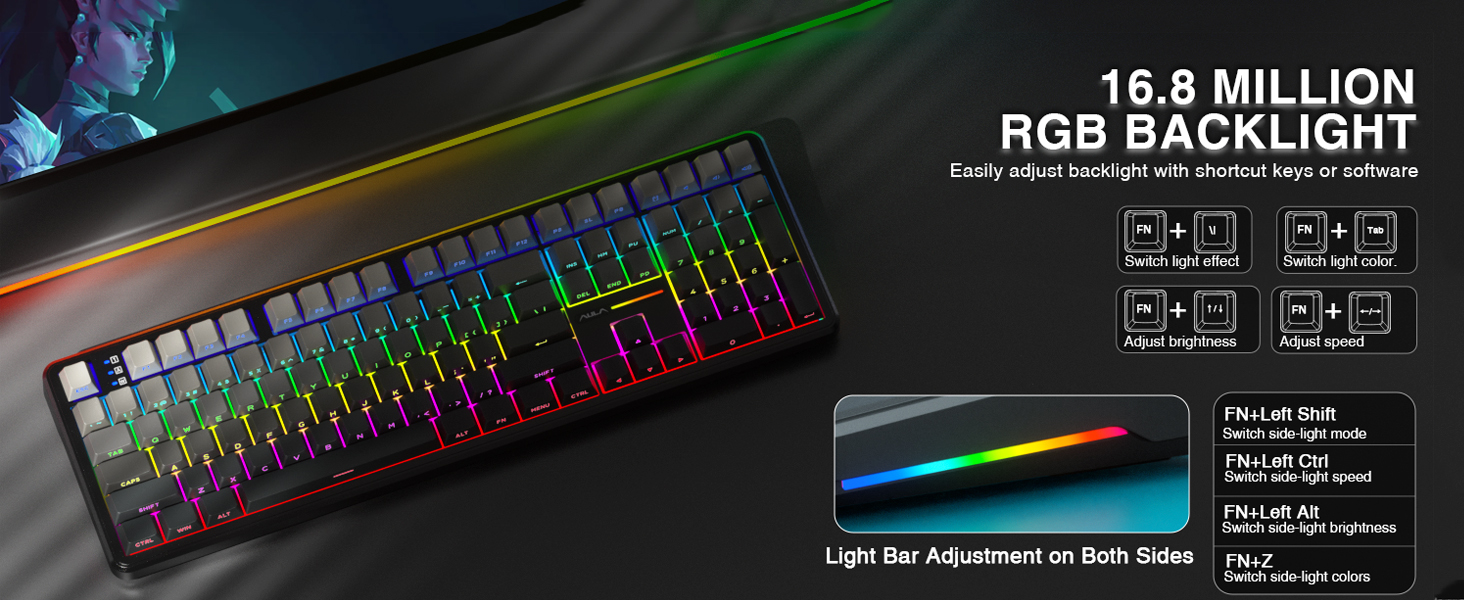
Image: A visual guide to adjusting the 16.8 million RGB backlight effects, brightness, and speed using keyboard shortcuts, including controls for the side light bars.
5.3 Programmable Software
The AULA F108 offers programmable software for advanced customization, including macro recording, key remapping, and custom RGB effects. The driver is compatible with Windows systems only and functions in wired mode.
Muat turun pemandu daripada: bit.ly/m/AULA
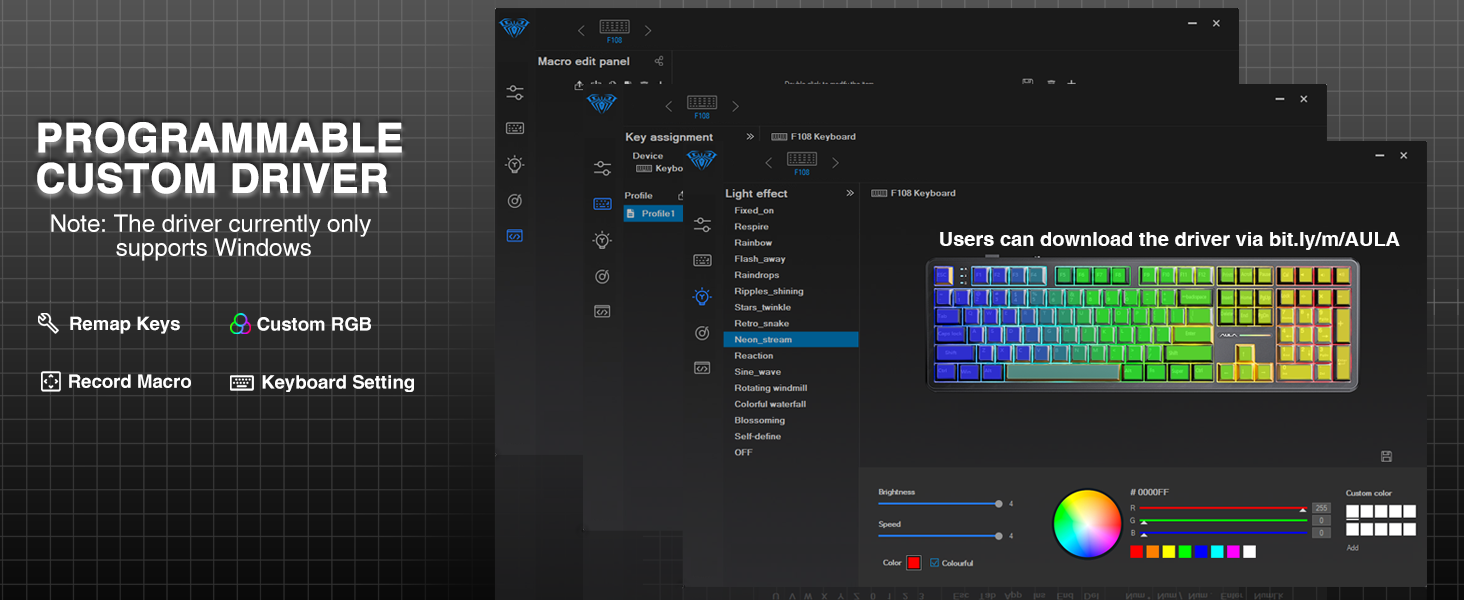
Image: A screenshot of the AULA F108 custom driver software interface, demonstrating options for remapping keys, customizing RGB lighting, and recording macros. Note: Driver supports Windows only in wired mode.
5.4 Pengurusan Bateri
The keyboard is equipped with a 4000mAh high-capacity battery. To check the battery level, press Fn+B.
- Approximate battery life with backlight ON: 10 hours
- Approximate battery life with backlight OFF: 100 hours
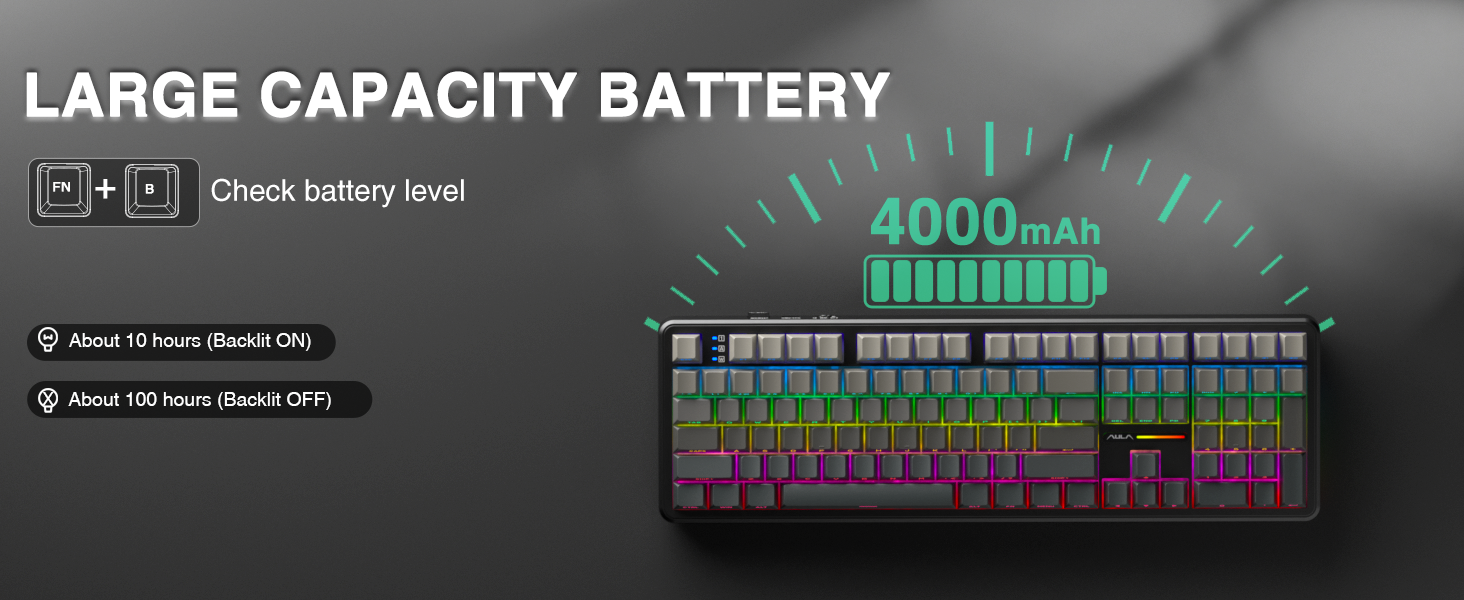
Image: Illustration highlighting the 4000mAh battery capacity of the AULA F108 keyboard, with estimated usage times of approximately 10 hours with backlight on and 100 hours with backlight off.
6. Penyelenggaraan
6.1 Pembersihan
- Putuskan sambungan papan kekunci daripada semua sumber kuasa sebelum membersihkannya.
- Gunakan kain lembut dan tidak berbulu sedikit dampdibasahkan dengan air atau larutan pembersih lembut untuk mengelap penutup kekunci dan permukaan papan kekunci.
- Untuk habuk dan serpihan di antara penutup kekunci, gunakan udara termampat atau berus kecil.
- Elakkan menggunakan bahan kimia yang keras atau bahan yang melelas.
6.2 Suis Pertukaran Panas
The AULA F108 features hot-swappable sockets, allowing you to change switches without soldering.
- Matikan: Ensure the keyboard is powered off and disconnected from any device.
- Alih keluar Keycap: Use the included keycap puller to gently remove the desired keycap.
- Alih Keluar Suis: Use the included switch puller to carefully grip the switch and pull it straight up.
- Masukkan Suis Baharu: Align the pins of the new 3-pin or 5-pin switch with the holes on the PCB. Press the switch firmly until it clicks into place. Ensure pins are not bent.
- Gantikan Kekunci: Letakkan kembali penutup kekunci pada suis baharu.
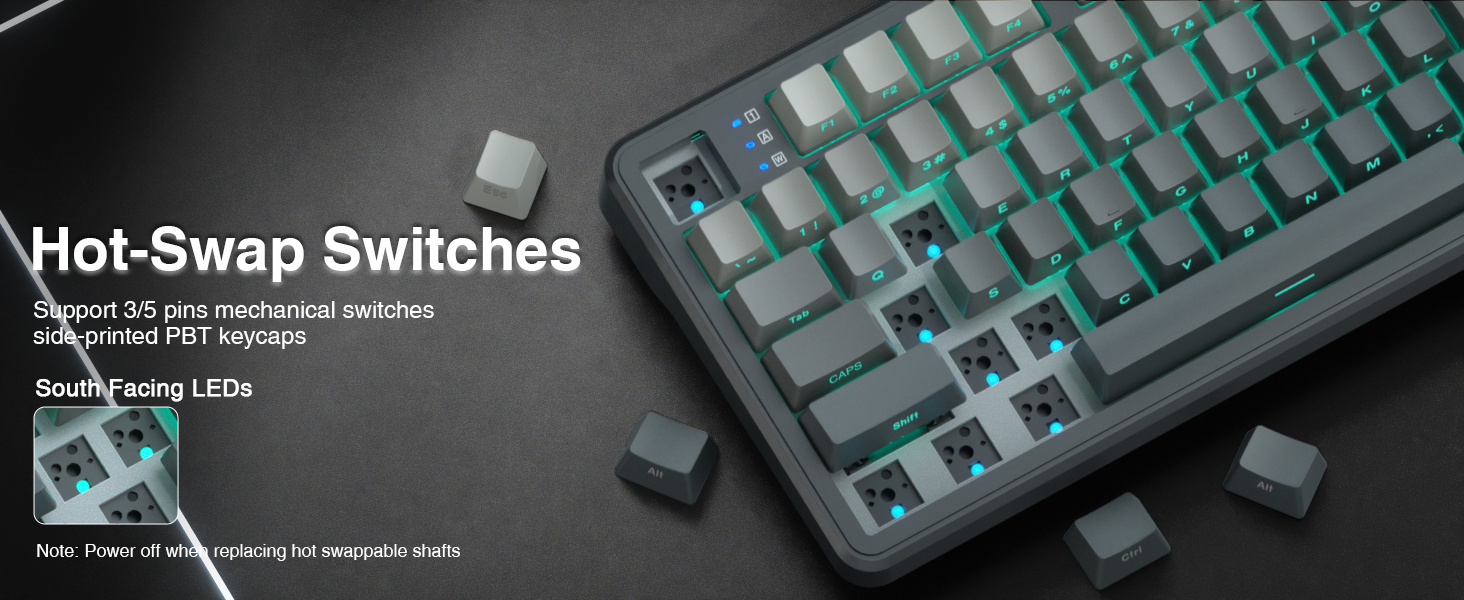
Image: Instructions for hot-swapping switches, showing the removal of keycaps and switches, and the insertion of new 3-pin or 5-pin mechanical switches. Emphasizes powering off the keyboard before performing this action.
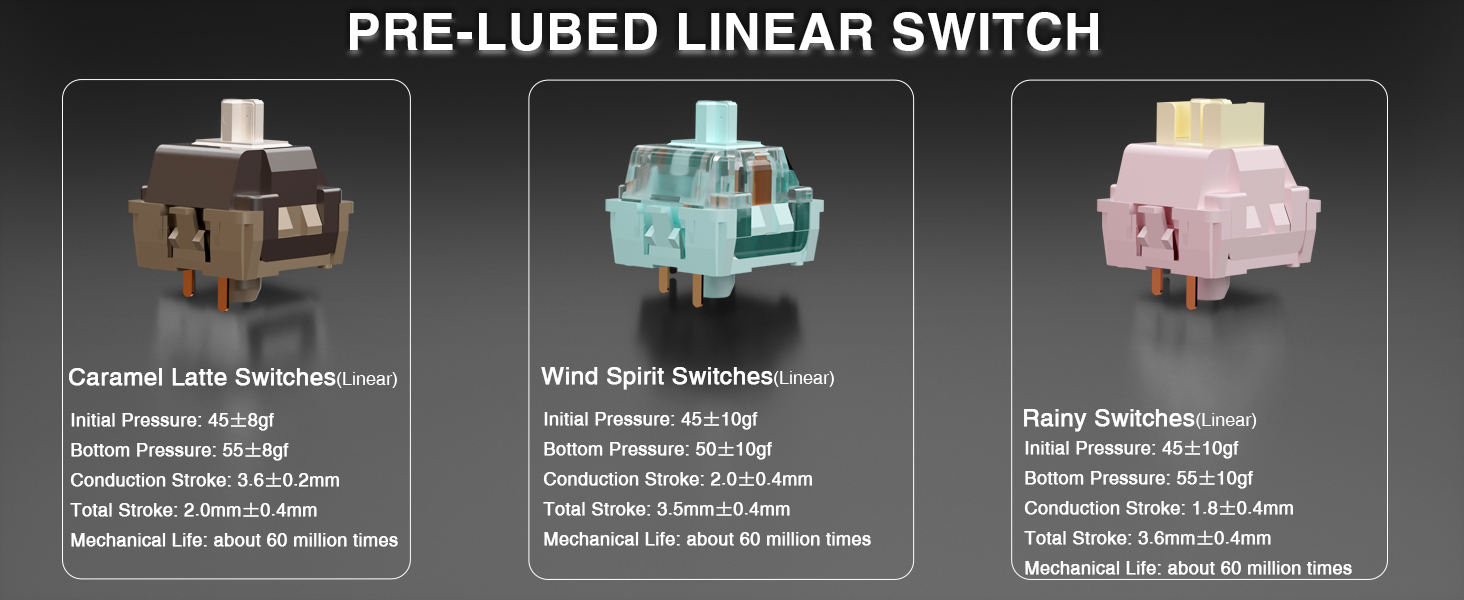
Image: Detailed specifications of the pre-lubed Wind Spirit linear switches, including initial pressure, bottom pressure, conduction stroke, total stroke, and mechanical life, highlighting their smooth operation.
7. Penyelesaian masalah
- Papan kekunci tidak bertindak balas:
- Pastikan papan kekunci dihidupkan.
- Check the connection mode (wired, 2.4GHz, or Bluetooth) and ensure it matches your device's connection.
- Untuk 2.4GHz, pastikan penerima USB dimasukkan dengan betul.
- For Bluetooth, ensure the keyboard is paired and selected on your device. Try re-pairing if necessary.
- Check battery level (Fn+B) and charge if low.
- RGB backlight not working or incorrect:
- guna Fn + \| to cycle through lighting effects or turn the backlight on/off.
- Laraskan kecerahan dengan Fn + ↑/↓.
- If using custom software, ensure the keyboard is in wired mode and the software is correctly configured.
- Kunci tidak mendaftar atau menaip dua kali:
- This may indicate a faulty switch. Use the included switch puller to replace the affected switch with one of the extra switches provided.
- Ensure the new switch is properly seated and its pins are not bent.
- F-zone functionality abnormal on Linux:
- This is a known compatibility issue with certain Linux driver versions and is considered normal behavior.
8. Spesifikasi
| Ciri | Perincian |
|---|---|
| Nombor Model | F108 |
| Jenama | AULA |
| Teknologi Ketersambungan | 2.4GHz Wireless, BT5.0, USB-C |
| Penerangan Papan Kekunci | mekanikal |
| Bahan Kekunci | PBT |
| Suis | Pre-lubed Linear (Wind Spirit) |
| Boleh tukar panas | Yes (3-pin/5-pin compatible) |
| Pencahayaan latar | RGB |
| Bateri | 4000mAh Lithium Ion (termasuk) |
| Estimated Battery Life (Backlight ON) | lebih kurang 10 jam |
| Estimated Battery Life (Backlight OFF) | lebih kurang 100 jam |
| Peranti Serasi | Konsol Permainan, Komputer Riba, PC, Telefon Pintar, Tablet |
| Berat Barang | 2.6 paun |
| Dimensi Pakej | 18.5 x 7 x 2.5 inci |
9. Waranti dan Sokongan
AULA is committed to providing quality products and after-sales service. For specific warranty details and support inquiries, please refer to the official AULA webtapak atau hubungi peruncit anda.
For driver downloads and additional resources, visit: bit.ly/m/AULA