pengenalan
This manual provides detailed instructions for the setup, operation, and maintenance of your Lotus Smartwatch 50050/4. Please read this manual thoroughly before using your device to ensure proper functionality and to maximize its features.
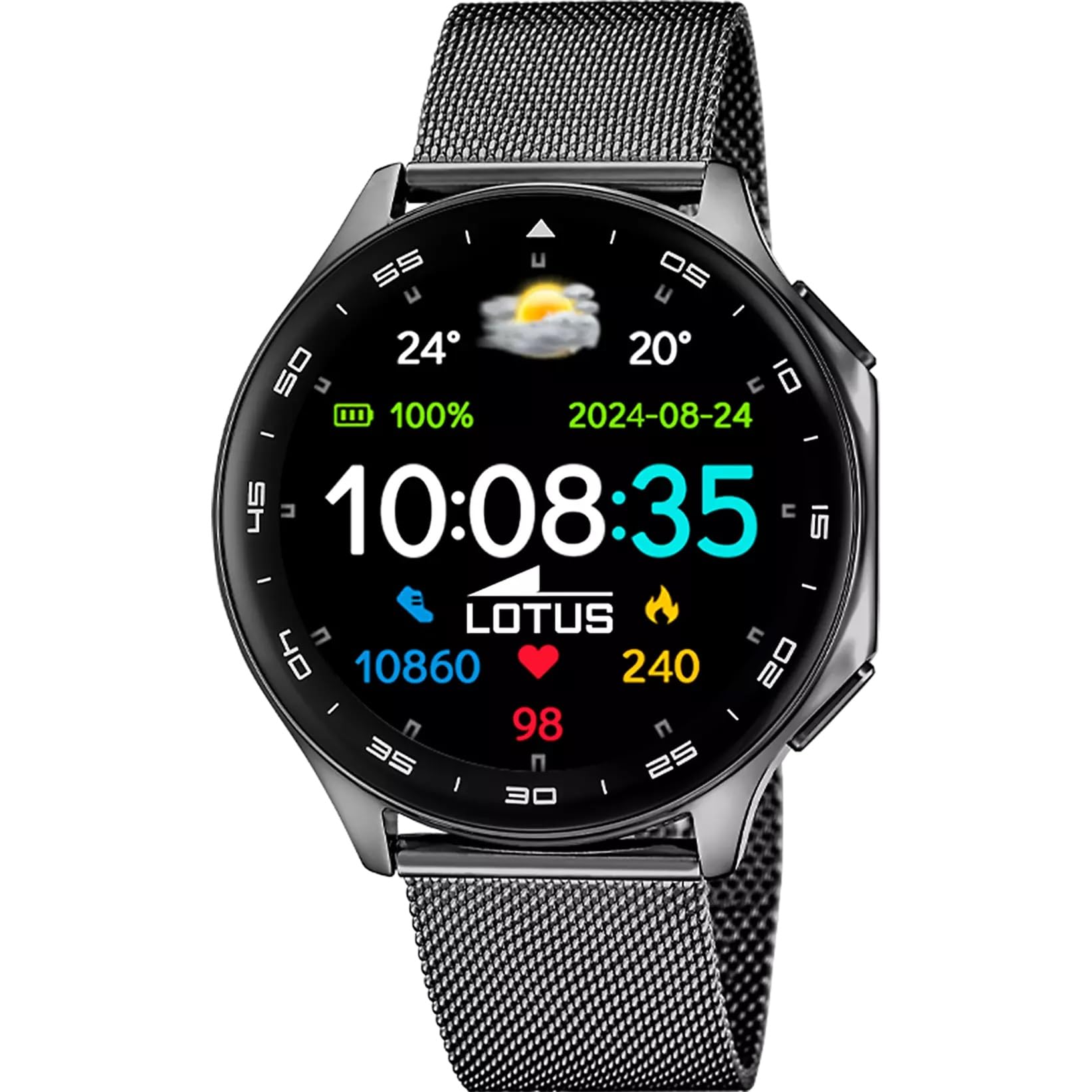
The Lotus Smartwatch 50050/4 is an outdoor sports watch designed for active lifestyles. It features a durable zinc alloy case, a black Milanese steel mesh strap, and a digital display. The watch offers a range of functions including sports tracking, health monitoring, and smart notifications.
Apa yang ada dalam Kotak
- Lotus Smartwatch 50050/4
- Kabel Pengecasan
- Manual Pengguna (dokumen ini)
- Tali Tambahan
Persediaan
1. Mengecas Jam Pintar
Before initial use, fully charge your smartwatch. Connect the charging cable to the charging port on the back of the watch and plug the other end into a USB power adapter (not included) or a computer's USB port. The watch display will indicate charging status.
Nota: Use a standard 5V/1A USB charger. Overcharging or using incompatible chargers may damage the device.
2. Menghidupkan/Mematikan
- Untuk Menghidupkan: Press and hold the side button for a few seconds until the Lotus logo appears.
- Untuk Mematikan: Tekan dan tahan butang sisi, kemudian pilih "Matikan Kuasa" pada skrin.
3. Pemasangan Apl dan Berpasangan
To unlock the full potential of your smartwatch, download the official Lotus Smartwatch application on your smartphone. The app is compatible with Android devices.
- Cari untuk the "Lotus Smartwatch" app in your smartphone's app store (Google Play Store for Android).
- Pasang aplikasi.
- Buka apl dan ikut arahan pada skrin untuk membuat akaun atau log masuk.
- Dayakan Bluetooth pada telefon pintar anda.
- In the app, navigate to the device pairing section and select your Lotus Smartwatch 50050/4 from the list of available devices.
- Sahkan permintaan berpasangan pada telefon pintar anda dan jam tangan pintar.
Sebaik sahaja dipasangkan, jam tangan akan menyegerakkan masa, tarikh dan tetapan lain dengan telefon pintar anda.
Arahan Operasi
Navigasi Asas
- Skrin Sentuh: Swipe left, right, up, or down to navigate through menus and functions. Tap to select an item.
- Butang Sisi: Press to return to the previous screen or to the watch face. Press and hold for power options.
Fungsi Utama
- Mod Sukan: Access various sports modes (e.g., running, walking, cycling) to track your activity, including steps, calories burned, and distance.
- Pemantauan Kesihatan:
- Kadar Jantung: Monitor your heart rate in real-time.
- Oksigen Darah: Ukur tahap oksigen darah anda.
- Penjejakan Tidur: Analyze your sleep patterns (deep sleep, light sleep, awake time).
- Senaman pernafasan: Latihan pernafasan berpandu untuk relaksasi.
- Pemberitahuan: Receive notifications for incoming calls, SMS messages, and app alerts directly on your watch. You can reject calls from the watch.
- Kawalan Muzik: Control music playback on your connected smartphone (play, pause, skip tracks).
- Cuaca: View keadaan dan ramalan cuaca semasa.
- Penggera & Pemasa: Set alarms, use the stopwatch, or set a countdown timer.
- Jauh Kamera: Gunakan jam tangan anda sebagai pengatup jauh untuk kamera telefon pintar anda.
- Video Calculator: Access a video calculator function.
- AI Voice Calculator: Utilize an AI voice-activated calculator.
- Pencari Telefon: Cari telefon pintar yang dipasangkan dengan membuatnya berdering.
- Lampu suluh: Activate the screen as a flashlight.
- Dial Customization: Change the watch face (dial) through the watch settings or the companion app.
- Kemas kini Firmware: Update the watch's software via the companion app to ensure optimal performance and access new features.
- Language, Time, and Date: Adjust these settings through the watch or the companion app.
Penyelenggaraan
Pembersihan dan Penjagaan
- Lap skrin dan badan jam tangan dengan kain lembut, kering dan tidak berbulu.
- Untuk kotoran degil, sedikit dampen kain dengan air. Jangan gunakan bahan kimia yang keras atau bahan yang melelas.
- Pastikan sesentuh pengecasan bersih dan kering sebelum mengecas.
Rintangan Air (IP65)
The Lotus Smartwatch 50050/4 has an IP65 rating, meaning it is protected against dust ingress and low-pressure water jets from any direction. This rating indicates resistance to splashes and light rain. It is not suitable for swimming, showering, or submersion in water. Exposure to high-pressure water or prolonged submersion may cause damage.
Penggantian Tali
The watch comes with an additional strap. To replace the strap, locate the quick-release pins on the underside of the strap where it connects to the watch case. Slide the pin to detach the strap, then align the new strap and slide the pin back into place to secure it.
Menyelesaikan masalah
Jam Tangan Tidak Dihidupkan
- Pastikan jam tangan dicas sepenuhnya. Sambungkannya ke pengecas selama sekurang-kurangnya 30 minit.
- Try pressing and holding the side button for 10-15 seconds to force a restart.
Tidak Boleh Dipasangkan dengan Telefon Pintar
- Pastikan Bluetooth didayakan pada telefon pintar anda.
- Ensure the watch is within range of your smartphone (typically 10 meters).
- Mulakan semula telefon pintar dan jam tangan pintar anda.
- Kosongkan cache Bluetooth pada telefon pintar anda (jika berkenaan) dan cuba pasangkan semula.
- Ensure the Lotus Smartwatch app is updated to the latest version.
Data Kesihatan Tidak Tepat
- Pastikan jam tangan dipakai dengan kemas pada pergelangan tangan anda, tetapi tidak terlalu ketat.
- Pastikan sensor di bahagian belakang jam tangan bersih dan bebas daripada serpihan.
- Faktor persekitaran dan fisiologi individu boleh mempengaruhi ketepatan sensor.
Tetapan Semula Kilang
If you experience persistent issues, a factory reset may resolve them. This will erase all data on the watch and restore it to its original settings. Consult the watch's settings menu or the companion app for the factory reset option.
Spesifikasi
| Nombor Model | 50050/4 |
| Jenama | Teratai |
| Saiz Paparan | 46.7 mm |
| bentuk | Bulat |
| Bahan Kes | Aloi Zink |
| Bahan Tali | Milanese Steel Mesh |
| Tahan Air | IP65 (Splash and dust resistant) |
| Ketersambungan | Bluetooth |
| OS yang serasi | Android (for companion app) |
| GPS | Tidak |
| Ciri Khas | Advanced sport and health functions |
Waranti dan Sokongan
The Lotus Smartwatch 50050/4 comes with a Waranti 3 tahun from the date of purchase. This warranty covers manufacturing defects. It does not cover damage caused by misuse, accidents, unauthorized modifications, or failure to follow the instructions in this manual, including water damage beyond the specified IP65 rating.
For warranty claims or technical support, please contact your authorized Lotus retailer or visit the official Lotus weblaman web untuk maklumat khidmat pelanggan.
Polisi Pemulangan: If purchased from Amazon, the product is subject to a 30-day return policy for refund or replacement, as per Amazon's terms.
Imej Produk