pengenalan
This manual provides essential instructions for the setup, operation, and maintenance of your FLYCOLOR LD2801 Mini RC Drift Car. Please read this manual thoroughly before operating the vehicle to ensure safe and optimal performance. The LD2801 is a 1/28 scale, 4WD Ready-To-Run (RTR) remote control car designed for drifting and racing enthusiasts.

Image: The LD2801 Mini RC Drift Car, showcasing its 1/28 scale and 4-wheel drive capabilities.
Maklumat Keselamatan
Always operate the RC car in a safe environment, away from people, pets, and obstacles. Avoid operating near water or in wet conditions. Adult supervision is recommended for users under 15 years of age. Do not modify the product as this may lead to malfunction or injury. Ensure batteries are charged correctly and handled with care.
Kandungan Pakej
Sahkan bahawa semua item yang disenaraikan di bawah disertakan dalam pakej anda:
- 1 x LD2801 RC Car
- 1 x Alat Kawalan Jauh
- 2 x 3.7V 500mAh Battery (for car)
- 1 x Kabel Pengecas USB
- 1 x Lembaran Pelekat
- 9 x Road Blocks
- 1 x Accessory Pack (including extra replacement tires)
- 1 x Manual Pengguna

Image: All components included in the LD2801 Mini RC Drift Car package.
Persediaan
1. Mengecas Bateri Kereta
- Sambungkan bateri kereta 3.7V 500mAh ke kabel pengecas USB.
- Palamkan kabel pengecas USB ke dalam penyesuai kuasa USB standard (tidak disertakan) atau port USB komputer.
- Lampu penunjuk pengecasan pada kabel USB akan menunjukkan status pengecasan (rujuk arahan pengecas untuk kelakuan cahaya tertentu).
- Setelah dicas sepenuhnya, cabut bateri daripada pengecas.
Note: Charging time may vary. Do not leave batteries charging unattended.
2. Memasang Bateri Kawalan Jauh
- Buka petak bateri di belakang alat kawalan jauh.
- Insert 2 x 1.25V AAA batteries (not included) into the compartment, ensuring correct polarity.
- Tutup petak bateri dengan selamat.

Image: Remote control layout with labeled functions for operation and battery installation.
3. Installing Car Battery
- Cari petak bateri di bahagian bawah kereta RC.
- Connect the charged 3.7V 500mAh battery to the car's power connector.
- Carefully place the battery into the compartment and secure the cover.
4. Pairing the Remote Control and Car
- Turn on the RC car's power switch. The LED light on the car will flash.
- Hidupkan suis kuasa alat kawalan jauh.
- The remote control and car will automatically pair. The LED light on the car will become solid once paired.
5. Swapping Tires
The LD2801 comes with both drift tires and racing tires, allowing for different driving experiences.
- To remove a tire, gently pull it off the axle.
- To install a new tire, align it with the axle and push firmly until it is securely in place.

Image: Illustration of the interchangeable drift and racing tires for varied driving performance.
Arahan Operasi
Kawalan Asas
- Maju/Mundur: Use the trigger on the remote control. Pull the trigger to move forward, push it to move backward. The throttle is fully proportional, allowing for precise speed control based on finger pressure.
- Pemandu: Use the steering wheel on the remote control to turn left or right. The steering is fully proportional, providing precise control over turning angles.
- Fine-tune Left/Right: If the car does not drive in a straight line, use the fine-tune adjustment knob/button on the remote control to calibrate the steering.
- Lampu Sorot LED: The car is equipped with LED headlights. These will illuminate when the car is powered on.

Image: Demonstrating the full proportional throttle control for precise speed management.
Drifting Techniques
The LD2801 is designed for optimal drifting performance. Practice the following techniques:
- U-Drift: Approach a turn, initiate a slide by turning sharply and applying throttle, then counter-steer to maintain the drift through the turn.
- O-Drift: Maintain a continuous circular drift by balancing throttle and steering input.
- Figure-8 Drift: Combine U-drifts in a continuous figure-eight pattern.
Tip: Experiment with different speeds and steering angles to master various drifting maneuvers. The 2.4GHz technology ensures stable, interference-free control up to 30 meters.
Penyelenggaraan
Pembersihan
Regularly clean your RC car to ensure longevity and performance.
- Use a soft, dry cloth to wipe down the car body and chassis.
- Remove any debris from the wheels and axles.
- Avoid using water or chemical cleaners, as these can damage electronic components.
Body Replacement
The LD2801 features a removable high-tenacity body for easy replacement or access to internal components.
- Gently unclip or unscrew the body mounts to remove the car body.
- To reattach, align the body with the chassis and secure the mounts.

Image: The car body detached from the chassis, demonstrating its removable design for maintenance.
Penjagaan Bateri
- Always disconnect the battery from the car when not in use.
- Simpan bateri di tempat yang sejuk dan kering.
- Jangan cas berlebihan atau terlalu nyahcas bateri.
- If the remote control indicates a low power alert, replace the AAA batteries promptly.
Menyelesaikan masalah
| Masalah | Kemungkinan Punca | Penyelesaian |
|---|---|---|
| Kereta tidak bertindak balas terhadap alat kawalan jauh. |
|
|
| Car drives crooked. | Trim stereng memerlukan pelarasan. | Use the fine-tune left/right adjustment on the remote control. |
| Masa operasi yang singkat. | Bateri tidak dicas sepenuhnya atau bateri penuaan. | Pastikan bateri dicas sepenuhnya. Pertimbangkan untuk menggantikan bateri jika ia sudah lama. |
| Loss of control/interference. | Operating beyond range or signal interference. | Operate within 30-meter range. Avoid areas with strong electromagnetic interference. |
Spesifikasi
| Ciri | Perincian |
|---|---|
| Model | LD2801 |
| Skala | 1:28 |
| Sistem Pemacu | Pandu 4 Roda (4WD) |
| Motor | 150 Motor Berus |
| Servo Pemandu | Servo 4.3g |
| Bateri Kereta | 3.7V 500mAh (termasuk) |
| Kaedah Pengecasan | Pengecasan USB |
| Bateri Kawalan Jauh | 2 x Bateri AAA 1.25V (tidak termasuk) |
| Kekerapan Kawalan Jauh | 2.4GHz |
| Jarak Kawalan Jauh | Lebih daripada 30 meter |
| Masa Bermain | Lebih kurang 20 minit |
| Pencahayaan | Lampu Utama LED |
| Dimensi Produk | 6.61 x 2.68 x 2.24 inci |
| Berat Barang | 1.26 paun |
| Umur Disyorkan | 15 tahun dan ke atas |
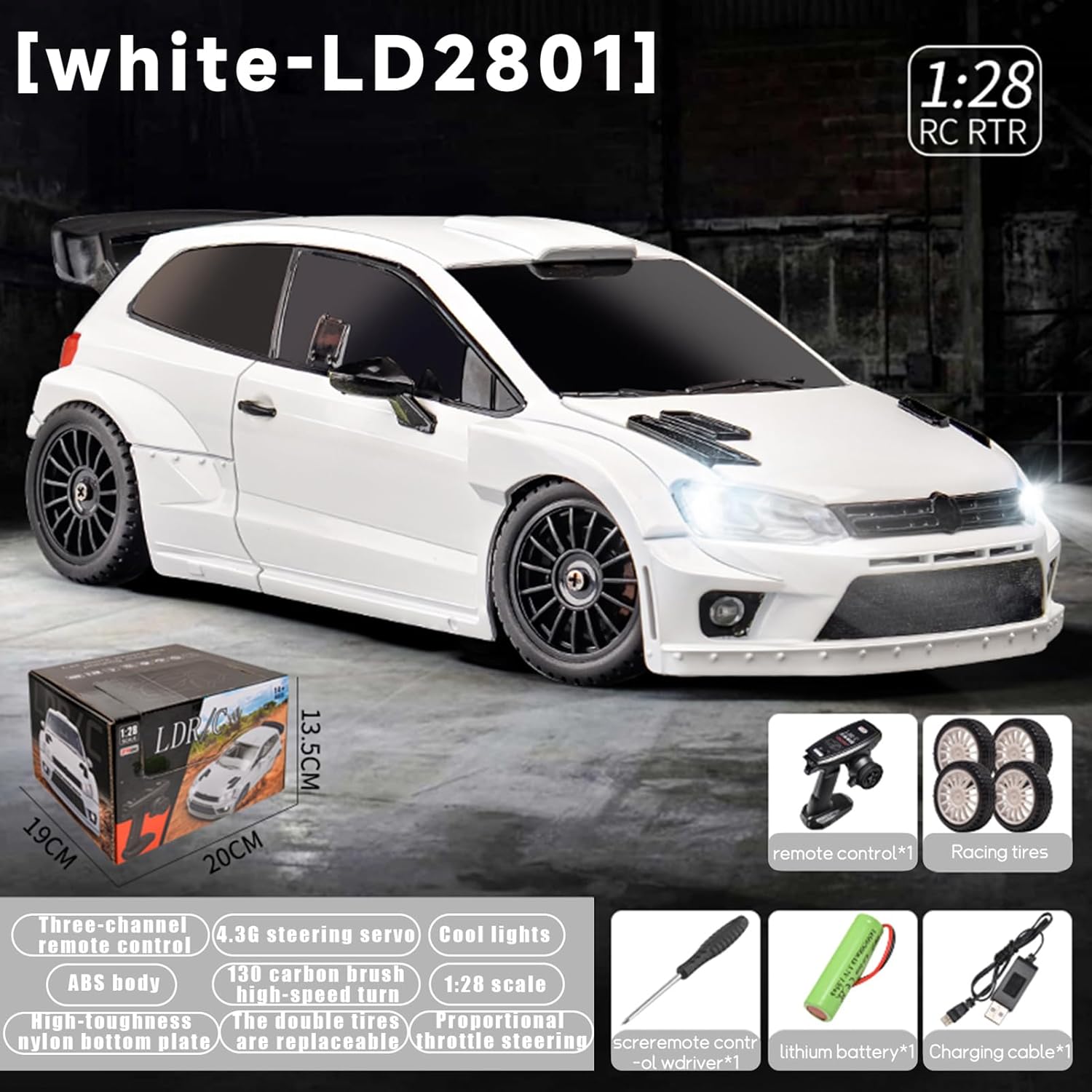
Imej: Selesaiview of the LD2801's features and dimensions.
Waranti dan Sokongan
FLYCOLOR products are manufactured to high-quality standards. For specific warranty information, please refer to the documentation included with your purchase or contact the retailer. For technical support or inquiries, please visit the official FLYCOLOR store or contact customer service through your purchase platform.


