1. Pengenalan
This manual provides detailed instructions for the setup, operation, maintenance, and troubleshooting of your SGIN 17.3 Inch Laptop Computer (Model M17S). Please read this manual thoroughly before using your laptop to ensure proper functionality and to maximize its lifespan. Keep this manual for future reference.

Figure 1.1: SGIN 17.3 Inch Laptop Computer Overview
The SGIN M17S laptop is designed for a wide range of applications, including study, work, entertainment, and internet browsing, offering a balance of performance and portability.
2. Kandungan Pakej
Verify that all items listed below are included in your package. If any items are missing or damaged, please contact SGIN customer support.
- SGIN 17.3 Inch Laptop Computer (M17S) x 1
- Power Adapter/Charger x 1
- Manual Pengguna x 1
3. Ciri-ciri Produk Berakhirview
3.1 Paparan
The laptop features a 17.3-inch Full HD (1920x1080) IPS screen. This display technology provides sharp, clear text and vivid colors, along with wide viewsudut-sudut.

Rajah 3.1: Paparan IPS Definisi Tinggi
3.2 Pemproses
Equipped with an Intel Core i3-5005U processor, operating at 2.4GHz Turbo Boost. This dual-core, four-thread processor is designed for efficient multitasking and handling various workloads.

Figure 3.2: Intel Core i3-5005U Processor
3.3 Memori dan Penyimpanan
The laptop comes with 4GB DDR4 RAM and a 128GB SSD for fast boot times and application loading. Storage can be expanded with an additional SSD (up to 1TB) and a MicroSD card (up to 512GB).

Figure 3.3: Memory and Storage Configuration
3.4 Bateri
A 8000 mWh (60Wh) lithium-ion battery provides extended usage time, with an estimated 8 hours of typical use on a single charge.

Figure 3.4: Long-Lasting Battery
3.5 Pelabuhan dan Ketersambungan
The laptop offers a variety of ports for versatile connectivity:
- Port USB 3.2 (x2)
- HDMI Port (for external monitors/projectors)
- Pelabuhan Jenis-C
- Bicu Fon Kepala 3.5mm
- Slot Kad MicroSD
- Input Kuasa DC
Wireless connectivity includes 5G Wi-Fi (802.11ac) and Bluetooth 4.2.

Figure 3.5: Available Ports
3.6 Audio dan Webcam
The laptop includes stereo speakers and a digital microphone for audio input and output. A 0.3MP webcam is integrated for video calls and conferencing.

Rajah 3.6: Audio dan WebCiri-ciri cam
4. Getting Started (Setup Guide)
4.1 Membongkar
Carefully remove the laptop and all accessories from the packaging. Retain the packaging materials for future transport or storage.
4.2 Mengecas Bateri
Before first use, fully charge the laptop battery. Connect the power adapter to the DC-in port on the laptop and then plug the adapter into a power outlet. The charging indicator light will illuminate.
4.3 Penghidupan Pertama dan Persediaan Awal
Press the power button to turn on the laptop. The system will guide you through the initial Windows 11 setup process. This includes selecting your region, language, connecting to a Wi-Fi network, and setting up your user account.
5. Operasi Asas
5.1 Power On/Off/Sleep
- Hidupkan kuasa: Tekan butang kuasa yang terletak pada dek papan kekunci.
- Matikan: Klik butang Mula, kemudian Kuasa dan pilih 'Matikan'.
- Mod tidur: Click the Start button, then Power, and select 'Sleep', or close the laptop lid.
5.2 Menggunakan Papan Kekunci dan Pad Sentuh
The laptop features a full-size keyboard with a numeric keypad and a multi-touch touchpad. Refer to Windows 11 settings for customizing touchpad gestures and keyboard shortcuts.
5.3 Menyambung ke Wi-Fi
Untuk menyambung ke rangkaian wayarles:
- Klik ikon Wi-Fi dalam dulang sistem (sudut kanan bawah skrin).
- Pilih rangkaian yang anda inginkan daripada senarai.
- Enter the network password if prompted, then click 'Connect'.
5.4 Menyambung Peranti Bluetooth
Untuk memasangkan peranti Bluetooth:
- Go to 'Settings' > 'Bluetooth & devices'.
- Pastikan Bluetooth dihidupkan 'Hidup'.
- Click 'Add device' and select 'Bluetooth'.
- Choose your device from the list and follow the on-screen pairing instructions.
5.5 Using External Displays (HDMI)
Connect an external monitor or projector to the laptop's HDMI port. Press Kekunci Windows + P untuk memilih mod paparan (cth., Duplikat, Panjangkan, Skrin kedua sahaja).
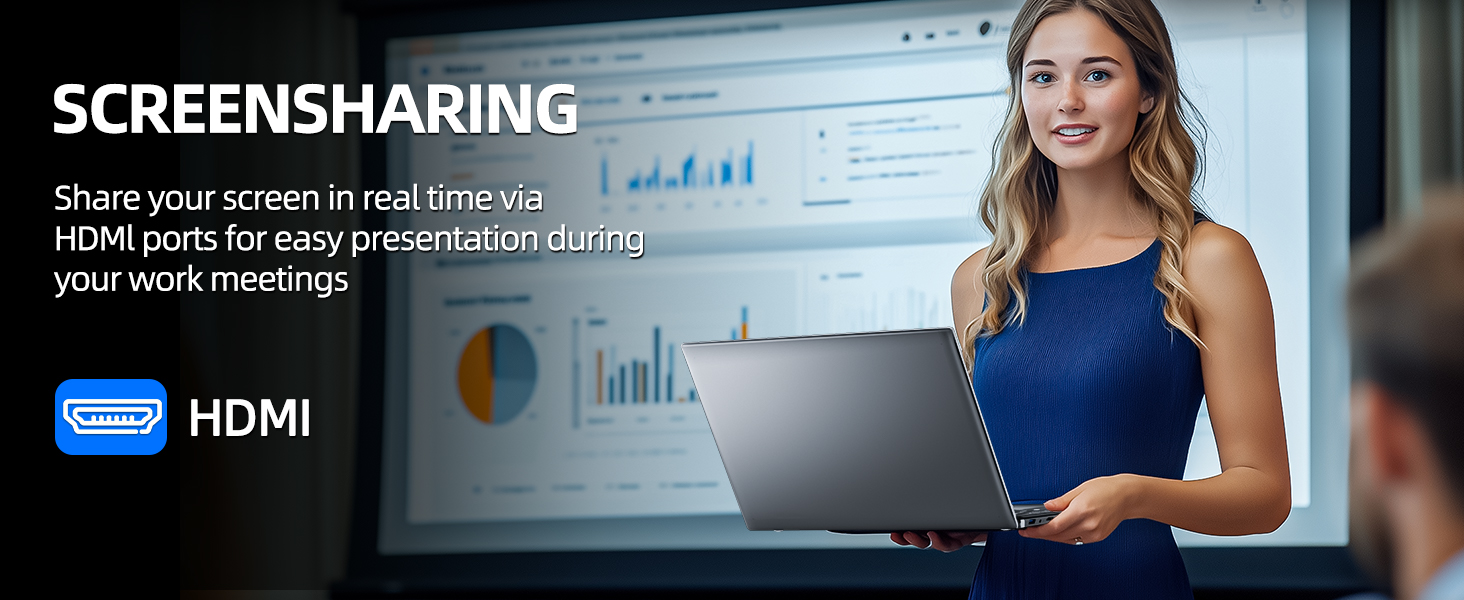
Figure 5.1: Screen Sharing via HDMI
5.6 Menggunakan Peranti USB
Connect USB devices such as external hard drives, keyboards, or mice to the available USB 3.2 ports. The laptop will automatically detect and install necessary drivers.
6. Penyimpanan dan Pengurusan Memori
6.1 Expanding Storage
Your SGIN laptop supports storage expansion:
- Additional SSD: An extra slot is available for installing an M.2 SSD, supporting up to 1TB. Consult a qualified technician for installation.
- Kad MicroSD: Insert a MicroSD card into the dedicated slot for up to 512GB of additional storage.
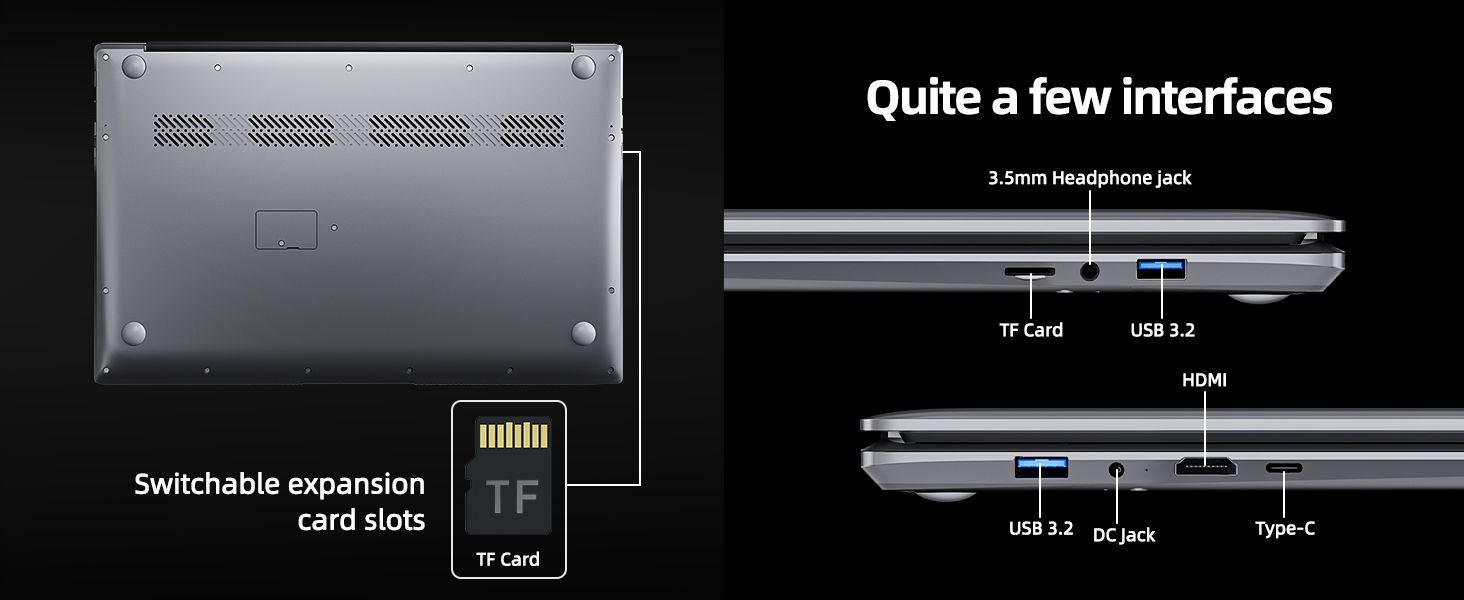
Figure 6.1: Expansion Card Slots
7. Penjagaan Bateri
7.1 Garis Panduan Pengecasan
Always use the original SGIN power adapter provided with your laptop. Avoid using third-party chargers that may not meet the required specifications.
7.2 Mengoptimumkan Hayat Bateri
Untuk memanjangkan hayat bateri:
- Adjust screen brightness to a comfortable but lower level.
- Tutup aplikasi dan tab pelayar yang tidak digunakan.
- Putuskan sambungan peranti luaran apabila tidak digunakan.
- Enable Windows Battery Saver mode.
- Elakkan suhu yang melampau.
8. Penyelenggaraan dan Penjagaan
8.1 Membersihkan Komputer Riba
Gunakan kain lembut dan tidak berbulu sedikit dampened with water or a screen cleaner to clean the display. For the keyboard and chassis, use a soft, dry cloth. Avoid harsh chemicals or abrasive materials.
8.2 Kemas Kini Perisian
Regularly check for and install Windows updates to ensure system stability, security, and optimal performance. Go to 'Settings' > 'Windows Update'.
8.3 Pengendalian Am
Handle your laptop with care. Avoid dropping it or exposing it to liquids, extreme temperatures, or direct sunlight. Do not place heavy objects on the laptop.
9. Penyelesaian masalah
This section addresses common issues you might encounter with your SGIN laptop.
| Masalah | Kemungkinan Punca | Penyelesaian |
|---|---|---|
| Laptop won't turn on | Low battery; Power adapter issue; Hardware malfunction | Ensure battery is charged. Check power adapter connection. Try a different outlet. If problem persists, contact support. |
| Wi-Fi tidak bersambung | Wi-Fi disabled; Incorrect password; Router issue | Ensure Wi-Fi is enabled in settings. Verify password. Restart router and laptop. |
| Prestasi perlahan | Too many applications running; Low storage space; Malware | Close unnecessary programs. Free up disk space. Run a virus scan. Consider adding more RAM or upgrading SSD if frequently slow. |
| Tiada bunyi | Volume muted; Incorrect audio output; Driver issue | Check volume levels and mute status. Ensure correct output device is selected. Update audio drivers. |
| Webcam tak berfungsi | Privacy settings; Driver issue; Application access | Check Windows privacy settings for camera access. Update webcam drivers. Ensure the application has permission to use the camera. |
10. Spesifikasi Teknikal
Detailed specifications for the SGIN M17S Laptop Computer:
| Ciri | Spesifikasi |
|---|---|
| Nama Model | M17S |
| Saiz Paparan Skrin Berdiri | 17.3 Inci |
| Resolusi Skrin | 1920 x 1080 piksel (HD Penuh IPS) |
| Pemproses | Intel Core i3-5005U (2.4 GHz, 2 Cores, 4 Threads) |
| RAM | 4 GB DDR4 |
| Pemacu Keras | 128 GB SSD |
| Pemproses bersama Grafik | Bersepadu |
| Jenis Wayarles | 802.11ac (5G WiFi) |
| Bluetooth | Bluetooth 4.2 |
| Sistem Operasi | Windows 11 Home |
| Berat Barang | 5.89 paun |
| Dimensi Produk | 17.3 x 10 x 0.6 inci |
| Bateri | 8000 mWh Lithium Ion (60Wh) |
| warna | Hitam |
| Ciri Khas | Memory Card Slot (MicroSD) |
11. Waranti dan Sokongan
Your SGIN laptop includes a 1-year comprehensive after-sales warranty covering essential components. For technical assistance, warranty claims, or any product-related inquiries, please contact SGIN customer service. Our professional customer service team aims to respond within 12 hours.
For more information and support, please visit the official SGIN webtapak atau rujuk butiran hubungan yang diberikan bersama pembungkusan produk anda.


