1. Pengenalan
Thank you for choosing the ONIKUMA X31 Wired Gaming Headset. This manual provides essential information for the proper setup, operation, and maintenance of your new headset. Please read this manual thoroughly before use to ensure optimal performance and longevity of the product. The ONIKUMA X31 is designed to deliver an immersive audio experience for PC and Xbox gaming, featuring RGB lighting and surround sound capabilities.
2. Maklumat Keselamatan
- Elakkan mendengar berpanjangan pada tahap kelantangan tinggi untuk mengelakkan kerosakan pendengaran.
- Jangan dedahkan alat dengar kepada suhu, kelembapan atau cahaya matahari langsung yang melampau.
- Keep the headset away from water and other liquids. It is not water-resistant.
- Jangan cuba membuka atau mengubah suai alat dengar. Ini akan membatalkan jaminan.
- Handle the cable with care to prevent damage.
- Jauhkan daripada kanak-kanak.
3. Kandungan Pakej
Sahkan bahawa semua item terdapat dalam pakej anda:
- ONIKUMA X31 Wired Gaming Headset
- Manual Pengguna
- Audio Splitter Cable (if included, for separate mic/audio ports)
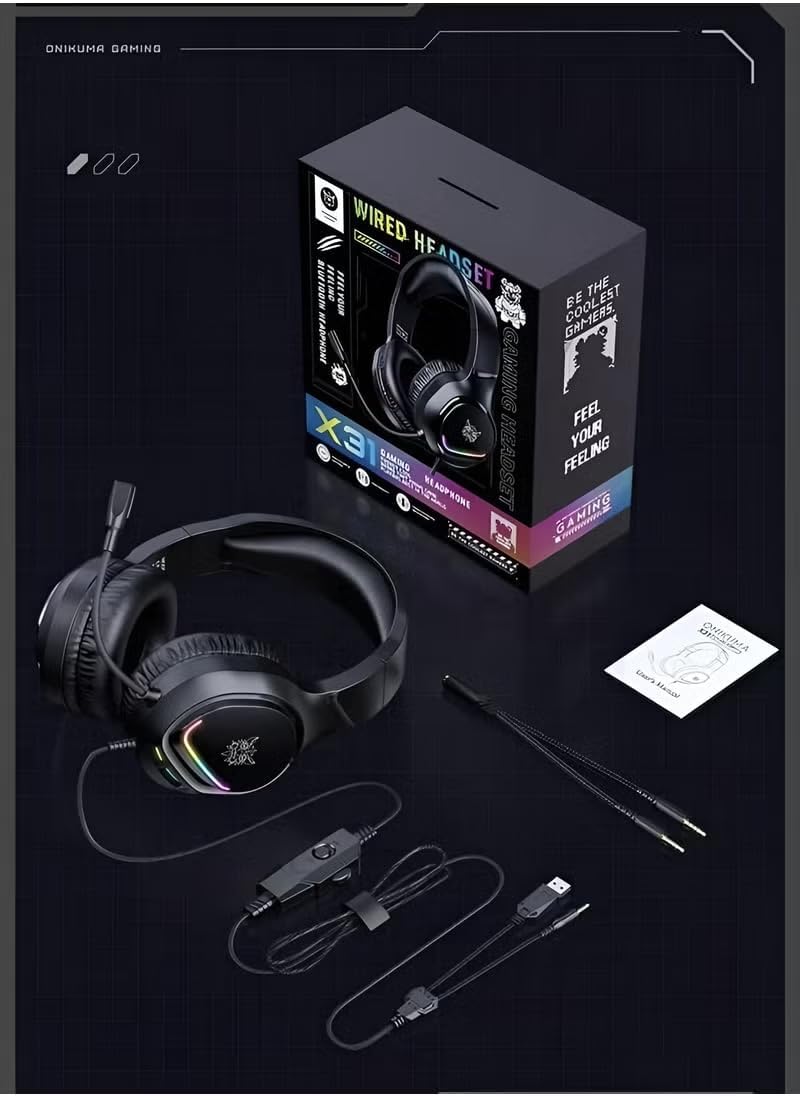
Image: Contents of the ONIKUMA X31 Gaming Headset package.
4. Produk Lebihview
The ONIKUMA X31 Gaming Headset is engineered for an enhanced gaming experience. Key features include:
- Bunyi Imersif: Equipped with surround sound technology and high-quality 50mm audio drivers for detailed and engaging audio.
- Pencahayaan RGB Dinamik: Features vibrant RGB lighting effects that add a visual flair to your gaming setup.
- Reka bentuk yang selesa: Padded headband and cushioned over-ear earcups ensure lasting comfort during extended gaming sessions.
- Mikrofon Fleksibel: A 360° rotatable and bendable microphone allows for clear in-game communication.
- Kawalan Bersepadu: Conveniently located controls for volume adjustment and microphone mute.
- Pembatalan Bunyi Aktif: Provides noise control for focused audio.

Image: The headset's RGB colorful lighting.
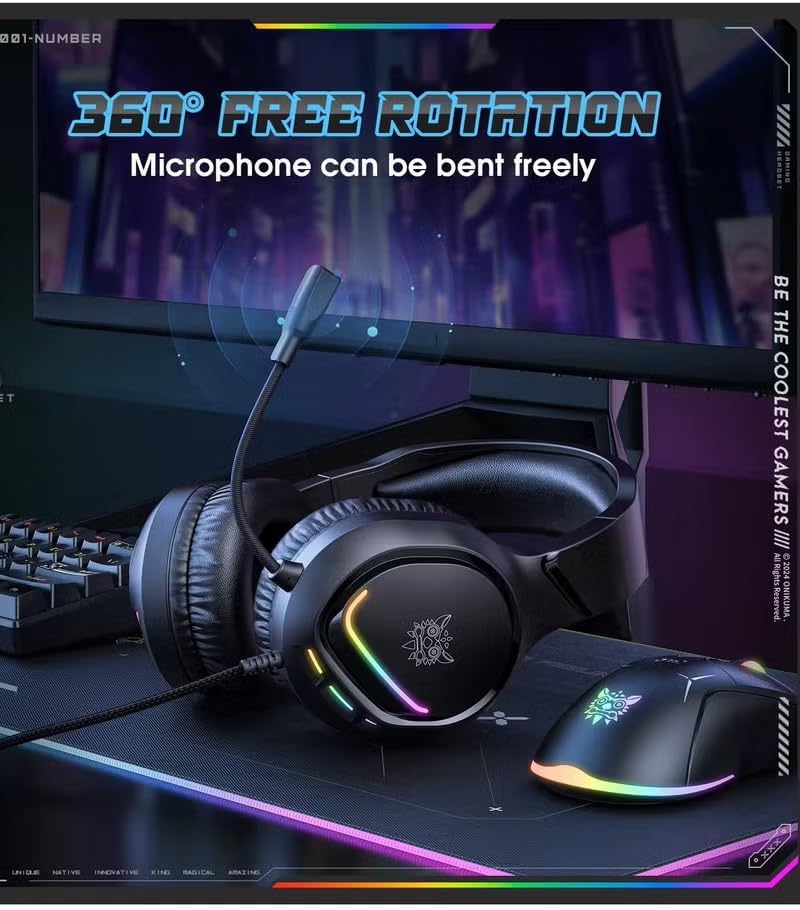
Image: The flexible, 360-degree rotatable microphone.

Image: Illustration of the 50mm large speaker for clear sound.

Image: The headset's comfortable fit for various ear shapes.
5. Persediaan
5.1 Connecting to PC/Xbox
The ONIKUMA X31 headset connects via a wired USB connection. For devices requiring separate audio and microphone jacks, use the included splitter cable.
- For PC (USB Audio): Plug the USB connector directly into an available USB port on your computer. The system should automatically detect and install the necessary drivers.
- For PC (3.5mm Audio/Mic with Splitter): If your PC has separate 3.5mm ports for audio and microphone, connect the headset's 3.5mm jack to the included splitter cable. Then, plug the green connector of the splitter into your PC's audio output jack and the red connector into the microphone input jack. The USB connector is for RGB lighting power.
- For Xbox: Connect the 3.5mm jack of the headset into the 3.5mm port on your Xbox controller. The USB connector is for RGB lighting power and may require a separate USB power source or adapter if the controller port does not provide sufficient power.
5.2 Melaraskan Alat dengar
- Laraskan ikat kepala supaya muat dengan selesa di atas kepala anda.
- Position the earcups so they fully cover your ears, ensuring a snug fit for optimal sound isolation and comfort.
- Bend and rotate the microphone boom to bring the microphone close to your mouth for clear voice pickup.
6. Arahan Operasi
6.1 Kawalan Kelantangan
The headset features an integrated volume control wheel on the cable. Rotate the wheel up to increase volume and down to decrease volume.
6.2 Penggunaan Mikrofon
An integrated switch on the cable allows you to mute or unmute the microphone. Ensure the microphone is unmuted for voice communication. Adjust the microphone's position for optimal clarity.
6.3 Pencahayaan RGB
The RGB lighting on the earcups will illuminate automatically when the USB connector is powered. There are no user-adjustable controls for the lighting patterns; they are dynamic gradient lights.
7. Penyelenggaraan
- Pembersihan: Gunakan kain lembut dan kering untuk membersihkan set kepala. Jangan gunakan pembersih atau pelarut yang melelas.
- Storan: Store the headset in a cool, dry place when not in use. Avoid placing heavy objects on it.
- Penjagaan Kabel: Do not pull on the cable forcefully or wrap it too tightly, as this can damage the internal wires.
8. Penyelesaian masalah
| Masalah | Kemungkinan Punca | Penyelesaian |
|---|---|---|
| Tiada bunyi dari set kepala |
|
|
| Mikrofon tidak berfungsi |
|
|
| Pencahayaan RGB tidak berfungsi |
|
|
| Sound quality is poor or low volume |
|
|
9. Spesifikasi
| Ciri | Perincian |
|---|---|
| Nama Model | X31 (Item Model Number: B780) |
| Jenama | ONIKUMA |
| Teknologi Ketersambungan | Berwayar (USB) |
| Bicu Fon Kepala | USB (for RGB power and potentially audio) |
| Penempatan Telinga | Atas Telinga |
| Faktor Bentuk Fon Kepala | Atas Telinga |
| Peranti Serasi | PC, Xbox |
| Jenis Kawalan | Integrated (Volume, Mic Mute) |
| Kawalan Bunyi | Pembatalan Bunyi Aktif |
| Sensitiviti | 108 dB |
| Ciri Kabel | Pencahayaan RGB |
| Bahan | plastik |
| Berat Barang | 1 Kilogram |
| Tahap Ketahanan Air | Bukan Tahan Air |
| warna | Hitam |
10. Waranti dan Sokongan
For warranty information and technical support, please refer to the official ONIKUMA website or contact your retailer. Keep your purchase receipt as proof of purchase for any warranty claims. Specific warranty terms and conditions may vary by region and retailer.


