1. Pengenalan
Thank you for choosing the MANKIW G10 Bluetooth Headset. This manual provides detailed instructions for setting up, operating, and maintaining your headset to ensure optimal performance and a clear hands-free communication experience. Please read this manual thoroughly before use.
2. Kandungan Pakej
Sahkan bahawa semua item yang disenaraikan di bawah terdapat dalam pakej anda:
- MANKIW G10 Bluetooth Headset
- Kes Pengecasan
- Kabel Pengecas USB-C
- Petua Telinga (pelbagai saiz)
- Manual Pengguna

3. Produk Lebihview
The MANKIW G10 headset features an ergonomic design for comfortable wear and intuitive controls.

Ciri-ciri Utama:
- Dual ENC Microphone: For clear calls with environmental noise cancellation.
- Bluetooth 5.3: Memastikan sambungan tanpa wayar yang stabil dan pantas.
- Sambungan berbilang titik: Connects to two devices simultaneously.
- Hayat Bateri yang Panjang: Up to 20 hours of playback on a single charge, extended to 60 hours with the charging case.
- Reka bentuk ergonomik: Lightweight (13.1g) with 180° swivel hook and 270° foldable arm for comfortable fit.
- Butang Fizikal: Independent volume controls and multi-function button.
- Pengaktifan Pembantu Suara: Quick access to your device's voice assistant.
4. Persediaan
4.1 Mengecas Alat Dengar
Before first use, fully charge the headset and its charging case.
- Place the headset into the charging case.
- Sambungkan kabel pengecas USB-C ke port pengecasan pada bekas dan ke sumber kuasa (cth., penyesuai dinding USB, port USB komputer).
- The LED display on the charging case will indicate the charging status and battery level.
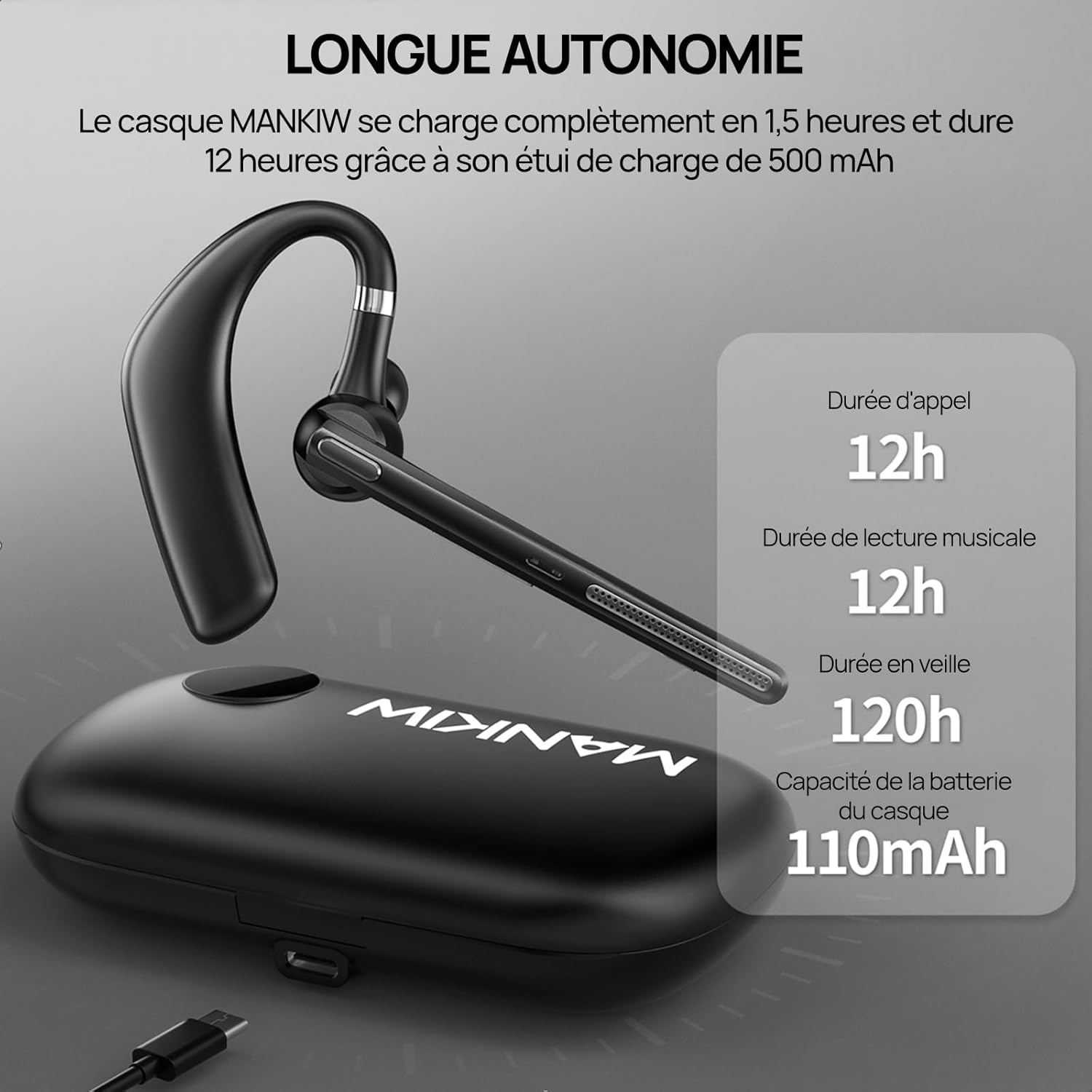
- A full charge for the headset takes approximately 1.5 hours. The charging case provides additional charges, extending total playback time to 60 hours.
4.2 Berpasangan dengan Peranti
The headset uses Bluetooth 5.3 for a stable and fast connection.
- Hidupkan kuasa: Take the headset out of the charging case, or press and hold the Multi-Function Button (MFB) for 3 seconds until the indicator light flashes.
- Mod Berpasangan: The headset will automatically enter pairing mode, indicated by a flashing blue and red light.
- Dayakan Bluetooth: On your smartphone, tablet, or laptop, go to the Bluetooth settings and turn on Bluetooth.
- Pilih Peranti: Look for "G10" in the list of available devices and select it to connect.
- Pengesahan Sambungan: Once connected, the indicator light will stop flashing and remain solid blue, or turn off, depending on the model. A voice prompt may also confirm the connection.

4.3 Connecting to Two Devices (Multipoint)
The G10 headset supports connecting to two devices simultaneously.
- Pair the headset with the first device as described in section 4.2. Then, turn off Bluetooth on the first device.
- The headset will re-enter pairing mode. Pair it with the second device.
- Once connected to the second device, re-enable Bluetooth on the first device. The headset should automatically connect to both devices.
- You can now switch between audio sources from either device without re-pairing.

5. Arahan Operasi
5.1 Hidupkan/Mati Kuasa
- Hidupkan kuasa: Take the headset out of the charging case, or press and hold the MFB for 3 seconds.
- Matikan: Place the headset back into the charging case, or press and hold the MFB for 5 seconds.
5.2 Pengurusan Panggilan
- Jawab/Tamatkan Panggilan: Tekan MFB sekali.
- Tolak Panggilan: Tekan dan tahan MFB selama 2 saat.
- Dail Semula Nombor Terakhir: Tekan dua kali pada MFB.
5.3 Kawalan Kelantangan
- Tingkatkan Kelantangan: Tekan butang Volume +.
- Kurangkan Kelantangan: Tekan butang Kelantangan -.
5.4 Main balik Muzik
- Main/Jeda: Tekan MFB sekali.
- Lagu Seterusnya: Tekan dan tahan butang Kelantangan + selama 2 saat.
- Trek Sebelumnya: Tekan dan tahan butang Kelantangan - selama 2 saat.
5.5 Pengaktifan Pembantu Suara
To activate your device's voice assistant (e.g., Siri, Google Assistant), triple-press the MFB.
5.6 Memakai Alat dengar
The MANKIW G10 is designed for comfortable and secure fit.
- The ear hook can rotate 180° and the arm can fold 270°, allowing you to adjust it for either your left or right ear.
- Choose the appropriate ear tip size for a snug and comfortable fit.
6. Penyelenggaraan
6.1 Pembersihan
- Regularly clean the ear tips and the headset's surface with a soft, dry cloth.
- Jangan gunakan bahan kimia yang keras atau bahan yang melelas.
- Ensure the charging contacts on both the headset and case are clean and dry.
6.2 Penyimpanan
- When not in use, store the headset in its charging case to protect it and keep it charged.
- Simpan di tempat yang sejuk dan kering, jauh daripada suhu ekstrem dan cahaya matahari langsung.
7. Penyelesaian masalah
If you encounter issues with your MANKIW G10 headset, refer to the following common problems and solutions:
| Masalah | Kemungkinan Punca | Penyelesaian |
|---|---|---|
| Alat dengar tidak dihidupkan. | Bateri lemah. | Charge the headset and charging case fully. |
| Tidak boleh berpasangan dengan peranti. | Bluetooth is off on device; headset not in pairing mode; device too far. | Ensure Bluetooth is enabled on your device. Put headset in pairing mode. Keep devices within 10 meters. |
| Tiada bunyi atau kelantangan rendah. | Volume too low on headset or device; headset not connected. | Adjust volume on both headset and device. Reconnect the headset. |
| Kualiti panggilan kurang baik. | Weak signal; environmental noise. | Move closer to your connected device. Ensure microphone is not obstructed. |
| Fon kepala kerap terputus sambungan. | Out of range; interference. | Stay within Bluetooth range. Avoid strong electromagnetic interference. |
8. Spesifikasi
| Ciri | Perincian |
|---|---|
| Nombor Model | G10 |
| Versi Bluetooth | 5.3 |
| Kapasiti Bateri Alat Dengar | 110mAh |
| Kapasiti Bateri Kes Pengecasan | 500mAh |
| Masa Berbual | Sehingga 12 jam |
| Masa Main semula Muzik | Sehingga 12 jam |
| Masa Tunggu Sedia | Sehingga 120 jam |
| Masa Mengecas | Approx. 1.5 hours (headset) |
| Mikrofon | Dual ENC Noise Cancellation |
| Pemandu | 14.2mm Dinamik |
| Codec Audio | AAC / SBC |
| Berat badan | 13.1g (headset) |
| Tahan Air | Waterproof (as per product specifications) |
| Kaedah Kawalan | Butang Tekan |
| Keserasian | Smartphones, Tablets, Laptops (iOS, Android) |
| bahan | plastik |
9. Waranti dan Sokongan
For warranty information or technical support, please refer to the documentation included with your purchase or contact MANKIW customer service through their official webtapak atau peruncit tempat produk itu dibeli.