pengenalan
Thank you for choosing the MIDEA 12L Dehumidifier. This appliance is designed to efficiently remove excess moisture from the air, creating a more comfortable and healthier indoor environment. With its silent operation, app control, and various modes, it offers a convenient solution for humidity control in your home. Please read this manual thoroughly before operation to ensure proper use, maintenance, and safety.
Arahan Keselamatan
- Sentiasa sambungkan unit ke soket kuasa yang dibumikan dengan volum yang betultage.
- Jangan kendalikan penyahlembap dengan kord kuasa atau palam yang rosak.
- Jauhkan perkakas daripada air dan cecair lain untuk mengelakkan kejutan elektrik.
- Ensure proper ventilation around the unit; do not block air inlets or outlets.
- Jangan masukkan objek ke dalam lubang udara.
- Cabut plag unit sebelum membersihkan atau melakukan sebarang penyelenggaraan.
- Perkakas ini tidak dimaksudkan untuk digunakan oleh orang (termasuk kanak-kanak) yang kurang keupayaan fizikal, deria atau mental, atau kurang pengalaman dan pengetahuan, melainkan mereka telah diberi pengawasan atau arahan mengenai penggunaan perkakas oleh orang yang bertanggungjawab untuk keselamatan mereka.
- Kanak-kanak harus diawasi untuk memastikan bahawa mereka tidak bermain dengan perkakas.
Produk Selesaiview
The MIDEA 12L Dehumidifier is a compact and efficient unit designed for spaces up to 35 m². It features a 2.1L removable water tank and offers various operating modes for optimal humidity control.
Ciri-ciri Utama:
- Penyahlembapan yang cekap: Mengeluarkan sehingga 12 liter kelembapan setiap hari.
- Kawalan Apl: Monitor and control the unit remotely via the MSmartHome app.
- Operasi senyap: Operates at a low noise level of 36dB, ideal for bedrooms and offices.
- Mod Pengering: Facilitates quick drying of clothes.
- Mod Automatik: Maintains desired humidity levels between 30-85%.
- Kunci Kanak-kanak: Menghalang perubahan tidak sengaja pada tetapan.
- Dual Drainage: Offers both removable tank and continuous drainage options.
- mudah alih: Equipped with integrated wheels for easy movement.

Imej: Selesaiview of the MIDEA compact dehumidifier highlighting its key features such as silent mode, drying mode, automatic mode, child lock, app control, high mobility, removable water tank, and full tank indicator.
Persediaan
1. Membongkar dan Meletakkan:
- Keluarkan dehumidifier dengan berhati-hati daripada pembungkusnya.
- Place the unit on a firm, level surface in an area where the humidity is highest.
- Pastikan terdapat sekurang-kurangnya 20 cm (8 inci) ruang di sekeliling unit untuk aliran udara yang betul.
- Elakkan meletakkan unit berhampiran sumber haba atau di bawah cahaya matahari langsung.
2. Sambungan Kuasa:
- Palamkan kord kuasa ke salur keluar elektrik yang dibumikan.
3. Water Drainage Options:
The dehumidifier offers two drainage methods: using the removable water tank or continuous drainage.

Imej: Sisi view of the MIDEA dehumidifier showing the removable 2.5-liter water tank and the continuous drainage hose connection.
- Tangki Air boleh tanggal: The unit will automatically shut off when the 2.1L tank is full. Empty the tank and reinsert it to resume operation.
- Saliran Berterusan: For extended use without emptying the tank, connect a drainage hose (60 cm hose included in the toolkit) to the continuous drainage port and direct it to a suitable drain.
Arahan Operasi
Panel Kawalan:

Image: Close-up of the dehumidifier's control panel, showing buttons for Timer, Mode, Humidity Level adjustment, Fan Speed, and Power/Connect. The display shows '40%' humidity.
- 24H Timer Adjustment: Press for 3 seconds to cancel the timer setting.
- Pelarasan Mod: Cycle through Auto, Silent, and Dry modes.
- Pelarasan Tahap Kelembapan: Use up/down arrows to set desired humidity. Press both simultaneously to activate/deactivate Child Lock.
- Pelarasan Kelajuan Kipas: Select High or Low fan speed.
- Hidupkan/Mati Kuasa: Press to turn the unit on or off. Press for 3 seconds to connect the device with the MSmartHome app.
Mod Pengendalian:
- Mod Automatik: Adjust the desired humidity level between 35% and 85%. The dehumidifier will operate until the set humidity level is reached.
- Mod senyap: For quiet operation, especially during rest or work, the unit maintains a low noise level of 36 dB.
- Mod Pengering: Activate this mode to quickly dry clothes, providing a worry-free environment even on rainy days.
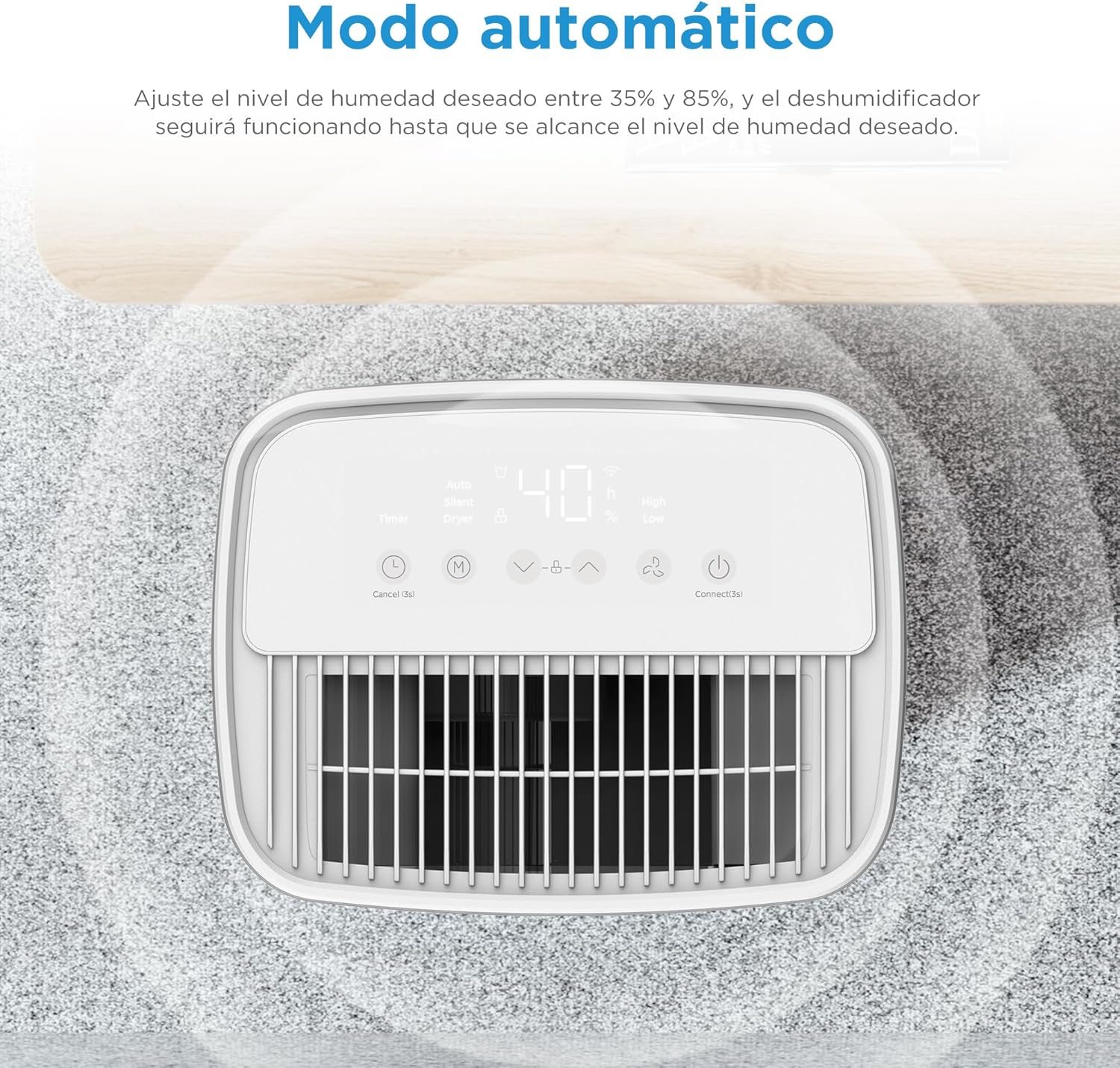
Imej: Atas view of the dehumidifier's control panel displaying '40%' humidity, indicating automatic mode operation.
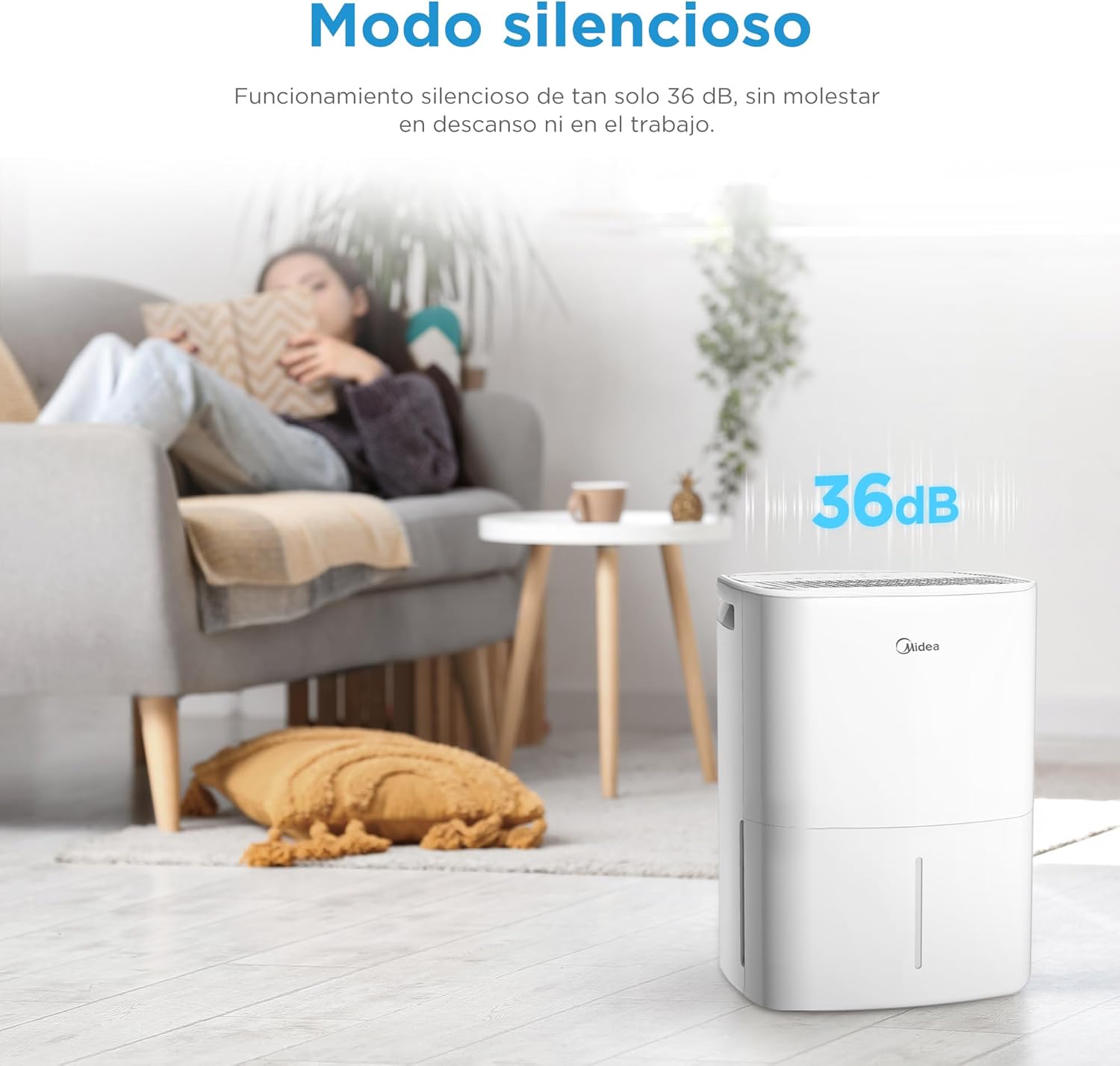
Image: MIDEA dehumidifier operating silently in a living room, with a visual representation of 36dB noise level.

Image: MIDEA dehumidifier placed near a clothes rack, illustrating its use in dryer mode to assist with laundry drying.
Kawalan Apl:
Control your dehumidifier anytime, anywhere with the MSmartHome app. You can monitor water levels, predict tank fill times, and adjust settings with ease.

Image: A smartphone screen showing the MSmartHome app interface controlling the MIDEA dehumidifier, with options for humidity, fan speed, and water level.
Fungsi Kunci Kanak-kanak:
To prevent accidental operation, press the up and down humidity adjustment buttons simultaneously to activate or deactivate the child lock function.

Image: A child playing near the MIDEA dehumidifier, with a shield icon indicating the child lock function is active.
Penyelenggaraan
1. Mengosongkan Tangki Air:
- Apabila tangki air penuh, unit akan berhenti secara automatik dan lampu penunjuk akan menyala.
- Tarik keluar tangki air dari bahagian hadapan unit dengan berhati-hati.
- Kosongkan air yang terkumpul.
- Reinsert the empty water tank firmly into the unit. Ensure it is properly seated to resume operation.
2. Membersihkan Penapis Udara:
Regular cleaning of the air filter is essential for efficient operation.
- Matikan dan cabut plag penyahlembap.
- Cari dan keluarkan penapis udara (biasanya di bahagian belakang atau sisi unit).
- Clean the filter with a vacuum cleaner or wash it with warm, soapy water.
- Bilas dengan teliti dan biarkan ia kering sepenuhnya sebelum dipasang semula.
- Clean the filter every two weeks or more often if used in a dusty environment.
3. Cleaning the Exterior:
- Lap bahagian luar unit dengan lembut, damp kain.
- Do not use harsh chemicals, abrasives, or solvents, as these can damage the surface.
4. Storan:
- Jika menyimpan unit untuk tempoh yang lama, pastikan tangki air kosong dan bersih.
- Bersihkan penapis udara.
- Store the unit upright in a cool, dry place, away from direct sunlight.
Menyelesaikan masalah
| Masalah | Kemungkinan Punca | Penyelesaian |
|---|---|---|
| Dehumidifier tidak dihidupkan. | No power, power cord unplugged, water tank full or incorrectly inserted. | Check power connection, empty and reinsert water tank correctly. |
| Tiada air yang dikutip. | Humidity level too low, room temperature too low, air filter clogged, continuous drainage hose connected. | Increase desired humidity setting, ensure room temperature is above 5°C, clean air filter, disconnect continuous drainage if using tank. |
| Unit bising. | Unit not on a level surface, air filter clogged, internal components vibrating. | Letakkan pada permukaan yang rata, penapis udara bersih. Jika bunyi bising berterusan, hubungi sokongan. |
| Kawalan apl tidak berfungsi. | Wi-Fi connectivity issues, incorrect app pairing. | Ensure stable Wi-Fi, re-pair the device with the MSmartHome app (press Power button for 3s). |
| Kunci Kanak-kanak aktif. | Child Lock accidentally activated. | Press humidity up and down buttons simultaneously to deactivate. |
Spesifikasi
| Ciri | Spesifikasi |
|---|---|
| Jenama | Midea |
| Nombor Model | MDDOZ-12DEN7-QA3 |
| warna | putih |
| Dimensi Produk | 20.5 x 26 x 41.2 cm |
| Berat badan | 10.34 kg |
| Kapasiti Dehumidifikasi | 12 L/hari |
| Isipadu Tangki Air | 2.1 Liter |
| Kawasan yang Disyorkan | Sehingga 35 m² |
| Bilangan Kelajuan | 3 |
| Ciri Khas | App Control, Dual Drainage, Midea Proactive Pure - R-290, Dryer Mode, Automatic Shut-off |
| bahan | plastik |
Waranti dan Sokongan
For warranty information, please refer to the documentation provided with your purchase. If you encounter any issues or require technical assistance, please contact customer support:
- Penjual: PACERIN EU
- telefon: +34 614 230 356
- e-mel: support@pacerin.com

Image: MIDEA customer support contact details including Amazon messaging, phone number, and email address.


