pengenalan
This manual provides comprehensive instructions for the setup, operation, maintenance, and troubleshooting of your Spectra Projection Helios Fresnel ALR Projector Screen. Designed for ultra short throw (UST) projectors, this 120-inch screen utilizes advanced Fresnel Ambient Light Rejecting (ALR) technology to deliver bright and vivid images even in well-lit environments.
Please read this manual thoroughly before installation and use to ensure optimal performance and longevity of your projector screen.
Persediaan dan Pemasangan
1. Membongkar
- Buka pembungkusan dengan berhati-hati dan keluarkan semua komponen.
- Inspect the screen and frame for any signs of damage. If damage is found, contact customer support immediately.
- Ensure all parts listed in the packing list (refer to your product packaging) are present.
2. Pemasangan Dinding
The Spectra Projection Helios screen is designed for wall mounting. Professional installation is recommended due to the size and precision required for optimal viewing.
- Pilih Lokasi: Choose a flat wall surface free from obstructions. Ensure the wall can support the screen's weight (approximately 30 pounds).
- Ukur dan Tandakan: Determine the desired height and center point for the screen. Use a level to mark the positions for the mounting brackets according to the provided template (if included) or measurements in the assembly guide.
- Pasang Kurungan: Securely attach the wall mounting brackets to the marked positions using appropriate hardware for your wall type (e.g., wall anchors for drywall, screws for studs).
- Assemble Frame (if required): Follow the separate assembly instructions for the screen frame.
- Lampirkan Bahan Skrin: Carefully attach the screen material to the frame, ensuring it is taut and wrinkle-free.
- Mount Screen: With assistance, lift the assembled screen and carefully hook it onto the installed wall brackets. Ensure it is securely seated and level.

Figure 1: The Spectra Projection Helios screen installed with a UST projector.
3. Penempatan Projektor
This screen is specifically designed for Ultra Short Throw (UST) projectors. The projector must be placed directly below the screen, very close to the wall, projecting upwards onto the screen surface. Refer to your projector's manual for exact placement distances and keystone correction settings.
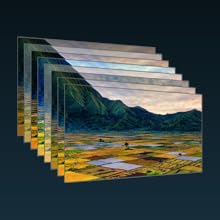
Figure 2: Simulated surface detail of the Fresnel ALR screen, illustrating its light-directing properties.
Arahan Operasi
The Spectra Projection Helios screen is a passive display surface. Its operation is directly linked to your Ultra Short Throw projector. Ensure your projector is correctly aligned and calibrated for the best viewpengalaman dalam.
Ambient Light Rejection (ALR) Technology
The screen features advanced Fresnel ALR technology. This specialized optical surface is engineered to reflect light from the UST projector directly to the viewer while absorbing or deflecting ambient light from other angles. This results in a bright, high-contrast image even in rooms with significant ambient light, making it suitable for daytime viewing.

Figure 3: Illustration of Fresnel ALR technology, showing light paths.
8-Layer Optical Surface Structure
The screen's performance is enhanced by an 8-layer optical surface structure. Each layer contributes to image quality, color accuracy, and durability. These layers include anti-glare, color plane, diffusion, columnar, speckle diffusion, Fresnel, reflecting, and blackened layers, working in concert to optimize the projected image.

Rajah 4: Terperinci view of the 8-layer optical surface structure.
Penyelenggaraan
Membersihkan Permukaan Skrin
- Penyingkiran habuk: Gently wipe the screen surface with a soft, dry, lint-free microfiber cloth to remove dust.
- Pembersihan Tempat: For smudges or fingerprints, lightly dampen a clean microfiber cloth with distilled water. Wipe the affected area gently in one direction. Do not rub vigorously.
- Elakkan Bahan Kimia: Never use harsh chemicals, solvents, alcohol-based cleaners, or abrasive materials on the screen surface, as these can damage the optical layers.
- Tekanan: Do not apply excessive pressure when cleaning, as this can cause permanent damage or distortion to the screen material.
Penjagaan Am
- Avoid touching the screen surface directly with bare hands.
- Keep the screen away from direct sunlight or strong heat sources when not in use, if possible, to prevent material degradation.
- Ensure the screen is not exposed to sharp objects that could scratch or puncture the surface.
Menyelesaikan masalah
| Masalah | Kemungkinan Punca | Penyelesaian |
|---|---|---|
| Imej kelihatan malap atau hilang. | Incorrect projector placement; excessive ambient light; projector settings. |
|
| Image has hot spots or uneven brightness. | Projector misalignment; screen not perfectly flat. |
|
| Visible lines or patterns on the screen. | Moiré effect (interaction between projector pixels and screen texture); screen damage. |
|
| Dust or smudges on the screen. | Accumulated dust; accidental touching. |
|
If the problem persists after attempting these solutions, please contact Spectra Projection customer support.
Spesifikasi
| Ciri | Perincian |
|---|---|
| Jenama | Spectra Projection |
| Nama Model | Helios |
| Dimensi Paparan | 120 inci |
| Dimensi Produk (W x H) | 104.6"W x 49"H |
| bahan | Fresnel (Ambient Light Rejecting) |
| Jenis Pemasangan | Lekap di dinding |
| Berat Barang | 30 paun |
| Keserasian | Ultra Short Throw (UST) Projectors |
Maklumat Waranti
For detailed warranty information regarding your Spectra Projection Helios Fresnel ALR Projector Screen, please refer to the warranty card included with your product or visit the official Spectra Projection webtapak. Terma dan syarat waranti mungkin berbeza mengikut wilayah dan peruncit.
Sokongan Pelanggan
If you require assistance, have questions about your product, or need technical support, please contact Spectra Projection customer service. Contact details can typically be found on the manufacturer's webtapak atau pada pembungkusan produk.
Sumber Dalam Talian: Lawati Spectra Projection brand page on Amazon untuk maklumat dan sokongan produk tambahan.