pengenalan
This manual provides detailed instructions for the setup, operation, and maintenance of your AULA F3061 Anti-ghosting Gaming Keyboard and Mouse Combo. Please read this manual thoroughly before using the product to ensure optimal performance and longevity.
Kandungan Pakej
- AULA F3061 Wired Gaming Keyboard
- AULA Wired Gaming Mouse
- Manual Pengguna
Arahan Persediaan
Follow these steps to connect your AULA F3061 Gaming Keyboard and Mouse Combo to your computer:
- Sambungkan Papan Kekunci: Locate an available USB port on your computer. Insert the USB connector of the AULA F3061 keyboard into the USB port.
- Sambungkan Tetikus: Locate another available USB port on your computer. Insert the USB connector of the AULA gaming mouse into the USB port.
- Pemasangan Pemandu: The keyboard and mouse are plug-and-play devices. Your operating system (Windows, macOS) will automatically detect and install the necessary drivers. This process may take a few moments.
- Pengesahan: Once drivers are installed, the keyboard and mouse will be ready for use. Test functionality by typing and moving the mouse.
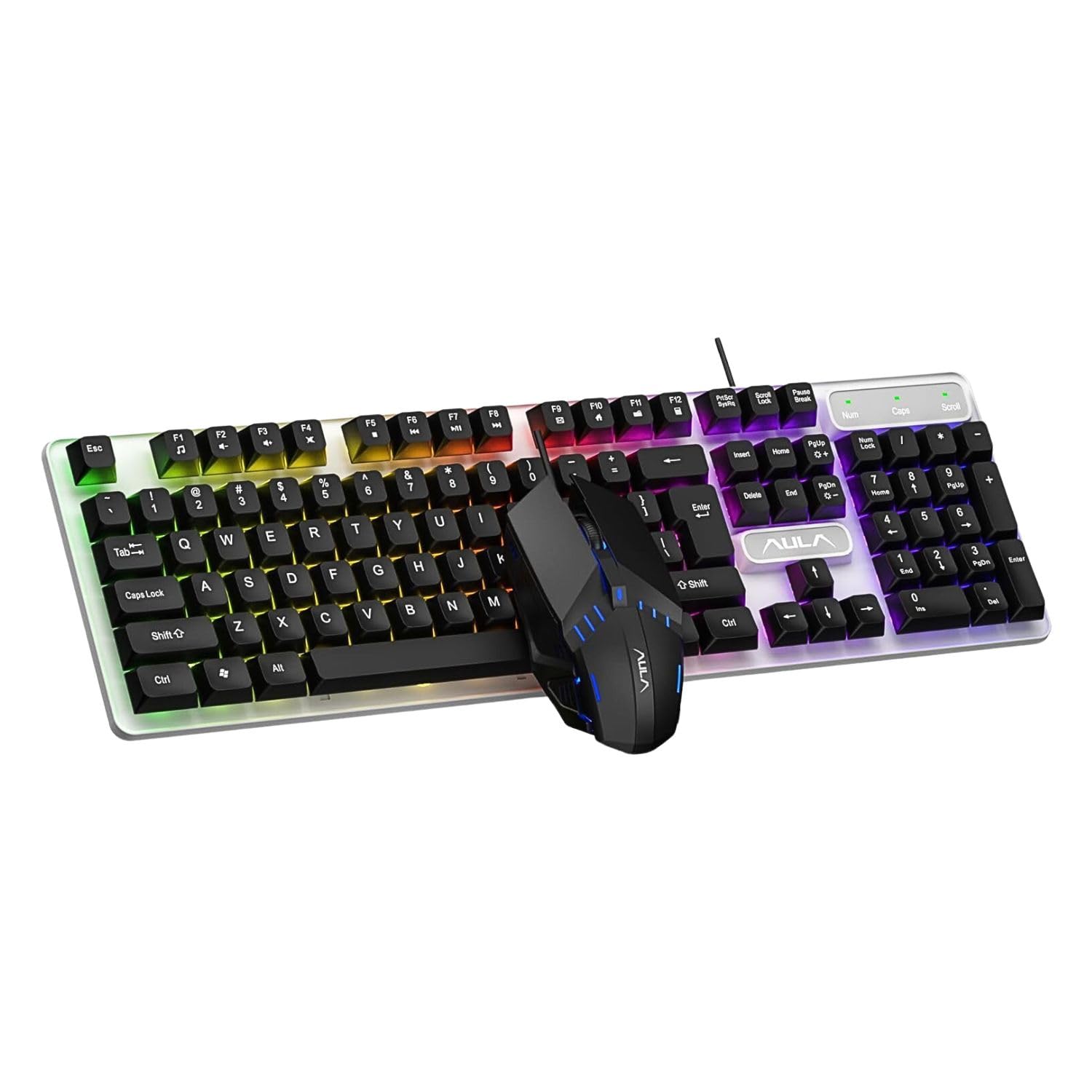
Image: The AULA F3061 wired gaming keyboard and mouse combo, ready for connection to a computer.
Arahan Operasi
Fungsi Papan Kekunci
- Multimedia & Backlight Control: This wired membrane keyboard features dedicated shortcut keys for media control. You can switch between 3 different lighting effects or adjust the backlight brightness and speed using specific key combinations. Refer to the keyboard's keycap legends for exact functions.
- Anti hantu: The keyboard supports 26-key rollover anti-ghosting technology, allowing multiple keys to be pressed simultaneously without conflicts, which is beneficial for gaming.
- Win Lock Function: A dedicated Win lock function is included to prevent accidental presses of the Windows key during gaming or typing, minimizing interruptions.

Image: Close-up of the AULA F3061 keyboard showcasing its breathable color backlight with adjustable brightness.

Image: Detail of the AULA F3061 keyboard's bass-suspended keycaps, designed for quick snap-back response.
Fungsi Tetikus
- DPI: The gaming mouse features a 1200 DPI sensor, providing precise tracking for various applications, including gaming and general computer use.
- Reka bentuk ergonomik: The mouse is designed with an overall streamlined appearance to fit the curvature of the hand, aiming for comfortable use during extended periods.
- Anti-slip Material: Constructed with 3D anti-slip rubber material, the mouse offers enhanced grip and wear resistance.

Image: The AULA gaming mouse, highlighting its streamlined appearance designed for hand comfort.

Image: A close-up of the AULA gaming mouse, showing its 3D anti-slip rubber material for improved grip and durability.
Penyelenggaraan
To ensure the longevity and proper functioning of your AULA F3061 combo, follow these maintenance guidelines:
- Pembersihan: Use a soft, dry cloth to wipe down the keyboard and mouse surfaces. For stubborn dirt, slightly dampen kain dengan air atau larutan pembersih lembut. Elakkan bahan kimia yang keras atau bahan yang melelas.
- Penyingkiran habuk: Use compressed air to remove dust and debris from between the keyboard keys and mouse crevices.
- Elakkan Cecair: Do not spill liquids on the keyboard or mouse. If accidental spillage occurs, immediately disconnect the device and allow it to dry completely before reconnecting.
- Storan: Simpan peranti di tempat yang sejuk dan kering jauh dari cahaya matahari langsung dan suhu yang melampau apabila tidak digunakan untuk tempoh yang lama.
Menyelesaikan masalah
If you encounter issues with your AULA F3061 Gaming Keyboard and Mouse Combo, refer to the following common solutions:
- Peranti Tidak Membalas:
- Pastikan kabel USB dipasang dengan selamat ke port USB komputer.
- Cuba sambungkan peranti ke port USB yang berbeza.
- Mulakan semula komputer anda.
- Lampu Latar Tidak Berfungsi/Tidak Betul:
- Check if the backlight function is enabled using the designated shortcut keys (refer to keycap legends).
- Adjust brightness and speed settings using the appropriate key combinations.
- Kursor Tetikus Melompat atau Tidak Menentu:
- Clean the mouse sensor area with a soft cloth.
- Pastikan anda menggunakan tetikus pada permukaan yang sesuai (cth, pad tetikus).
- Kunci Tidak Mendaftar:
- Pastikan papan kekunci disambungkan dengan betul.
- Clean any debris from around the affected keys using compressed air.
Spesifikasi Produk
| Ciri | Spesifikasi |
|---|---|
| Nombor Model | F3061 Combo |
| Dimensi Produk | 44.5 x 13.3 x 3.6 cm |
| Berat Barang | 687 g |
| Ketersambungan | USB berwayar |
| Jenis Papan Kekunci | Membrane, Anti-ghosting (26-key rollover) |
| Lampu latar keyboard | Rainbow LED, Adjustable Brightness/Speed |
| DPI tetikus | 1200 DPI |
| Keserasian | Windows XP / Vista / Win7 / Win8 / Win10 / MacOS, PC, Laptop, Google TV, Smart TV, PS4 / Xbox One |
| Negara Asal | China |
Waranti dan Sokongan
This AULA product is covered by a standard manufacturer's warranty against defects in materials and workmanship. The specific terms and duration of the warranty may vary by region. Please retain your proof of purchase for warranty claims.
For technical support, warranty inquiries, or further assistance, please refer to the contact information provided with your product packaging or visit the official AULA webtapak.


