1. Pengenalan
Selamat datang ke manual pengguna untuk anda ViewSonic VX2479A-HD-PRO gaming monitor. This document provides essential information for setting up, operating, and maintaining your monitor to ensure optimal performance and longevity. The VX2479A-HD-PRO is a 24-inch Full HD (1920x1080) monitor featuring a SuperClear IPS panel, a rapid 240Hz refresh rate, and a 1ms (MPRT) response time, designed for an immersive and responsive gaming experience. It supports HDR10, 102% sRGB color coverage, and includes EyePro Tech for enhanced viewkeselesaan semasa penggunaan lanjutan.

Rajah 1: Depan view daripada ViewSonic VX2479A-HD-PRO monitor.
2. Kandungan Pakej
Please verify that all items listed below are included in your package. If any items are missing or damaged, please contact your retailer or ViewSokongan pelanggan Sonic.
- ViewSonic VX2479A-HD-PRO Monitor x1
- Kabel Kuasa x1
- Kabel HDMI x1
- Panduan Mula Pantas x1
3. Persediaan
Ikuti langkah ini untuk menyediakan monitor anda:
- Membongkar: Carefully remove the monitor and all components from the packaging. Place the monitor face down on a soft, clean surface to prevent scratches.
- Perhimpunan Berdiri: Attach the monitor stand to the monitor panel according to the instructions in the included Quick Start Guide. Ensure it is securely fastened.
- Menyambung Kabel:
- Sambungkan kabel kuasa ke input kuasa monitor dan kemudian ke alur keluar kuasa.
- Connect the included HDMI cable from your computer's graphics card or gaming console to one of the HDMI 1.4 ports on the monitor. Alternatively, use a DisplayPort 1.4 cable for optimal performance.
- If desired, connect headphones or external speakers to the 3.5mm audio-out jack.
- Hidupkan kuasa: Press the power button on the monitor. Power on your computer or gaming console. The monitor should automatically detect the input signal.
The monitor is also compatible with 100 x 100 mm VESA mounts for alternative mounting solutions (mounting hardware sold separately).

Rajah 2: Belakang view menggambarkan port sambungan monitor.
4. Mengendalikan Monitor
The monitor features an On-Screen Display (OSD) menu for adjusting various settings. Use the buttons located on the monitor's bezel to navigate and select options.
4.1. OSD Menu Navigation
- Press any OSD button to activate the menu.
- Use the navigation buttons (usually arrows) to move between menu options.
- Press the 'Select' or 'Enter' button to confirm a selection or enter a sub-menu.
- Tekan butang 'Keluar' atau 'Kembali' untuk kembali ke menu sebelumnya atau keluar dari OSD.
4.2. ViewTetapan Mod
The ViewMode feature offers preset color profiles optimized for different viewing scenarios. These modes fine-tune brightness, contrast, and gamma settings.
- Permainan: Optimized for gaming, enhancing visibility in dark areas and sharpening details.
- Filem: Menyediakan sinematik viewing experience with enhanced contrast and color saturation.
- Web: Balanced settings for general internet browsing and document viewing.
- teks: Mengurangkan cahaya biru dan melaraskan kecerahan untuk bacaan yang selesa.
- Mono: Memaparkan kandungan dalam skala kelabu.
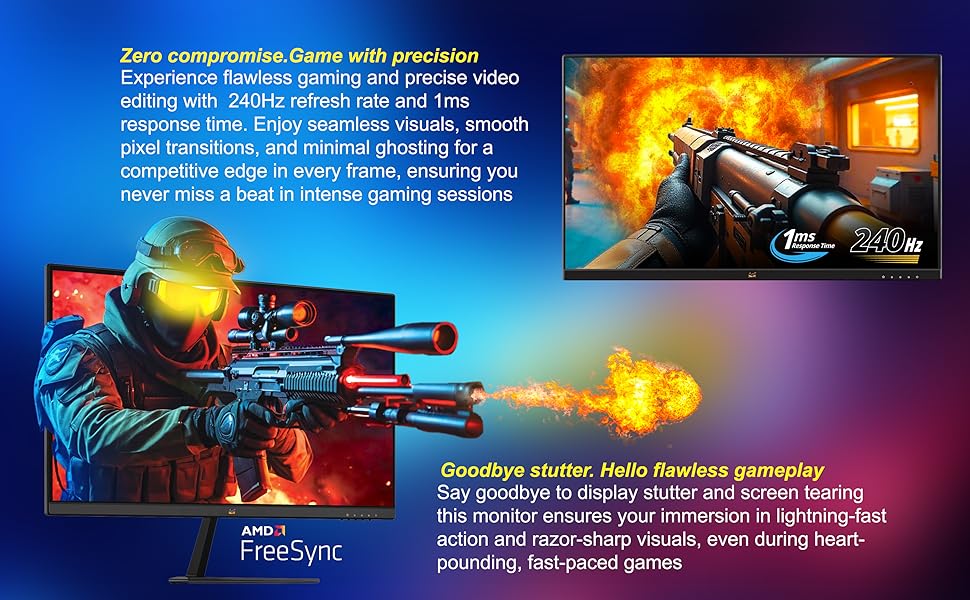
Figure 3: Illustration of preset game modes available through ViewMod.
5. Ciri-ciri Utama
5.1. Ultra-Smooth Full HD Visuals
The 24-inch (23.8-inch viewable) SuperClear IPS screen delivers Full HD 1920 x 1080 resolution with vibrant visuals and sharp detail. The ultra-slim frameless design supports immersive viewing, whether in single or multi-monitor setups.
5.2. Exceptional Speed with 240Hz Refresh Rate and 1ms Response Time
Built for competitive gaming, the ultra-fast 240Hz refresh rate ensures incredibly smooth visuals. Paired with a 1ms (MPRT) response time and Variable Refresh Rate (VRR) support, this monitor eliminates screen tearing and ghosting for seamless gameplay and motion clarity.

Figure 4: Visual comparison demonstrating blur reduction at 240Hz versus 60Hz refresh rates.
5.3. AMD FreeSync Support
Experience tear-free and stutter-free gameplay with AMD FreeSync technology, which synchronizes the monitor's refresh rate with your GPU's frame rate.

Figure 5: Gameplay comparison showing the effect of AMD FreeSync on screen synchronization.
5.4. HDR10 and 102% sRGB Color Coverage
Experience deeper contrast, richer colors, and brighter highlights with HDR10 technology. The monitor also boasts 102% sRGB color coverage, ensuring vivid and accurate color reproduction for both gaming and content creation.
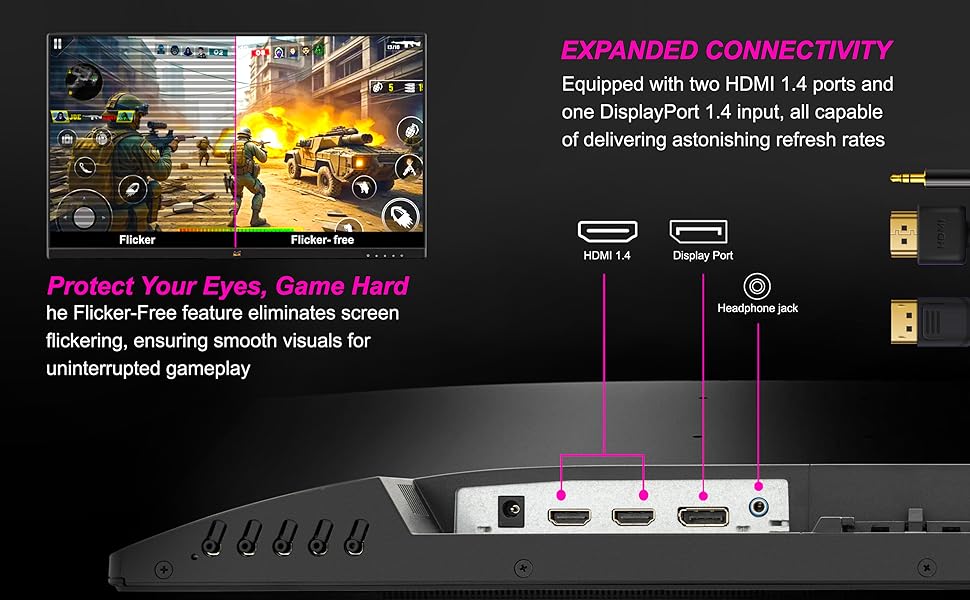
Figure 6: Visual representation of HDR10 enhancing contrast and color in a game scene.
5.5. Enhanced Eye Comfort with EyePro Tech+
The monitor incorporates Flicker-Free technology and a Blue Light Filter to reduce eye strain during extended use, making it ideal for long gaming sessions, studying, or professional work.
5.6. Lebar Viewing Angles with SuperClear IPS
The SuperClear IPS panel technology ensures consistent color accuracy and brightness from wide viewing angles, up to 178 degrees horizontally and vertically.

Figure 7: Demonstrating wide viewing angles of the SuperClear IPS panel.
6. Ketersambungan
The VX2479A-HD-PRO offers versatile connectivity options to integrate with various devices:
- 2 x Port HDMI 1.4: For connecting PCs, laptops, and gaming consoles like PS5 and Xbox.
- 1 x DisplayPort 1.4: Provides high-bandwidth connectivity for optimal refresh rates and resolutions.
- 3.5mm Audio-Out Jack: Untuk menyambungkan fon kepala atau pembesar suara luaran.
The monitor is compatible with both PS5 and Xbox consoles, allowing for seamless switching between gaming platforms.
7. Penyelenggaraan
Penyelenggaraan yang betul memastikan jangka hayat dan prestasi monitor anda.
- Membersihkan Skrin: Lap skrin perlahan-lahan dengan kain lembut yang tidak berbulu. Untuk tanda degil, ringankan dampen kain dengan air atau pembersih skrin khusus. Elakkan menggunakan bahan kimia yang keras atau bahan yang melelas.
- Membersihkan Casing: Gunakan kain lembut dan kering untuk membersihkan monitor casing.
- Matikan Apabila Tidak Digunakan: Matikan monitor apabila tidak digunakan untuk tempoh yang lama untuk menjimatkan tenaga dan memanjangkan jangka hayatnya.
- Elakkan Cahaya Matahari Terus: Jangan dedahkan monitor kepada cahaya matahari langsung atau haba yang berlebihan.
- Pengudaraan: Pastikan pengudaraan yang betul di sekitar monitor untuk mengelakkan terlalu panas. Jangan halang bukaan pengudaraan.
8. Penyelesaian masalah
Jika anda menghadapi masalah dengan monitor anda, rujuk langkah penyelesaian masalah biasa berikut:
- Tiada Kuasa:
- Pastikan kabel kuasa disambungkan dengan selamat ke kedua-dua monitor dan salur keluar kuasa.
- Periksa sama ada alur keluar kuasa berfungsi dengan betul dengan memasangkan peranti lain.
- Sahkan butang kuasa monitor telah ditekan.
- Tiada Isyarat/Skrin Hitam:
- Confirm that the video cable (HDMI or DisplayPort) is securely connected to both the monitor and your computer/console.
- Ensure your computer/console is powered on and not in sleep mode.
- Try connecting the monitor to a different video source or using a different video cable to rule out cable or source issues.
- Pilih sumber input yang betul melalui menu OSD.
- Isu Imej (Kabur, Herot, Warna Tidak Betul):
- Adjust the resolution and refresh rate settings on your computer to match the monitor's native resolution (1920x1080) and desired refresh rate (up to 240Hz).
- Tetapkan semula monitor ke tetapan lalai kilang melalui menu OSD.
- Check your graphics card drivers for updates.
- Pastikan kabel video tidak rosak.
- Skrin berkelip:
- Ensure Flicker-Free technology is enabled in the OSD menu.
- Semak gangguan luaran daripada peranti elektronik lain.
- Verify the video cable connection.
Untuk bantuan lanjut, sila rujuk kepada ViewSokongan sonik webtapak atau hubungi perkhidmatan pelanggan.
9. Spesifikasi
Berikut adalah spesifikasi teknikal untuk ViewSonic VX2479A-HD-PRO monitor:
| Ciri | Spesifikasi |
|---|---|
| Jenama | ViewSonic |
| Model | VX2479A-HD-PRO |
| Saiz Skrin | 23.8 Inci (60.96 cm) |
| Jenis Panel | SuperClear IPS |
| Resolusi | HD Penuh (1920 x 1080) |
| Kadar Segar Semula | 240Hz |
| Masa Tindak Balas | 1ms (MPRT) |
| Nisbah Kontras (Statik) | 1,000:1 |
| Nisbah Kontras (Dinamik) | 80M:1 |
| Kecerahan | 250 cd/m² |
| Liputan Warna | 102% sRGB |
| Sokongan HDR | HDR10 |
| Ketersambungan | 2 x HDMI 1.4, 1 x DisplayPort 1.4, 1 x 3.5mm Audio Out |
| VESA Mount Serasi | 100 x 100 mm |
| Dimensi Fizikal (W x H x D) | 540 x 414 x 170 mm |
| Berat Bersih | 2.9 kg |
| Penggunaan Kuasa (Lazim) | 26W |
| Power Consumption (Eco Mode) | 19W |
10. Waranti dan Sokongan
awak ViewSonic VX2479A-HD-PRO monitor comes with a Waranti Pengeluar Standard Di Tapak 3 Tahun. Sila simpan bukti pembelian anda untuk tuntutan waranti.
For technical support, warranty service, or further inquiries, please visit the official ViewSonic website or contact their customer service department. Contact information can typically be found on the ViewSonic weblaman web atau dalam Panduan Permulaan Pantas yang disertakan dengan produk anda.
Pengeluar: VIEWSONIC, ViewSonic International, 192, Lien Chen Road Zhonghe Dist. New Taipei City 235 Taiwan, R. O. C.
Pengimport (India): ViewSonic Technologies INDIA Private Limited, No.25/14 B-8 GEMS Court., Khadher Nawaz Khan Road., Nungambakkam Chennai -600006


