1. Pengenalan
This manual provides instructions for the SYNCWIRE Carbon Fiber Magnetic Phone Ring Holder. This accessory is designed to enhance phone grip, function as a kickstand, and offer magnetic attachment capabilities for MagSafe compatible devices and other smartphones using the included metal ring.
Ciri-ciri produk:
- Strong Magnetic Force: Utilizes N55 NdFeB magnets for secure attachment.
- Carbon Fiber Construction: Lightweight and durable material.
- Reka bentuk boleh laras: Features 360° rotation and 90° flip for versatile positioning.
- Maklum Balas Taktil: Patented structure with gears and spring plates provides a distinct clicking sound during rotation.
- Pendirian Stabil: Flat bottom design ensures stability when used as a kickstand.
- Easy Ring Access: Inner groove shape design facilitates effortless pulling of the ring.
- Keserasian Luas: Works with MagSafe devices and non-MagSafe phones/cases using the provided metal ring.
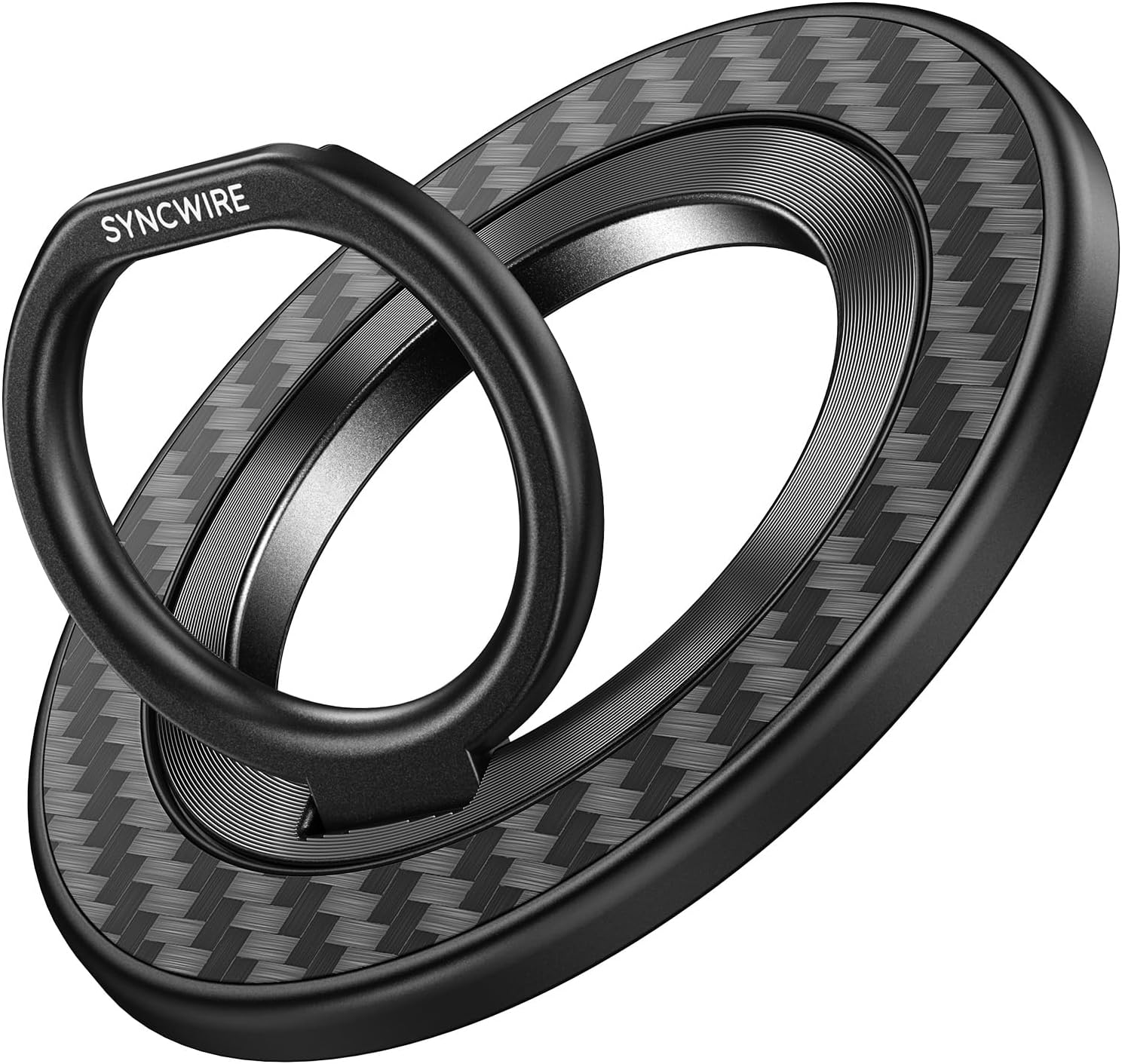
Image 1.1: SYNCWIRE Carbon Fiber Magnetic Phone Ring Holder.

Image 1.2: Illustration of the strong magnetic force (50N) of the ring holder.
2. Persediaan dan Pemasangan
2.1 Direct Attachment (MagSafe Compatible Devices)
For iPhones 12, 13, 14, 15, 16 series, and MagSafe-enabled phone cases, the ring holder attaches directly via magnetic force. Simply align the ring holder with the MagSafe area on your device or case until it snaps into place securely.
2.2 Attachment for Non-MagSafe Devices (Using Metal Ring)
For non-MagSafe devices (e.g., iPhone 11, Xs, earlier models) or non-magnetic cases, use the included metal ring for attachment. Ensure your phone case material is compatible (TPU, Plastic, Metal, Wood are compatible; Silicone, Leather, Rugged, Textile are not recommended for direct metal ring adhesion).
- Adjust Locator: Use the provided positioner tool to accurately determine the optimal placement for the metal ring on your phone case.
- Place Metal Ring: Carefully peel the adhesive backing from the metal ring and place it onto the designated area on your phone case. Press firmly to ensure complete adhesion.
- Lekatan Selamat: Press the metal ring completely and allow it to set for at least 1 hour before attaching the magnetic phone ring holder.
- Attach Ring Holder: Align the magnetic phone ring holder with the installed metal ring until it securely attaches.

Image 2.1: Step-by-step guide for installing the metal ring on non-MagSafe cases.

Image 2.2: Guide illustrating compatible and incompatible phone case materials for metal ring installation.
3. Arahan Operasi
3.1 Using as a Grip
Insert your finger through the ring to secure your phone, providing a more stable and comfortable hold, especially for larger devices. The inner groove design allows for easy pulling of the ring.
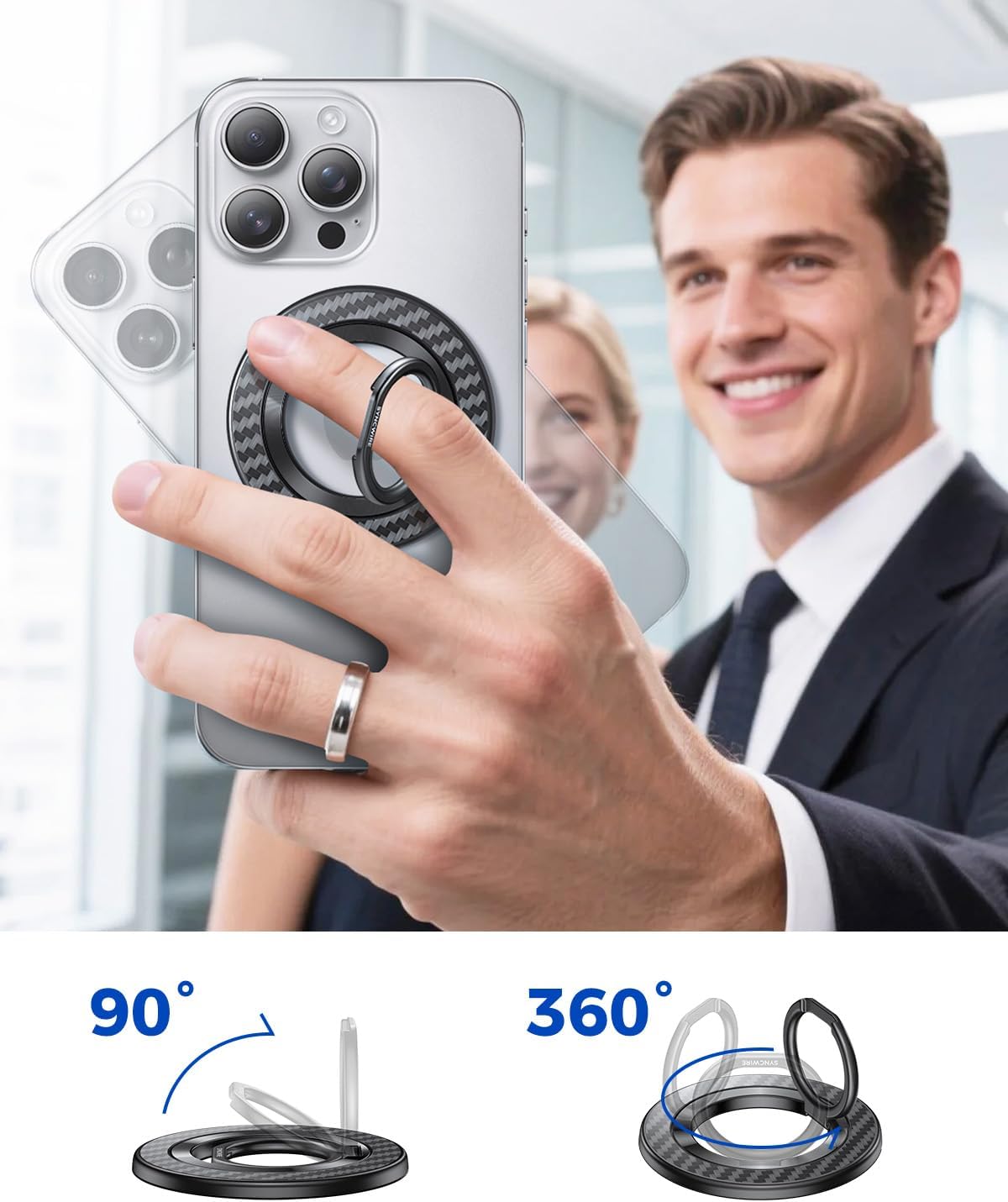
Image 3.1: Demonstrating the ring holder used as a secure grip and a versatile kickstand.

Image 3.2: The user-centered design allows for easy pulling of the ring.
3.2 Using as a Stand
Flip out the ring and position it to act as a kickstand. The flat bottom design provides enhanced stability for both horizontal and vertical viewsudut-sudut.
3.3 Rotation and Adjustment
The ring holder features 360° rotation and 90° flip capabilities. Adjust the ring to your preferred angle for optimal grip or viewing. The reinforced hinge is designed for durability, tested to withstand over 6000 folds.

Image 3.3: Visual representation of the 90-degree flip and 360-degree rotation functionality.
3.4 Magnetic Attachment and Detachment
The ring holder can be easily attached and detached from MagSafe compatible devices. It also features dual-sided magnetism, allowing it to attach to MagSafe car mounts or other metallic surfaces.

Image 3.4: The ring holder attached to a MagSafe car mount, demonstrating dual-sided magnetic functionality.
4. Penyelenggaraan
- Pembersihan: Wipe the ring holder with a soft, dry cloth to remove dust or smudges. Avoid using harsh chemicals or abrasive materials.
- Detasmen: When removing the ring holder, slide it sideways rather than pulling directly outwards. This helps prevent accidental detachment of any applied metal rings and maintains the integrity of the magnetic connection.
- Storan: Store the ring holder in a clean, dry place when not in use.
5. Penyelesaian masalah
- Wireless Charging Interference: The magnetic phone ring holder must be removed for wireless charging to function correctly. Simply detach it from your phone before placing your device on a wireless charger.
- Metal Ring and Wireless Charging: If using the included metal ring, ensure it is properly aligned with your phone's charging coil to avoid disruption in wireless charging. The metal ring itself does not interfere, but misalignment can.
- NFC Payment Interference: The magnetic field of the ring holder may interfere with NFC (Near Field Communication) payments or other NFC functions. If experiencing issues, temporarily remove the ring holder during NFC transactions.
- Pegangan Magnetik Lemah: Ensure the ring holder is clean and free of debris. For non-MagSafe devices, verify the metal ring is securely attached and the phone case material is compatible.

Image 5.1: Detach the ring holder before initiating wireless charging.
6. Spesifikasi
| Jenama | SYNCWIRE |
| Nombor Model | SW2322 |
| bahan | Serat Karbon |
| Ciri Khas | Adjustable, Rotatable |
| Jenis Pemasangan | Lekapan Telefon |
| Jenis Cengkaman | Genggaman Cincin |
| Dimensi | 10.3 x 10.3 x 1.1 cm |
| Berat badan | 50 g |
7. Waranti dan Sokongan
For warranty information or technical support, please refer to the SYNCWIRE official website or contact their customer service directly. Details regarding specific warranty periods and support channels are typically provided with your purchase or on the manufacturer's webtapak.


