pengenalan
Thank you for choosing the xinwld A97 Pro Wireless Earbuds. These earbuds are designed to provide a superior audio experience with advanced Bluetooth 5.4 technology, Hi-Fi stereo sound, and effective ENC noise cancellation. With a long-lasting battery and a comfortable, waterproof design, they are perfect for daily use, exercise, and travel. This manual will guide you through the setup, operation, and maintenance of your new earbuds.

The xinwld A97 Pro Wireless Earbuds in their rose gold charging case, displaying 100% charge.
Apa yang ada dalam Kotak?
- 2x Fon Telinga Tanpa Wayar (Kiri dan Kanan)
- 1x Sarung Pengecasan Ringan
- 1x Kabel Pengecas USB-C
- 3x Penjepit Telinga (saiz S/M/L)
- 1x Manual Pengguna
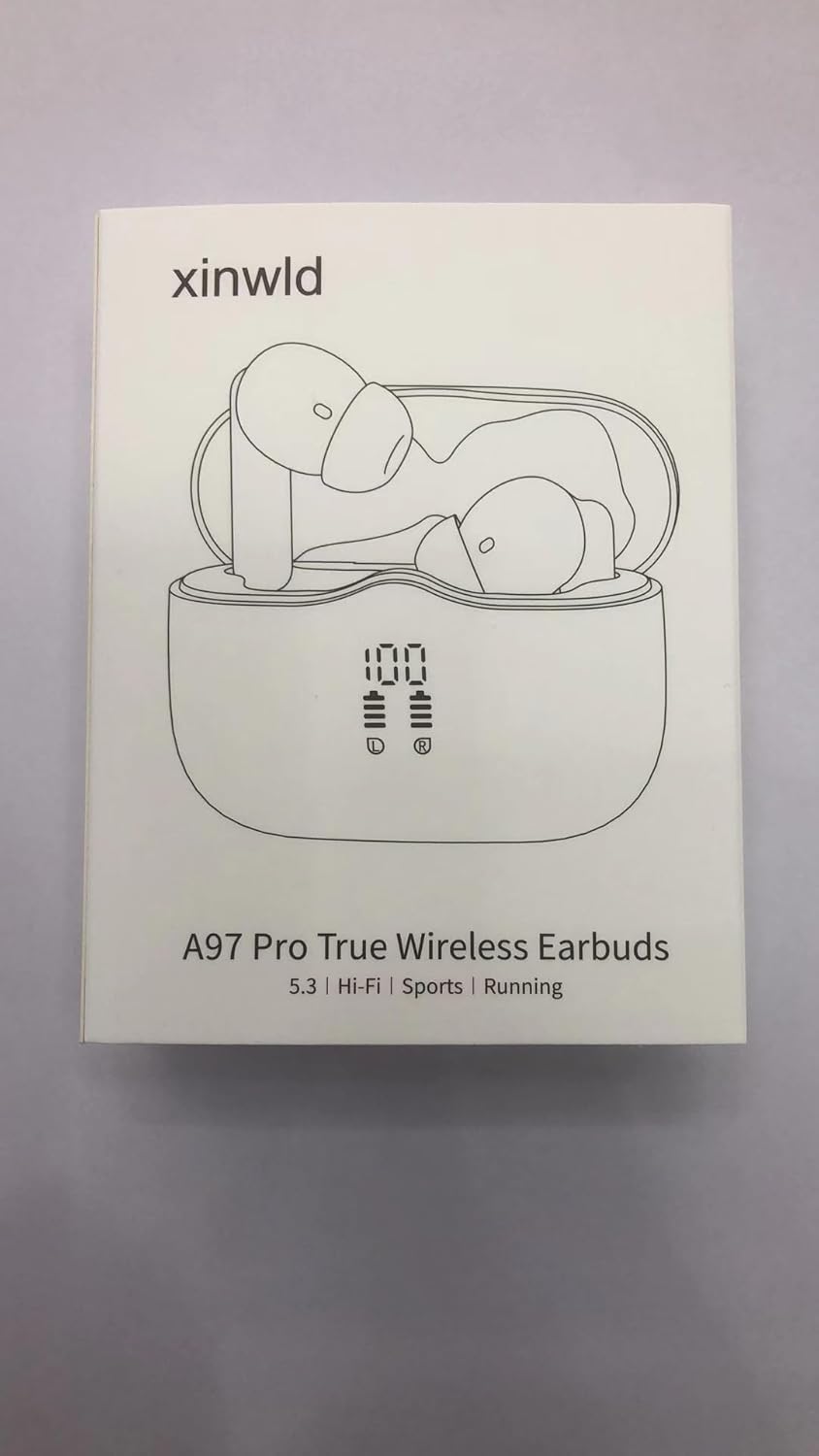
Image showing the xinwld A97 Pro earbuds, charging case, USB-C cable, and various eartip sizes included in the package.
Persediaan
1. Pengecasan Awal
Before first use, fully charge the earbuds and the charging case. Connect the provided USB-C cable to the charging port on the case and plug the other end into a USB power source. The LED display on the case will show the charging progress. A full charge for the case takes approximately 1.5 hours.

The charging case connected via USB-C cable, with an overlay indicating 1.5 hours charging time for the case and 6-8 hours playtime for earbuds.
2. Berpasangan dengan Peranti Anda
- Pastikan Bluetooth peranti anda dihidupkan.
- Buka bekas pengecas. Fon telinga akan memasuki mod berpasangan secara automatik.
- Pada peranti anda, cari peranti Bluetooth dan pilih "A97 Pro" daripada senarai.
- Sebaik sahaja disambungkan, anda akan mendengar gesaan pengesahan dan fon telinga akan sedia untuk digunakan.
Thanks to Bluetooth 5.4 technology, pairing is seamless, offering a stable connection and lower latency.

A hand taking out an earbud from the charging case, illustrating the one-step pairing process.

Visual representation of the Bluetooth 5.4 chip, highlighting faster speed, more stable connection, and lower latency.
3. Memakai Earbud
Choose the eartips that provide the most comfortable and secure fit for your ears. Insert the earbuds gently into your ear canal and twist slightly to ensure a snug fit. A proper fit is crucial for optimal sound quality and noise cancellation.

A woman wearing the earbuds, emphasizing their ultra-light and comfortable design for long-term wear.
Arahan Operasi
Kawalan Sentuh
The A97 Pro earbuds feature intuitive touch controls on each earbud. Refer to the table below for common functions:
| Fungsi | Earbud Kiri | Earbud Kanan |
|---|---|---|
| Main/Jeda | Ketik sekali | Ketik sekali |
| Lagu Seterusnya | Ketik dua kali | Ketik dua kali |
| Lagu Sebelumnya | Tekan dan tahan selama 2s | Tekan dan tahan selama 2s |
| Jawab/Tamatkan Panggilan | Ketik sekali | Ketik sekali |
| Tolak Panggilan | Tekan dan tahan selama 2s | Tekan dan tahan selama 2s |
| Aktifkan Pembantu Suara (Siri, Pembantu Google) | Ketik tiga kali dengan pantas | Ketik tiga kali dengan pantas |

Detailed diagram illustrating the touch control functions for both left and right earbuds.
Mod Mono/Dwi
The A97 Pro earbuds support both mono and dual modes. You can use either earbud independently while the other is in the charging case, or use both together for a stereo experience. The earbuds seamlessly switch between these modes.

Visual explanation of how to use the earbuds in either mono (single earbud) or dual (both earbuds) mode.
Kualiti Audio
Experience Hi-Fi stereo sound with deep bass, powered by 13mm vibrating diaphragms and AAC/SBC audio coding technology. The earbuds are designed to deliver a rich and immersive audio experience.

An exploded diagram showing the internal components of the earbud, highlighting the 13mm driver for immersive sound.

A terperinci view of the 13mm oversized dynamic driver, optimized for vocal and high-frequency performance with strong bass.
Penyelenggaraan
Pembersihan
Regularly clean your earbuds and charging case to ensure optimal performance and hygiene. Use a soft, dry, lint-free cloth to wipe down the surfaces. For the eartips, remove them and clean with a mild soap solution if necessary, then rinse and dry thoroughly before reattaching.
Tahan Air
The earbuds are IP7 waterproof, making them resistant to sweat, dust, and rain. However, they are not designed for swimming or submersion in water. Ensure the charging port is dry before charging to prevent damage.

The earbuds and case with water droplets, visually confirming their IP7 waterproof and sweatproof capabilities.
Menyelesaikan masalah
- Fon telinga tidak berpasangan: Ensure both earbuds are in the charging case, then open the lid. Check your device's Bluetooth settings and try reconnecting. If issues persist, try forgetting the device on your phone and re-pairing.
- Tiada bunyi dari satu fon telinga: Letakkan kedua-dua fon telinga kembali ke dalam bekas pengecasan, tutup penutupnya, dan kemudian bukanya semula. Ini selalunya akan menyegerakkannya semula.
- Isu pengecasan: Ensure the USB-C cable is securely connected to both the case and the power source. Check if the charging port is clean and free of debris.
- Kualiti bunyi yang lemah: Ensure the earbuds are properly seated in your ears and that the eartips provide a good seal. Check for any obstructions in the earbud's speaker mesh.
Spesifikasi
| Ciri | Perincian |
|---|---|
| Nama Model | A97 Pro |
| Jenama | xinwld |
| Teknologi Ketersambungan | Wayarles (Bluetooth) |
| Versi Bluetooth | 5.4 |
| Julat Bluetooth | 15 Meter |
| Hayat Bateri (Earbud) | Hingga 8 jam (kelantangan 80%) |
| Jumlah Masa Main dengan Sarung Pengecasan | Sehingga 40 jam |
| Masa Pengecasan (Kes) | 1.5 Jam |
| Tahap Ketahanan Air | IP7 Kalis Air |
| Jenis Kawalan | Kawalan Sentuh |
| Jenis Pemacu Audio | Pemacu Dinamik (13mm) |
| Mikrofon | 4 Mikrofon Pembatal Bunyi ENC |
| Peranti Serasi | Bluetooth 4.0 and above (Android, iOS) |
| Berat Barang | 2 Gram (setiap fon telinga) |
Waranti dan Sokongan
Your xinwld A97 Pro Wireless Earbuds come with a standard return policy allowing for refund/replacement within 30 days of purchase. For any product-related inquiries, technical support, or warranty claims, please contact xinwld Tech directly through your purchase platform or their official support channels.
Manufacturer: xinwld
Seller: xinwld Tech


