1. Produk Lebihview
The ECHTPower Ergonomic Wireless Mouse is designed for comfort and versatility, featuring a vertical design that promotes a natural hand posture to reduce wrist strain. It offers triple-mode connectivity, allowing seamless switching between up to three devices using dual Bluetooth channels and a 2.4GHz USB receiver.

Image: The ECHTPower Ergonomic Wireless Mouse in black, shown with its accompanying USB receiver. The mouse features a vertical design with blue LED accents.

Image: A diagram illustrating the ergonomic benefits of the vertical mouse. It shows how a traditional mouse can cause wrist bending, while the ergonomic vertical mouse promotes a natural, comfortable wrist posture.
2. Kandungan Pakej
Sila semak kandungan pakej semasa dibuka untuk memastikan semua item ada:
- 1 x ECHTPower Ergonomic Wireless Mouse
- 1 x 2.4GHz USB Receiver (stored in the mouse's bottom compartment)
- 1 x Kabel Pengecasan USB-C
- 1 x Manual Pengguna
3. Susun atur Produk
Familiarize yourself with the buttons and features of your ECHTPower mouse:
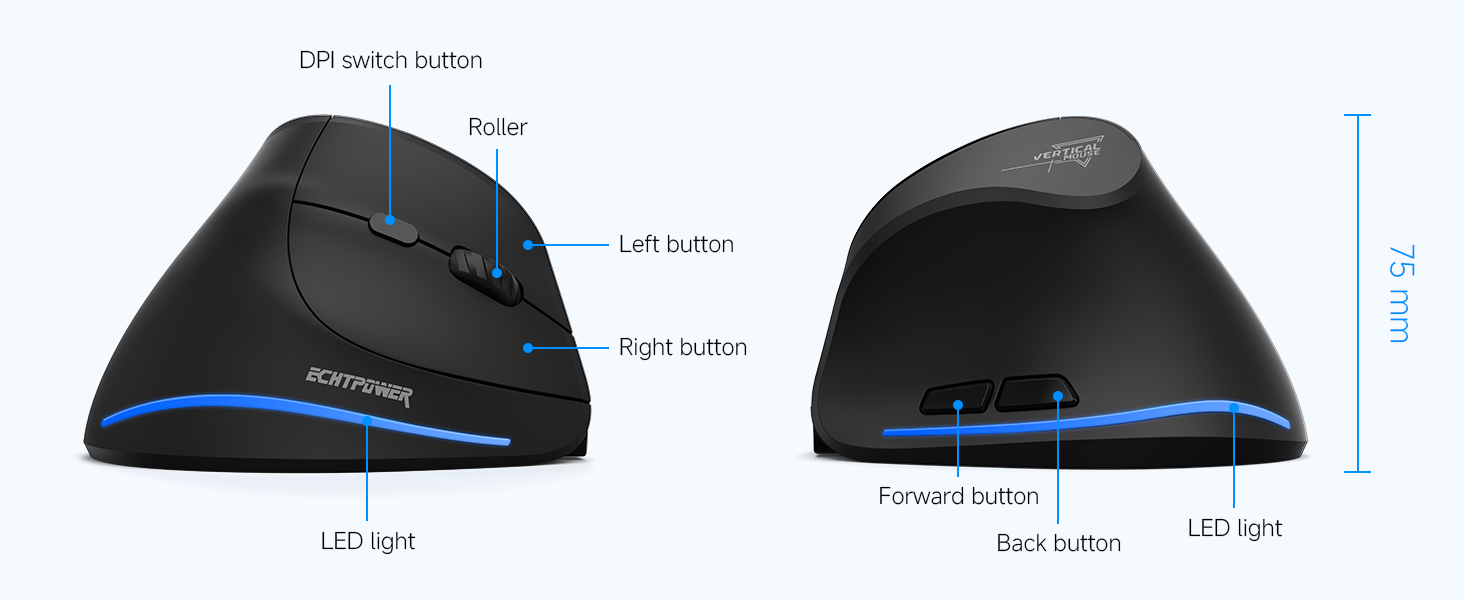
Image: A detailed diagram showing the top and side views of the mouse, labeling the DPI switch button, roller, left button, right button, forward button, back button, LED light, and Type-C port. Dimensions are also indicated.
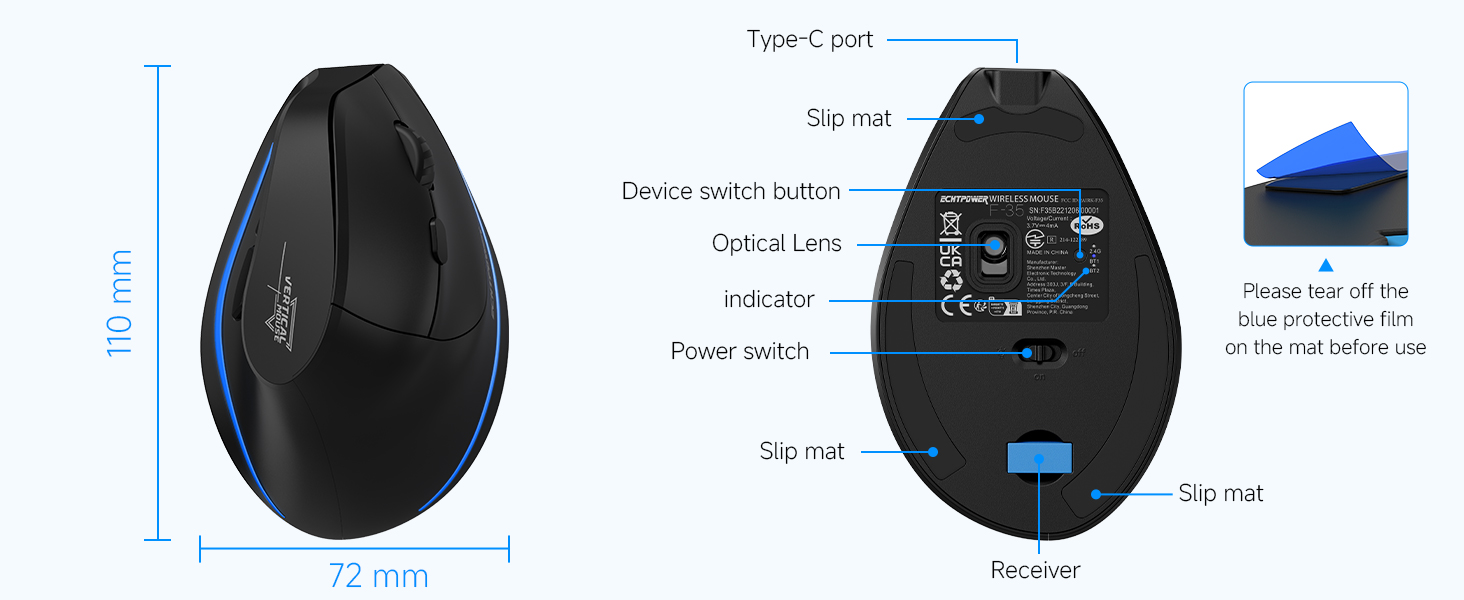
Image: A diagram of the bottom of the mouse, indicating the Type-C port, slip mats, device switch button, optical lens, indicator light, power switch, and the location of the USB receiver compartment. A note reminds users to remove the blue protective film from the slip mats before use.
- Butang Suis DPI: Located on top, behind the scroll wheel, for adjusting cursor sensitivity.
- Roller (Scroll Wheel): Untuk menatal menegak.
- Butang Kiri/Kanan: Standard mouse click functions, designed for silent operation.
- Butang Ke Hadapan/Ke Belakang: Located on the thumb side for quick navigation (note: may be disabled on macOS).
- Lampu LED: Indicates connection status and charging.
- Pelabuhan Jenis-C: For charging the mouse.
- Device Switch Button: On the bottom, to cycle between 2.4GHz and Bluetooth channels (BT1, BT2).
- Suis kuasa: On the bottom, to turn the mouse On/Off.
- Petak Penerima USB: On the bottom, for storing the 2.4GHz USB receiver.
4. Persediaan
4.1 Pengecasan Awal
Before first use, it is recommended to fully charge the mouse. Connect the provided USB-C charging cable to the mouse's Type-C port and the other end to a USB power source (e.g., computer USB port, USB wall adapter). The LED light will indicate charging status.

Image: The ECHTPower mouse with its Type-C charging port connected to a charging cable, illustrating the charging process. The image also highlights the 700mAh battery capacity and 2-hour charging time.
4.2 Sambungan Wayarles 2.4GHz
- Locate the 2.4GHz USB receiver from the compartment at the bottom of the mouse.
- Palamkan penerima USB ke dalam port USB yang tersedia pada komputer anda.
- Hidupkan tetikus menggunakan suis kuasa di bahagian bawah.
- Press the device switch button on the bottom of the mouse until the indicator light shows the 2.4GHz mode (usually indicated by a specific color or pattern). The mouse should automatically connect.
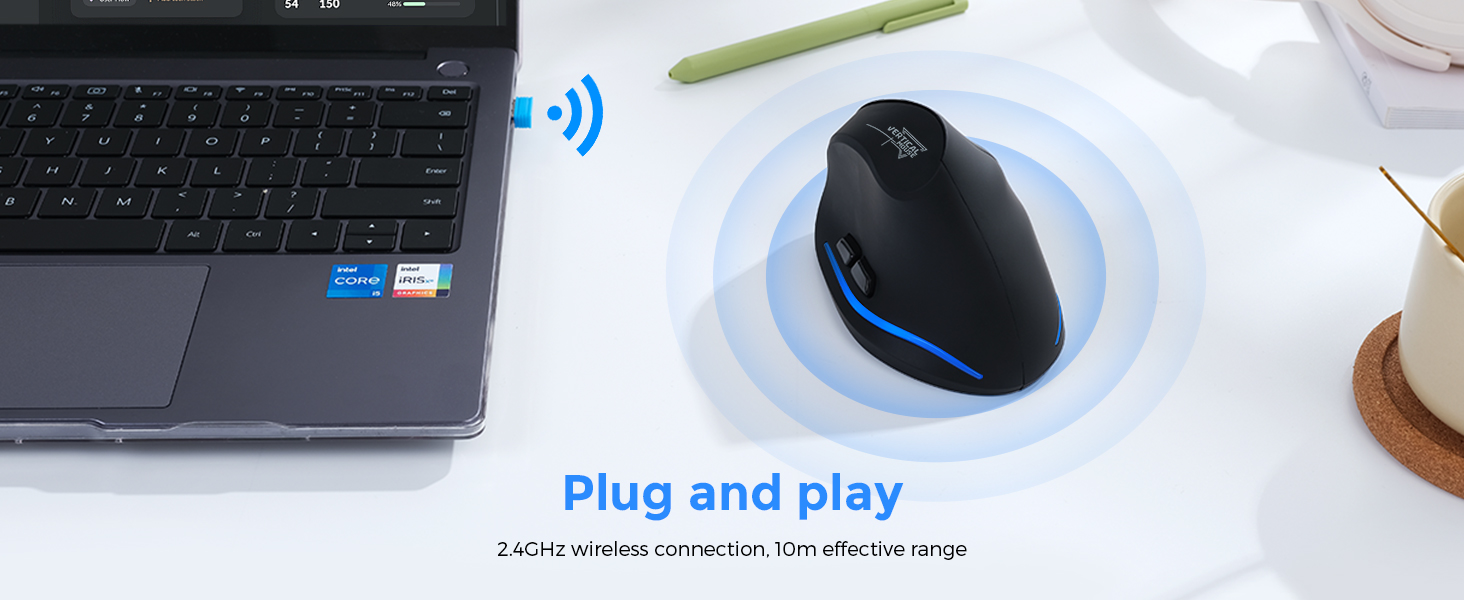
Image: A visual representation of the 2.4GHz wireless connection, showing the USB receiver plugged into a laptop and the mouse wirelessly connected, emphasizing its plug-and-play functionality and 10m effective range.
4.3 Sambungan Bluetooth (BT1 / BT2)
- Hidupkan tetikus menggunakan suis kuasa di bahagian bawah.
- Press the device switch button on the bottom of the mouse to select either Bluetooth channel 1 (BT1) or Bluetooth channel 2 (BT2). The indicator light will show the selected Bluetooth mode.
- For first-time pairing, press and hold the device switch button for 3-5 seconds until the indicator light flashes rapidly, indicating pairing mode.
- On your device (PC, laptop, Mac, tablet), go to Bluetooth settings and search for new devices.
- Select "ECHTPower Mouse" (or similar name) from the list of available devices to pair.
- Setelah disambungkan, lampu penunjuk akan berhenti berkelip dan kekal pepejal.
- Repeat steps 2-5 to connect to a second Bluetooth device using the other Bluetooth channel (BT2).

Image: An illustration demonstrating the mouse's ability to connect to three devices simultaneously (laptop, desktop, tablet) via 2.4G and dual Bluetooth modes, with easy switching between them.
5. Arahan Operasi
5.1 Bertukar Antara Peranti Bersambung
To switch between the 2.4GHz connection and the two Bluetooth connections (BT1, BT2), simply press the device switch button on the bottom of the mouse. Each press will cycle through the available modes.
5.2 Pelarasan DPI
The mouse features adjustable DPI (Dots Per Inch) settings to control cursor sensitivity. Press the DPI switch button located on the top of the mouse, behind the scroll wheel, to cycle through the available DPI levels (1000, 1600, 2400 DPI). Select the sensitivity that best suits your needs.

Image: A graphic illustrating the adjustable DPI settings of the mouse, showing the three levels: 1000 DPI, 1600 DPI, and 2400 DPI. The mouse is positioned on a mouse pad, indicating its use.
5.3 Ciri Klik Senyap
The left and right mouse buttons are designed to produce significantly less noise (up to 90% reduction) compared to traditional mice. This silent click feature helps maintain a quiet working environment. Note that the forward and back buttons are not muted.
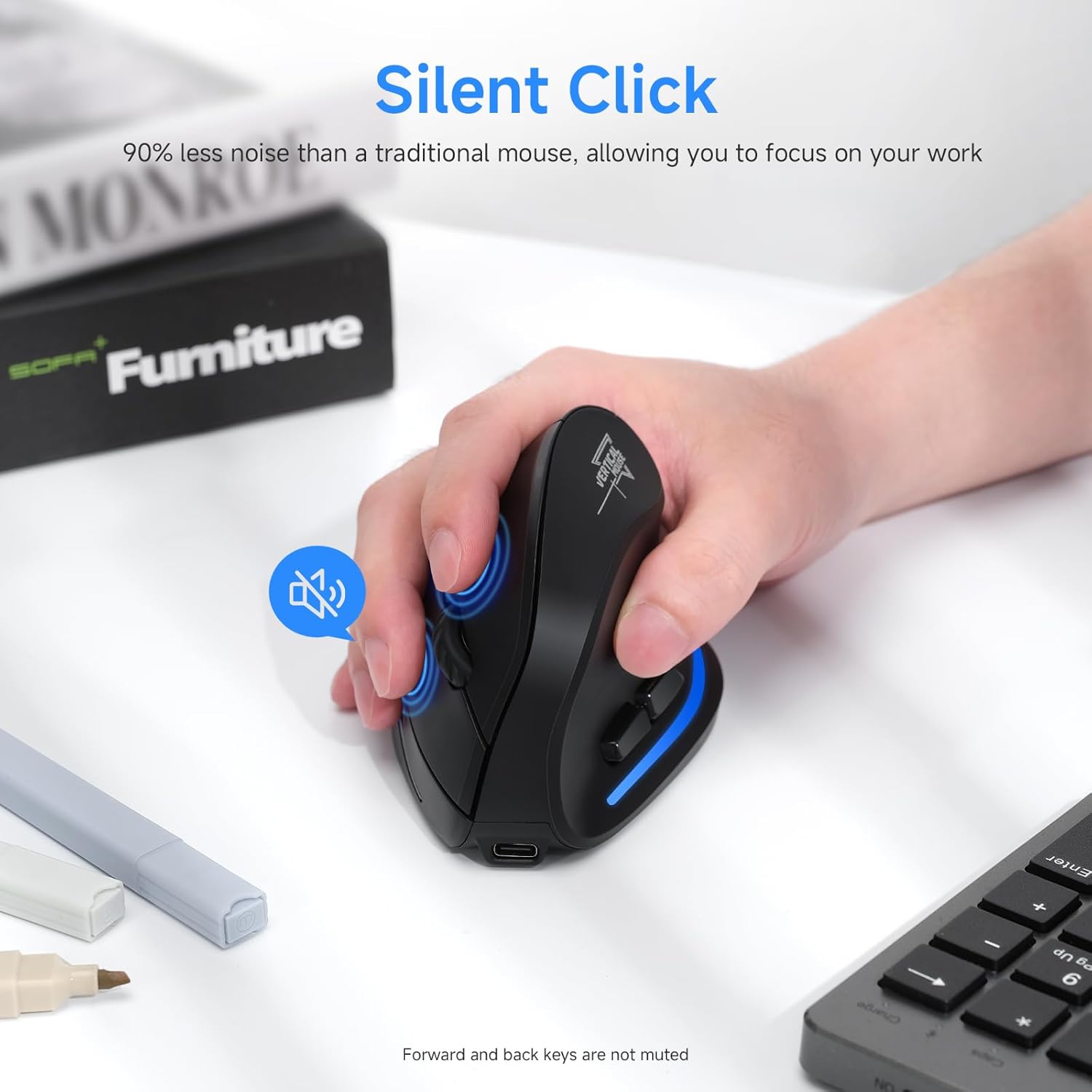
Image: A hand operating the ECHTPower mouse, with an icon indicating the silent click feature, highlighting that the left and right buttons produce 90% less noise than traditional mice.
6. Pengurusan Bateri
The ECHTPower mouse is equipped with a 700mAh rechargeable battery for extended use.
- Hayat Bateri: Up to 150 hours of non-RGB use on a full charge.
- Masa Pengecasan: Kira-kira 2-3 jam untuk cas penuh.
- Penunjuk Bateri Rendah: The LED light will blink to indicate a low battery.
- Fungsi Auto-Tidur: The mouse will automatically enter sleep mode after 15 minutes of inactivity to conserve power.
- Bangun: Simply move the mouse to instantly wake it up from sleep mode.
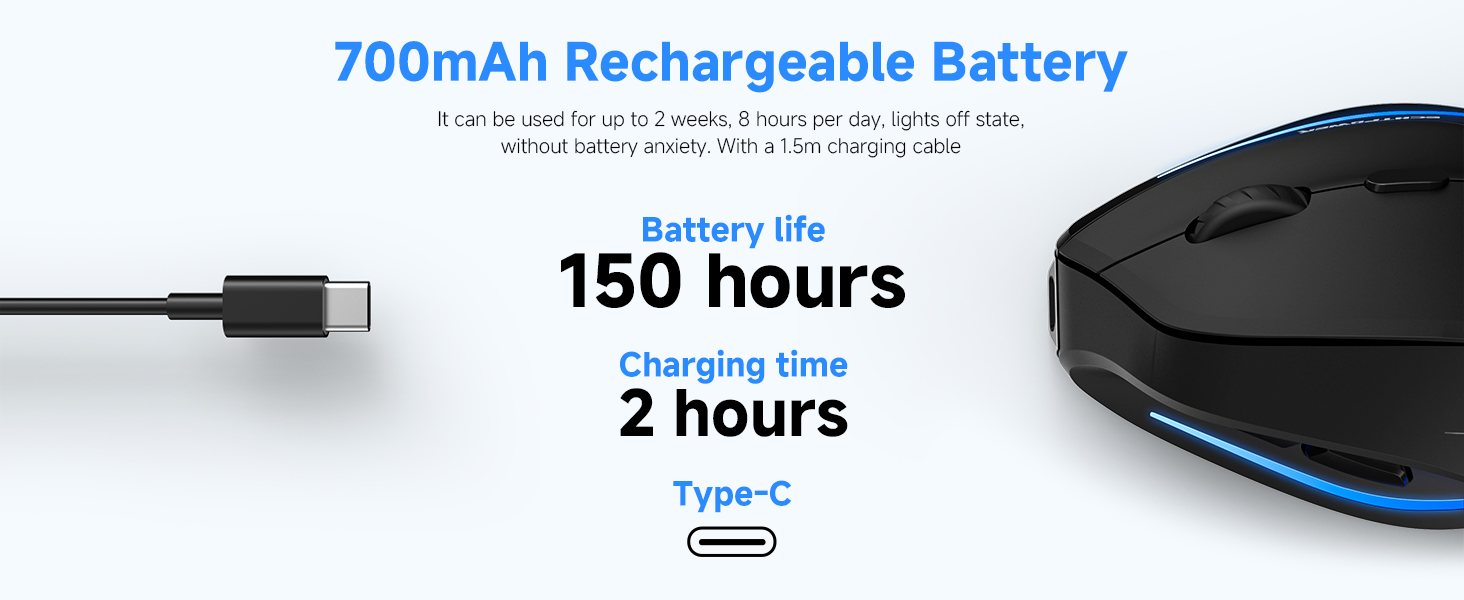
Image: A graphic highlighting the 700mAh rechargeable battery, indicating a battery life of 150 hours and a charging time of 2 hours via Type-C.
7. Keserasian
The ECHTPower Ergonomic Wireless Mouse is compatible with a wide range of operating systems:
- Windows XP / Vista / 7 / 8 / 10 / 11
- Linux
- macOS X (Note: Forward/back buttons may be disabled on macOS)
It is ideal for use with PCs, laptops, MacBooks, and other compatible devices.
8. Penyelenggaraan
Untuk memastikan ketahanan dan prestasi optimum tetikus anda, ikuti garis panduan penyelenggaraan ini:
- Pembersihan: Gunakan kain lembut dan kering untuk mengelap permukaan tetikus. Untuk kotoran degil, gunakan sedikit kainamp kain boleh digunakan, tetapi pastikan tiada kelembapan memasuki peranti.
- Elakkan Cecair: Do not expose the mouse to water or other liquids.
- Storan: Simpan tetikus di tempat yang sejuk dan kering apabila tidak digunakan untuk tempoh yang lama.
- Penerima USB: When transporting the mouse, store the USB receiver in its dedicated compartment at the bottom to prevent loss.
- Filem Pelindung: Remember to remove the blue protective film from the slip mats on the bottom of the mouse before initial use for smooth gliding.
9. Penyelesaian masalah
If you encounter issues with your ECHTPower mouse, please refer to the following common solutions:
| Masalah | Penyelesaian yang Mungkin |
|---|---|
| Tetikus tidak bertindak balas (2.4GHz) |
|
| Tetikus tidak bersambung (Bluetooth) |
|
| Pergerakan kursor tidak menentu atau perlahan |
|
| Forward/Back buttons not working on macOS | This is a known compatibility limitation. The forward/back buttons may be disabled on macOS. This is not a defect of the mouse. |
| LED light not working or mouse not charging |
|
10. Spesifikasi
| Ciri | Perincian |
|---|---|
| Nombor Model | F35B |
| Ketersambungan | Bluetooth 5.0 (BT1, BT2), 2.4GHz Wireless |
| Tahap DPI | 1000 / 1600 / 2400 DPI |
| Kapasiti Bateri | 700mAh Boleh dicas semula |
| Port Pengecasan | USB Jenis-C |
| Masa Mengecas | lebih kurang 2-3 jam |
| Battery Life (non-RGB) | Sehingga 150 jam |
| Klik Senyap | 90% noise reduction on left/right buttons |
| Dimensi (L x W x H) | 4.41 x 3.5 x 2.95 inci (lebih kurang 112 x 89 x 75 mm) |
| Berat Barang | 6.7 auns (lebih kurang 190g) |
| Teknologi Pengesanan Pergerakan | Optik |

Image: A guide for measuring hand size (A and B) to determine the recommended mouse size. The table suggests M-L size for this mouse, with dimensions 4.33x2.83x2.95 inches.
11. Waranti dan Sokongan
ECHTPower provides a Waranti 24 bulan for this product (registration may be required). For any questions, technical assistance, or warranty claims, please contact ECHTPower customer service. They offer 24/7 professional customer service for hassle-free troubleshooting.
For support, please refer to the contact information provided on the product packaging or the official ECHTPower webtapak.


