1. Pengenalan
The Retevis RT97L is a 3rd generation GMRS high-power repeater designed to extend communication range in various environments. This manual provides essential information for the proper setup, operation, and maintenance of your device, ensuring reliable performance.
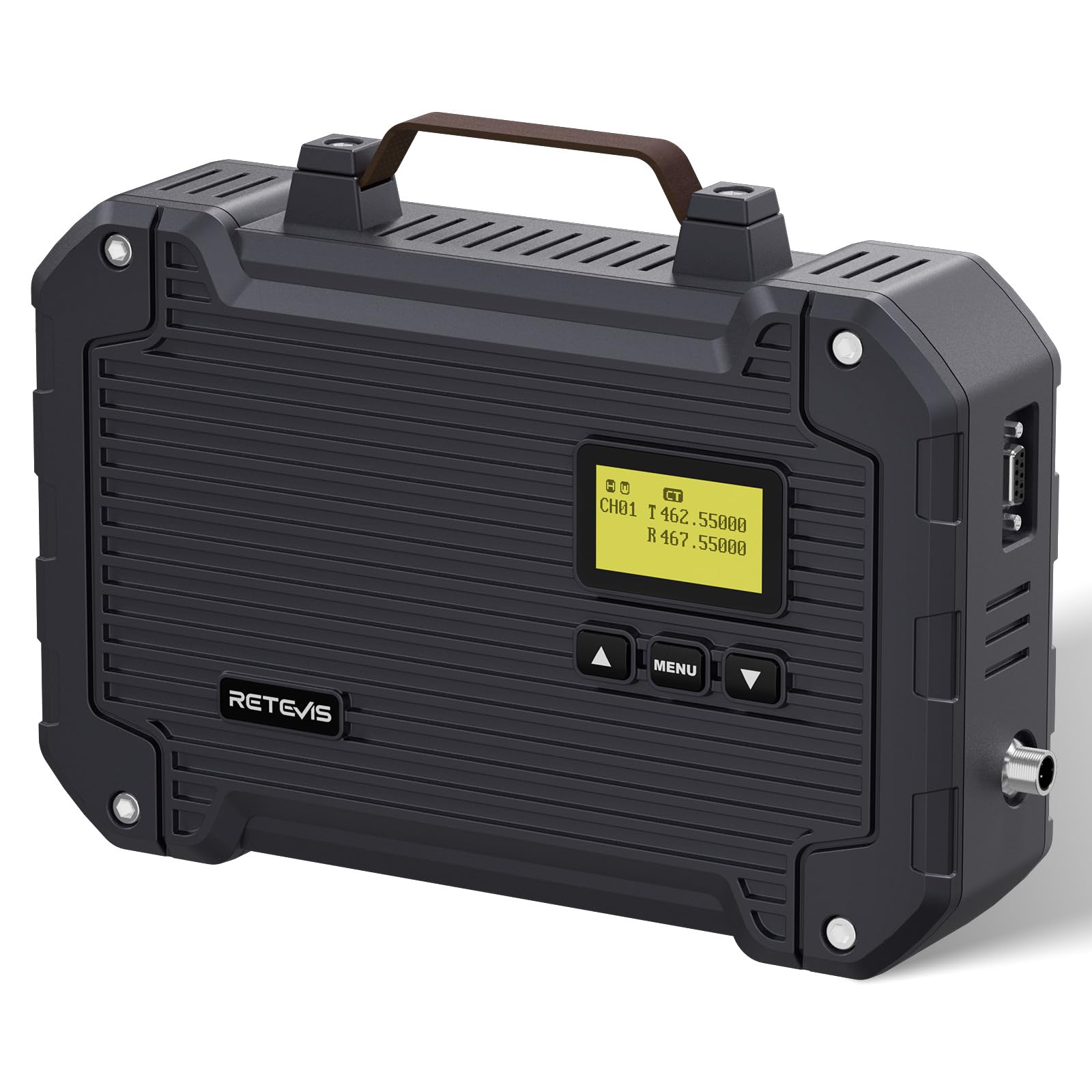
Figure 1: Retevis RT97L GMRS High-Power Repeater.
2. Apa yang ada di dalam Kotak
Selepas membongkar, sila sahkan bahawa semua item yang disenaraikan di bawah ada dan dalam keadaan baik:
- 1X RT97L mobile radio relay

Figure 2: Contents of the RT97L package, including the repeater, charger, power supply, car charger cable, data cable, brackets, wall plugs, screws, and user's manual.
3. Produk Lebihview
3.1 Ciri-ciri Utama
- Penguatan Isyarat: Extends communication range for large homes, multi-story buildings, outdoor areas, and industrial use.
- Low-Temperature Mode: Internal heating system activates at -15°C to prevent freezing and ensure reliable performance in cold weather.
- Flexible Power Switching: Allows switching between high and low power modes to optimize signal strength and conserve resources. Consumes 6A DC at high power with a 100% duty cycle.
- IP66 Kalis Cuaca: Designed to withstand heavy rain, dust, and other outdoor elements, suitable for outdoor working conditions.
- Smart Adjustment: Automatically switches to low power when temperatures exceed 60°C to prevent overheating and ensure reliable operation in hot climates.
- Raspberry Pi Compatibility: Features a 9-pin connector for Raspberry Pi integration, offering expanded functionality.
3.2 Pengenalan Komponen
Familiarize yourself with the repeater's external components:
- Antara Muka Antena: Connects to the external antenna.
- Skrin LCD: Displays transmit/receive status, channel information, and settings.
- Up/Volume+/Channel+ Button: Navigates menus, adjusts volume, and changes channels.
- Menu/Channel Lock Button: Accesses menu settings and locks channels.
- Down/Volume-/Channel- Button: Navigates menus, adjusts volume, and changes channels.
- DB9 Data Interface: 9-pin connector for data communication, including Raspberry Pi compatibility.
- Antara Muka Kuasa: Menyambung kepada bekalan kuasa.

Rajah 3: Depan view of the RT97L showing the LCD screen and control buttons.

Figure 4: The LCD screen displays current transmit/receive status, channel information, and menu options.

Rajah 5: Sisi view of the RT97L highlighting the DB9 data interface and power input.

Figure 6: The RT97L is connectable to Raspberry Pi for advanced applications.
4. Persediaan
4.1 Pemasangan Awal
- Memasang Pengulang:
- Open the silicone pad on the back of the repeater.
- Use screws to fix the bracket onto the repeater.
- Drill a hole in the desired wall location and insert a green wall plug.
- Secure the repeater to the wall using screws through the bracket.
- Sambungan Antena: Connect your GMRS antenna to the antenna interface on the repeater. Ensure a secure connection.
- Sambungan Kuasa: Connect the provided power supply or car charger cable to the power interface.

Figure 7: Step-by-step installation guide for the RT97L repeater.
4.2 Video Guide: Installation Steps
Video 1: Official Retevis guide demonstrating the installation steps for the RT97L repeater.
5. Arahan Operasi
5.1 Menghidupkan/Mematikan
To power on the repeater, ensure it is connected to a power source and press the power button (if available, or refer to specific model instructions for power-on sequence). The LCD screen will illuminate.
5.2 Pemilihan Saluran
Use the Up/Down arrow buttons to navigate through the pre-programmed channels. The current channel number will be displayed on the LCD screen.

Figure 8: The RT97L offers 16 channels for communication.
5.3 Pelarasan Kelantangan
Press the Up/Down arrow buttons briefly to adjust the volume level. The volume level will be indicated on the screen.
5.4 Pensuisan Kuasa Tinggi/Rendah
The repeater supports flexible power switching. Refer to the detailed programming software manual for instructions on how to configure high and low power modes. This allows you to conserve power when maximum range is not required.

Figure 9: High/Low power switching for efficient operation.
5.5 Pelarasan Lampu Latar
The backlight of the LCD screen can be adjusted for optimal visibility in different lighting conditions. Access this setting through the menu using the Menu button and navigate with the Up/Down arrows.

Figure 10: Backlight adjustment for improved screen visibility.
5.6 Senario Penggunaan
The RT97L repeater is suitable for a variety of applications:
- Pengembaraan Luar: Enhances communication for hiking, camping, dan aktiviti luar yang lain.
- Agriculture/Farming: Provides reliable communication across large farm properties.
- Respons Kecemasan: Critical for maintaining communication during emergencies.
- Commercial/Industrial Use: Improves coordination in warehouses, construction sites, and other industrial settings.

Figure 11: Diverse applications of the RT97L repeater.
5.7 Video Guide: Usage Scenarios
Video 2: Official Retevis video showcasing various scenarios where the RT97L repeater can be effectively used.
6. Penyelenggaraan
6.1 Pembersihan
Regularly clean the exterior of the repeater with a soft, damp kain. Elakkan menggunakan bahan kimia yang keras atau bahan pelelas yang boleh merosakkan casing atau skrin.
6.2 Perlindungan Alam Sekitar
Despite its IP66 rating, it is recommended to protect the repeater from extreme conditions when possible to prolong its lifespan. Ensure all port covers are securely closed when not in use to maintain water and dust resistance.

Figure 12: The RT97L is IP66 waterproof, suitable for use in dusty and rainy environments.
6.3 Pengurusan Suhu
The repeater features automatic temperature management. In cold conditions (below -15°C), an internal heater activates. In hot conditions (above 60°C), the unit automatically reduces power output to prevent overheating. Ensure adequate ventilation around the unit.
Figure 13: Low-temperature mode ensures operation down to -15°C.

Figure 14: High-temperature protection automatically reduces power above 60°C.
6.4 Video Guide: IP66 Waterproof Feature
Video 3: Official Retevis video demonstrating the IP66 waterproof capabilities of the RT97L repeater.
7. Penyelesaian masalah
| Masalah | Kemungkinan Punca | Penyelesaian |
|---|---|---|
| Tiada kuasa | Power cable disconnected; Power supply failure. | Check power connections; Test power supply. |
| Julat isyarat yang lemah | Antenna not properly connected; Antenna not optimized; Obstructions. | Ensure secure antenna connection; Use an optimized antenna; Relocate repeater to a higher, less obstructed position. |
| Repeater not transmitting | Incorrect frequency/tone settings; Repeater in receive-only mode. | Verify frequency and tone settings; Check repeater mode (RELAY ON). |
| Terlalu panas | High ambient temperature; Insufficient ventilation. | Ensure proper ventilation; Relocate to a cooler area. Repeater will automatically reduce power. |
8. Spesifikasi
- Dimensi Produk: 2.68 x 7.28 x 11.22 inci
- Berat Barang: 10.89 paun
- Jenama: Retevis
- Standard Komunikasi Tanpa Wayar: Frekuensi radio
- Ciri Khas: Full Duplex, high power
- warna: Hitam
- Pengeluar: Retevis
- Penilaian IP: IP66 (kalis air dan habuk)
- Kuasa Output: Up to 25W (actual output after duplexer may be lower, e.g., 5W-10W depending on configuration)
- Kitaran Tugas: 100% at high power (6A DC consumption)
- Mod Suhu: Low-temperature heating (-15°C), High-temperature power reduction (60°C)
9. Waranti & Sokongan
Untuk maklumat jaminan dan sokongan teknikal, sila rujuk Retevis rasmi webtapak atau hubungi perkhidmatan pelanggan mereka secara langsung. Simpan resit pembelian anda untuk tuntutan waranti.
Optional protection plans are available:
- Pelan Perlindungan 4 Tahun: Bayaran sekali sahaja sebanyak $84.99.
- Asurion Complete Protect: Monthly billing of $16.99, covers all eligible past and future purchases.