pengenalan
This manual provides detailed instructions for the operation and maintenance of your LEOTEC AM FM Bluetooth Portable Radio, Model LT-1808. Please read this manual thoroughly before using the device to ensure proper function and longevity.
Ciri-ciri Utama
- Radio AM/FM: Supports both AM and FM bands for broad station access.
- Kesambungan Bluetooth: Seamlessly connect to Bluetooth-enabled devices for audio playback.
- 10 Bunyi White Noise: Includes various soothing sounds for relaxation and sleep.
- Digital Sleep Timer: Customizable sleep timer from 5 to 90 minutes.
- Jack fon kepala: Bicu 3.5mm untuk mendengar secara peribadi.
- Sumber Kuasa Dwi: Operates via AC power cord or 4 AA batteries (not included).
- Reka Bentuk Mudah Alih: Padat dan ringan dengan pemegang yang mudah untuk pengangkutan mudah.
- Paparan LCD Besar: Clear digital display for frequency and settings.
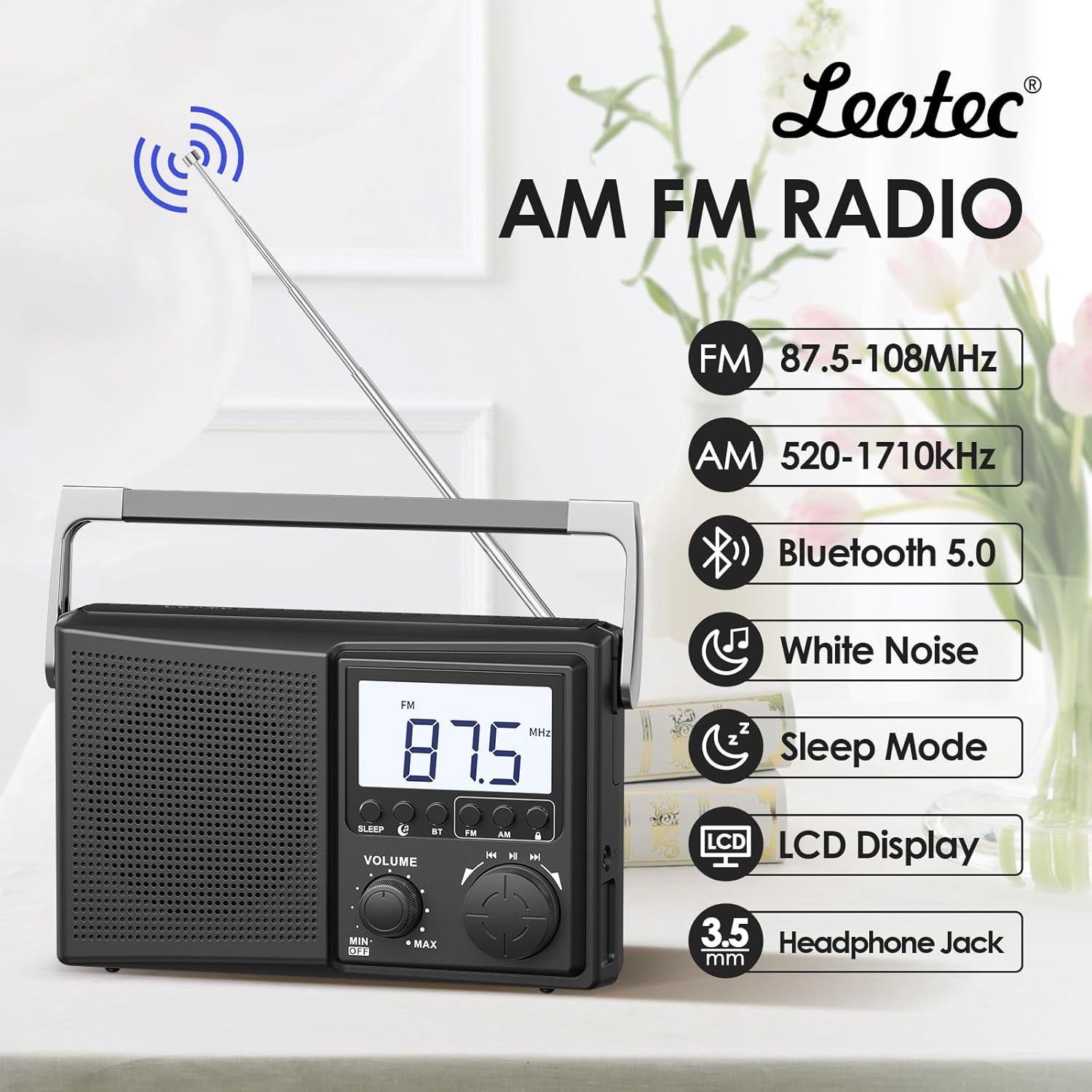
Gambar 1: Lebihview of the LEOTEC AM FM Bluetooth Portable Radio's key features.
Komponen Produk
The LEOTEC LT-1808 radio includes the following main components:
- Main Unit (Radio)
- Kord Kuasa AC
- Antena teleskop
- Pemegang Bawa Bersepadu
- Kenop Kelantangan
- Tombol Penalaan
- Mode Selection Buttons (Sleep, BT, FM, AM)
- Paparan LCD
- Bicu Fon Kepala 3.5mm
- Battery Compartment (for 4 AA batteries, not included)
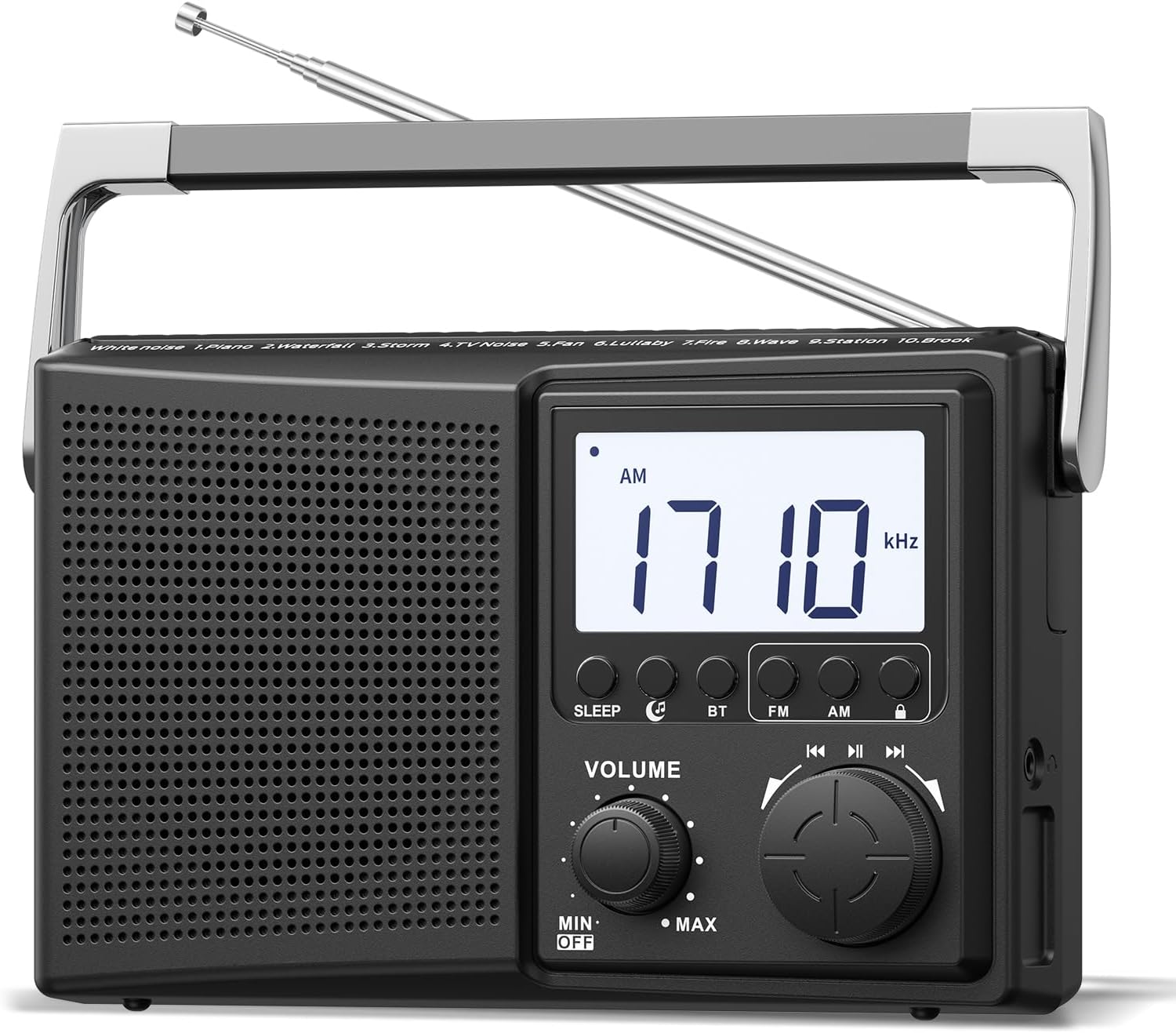
Rajah 2: Depan view of the radio, highlighting controls and display.
Persediaan
1. Menghidupkan Radio
The radio can be powered by two methods:
- Kuasa AC: Connect the provided AC power cord to the radio's power input and then to a standard 120V wall outlet.
- Kuasa Bateri: Open the battery compartment on the back of the radio and insert 4 AA batteries (not included), ensuring correct polarity.

Figure 3: Powering the radio using either AC power or AA batteries.
2. Pelarasan Antena
For optimal FM and AM reception, extend the telescopic antenna fully and adjust its direction. For AM reception, rotating the entire radio may also improve signal quality.
Operasi
1. Turning On/Off and Volume Control
Putar JILID knob clockwise to turn the radio on and increase the volume. Rotate counter-clockwise to decrease volume and turn the radio off.
2. Selecting Radio Bands (AM/FM)
Tekan ke FM or AM button on the front panel to select the desired radio band. The selected band will be displayed on the LCD screen.
3. Tuning Radio Stations
Putarkan yang besar MENALA knob to scan for radio stations. The frequency will be displayed on the LCD screen. Adjust the antenna for best reception.

Figure 4: Digital display and tuning knob for precise station selection.
4. Berpasangan Bluetooth
- Tekan ke BT button to enter Bluetooth mode. The display will indicate Bluetooth pairing mode.
- On your external device (e.g., smartphone), enable Bluetooth and search for available devices.
- Select "LEOTEC LT-1808" from the list to pair. A confirmation sound will indicate successful pairing.
- Anda kini boleh memainkan audio daripada peranti anda melalui radio.
5. White Noise Function
The radio offers 10 different white noise and nature sounds to aid relaxation or sleep. Press the dedicated white noise button (if available, or cycle through modes) to activate this feature. Use the tuning knob to select different sounds.
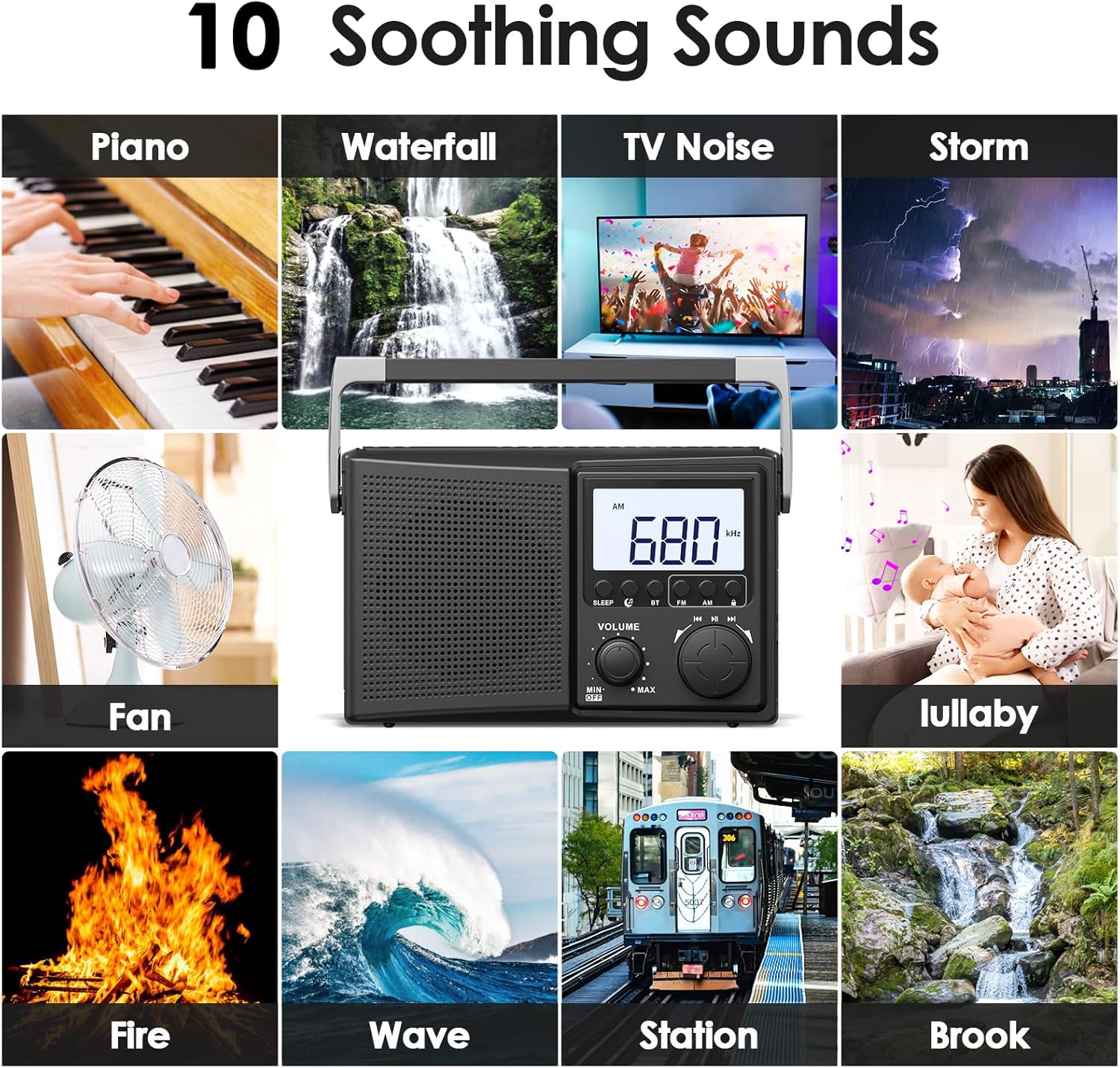
Figure 5: Selection of 10 white noise and nature sounds.
6. Digital Sleep Timer
Untuk menetapkan pemasa tidur:
- Tekan ke TIDUR butang.
- Tekan berulang kali TIDUR button to cycle through available sleep times: 90, 80, 70, 60, 50, 40, 30, 20, 10, 5 minutes.
- Radio akan dimatikan secara automatik selepas tempoh yang dipilih.
- Untuk membatalkan pemasa tidur, tekan TIDUR button until the timer display disappears or turn the radio off.
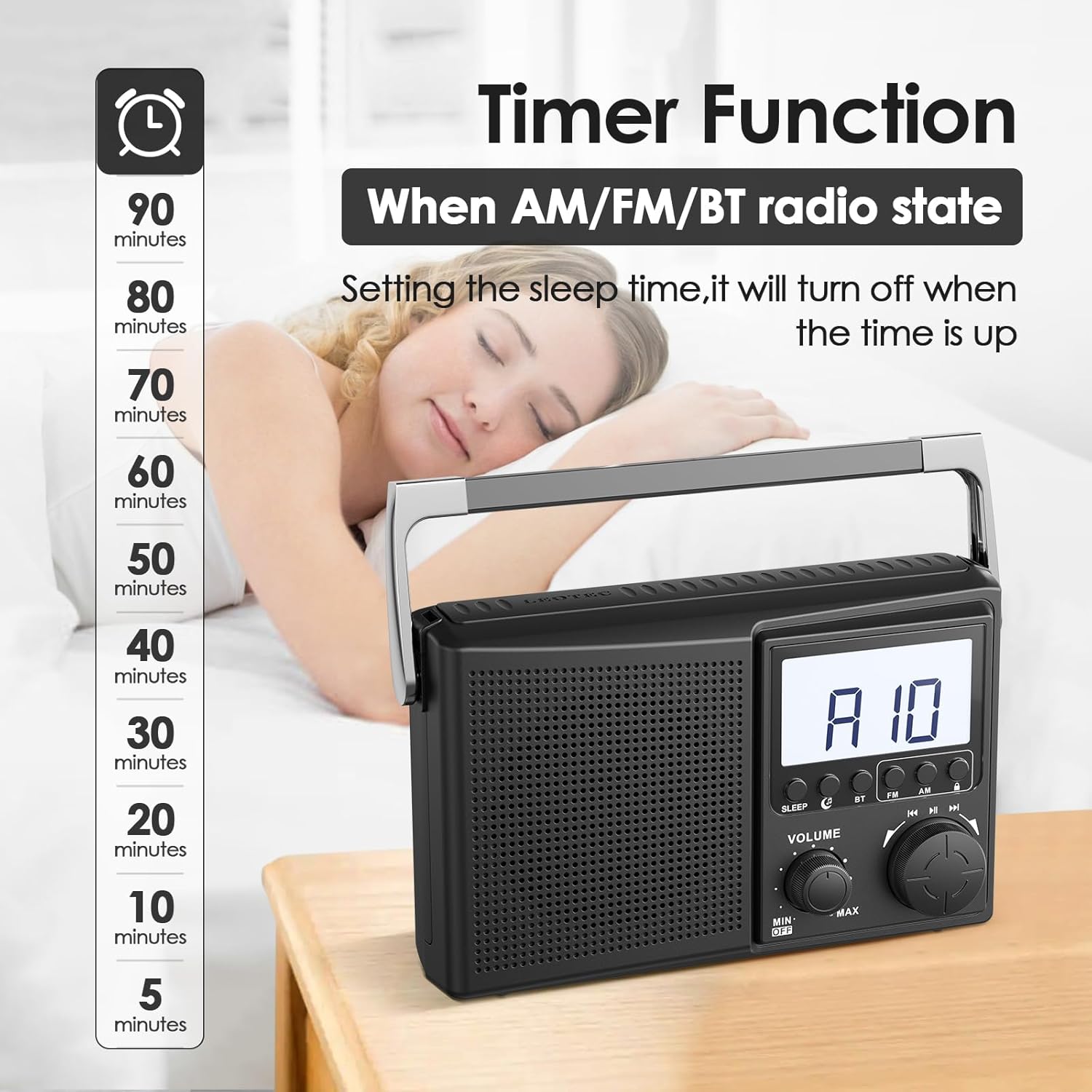
Figure 6: Setting the digital sleep timer for automatic power-off.
7. Penggunaan Fon Kepala
For private listening, plug any standard 3.5mm wired headphones into the headphone jack located on the side of the radio. The internal speaker will automatically mute when headphones are connected.

Figure 7: Using the 3.5mm headphone jack for private audio.
Penyelenggaraan
- Clean the radio with a soft, dry cloth. Do not use liquid cleaners or abrasive materials.
- Elakkan mendedahkan radio kepada suhu ekstrem, cahaya matahari langsung atau kelembapan tinggi.
- Jika menggunakan bateri, tanggalkannya jika radio tidak akan digunakan untuk tempoh yang lama bagi mengelakkan kebocoran.
Menyelesaikan masalah
| Masalah | Penyelesaian yang Mungkin |
|---|---|
| Tiada kuasa | Check if the AC power cord is securely plugged in. If using batteries, ensure they are inserted correctly and are not depleted. |
| Penerimaan radio yang lemah | Fully extend and adjust the telescopic antenna. Try repositioning the radio. For AM, rotate the unit for better signal. |
| Bluetooth tidak bersambung | Ensure the radio is in Bluetooth pairing mode. Check that Bluetooth is enabled on your external device and it is within range. Forget previous pairings on your device and try again. |
| Tiada suara dari fon kepala | Ensure headphones are fully plugged into the 3.5mm jack. Check headphone functionality with another device. |
Spesifikasi
| Ciri | Perincian |
|---|---|
| Dimensi Produk | 8.46 x 2.95 x 5.16 inci (21.5 x 7.5 x 13.1 cm) |
| Berat Barang | 1.58 paun (0.72 kg) |
| Sumber Kuasa | Corded Electric (AC 120V) or 4 AA Batteries (not included) |
| Pancaragam Radio Disokong | AM/FM |
| Teknologi Ketersambungan | Bluetooth |
| Peranti Serasi | Headphones (3.5mm wired), Smartphones (via Bluetooth) |
| Nombor Model | LT-1808 |
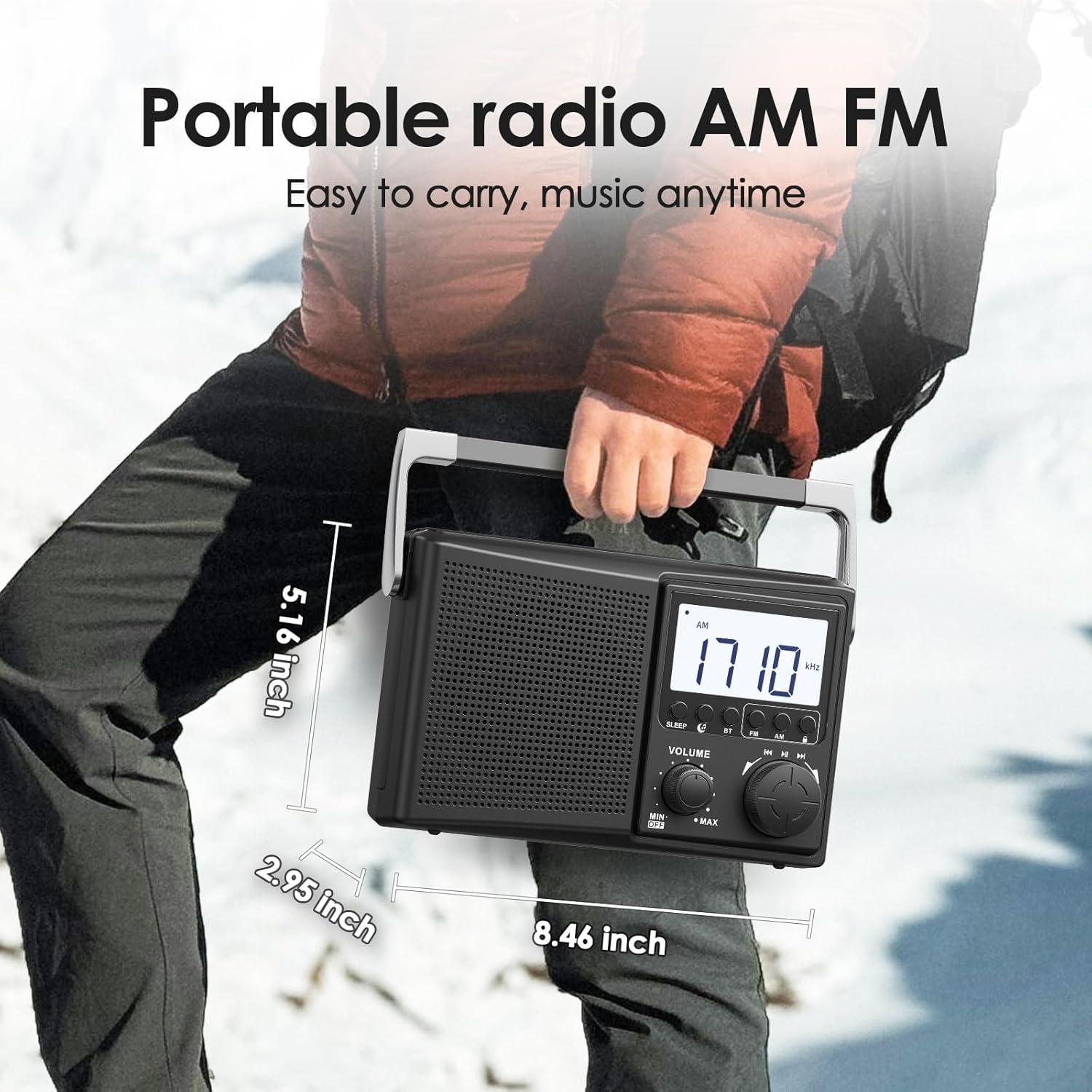
Figure 8: Physical dimensions of the LEOTEC LT-1808 radio.
Waranti dan Sokongan
For warranty information or technical support, please refer to the contact details provided with your product packaging or visit the official LEOTEC website. LEOTEC is committed to providing quality products and customer service.


