pengenalan
Thank you for choosing the Westcott Ice Light 3 Bi-Color LED. This versatile and portable lighting solution is designed for photographers and videographers seeking high-quality, controllable illumination. This manual provides essential information for setting up, operating, maintaining, and troubleshooting your Ice Light 3 to ensure optimal performance and longevity.

Image: The Westcott Ice Light 3 Bi-Color LED, a sleek, cylindrical light tube with a power cable connected to one end.
Apa yang ada dalam Kotak
Carefully unpack your Westcott Ice Light 3 and ensure all components are present:
- (1) Ice Light 3 Bi-Color LED
- (1) Ice Light 3 Removable End Cap
- (1) 16' USB-C Cable
- (1) Ice Light 3 AC Power Adapter
- (1) Ice Light 3 Carry Case

Image: All included components of the Westcott Ice Light 3, including the light tube, USB-C cable, AC adapter, and carry case.
Persediaan
Follow these steps to set up your Ice Light 3 for use:
- Sambungan Kuasa: Connect the provided 16' USB-C cable to the USB-C port on the Ice Light 3. Plug the other end of the USB-C cable into the Ice Light 3 AC Power Adapter, and then plug the adapter into a standard wall outlet. Ensure a compatible 30W or higher power adapter is used for continuous operation.
-
Pilihan Pemasangan: The Ice Light 3 offers versatile mounting. It features 9 mounting points, including a NATO rail, six 1/4"-20 threads, and two anti-twist 3/8"-16 threads. Choose the appropriate mounting accessory (not included) such as a light stand, clamp, or articulating arm, and secure the Ice Light 3 using one of the available mounting points.

Image: A person's hands securing the Westcott Ice Light 3 to a mounting clamp, demonstrating its versatile mounting options.
- Kuasa Awal Hidup: Once connected to power, press the power button located on the control panel to turn on the Ice Light 3. The OLED display will illuminate.
Arahan Operasi
The Ice Light 3 features intuitive onboard controls and can also be controlled via the Westcott StudioLink mobile app.
Kawalan Onboard
Use the buttons and OLED display to adjust settings directly on the device:
- Butang Kuasa: Menghidupkan / mematikan unit.
- Butang Navigasi: Use the directional buttons (up, down, left, right) and the center select button to navigate menus and confirm selections.
- Pelarasan Kecerahan: Adjust the light intensity from 0-100% using the appropriate controls.
- Pelarasan Suhu Warna (CCT): Change the color temperature from 2700K (warm) to 6500K (cool) to match your environment or creative needs.
- Creative FX & Gel Presets: Access and apply over 10 customizable bi-color lighting effects and 10+ CCT color gels for dynamic lighting scenarios.

Imej: Dari dekat view of the Westcott Ice Light 3's control panel, showing the OLED display and navigation buttons.
Westcott StudioLink Mobile App
For enhanced control, download the free Westcott StudioLink mobile app from your device's app store. The app allows for remote adjustment of all settings, including brightness, color temperature, and effects, providing greater flexibility during shoots.
Ciri-ciri Utama dalam Operasi
- Ketepatan Warna Luar Biasa: Achieve natural skin tones and true-to-life colors with 87 SSI, 98 CRI, and 99 TLCI ratings.
- Silent & Flicker-Free Performance: The passive cooling system ensures quiet operation, and consistent lighting up to 4,000 FPS makes it ideal for video and live production without flicker.
- Mod Pengendalian:
- Mod CCT: Julat suhu warna yang luas dari 2700K hingga 6500K.
- Mod Blackout: Turns off the display for long-exposure light painting.
- Mod bersedia: Saves battery by powering off the light while keeping the display active (relevant if using an external battery grip, not included with this model).

Image: A graphic illustrating the CCT Mode, Blackout Mode, and Standby Mode features of the Ice Light 3.
Penyelenggaraan
Proper care and maintenance will extend the life of your Ice Light 3:
- Pembersihan: Use a soft, dry cloth to wipe down the light tube and body. Avoid abrasive cleaners or solvents that could damage the finish or optical surfaces.
- Storan: When not in use, store the Ice Light 3 in its included hardshell travel case to protect it from dust, moisture, and physical damage. Store in a cool, dry place.
- Penjagaan Kabel: Avoid kinking or sharply bending the USB-C cable. Always grasp the plug, not the cable, when disconnecting.
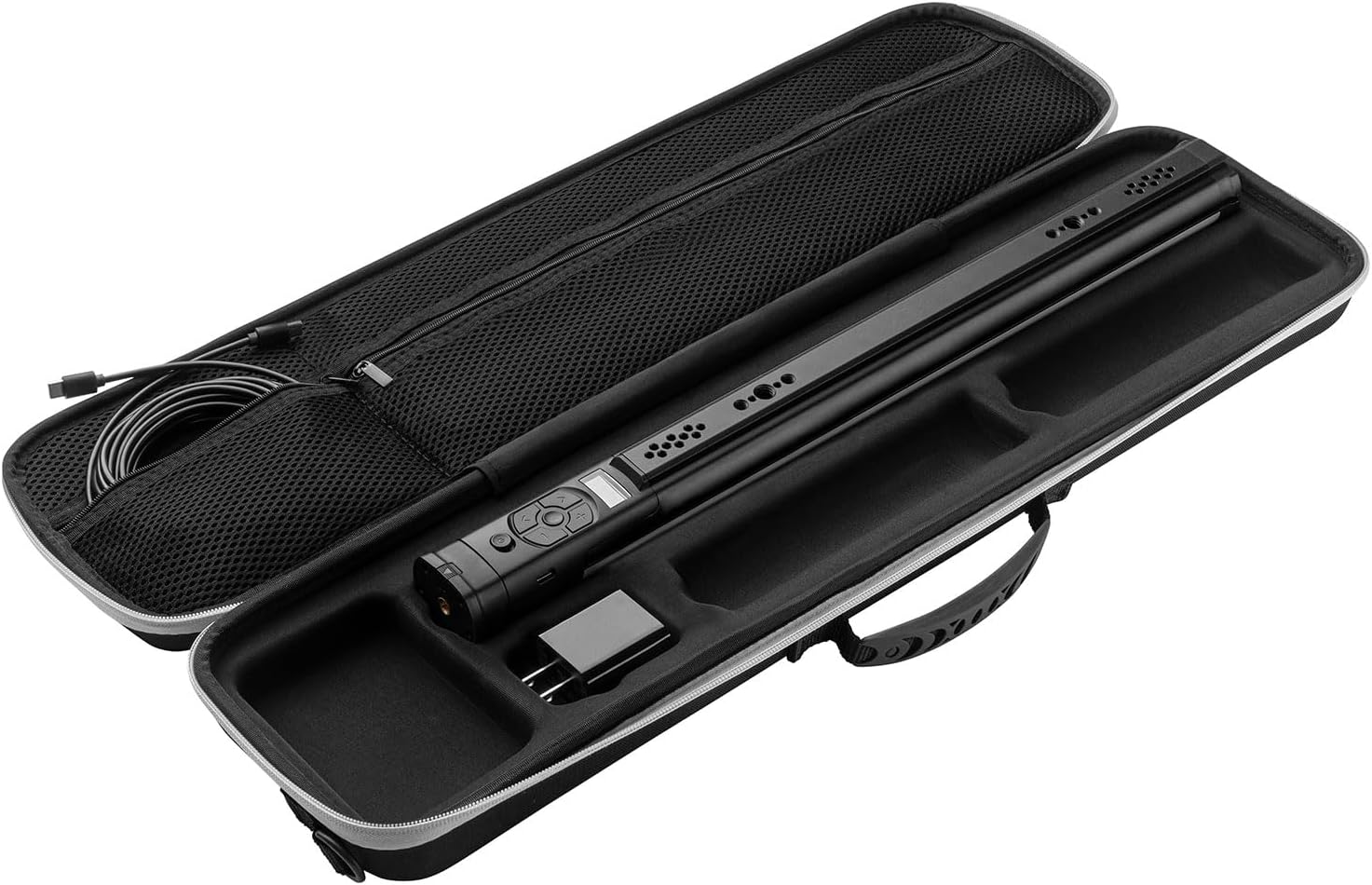
Image: The Westcott Ice Light 3 securely stored inside its custom-fitted hardshell carry case, demonstrating proper storage.
Menyelesaikan masalah
If you encounter issues with your Ice Light 3, refer to the following common problems and solutions:
| Masalah | Kemungkinan Punca | Penyelesaian |
|---|---|---|
| Cahaya tidak menyala. | No power, faulty cable/adapter, or unit malfunction. | Ensure AC adapter is securely plugged into a working outlet and the USB-C cable is firmly connected to the light. Try a different outlet. Verify the power adapter is 30W or higher. |
| Cahaya berkelip atau malap tanpa diduga. | Insufficient power, loose connection, or extreme temperature. | Check power connections. Ensure the power adapter meets the minimum wattage requirement. Operate the light within recommended environmental temperatures. |
| Kawalan tidak bertindak balas. | Gangguan perisian sementara atau kerosakan fizikal. | Turn the unit off and then on again. If using the app, ensure Bluetooth is enabled and the app is connected. If the issue persists, contact customer support. |
| Cannot connect to Westcott StudioLink app. | Bluetooth not enabled, app not updated, or interference. | Ensure Bluetooth is active on your mobile device. Update the app to the latest version. Try restarting both the light and your mobile device. Move closer to the light to reduce interference. |
If the problem persists after attempting these solutions, please contact Westcott customer service for further assistance.
Spesifikasi
| Ciri | Perincian |
|---|---|
| Jenama | Westcott |
| Model | Bi-Color with AC Power |
| Berat Barang | 1 Paun (0.45 kg) |
| Dimensi Produk | 18.7 x 1.73 x 1.73 inci (47.5 x 4.4 x 4.4 cm) |
| Teknologi Ketersambungan | Bluetooth |
| Suhu Warna | 2700K–6500K (Bi-Color) |
| Pencahayaan | Up to 600 Lux at 3.3' (1m) |
| Ketepatan Warna | 87 SSI, 98 CRI, 99 TLCI |
| Sumber Kuasa | AC Power (via 16' USB-C cable and 30W+ adapter) |
| Titik pemasangan | NATO rail, six 1/4"-20 threads, two anti-twist 3/8"-16 threads |
| Tahap Ketahanan Air | Bukan Tahan Air |
| UPC | 810164330635 |
| Pengeluar | F.J. Westcott |
| Tarikh Mula-mula Tersedia | 17 Mac 2025 |
Waranti dan Sokongan
The Westcott Ice Light 3 Bi-Color LED is backed by Westcott's 1-year pledge, ensuring quality and reliability. Additionally, lifetime US-based customer service is available to assist you with any questions or issues you may encounter.
For warranty claims, technical support, or general inquiries, please visit the official Westcott weblaman web atau hubungi jabatan khidmat pelanggan mereka secara langsung. Simpan bukti pembelian anda untuk pengesahan jaminan.
Standard return policy for this product is 30 days for refund/replacement, as per Amazon's policy at the time of purchase.
Aplikasi
The Westcott Ice Light 3 is a versatile tool suitable for a wide range of creative applications, including:
- Potret
- Fotografi Produk
- Pembikinan filem
- Penstriman
- Lukisan Cahaya
- On-location lighting

Image: A photographer using the Ice Light 3 to illuminate a subject for a portrait shot, showcasing its use in filmmaking and photography.

Image: The Ice Light 3 being used to light a flat lay of wedding invitations and flowers, demonstrating its utility in product photography.


