1. Pengenalan
Terima kasih kerana membeliasing the NEWCARE 4x1 4K@60Hz HDMI Switch. This device allows you to connect up to four HDMI source devices to a single HDMI display, eliminating the need to constantly swap cables. It supports high-resolution video up to 4K@60Hz, ensuring a clear and vibrant viewing experience. With multiple switching options, including IR remote, auto-switching, and manual button, this switch offers convenience and flexibility for your home entertainment or professional setup.
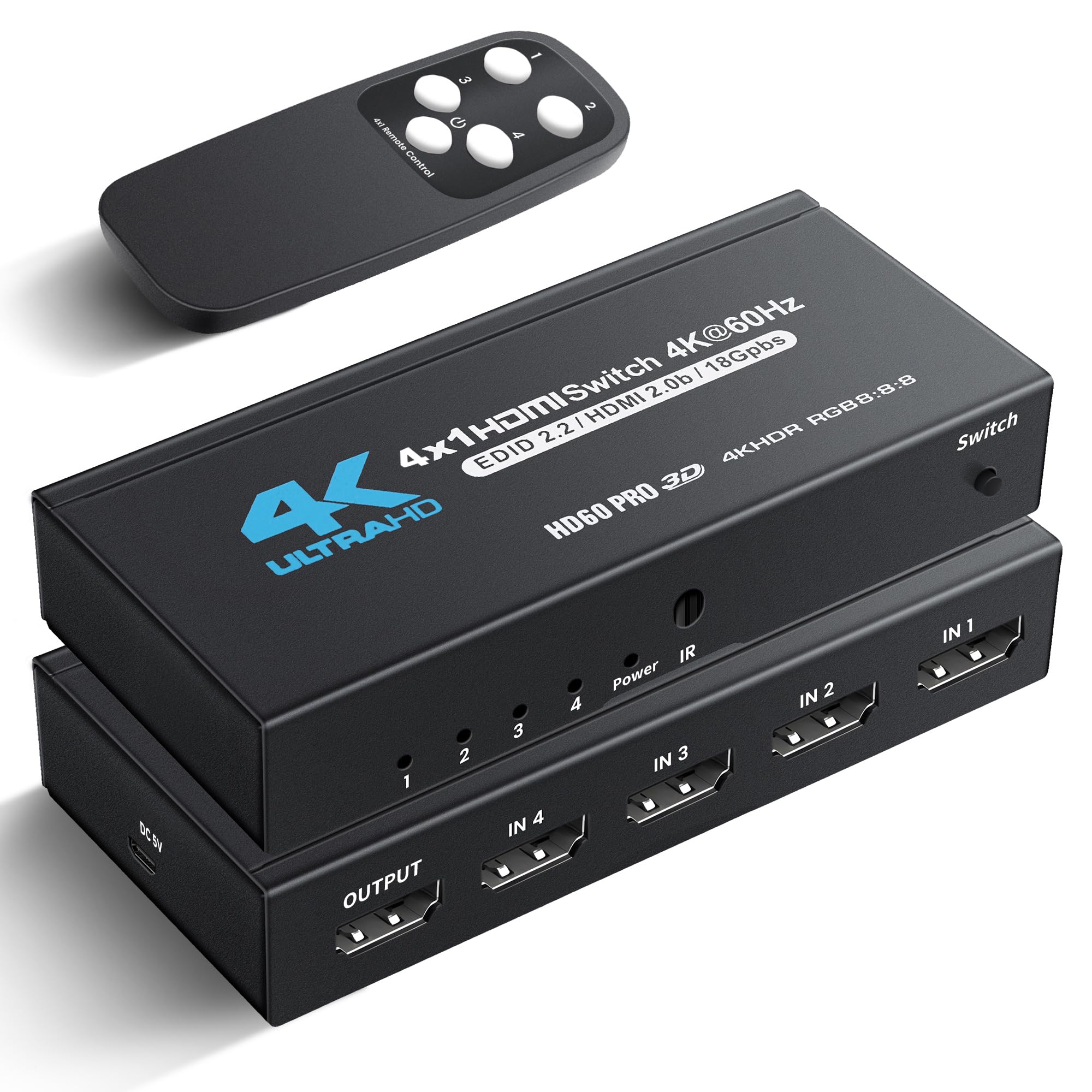
Image: The NEWCARE 4x1 HDMI Switch connected to a PlayStation 5, Nintendo Switch, and Xbox Series X, all outputting to a single television display.
2. Kandungan Pakej
Please check the package contents carefully. If any items are missing or damaged, please contact your retailer.
- 1 x NEWCARE 4x1 HDMI Switcher
- 1 x Alat Kawalan Jauh IR
- 1 x Kabel Kuasa USB Jenis-C
- 1 x Manual Pengguna
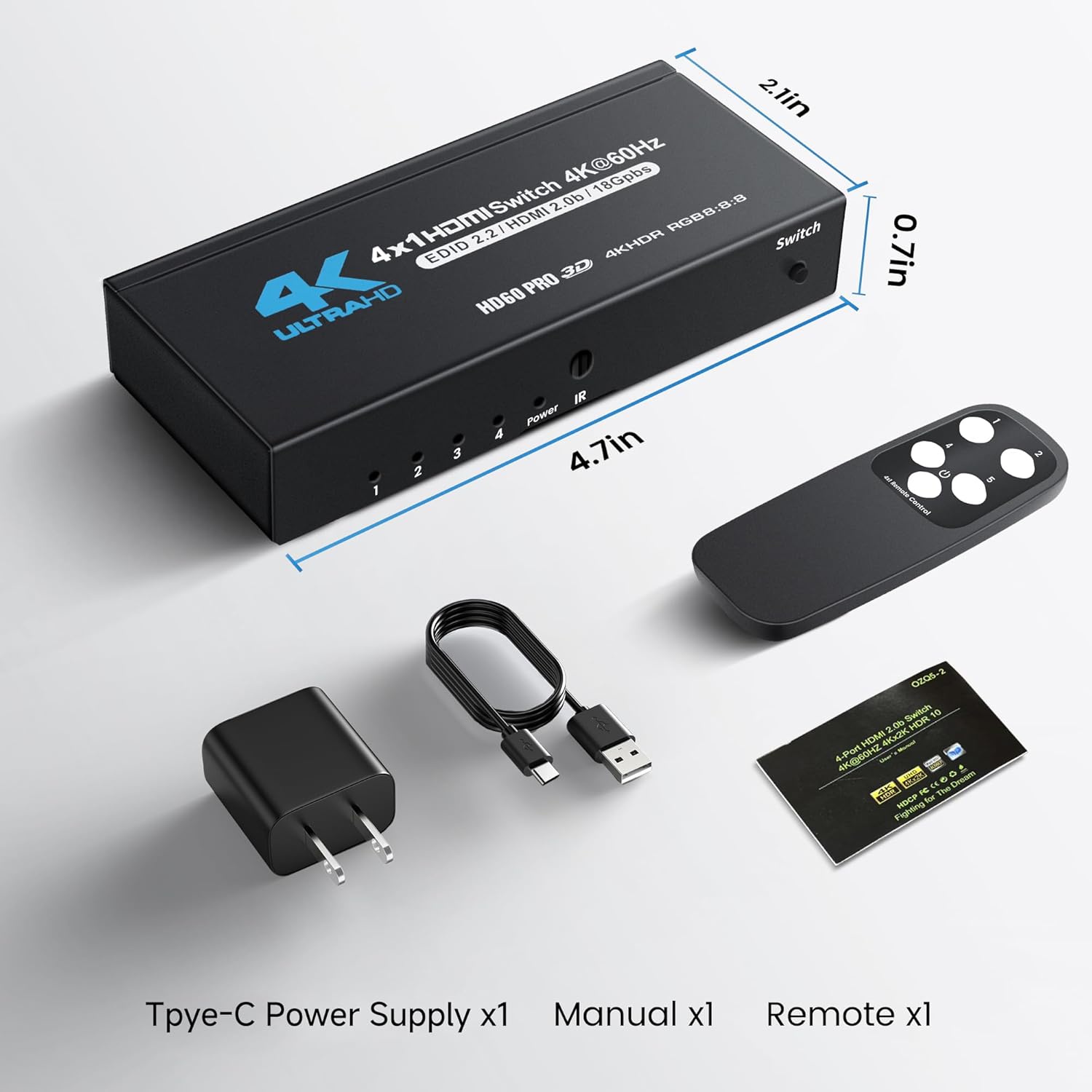
Image: A visual representation of the package contents, showing the HDMI switch, remote control, Type-C power cable, and user manual.
3. Produk Lebihview
Familiarize yourself with the components and interfaces of your HDMI switch.
Panel Depan
- LED Indicators (1-4): Light up to show which HDMI input is currently active.
- Kuasa LED: Indicates the device is powered on.
- Penerima IR: Receives signals from the IR remote control.
- Butang Tukar: Manually cycles through the HDMI input sources.
Panel Belakang
- Output HDMI: Connects to your display device (TV, monitor, projector).
- HDMI Inputs (IN 1-4): Connect up to four HDMI source devices.
- DC 5V (Type-C Power Port): Connect the provided Type-C power cable for power supply.
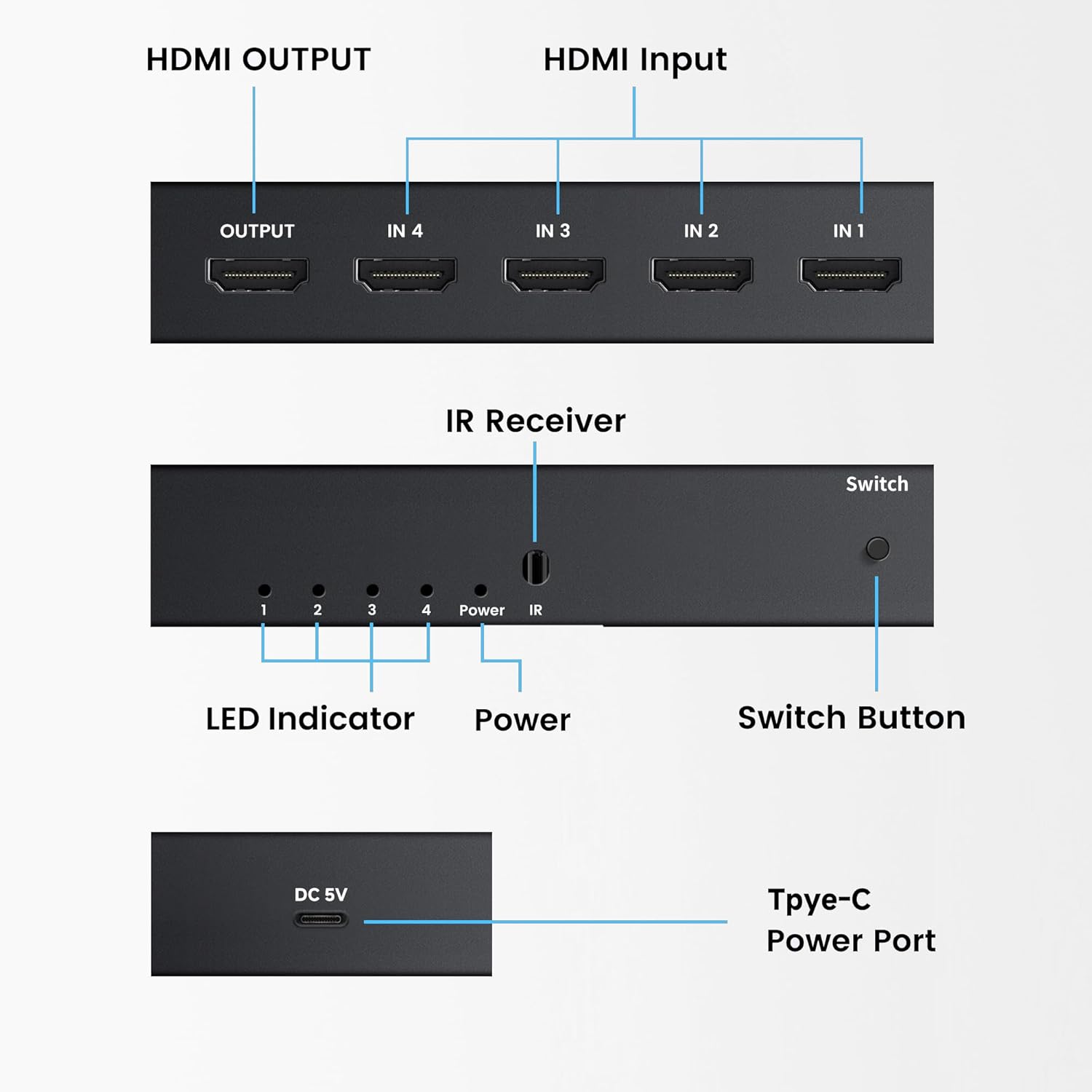
Image: Close-up of the HDMI switch, highlighting the HDMI output, four HDMI inputs, IR receiver, LED indicators, manual switch button, and the Type-C power port.
4. Arahan Persediaan
Follow these steps to set up your NEWCARE HDMI Switch:
- Sambungkan Output HDMI: Use a high-quality HDMI 2.0b or higher cable to connect the HDMI Output port of the switch to the HDMI Input port of your display device (TV, monitor, or projector).
- Connect HDMI Input Sources: Connect your HDMI source devices (e.g., PS5, Xbox, Blu-ray player, PC, laptop) to the HDMI Input ports (IN 1, IN 2, IN 3, IN 4) on the switch using high-quality HDMI 2.0b or higher cables.
- Sambungkan Kuasa: Connect the provided Type-C power cable to the DC 5V port on the switch and plug the other end into a suitable USB power adapter (not included) or a USB port on your TV/PC. The Power LED on the front panel will illuminate.
- Hidupkan Peranti: Power on your display device and all connected HDMI source devices.

Image: A clear diagram illustrating the connection process: multiple input devices (PS5, Nintendo Switch, Xbox Series X) connected to the HDMI switch, which then connects to a single television.
5. Arahan Operasi
The NEWCARE HDMI Switch offers three convenient methods for switching between input sources:
5.1. Penukaran Manual
Tekan ke Butang Tukar on the front panel of the device to cycle through the HDMI input sources (IN 1 → IN 2 → IN 3 → IN 4 → IN 1...). The corresponding LED indicator will light up to show the active input.
5.2. IR Remote Control Switching
Use the provided IR remote control to select your desired input directly. Point the remote towards the IR Receiver on the front panel of the switch.
- Tekan ke '1' button to select HDMI Input 1.
- Tekan ke '2' button to select HDMI Input 2.
- Tekan ke '3' button to select HDMI Input 3.
- Tekan ke '4' button to select HDMI Input 4.
- The Butang kuasa on the remote can be used to turn the switch on/off.
5.3. Auto-Switching
The switch supports intelligent auto-switching. When a new HDMI source device is powered on or connected, the switch will automatically detect it and switch to that input. If the current active source is turned off, the switch will automatically switch to the next available active input.
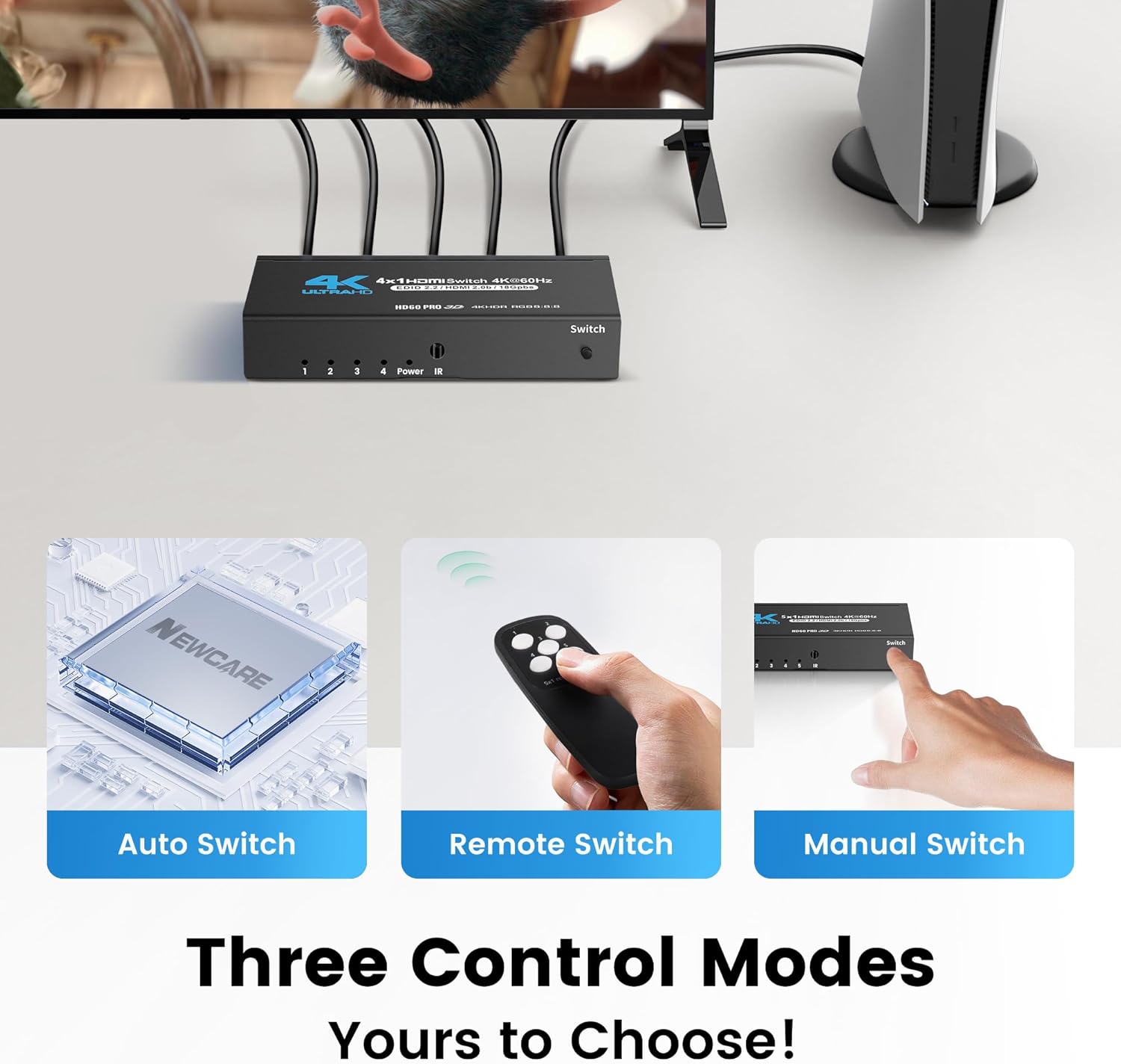
Image: Illustrates the three methods of controlling the HDMI switch: automatic detection, remote control, and manual button press on the device.
6. Ciri-ciri
- 4 Input HDMI, 1 Output HDMI: Connects up to four HDMI source devices to one HDMI display.
- High Resolution Support: Supports 4K@60Hz, 2K@120Hz, and 1080p@240Hz resolutions.
- Advanced Video Technologies: Compatible with HDMI 2.0b, HDCP 2.2, HDR10, Dolby Vision, and RGB 8:8:8 color format for superior visual quality.
- Lebar Jalur Tinggi: Provides 18Gbps bandwidth for stable and lag-free signal transmission.
- Flexible Switching: Offers manual button, IR remote control, and intelligent auto-switching options.
- Keserasian Luas: Works seamlessly with various devices such as PS5, PS4, Xbox Series X/S, PCs, Laptops, Blu-ray players, streaming sticks, and projectors.
- Reka Bentuk Tahan Lama: Features a compact metal housing for enhanced durability and heat dissipation.
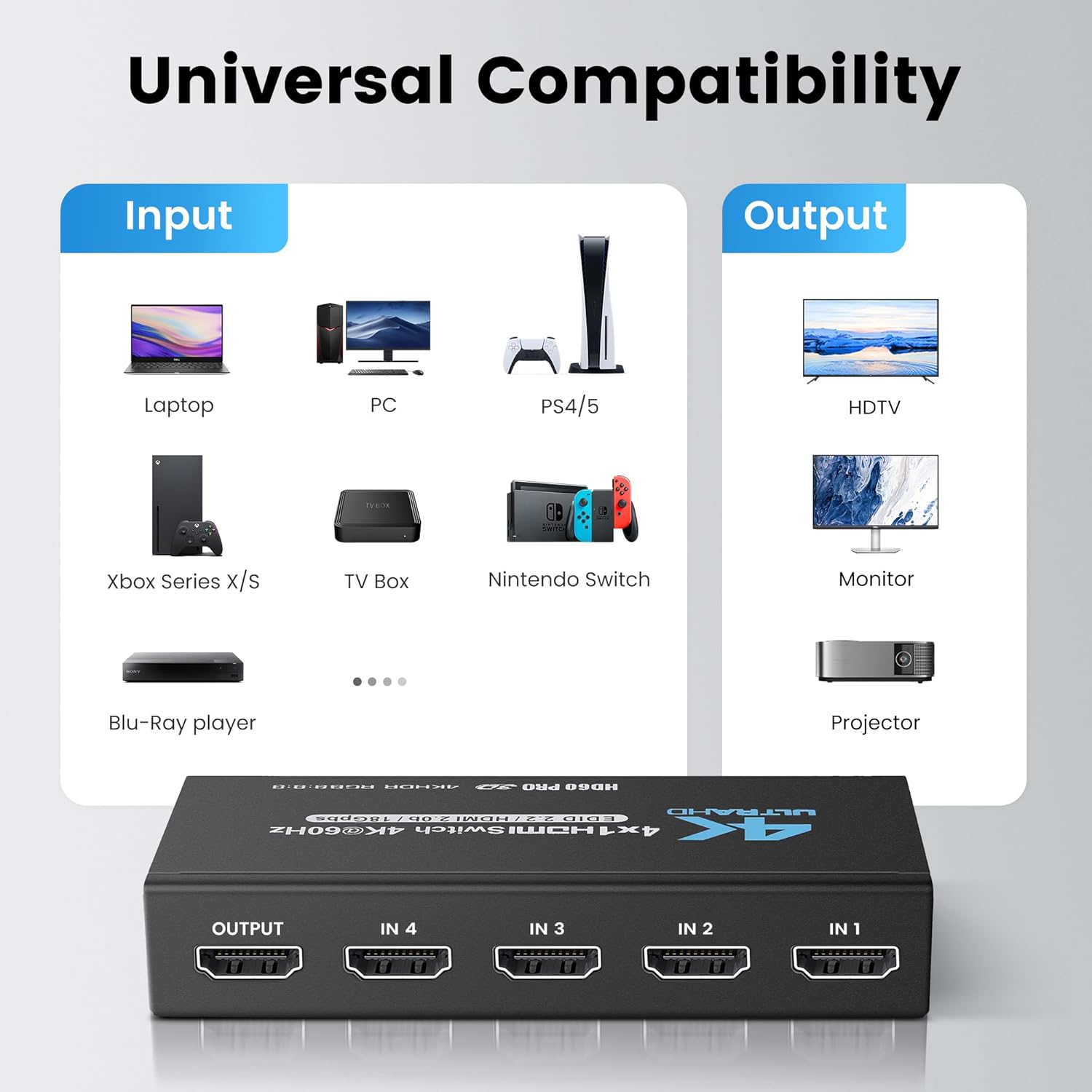
Image: A chart detailing the broad compatibility of the HDMI switch, listing input devices like laptops, PCs, PS4/5, Xbox, TV boxes, Nintendo Switch, and Blu-ray players, and output devices such as HDTVs, monitors, and projectors.

Image: A side-by-side comparison demonstrating the enhanced detail and clarity of 4K resolution compared to 1080p, emphasizing the switch's support for 4K.

Image: A graphic illustrating the HDMI switch's support for Dolby and DTS audio technologies, enhancing the overall audiovisual experience.
7. Penyelesaian masalah
Jika anda menghadapi masalah, sila rujuk petua penyelesaian masalah berikut:
- No Signal/Black Screen:
- Ensure all HDMI cables are securely connected to both the source devices and the display.
- Verify that the switch is powered on and the correct input LED is illuminated.
- Try using different HDMI cables, especially high-quality HDMI 2.0b or higher cables, as cable quality can affect signal transmission.
- Test the source device directly with the display to confirm it is functioning correctly.
- Ensure your display device is set to the correct HDMI input.
- Flickering Screen/Unstable Picture:
- Check HDMI cable quality and length. Longer or lower-quality cables may cause signal degradation.
- Ensure the switch is receiving adequate power. Use the provided Type-C cable and a reliable 5V power source.
- Reduce the resolution or refresh rate of the source device to see if the issue persists.
- Alat Kawalan Jauh Tidak Berfungsi:
- Ensure there are no obstructions between the remote and the IR Receiver on the switch.
- Periksa dan gantikan bateri dalam alat kawalan jauh.
- Confirm you are within the effective range of the remote (approximately 26 ft).
- Auto-Switching Not Functioning:
- Some devices may not send a strong enough signal to trigger auto-switching. In such cases, use manual or remote switching.
- Ensure the source device is fully powered on and actively sending an HDMI signal.
8. Spesifikasi
| Model | 4x1 4K@60Hz HDMI Switch |
| Port Input | 4 x HDMI |
| Port Output | 1 x HDMI |
| Versi HDMI | HDMI 2.0b |
| Versi HDCP | HDCP 2.2 |
| Resolusi yang Disokong | 4K@60Hz, 2K@120Hz, 1080p@240Hz |
| Lebar jalur | 18Gbps |
| Format Warna | RGB 8:8:8, HDR10, Dolby Vision |
| Bekalan Kuasa | DC 5V (via Type-C port) |
| Kaedah Kawalan | Manual Button, IR Remote, Auto-Switching |
| Dimensi | 4.7 x 2.1 x 0.7 inci (lebih kurang) |
| Berat badan | 8.8 auns (lebih kurang) |
9. Waranti dan Sokongan
NEWCARE products are designed for reliability and performance. For any technical assistance, warranty inquiries, or product support, please refer to the contact information provided with your purchase or visit the official NEWCARE webtapak. Sila simpan bukti pembelian anda untuk tuntutan waranti.


