pengenalan
The virtavo Cam XM1 is a solar-powered wireless security camera designed for outdoor surveillance. It features a dual-lens system for a 160° panoramic view, 1080p Full HD resolution, color night vision, PIR motion detection, two-way audio, and flexible storage options. This manual provides detailed instructions for setting up, operating, and maintaining your camera to ensure optimal performance.
Produk Selesaiview
Ciri-ciri Utama
- Panorama 160 ° View: Dual-lens stitching technology provides a seamless, distortion-free 160° field of view, covering more area than traditional single-lens cameras.
- Solar Powered & Long Battery Life: Equipped with a solar panel for continuous charging and a built-in 4400 mAh lithium battery, offering 1 to 3 months of operation even without sunlight.
- Clear Day and Color Night Vision: 1080p Full HD resolution with an F1.6 Starlight lens and 2 IR LEDs (850 nm) ensures sharp images day and night. Color night vision provides precise details in low-light conditions.
- PIR Motion Detection & Two-Way Audio: Detects motion and sends instant alarms and notifications to your smartphone. The two-way audio feature allows real-time communication.
- Pilihan Storan Fleksibel: Supports local storage via Micro SD card (up to 256GB) and optional cloud storage with AI detection for distinguishing people, cars, and pets.
Kandungan Pakej
The virtavo Cam XM1 package includes the following components:
- virtavo Cam XM1 Camera
- Kabel Jenis-C
- Bahagian Pemasangan
- Manual Pengguna
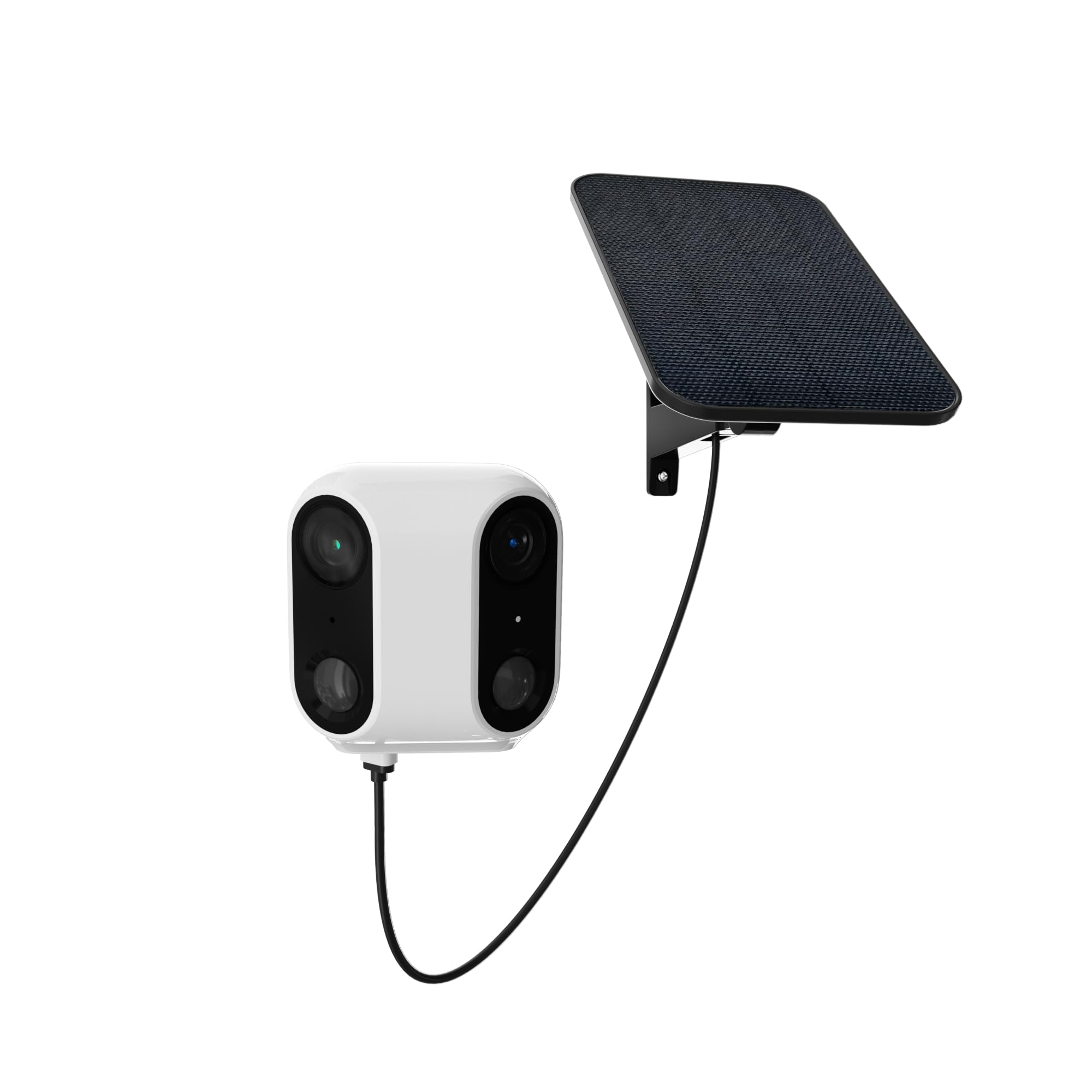
Image: The virtavo Cam XM1 camera, showing its main body, integrated solar panel, and mounting bracket. This image illustrates the complete product as it appears out of the box.
Persediaan
1. Pengecasan Awal
Before initial use, fully charge the camera's built-in 4400 mAh lithium battery using the provided Type-C cable. This ensures the camera has sufficient power for setup and operation, especially if solar charging is not immediately optimal.
2. Pemasangan Aplikasi dan Penciptaan Akaun
Download the dedicated mobile application for the virtavo Cam XM1 from your smartphone's app store (iOS or Android). Follow the on-screen instructions to create an account and log in.
3. Berpasangan Kamera
- Hidupkan kamera.
- Open the app and select "Add Device" or a similar option.
- Follow the in-app prompts to connect the camera to your Wi-Fi network. This typically involves scanning a QR code displayed on your phone with the camera or entering Wi-Fi credentials.
- Pastikan kamera berada dalam julat penghala Wi-Fi anda untuk sambungan yang stabil.
4. Memasang Kamera
The virtavo Cam XM1 is designed for wall mounting. Choose a location that provides the desired surveillance coverage and receives adequate sunlight for the integrated solar panel. Use the provided mounting parts to securely attach the camera to a wall or suitable surface. Ensure the solar panel is positioned to maximize sun exposure throughout the day.
Arahan Operasi
Langsung View dan Rakaman
Once connected, open the app to access the live video feed from your camera. You can manually initiate recordings or capture screenshots directly from the live view antara muka.
Pengesanan Pergerakan dan Makluman
The camera utilizes Passive Infrared (PIR) motion detection to identify movement. When motion is detected, the camera will:
- Send an alarm notification to your smartphone.
- Initiate recording of the event.
- Activate an audible alarm (if enabled in settings).
Adjust motion detection sensitivity and alert preferences within the camera's settings in the mobile app.
Audio Dua Hala
Untuk menggunakan ciri audio dua hala, ketik ikon mikrofon dalam siaran langsung view interface of the app. You can then speak through your phone, and your voice will be broadcast through the camera's speaker. Similarly, you can hear audio from the camera's surroundings through your phone.
Pengurusan Storan
The virtavo Cam XM1 offers two storage options:
- Kad SD mikro: Insert a Micro SD card (up to 256GB, not included) into the designated slot on the camera. Recordings will be stored locally. Videos can be accessed via the app even if the camera is temporarily offline, and will sync once reconnected to Wi-Fi.
- Storan Awan: An optional subscription-based cloud storage service is available. This service typically offers 7 or 30 days of recording history and includes intelligent AI detection to differentiate between people, vehicles, and pets. Refer to the app for subscription details and pricing.
Penyelenggaraan
Pengurusan Bateri
The camera's integrated solar panel continuously charges the internal battery. For optimal performance, ensure the solar panel remains clean and free from obstructions (e.g., leaves, dirt) that could block sunlight. In periods of prolonged low sunlight, the battery may require manual charging via the Type-C port.
Pembersihan
Bersihkan kanta kamera dan panel solar secara berkala dengan kain lembutamp cloth. Avoid using harsh chemicals or abrasive materials that could scratch the surfaces.
Menyelesaikan masalah
- Kamera tidak bersambung ke Wi-Fi: Ensure the camera is within Wi-Fi range. Verify your Wi-Fi password. Try restarting your router and the camera.
- No motion detection alerts: Check the app settings to ensure motion detection is enabled and notification permissions are granted for the app on your smartphone. Adjust PIR sensitivity if necessary. Ensure the "Actuation" mode is active in the app's work mode settings, as noted by some users.
- Kualiti imej yang lemah: Bersihkan lensa kamera. Pastikan tiada halangan dalam bidang kamera view. Check your Wi-Fi signal strength.
- Bateri tidak dicas: Ensure the solar panel is clean and receiving direct sunlight. Check the Type-C cable connection if charging manually.
- Audio dua hala tidak berfungsi: Check microphone and speaker permissions for the app on your smartphone. Ensure the camera's microphone and speaker are not obstructed.
Spesifikasi
| Ciri | Perincian |
|---|---|
| Nama Model | XM1 |
| Jenama | virtavo |
| Protokol Ketersambungan | Wi-Fi |
| Sumber Kuasa | Solar Powered (with 4400 mAh Lithium-ion battery) |
| Resolusi Rakaman Video | 1080p HD Penuh |
| Penggunaan | Keselamatan Luar |
| Jenis Pemasangan | Lekap di dinding |
| Dimensi (L x W x H) | 9 x 9 x 5.5 cm |
| Berat badan | 810 gram |
| Komponen yang Disertakan | Camera, Type-C cable, Mounting parts, User manual |
| Jenis Bateri | Lithium-ion (4400 mAh integrated) |
| Max SD Card Capacity | 256 GB |
Waranti dan Sokongan
Information regarding specific warranty terms and availability of spare parts for the virtavo Cam XM1 is not provided. For technical support or further assistance, please refer to the contact information provided with your purchase or visit the official virtavo webtapak.


