1. Pengenalan
This manual provides essential information for the safe and efficient use of your JVC VIDAA LT-43VDF5455 43-inch Full HD Smart TV. Please read these instructions thoroughly before operating the device and retain them for future reference.
The JVC LT-43VDF5455 is a 43-inch Full HD Smart TV featuring HDR10 support for enhanced contrast and natural colors. It includes an integrated triple tuner (DVB-C/T2/S2) for versatile program reception and runs on the VIDAA operating system, offering access to various streaming applications.
2. Maklumat Keselamatan Penting
- Bekalan Kuasa: Pastikan TV disambungkan ke soket kuasa dengan volum yang betultage. Jangan bebankan soket kuasa secara berlebihan.
- Pengudaraan: Jangan sekat bukaan pengudaraan. Benarkan ruang yang mencukupi di sekeliling TV untuk aliran udara yang betul untuk mengelakkan terlalu panas.
- Air dan Kelembapan: Jangan dedahkan TV kepada hujan, kelembapan atau letakkan objek berisi cecair di atas atau berhampiran TV.
- Pembersihan: Cabut plag TV sebelum membersihkan. Gunakan kain lembut dan kering. Jangan gunakan cecair atau pembersih aerosol.
- penempatan: Letakkan TV pada permukaan yang stabil dan rata. Elakkan meletakkannya di bawah cahaya matahari langsung atau berhampiran sumber haba.
- Servis: Jangan cuba servis TV sendiri. Rujuk semua servis kepada kakitangan perkhidmatan yang berkelayakan.
3. Kandungan Pakej
Sila pastikan semua item ada dan dalam keadaan baik:
- JVC VIDAA LT-43VDF5455 43-inch Full HD Smart TV
- Alat Kawalan Jauh (dengan 2 bateri AAA disertakan)
- Kaki TV (Berdiri)
- Manual Pengguna (dokumen ini)
4. Persediaan
4.1 Memasang Stand TV
Carefully place the TV screen-down on a soft, flat surface to prevent damage. Attach the provided feet to the designated slots on the bottom of the TV using the screws supplied. Ensure the stand is securely fastened before placing the TV upright.

Imej: Depan view of the JVC LT-43VDF5455 Smart TV with its stand attached.
4.2 Dimensi Fizikal dan Peletakan
The TV has a width of 96.5 cm, a height of 60 cm (with stand), and a depth of 26.1 cm (with stand). The screen diagonal is 43 inches (108 cm). For wall mounting, the VESA standard is M4 100x100. Ensure adequate space for ventilation.

Image: Diagram illustrating the physical dimensions of the JVC LT-43VDF5455 television, including width, height with stand, depth with stand, and screen diagonal.
4.3 Sambungan Kuasa
Sambungkan kord kuasa ke input kuasa TV dan kemudian ke soket dinding yang sesuai.
4.4 Wizard Persediaan Awal
Upon first power-on, the TV will guide you through an initial setup wizard. This includes language selection, country, network connection (Wi-Fi), and channel scanning for the integrated triple tuner (DVB-C/T2/S2).
5. Mengendalikan TV Anda
5.1 Fungsi Kawalan Jauh
Alat kawalan jauh yang disediakan membolehkan anda menavigasi ciri-ciri TV. Fungsi utama termasuk:
- Butang Kuasa: Menghidupkan/mematikan TV atau bersedia.
- Butang Input: Selects input sources (HDMI, USB, Tuner).
- Butang Nombor: Pemilihan saluran langsung.
- Jilid +/-: Melaraskan kelantangan.
- Saluran +/-: Menukar saluran.
- Butang Navigasi (Atas/Bawah/Kiri/Kanan) & OK: Untuk navigasi dan pemilihan menu.
- Butang Pintasan Apl: Direct access to popular streaming services like Netflix, YouTube, Prime Video, Disney+.

Image: The remote control for the JVC Smart TV, highlighting dedicated buttons for popular streaming applications such as YouTube, Netflix, Prime Video, and Disney+.
5.2 Ciri TV Pintar (OS VIDAA)
Your JVC TV runs on the VIDAA operating system, providing a user-friendly interface for accessing a wide range of applications and services.
- App Store: Browse and download additional applications.
- Perkhidmatan Penstriman: Enjoy pre-installed apps like Netflix, Prime Video, Disney+, YouTube, and DAZN.
- Web pelayar: Akses internet terus dari TV anda.
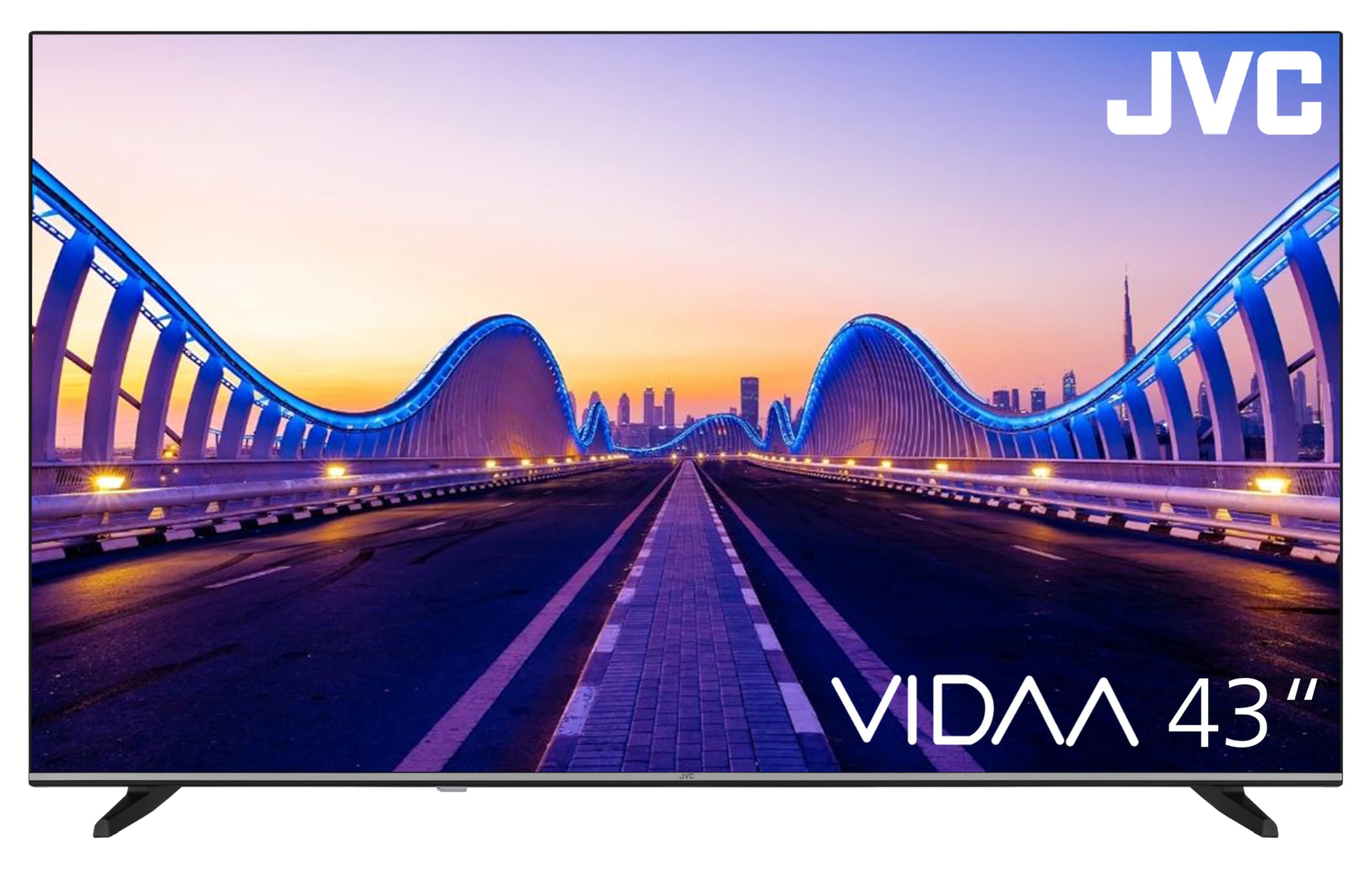
Image: The JVC Smart TV displaying the VIDAA operating system home screen, featuring a selection of popular streaming applications and content recommendations.
5.3 Tetapan Gambar dan Bunyi
Access the TV's menu to adjust picture settings (brightness, contrast, color, sharpness, HDR mode) and sound settings (equalizer, sound mode). The TV supports HDR10 for enhanced dynamic range.

Image: A JVC Smart TV screen showcasing content with high dynamic range (HDR), demonstrating improved detail and contrast.
6. Sambungan
Your JVC TV offers various connection options for external devices:
- Port HDMI (x2): Connect devices such as Blu-ray players, game consoles, or set-top boxes. One port supports ARC (Audio Return Channel) for simplified audio connections to soundbars or AV receivers, and both support CEC (Consumer Electronics Control).
- Port USB (x1): Sambungkan peranti storan USB untuk memainkan media files (photos, music, videos) using the integrated media player.
- Input Antena: Connect an antenna for DVB-T2 (terrestrial) reception or a cable for DVB-C (cable) reception.
- Input Satelit: Connect a satellite dish for DVB-S2 (satellite) reception.
- Port LAN: Untuk sambungan internet berwayar.
- Output Audio Digital: Connect to an external audio system for high-quality digital sound.
- Jack fon kepala: Sambungkan fon kepala untuk mendengar secara peribadi.
- Slot CI: For Common Interface modules, typically used with pay-TV services.
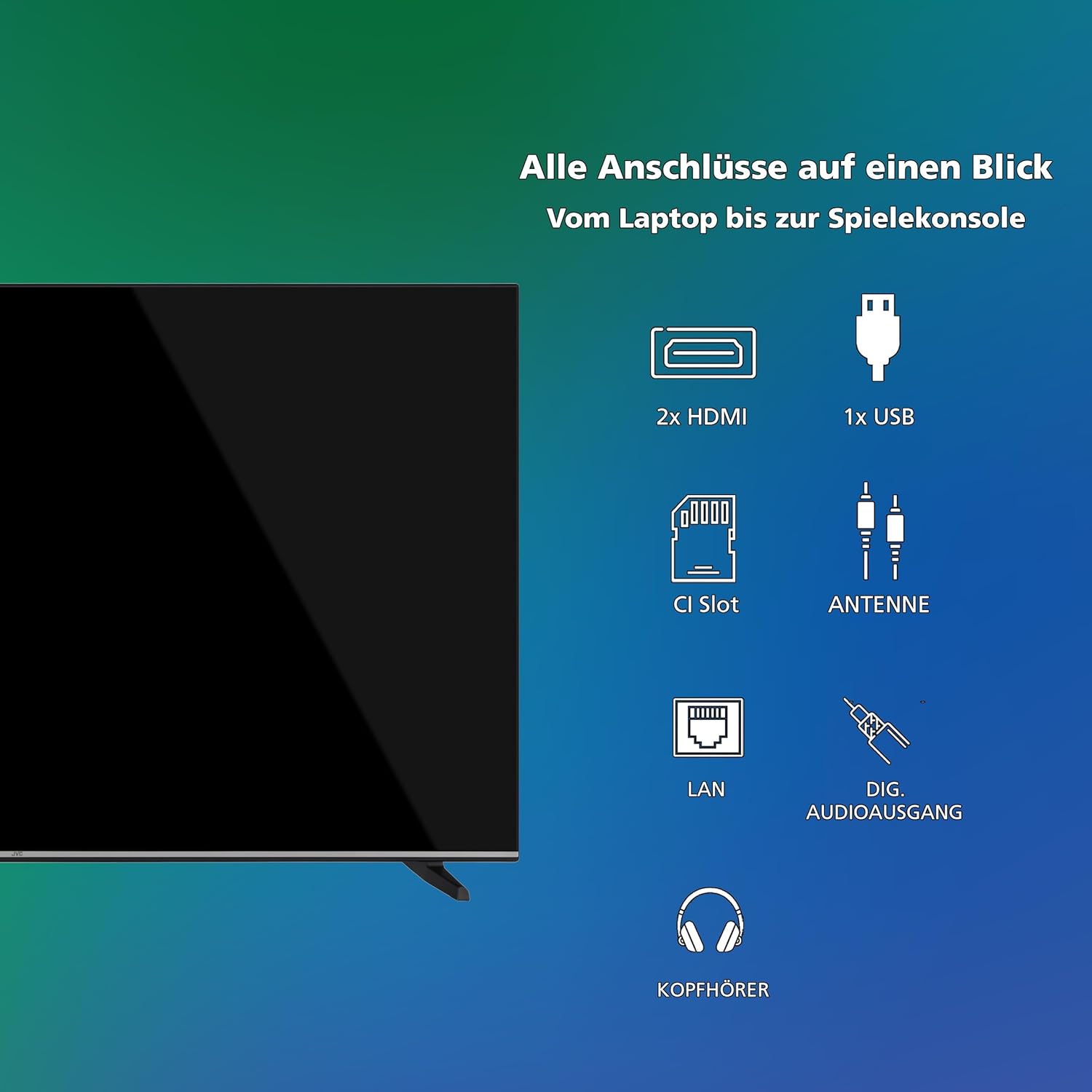
Imej: Visual berakhirview of all available connection ports on the JVC Smart TV, including HDMI, USB, CI Slot, Antenna, LAN, Digital Audio Output, and Headphone jack.
7. Penyelenggaraan
- Pembersihan Skrin: Lap skrin perlahan-lahan dengan kain lembut yang tidak berbulu. Untuk tanda degil, sedikit dampbilas kain dengan air atau pembersih skrin khusus (sapukan pada kain, bukan terus pada skrin).
- Pembersihan Kabinet: Gunakan kain lembut dan kering untuk membersihkan kabinet TV.
- Penyingkiran habuk: Regularly dust the ventilation openings to prevent dust buildup, which can affect performance and lifespan.
- Kord Kuasa: Periksa kord kuasa secara berkala untuk sebarang kerosakan.
8. Penyelesaian masalah
Jika anda menghadapi masalah dengan TV anda, rujuk kepada penyelesaian biasa berikut:
- Tiada Kuasa:
- Periksa sama ada kord kuasa dipasang dengan selamat pada kedua-dua TV dan alur keluar dinding.
- Ensure the wall outlet is functioning by testing it with another device.
- Tekan butang kuasa pada alat kawalan jauh atau pada TV itu sendiri.
- Tiada Gambar/Bunyi:
- Verify that the correct input source is selected (e.g., HDMI 1, DTV).
- Periksa semua sambungan kabel (HDMI, antena, dll.) selamat.
- Pastikan kelantangan tidak diredamkan atau ditetapkan kepada minimum.
- Kualiti Gambar Lemah:
- Check antenna or cable connections.
- Laraskan tetapan gambar (kecerahan, kontras, ketajaman) dalam menu TV.
- Jika menggunakan peranti luaran, periksa resolusi outputnya.
- Alat Kawalan Jauh Tidak Berfungsi:
- Gantikan bateri (2 AAA).
- Pastikan tiada halangan antara alat kawalan jauh dan penderia IR TV.
- Smart TV Apps Not Loading/Working:
- Check your internet connection (Wi-Fi or LAN).
- Restart the TV by unplugging it for a few minutes and plugging it back in.
- Pastikan perisian TV dikemas kini.
9. Spesifikasi
| Nombor Model | LT-43VDF5455 |
| Jenama | JVC |
| Saiz Skrin | 43 Inci (108 cm) |
| Resolusi | 1080p (HD Penuh) |
| Teknologi Paparan | LCD, LED |
| Kadar Segar Semula | 120 Hz |
| Sistem Operasi | VIDAA |
| Ciri Khas | VIDAA Smart TV, HDR10 |
| Ketersambungan | 2x HDMI (CEC, ARC), 1x USB, Wi-Fi, LAN, Digital Audio Out, Headphone, CI Slot |
| Jenis Penala | Integrated DVB-C/T2/S2 Triple Tuner |
| Dimensi (dengan pendirian) | 96.5 cm (W) x 60 cm (H) x 26.1 cm (D) |
| SDR Energy Consumption | 42 kWj/1000j |
| Penggunaan Tenaga HDR | 62 kWj/1000j |
| Ketersediaan Alat Ganti | 7 Tahun |
9.1 Maklumat Tenaga
Detailed energy consumption data and product information can be found on the EU EPREL database.

Image: The EU Energy Label for the JVC LT-43VDF5455 television, showing energy efficiency class E and consumption values.
Untuk butiran lanjut, lawati Pangkalan data EPREL (kod QR 2198541).

Image: The official product data sheet for the JVC LT-43VDF5455 television, detailing technical parameters and compliance information.
Maklumat lanjut boleh didapati di Pangkalan data EPREL (kod QR 2198541).
9.2 Optimum ViewJarak
For the JVC LT-43VDF5455 (43-inch Full HD), the recommended optimal viewing distance is approximately 216 cm.

Image: A table providing recommended optimal viewing distances based on TV screen size and resolution (4K, Full HD, HD).
10. Waranti dan Sokongan
JVC products are manufactured to high standards and are designed for reliable performance.
- Alat Ganti: Spare parts for this model are guaranteed to be available for up to 7 years from the date of market placement.
- Kemas Kini Perisian: Maklumat mengenai kemas kini perisian yang dijamin tidak tersedia.
- Sokongan Pelanggan: For technical assistance, warranty claims, or further inquiries, please contact JVC customer support. Refer to the official JVC webtapak atau dokumentasi pembelian anda untuk butiran hubungan.


