1. Pengenalan
Thank you for choosing the MERACH R14 Water Rowing Machine. This manual provides essential information for the safe and efficient use of your new fitness equipment. Please read it thoroughly before assembly and operation, and keep it for future reference. Proper assembly, operation, and maintenance are crucial for ensuring your safety and the longevity of the product.
2. Maklumat Keselamatan Penting
- Rujuk doktor sebelum memulakan sebarang program senaman baharu.
- Pastikan semua bahagian dipasang dengan kukuh sebelum setiap penggunaan.
- Jauhkan kanak-kanak dan haiwan peliharaan dari mesin semasa operasi.
- Letakkan mesin mendayung pada permukaan yang rata dan stabil dengan kelegaan yang mencukupi di sekelilingnya.
- Jangan melebihi berat pengguna maksimum 158 kg (348 lbs).
- Pakai kasut dan pakaian sukan yang sesuai semasa bersenam.
- Berhenti bersenam serta-merta jika anda berasa pitam, pening, atau mengalami kesakitan.
- Regularly inspect the machine for wear and tear, especially cables, straps, and moving parts.
3. Apa yang ada di dalam Kotak
Before beginning assembly, please ensure all components listed below are present and undamaged. If any parts are missing or damaged, contact customer support.
- Rowing Machine (main frame, rail, water tank, seat, footrests, handle)
- Tool Kit (including S4 and S5 Allen wrenches)
- Manual Pengguna
- Pemegang Tablet
- Water Purification Tablets (check packaging, may be included separately)

Image: All components of the MERACH R14 Water Rowing Machine laid out before assembly.
4. Persediaan dan Pemasangan
The MERACH R14 is designed for quick assembly, with most parts pre-assembled. Follow these steps for a smooth setup:
4.1. Pemasangan Bateri
The monitor requires 2 AAA batteries (not included). Locate the battery compartment, typically near the monitor or within the main frame. Insert the batteries, ensuring correct polarity.
Video: Assembly instructions for the VOWVIT V-W3 rower, demonstrating battery installation and general setup. This video is relevant for the MERACH R14 due to similar design and assembly process.
4.2. Membuka Lipatan Mesin
If your rower is in a folded position for storage, carefully unfold it. Ensure the rail is securely locked into place before proceeding.
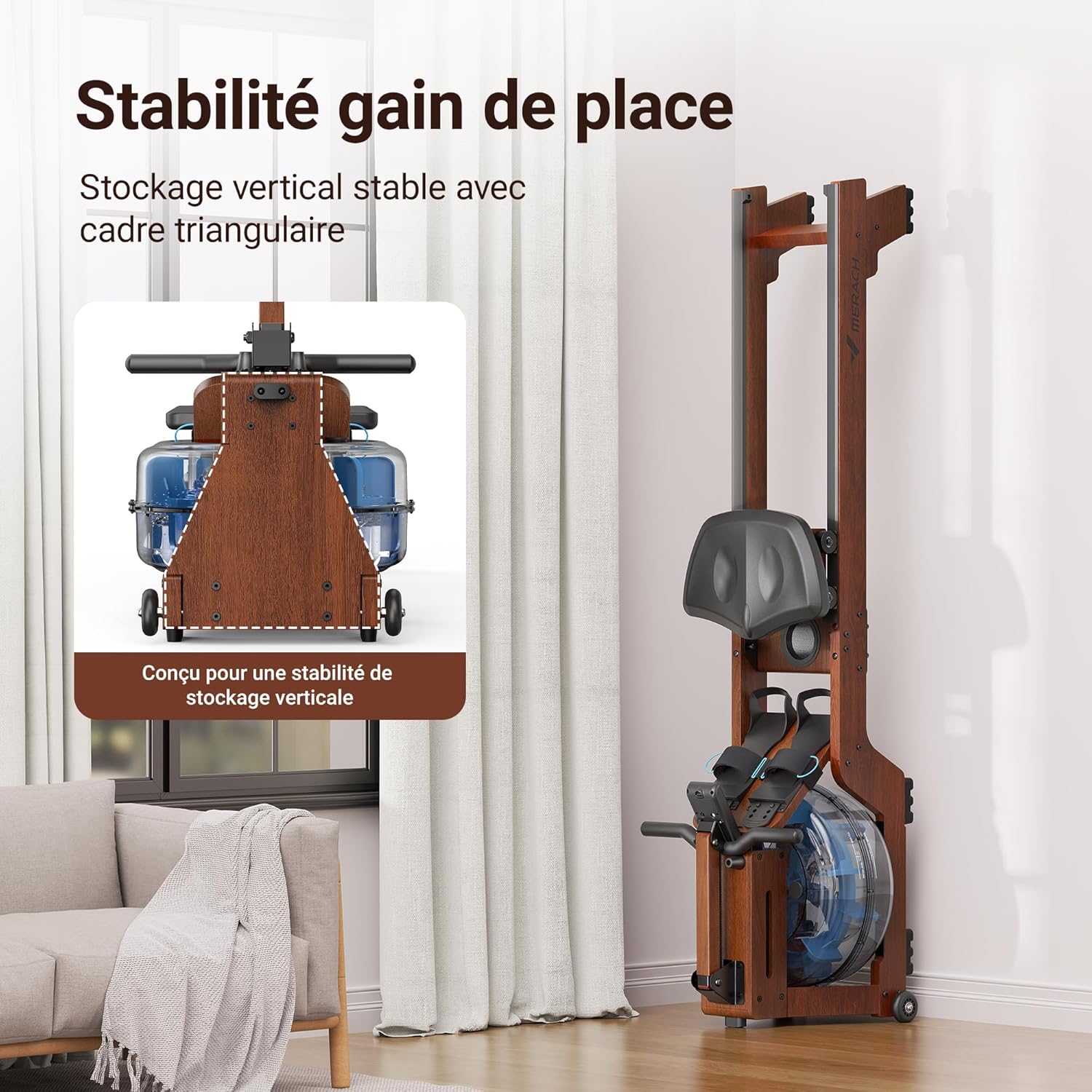
Image: The MERACH R14 Water Rowing Machine shown in its vertical storage position, highlighting its space-saving design.
4.3. Memasang Kerusi
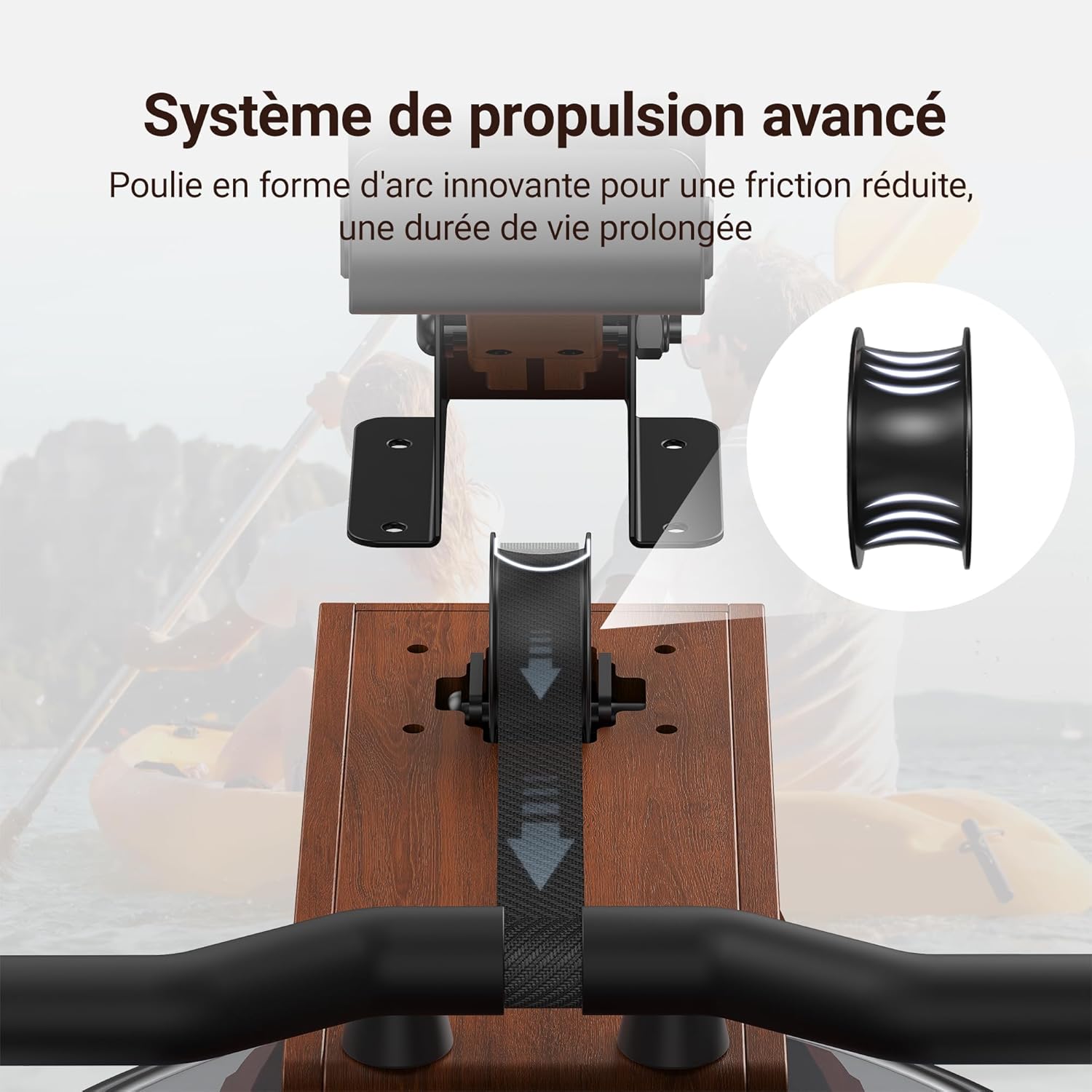
Slide the ergonomic seat onto the rail. Ensure it moves smoothly along the track. Secure any stoppers or clips as indicated in the assembly guide.

Image: Detail of the MERACH R14's ergonomic seat, designed for optimal comfort during workouts.
4.4. Installing the Tablet Holder
Attach the tablet holder to the designated area on the main frame, usually near the monitor. Use the provided S4 Allen wrench and screws to secure it firmly.
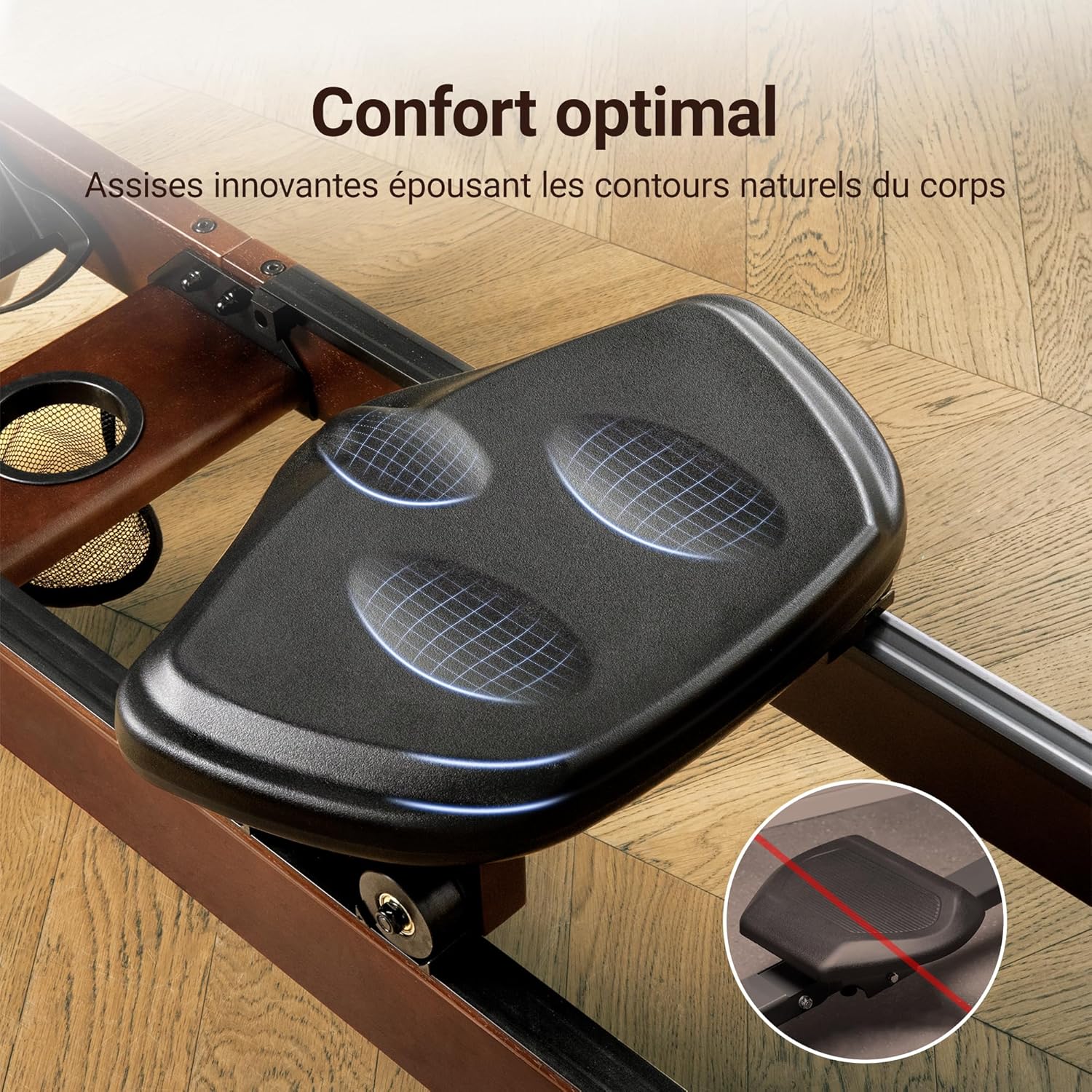
Image: The MERACH R14 Water Rowing Machine featuring its professional monitor and integrated tablet holder.
4.5. Mengisi Tangki Air
Remove the water tank plug. Using the provided pump or a funnel, fill the 22-liter water tank with clean tap water up to the indicated maximum level. Replace the plug securely. Add one water purification tablet to the tank to prevent algae growth.
Imej: Terperinci view of the MERACH R14's water tank, showcasing the 12-blade turbine for resistance.
5. Arahan Operasi
5.1. Basic Rowing Technique
- Tangkapan: Sit on the seat with knees bent, shins vertical, and arms extended forward, gripping the handle.
- Pemacu: Tolak dengan kaki anda, kemudian condongkan badan sedikit dari pinggul, dan akhirnya tarik pemegangnya ke arah perut anda.
- Penamat: Legs are extended, body is leaning back slightly, and the handle is at your abdomen.
- Pemulihan: Hulurkan tangan ke hadapan, kemudian condongkan badan ke hadapan dari pinggul, dan akhirnya bengkokkan lutut anda untuk menggeser tempat duduk ke hadapan ke posisi tangkap.
Maintain a smooth, continuous motion. The resistance is generated by the water, providing an immersive rowing experience.
5.2. Using the Professional Monitor
The integrated LCD monitor tracks your workout data. It typically displays:
- STROK: Jumlah pukulan selesai.
- SPM: Pukulan seminit.
- MASA: Workout duration.
- MASA/500m: Time to complete 500 meters at current pace.
- JAUH: Jarak yang ditempuh.
- ODO: Odometer (total distance).
- CAL: Kalori dibakar.
- nadi: Heart rate (requires compatible heart rate monitor, not included).
Use the buttons on the monitor (SET, MODE, RESET) to navigate through data, set targets, or reset your workout.

Image: The professional LCD monitor of the MERACH R14, showing various data points for tracking your workout progress.
5.3. Kesambungan dan Aplikasi Bluetooth
The MERACH R14 features Bluetooth connectivity to sync with the exclusive MERACH app (available on App Store and Google Play). The app allows for:
- Detailed workout tracking and analysis.
- Access to guided workouts and virtual rowing experiences.
- Setting and monitoring fitness goals.
Ensure Bluetooth is enabled on your device and follow the app's instructions to pair with your rowing machine.

Image: A user interacting with the MERACH app on a smartphone, connected to the rowing machine via Bluetooth for an immersive experience.
6. Penyelenggaraan
6.1. Water Treatment
To keep the water clean and prevent algae growth, add one water purification tablet to the tank every 3-6 months, or as needed. Do not use harsh chemicals or bleach.
Video: Demonstration of adding a purification tablet to a water rowing machine tank. This video is relevant for maintaining water quality in the MERACH R14.
6.2. Pembersihan
- Lap bingkai dan tempat duduk dengan iklanamp kain selepas setiap penggunaan untuk mengeluarkan peluh dan habuk.
- Periodically clean the rail with a soft cloth to ensure smooth seat movement.
- Avoid using abrasive cleaners or solvents that could damage the wood finish or plastic components.
6.3. Pemeriksaan
Regularly check the following components:
- Bolts and Screws: Pastikan semua pengikat ketat.
- Cables and Straps: Check for any signs of fraying or wear.
- Seat Rollers: Ensure they are clean and roll smoothly.
- Tangki Air: Inspect for any leaks or cracks.
7. Penyelesaian masalah
| Masalah | Kemungkinan Punca | Penyelesaian |
|---|---|---|
| Monitor not displaying data or turning on. | Dead batteries, incorrect battery installation, loose connection. | Check and replace AAA batteries. Ensure battery polarity is correct. Verify all cable connections to the monitor are secure. |
| Seat makes excessive noise or sticks. | Dirty rail, worn rollers, loose seat assembly. | Clean the rail thoroughly. Inspect seat rollers for damage. Tighten any loose bolts on the seat assembly. |
| Resistance feels too low/high. | Water level in tank, rowing intensity. | Ensure water level is between MIN and MAX fill lines. The resistance is dynamic; row with more power for higher resistance. |
| Isu sambungan Bluetooth. | App not open, Bluetooth off, interference. | Ensure the MERACH app is open and your device's Bluetooth is enabled. Restart both the rower monitor and your device. Move closer to the rower. |
| Water in tank appears cloudy or has algae. | Lack of water purification. | Add a water purification tablet. If severe, drain the tank, clean with mild soap and water, rinse thoroughly, and refill with fresh water and a tablet. |
If you encounter issues not listed here or require further assistance, please contact MERACH customer support.
8. Spesifikasi Produk
| Jenama | MERACH |
| Nama Model | R14R1 |
| warna | kayu |
| Bahan Bingkai | Kayu getah |
| Dimensi Produk (L x W x H) | 98 x 44 x 46 cm (38.6 x 17.3 x 18.1 inci) |
| Berat badan | 29.5 kg (65 lbs) |
| Cadangan Berat Maksimum | 158 kg (348 lbs) |
| Mekanisme Rintangan | air |
| Kapasiti Tangki Air | 22 Liter |
| Jenis Paparan | Skrin LCD |
| Sumber Kuasa | Dikuasakan Bateri (2 bateri AAA diperlukan) |
| Ciri Khas | High-quality hardwood, immersive water resistance, professional monitor, tablet holder. |

Image: Technical diagram illustrating the dimensions and maximum weight capacity of the MERACH R14 Water Rowing Machine.
9. Waranti dan Sokongan Pelanggan
MERACH offers a standard warranty for its products. An extended warranty of two years may be available upon request. Please refer to your purchase documentation for specific warranty terms and conditions.
For any questions, technical assistance, or warranty claims, please contact MERACH customer support. Details can typically be found on the MERACH official webtapak atau melalui platform pembelian anda.
Sokongan Pelanggan: MERACH provides specialized customer support. For assistance, please refer to the contact information provided with your product or on the official MERACH webtapak.


