1. Pengenalan
Thank you for choosing the Baseus Laptop Power Bank. This high-capacity, fast-charging portable power bank is designed to keep your devices powered on the go. With its advanced features and compact design, it's an ideal companion for business trips, outdoor adventures, and daily commutes.
Sila baca manual ini dengan teliti sebelum menggunakan produk untuk memastikan prestasi yang selamat dan optimum. Simpan manual ini untuk rujukan masa hadapan.
2. Ciri-ciri Produk
- Pengecasan Ultra Pantas 145W: Equipped with three 100W USB-C ports, capable of charging a 16-inch MacBook Pro to 43% in just 30 minutes. Dual-port output delivers a combined 145W for simultaneous charging of multiple devices.
- Built-in 100W Retractable Cable: Features a 1.97ft tangle-free retractable USB-C cable for instant charging and convenient storage. Tested for durability, withstanding 30,000 stretches.
- Kapasiti Tinggi 20,000mAh: Menyediakan ample power with 4x 5,000mAh cells, capable of fully charging an iPhone 16 up to 3 times or multiple devices during travel.
- Quad-Device Charging: Power up to 4 devices simultaneously, including laptops, tablets, and phones.
- Smart TFT Display: Monitor real-time power levels, output wattage, and estimated charging time on a vivid digital screen.
- Ciri Keselamatan Lanjutan: Built with automotive-grade batteries and a 3-Layer Cooling System (graphene + aerogel + AI thermal control) for superior heat dissipation and safety. UL and IEC safety standards certified.
- Reka bentuk padat dan mudah alih: Utilizes Baseus’s exclusive Pocket IN Stacking Technology, maintaining a small size (L5.1 x W1.9 x H2.1 inches, 0.98lb) despite its high capacity and built-in cable.
3. Apa yang ada di dalam Kotak
Setelah membuka bungkusan anda, sila pastikan semua barang ada dan dalam keadaan baik:
- 1x Baseus EnerGeek 20,000mAh 145W Laptop Power Bank
- 1x Manual Pengguna (dokumen ini)
- 1x Waranti 24 Bulan + Kad Sokongan Seumur Hidup
Note: Wall charger is not included in the package list.
4. Persediaan dan Penggunaan Pertama
4.1 Mengecas Power Bank
Before first use, it is recommended to fully charge your Baseus Laptop Power Bank.
- Connect a compatible USB-C wall charger (not included) to any of the USB-C input/output ports on the power bank. For fastest charging, use a 100W PD compatible charger.
- The Smart TFT Display will illuminate, showing the charging status, input wattage, dan anggaran masa untuk cas penuh.
- Sebaik sahaja paparan menunjukkan 100%, power bank telah dicas sepenuhnya dan sedia untuk digunakan.

Figure 4.1: Smart TFT Display showing charging status.
4.2 Understanding the Smart TFT Display
The vivid TFT screen provides real-time information:
- Tahap Bateri: Peratustage of remaining battery charge.
- Real-Time Input/Output Power: Memaparkan arus semasatage being drawn or supplied.
- Remaining Charging/Discharging Time: Anggaran masa sehingga bank kuasa dicas sepenuhnya atau habis.
- Decoration Ring: Lights up when powered on and turns off when powered off or in standby.
5. Arahan Operasi
5.1 Mengecas Peranti Anda
The Baseus Laptop Power Bank supports charging up to four devices simultaneously.
- Using the Retractable USB-C Cable: Gently pull the built-in USB-C cable from its housing. Connect the USB-C end to your compatible device. To retract, pull the cable slightly again and it will automatically wind back into the power bank.
- Menggunakan Port Tambahan: Sambungkan kabel pengecas peranti anda ke salah satu port USB-C atau USB-A yang tersedia pada bank kuasa.
- The power bank will automatically detect your device and begin charging at the optimal speed. Monitor the charging status on the Smart TFT Display.

Figure 5.1: Charging multiple devices with the Baseus Power Bank.

Figure 5.2: The durable built-in retractable USB-C cable.
5.2 Power Output Combinations
The power bank intelligently distributes power based on connected devices. Here are some typical output scenarios:
- Peranti Tunggal: Up to 100W via USB-C (including retractable cable) or up to 33W via USB-A.
- Dua Peranti: Combined output up to 145W (e.g., 100W + 45W).
- Three/Four Devices: Power is distributed to ensure efficient charging for all connected devices, with a maximum total output of 145W.
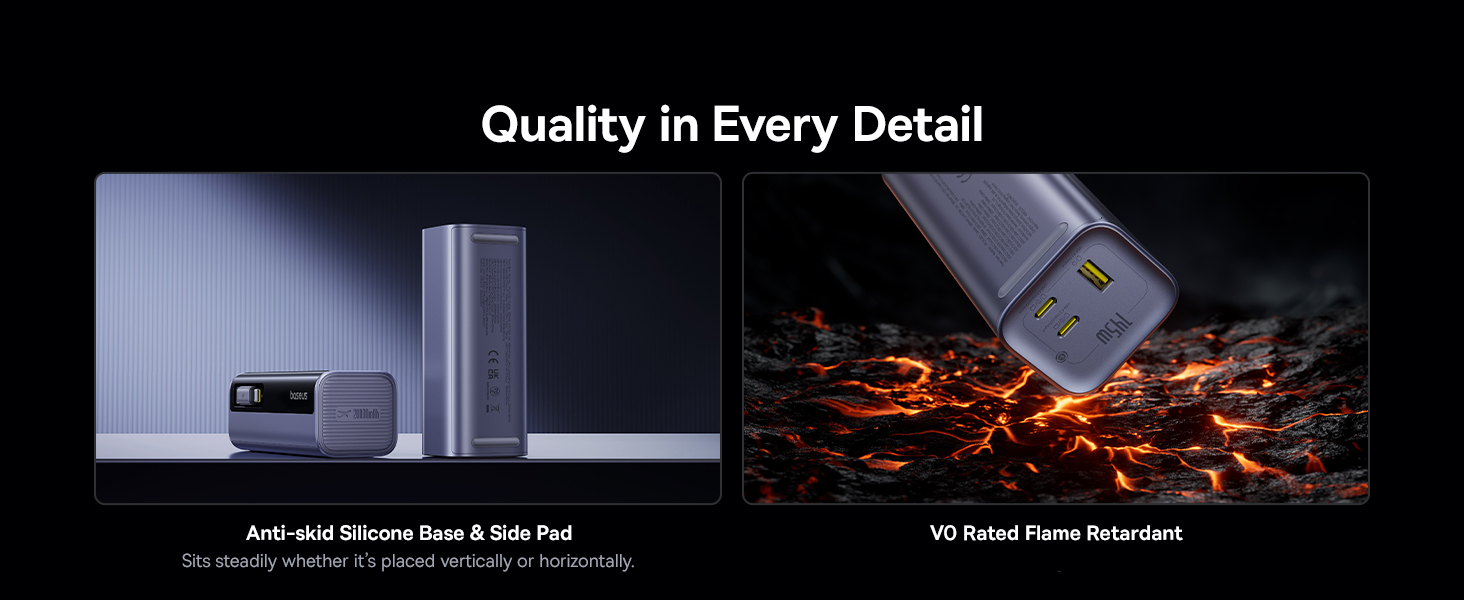
Figure 5.3: Power distribution examples for multiple devices.
6. Penyelenggaraan dan Penjagaan
- Jauhkan bank kuasa daripada air, kelembapan dan suhu yang melampau.
- Elakkan daripada menjatuhkan atau meletakkan bank kuasa kepada kesan yang kuat.
- Bersihkan peranti dengan kain lembut dan kering. Jangan gunakan bahan kimia yang keras atau bahan yang melelas.
- Simpan di tempat yang sejuk dan kering apabila tidak digunakan untuk tempoh yang lama.
- Do not attempt to disassemble, repair, or modify the power bank yourself. This will void the warranty and may cause safety hazards.
7. Penyelesaian masalah
| Masalah | Kemungkinan Punca | Penyelesaian |
|---|---|---|
| Power bank tidak dicas | Kabel atau penyesuai pengecas rosak; bank kuasa dicas sepenuhnya; masalah port input. | Check cable and adapter; ensure power bank is not already full; try a different USB-C input port. |
| Peranti tidak mengecas daripada bank kuasa | Power bank depleted; cable faulty; device not compatible; power bank in low current mode. | Recharge power bank; try a different cable/port; ensure device is compatible with USB-C/USB-A charging; check display for low current mode. |
| Paparan tidak berfungsi | Power bank off; temporary software glitch. | Press the power button to turn on; if issue persists, contact customer support. |
| Pengecasan perlahan | Cable/adapter not fast charging compatible; multiple devices connected; device's charging limit. | Use PD compatible cables/adapters; disconnect other devices if high speed is needed for one; check device's charging specifications. |
If you encounter any issues not listed here or if the problem persists, please contact Baseus customer support for assistance.
8. Spesifikasi
| Ciri | Perincian |
|---|---|
| Nombor Model | PPCJB-20E5 |
| Kapasiti Bateri | 20,000 mAh (74Wh) |
| Jumlah Output Maks | 145W |
| Input (USB-C) | Sehingga 100W |
| Output (Retractable USB-C Cable) | Up to 100W per port (when used individually) |
| Output (USB-C Ports) | Up to 100W per port (when used individually) |
| Output (Port USB-A) | Sehingga 33W |
| Dimensi (L x W x H) | 5.1 x 1.9 x 2 inci |
| Berat badan | 15.8 auns |
| Jenis Bateri | Polimer Litium |
| Sijil Keselamatan | UL, IEC Certified |
9. Waranti dan Sokongan
Baseus provides a comprehensive warranty and support for your product:
- Waranti 24 Bulan: Enjoy peace of mind with a 24-month warranty from the date of purchase.
- Lifetime Professional Support: Access 24/7 professional support for any queries or assistance you may need throughout the product's lifespan.
- Free Returns or Replacements: We offer free returns or replacements for guaranteed satisfaction in case of product defects or issues covered under warranty.
For warranty claims or technical support, please refer to the contact information provided on your Warranty + Lifetime Support Card or visit the official Baseus webtapak.


