pengenalan
This manual provides essential information for the proper use and maintenance of your Maxcom MM835 4G VoLTE Flip Phone. Please read these instructions carefully before using your device to ensure optimal performance and longevity. This phone is designed for ease of use, featuring large displays and a simplified interface.
Produk Selesaiview
The Maxcom MM835 is a 4G VoLTE flip phone designed for clear communication and user convenience. It features a dual-screen design, large backlit keys, and essential functions like an SOS button and HAC (Hearing Aid Compatibility).
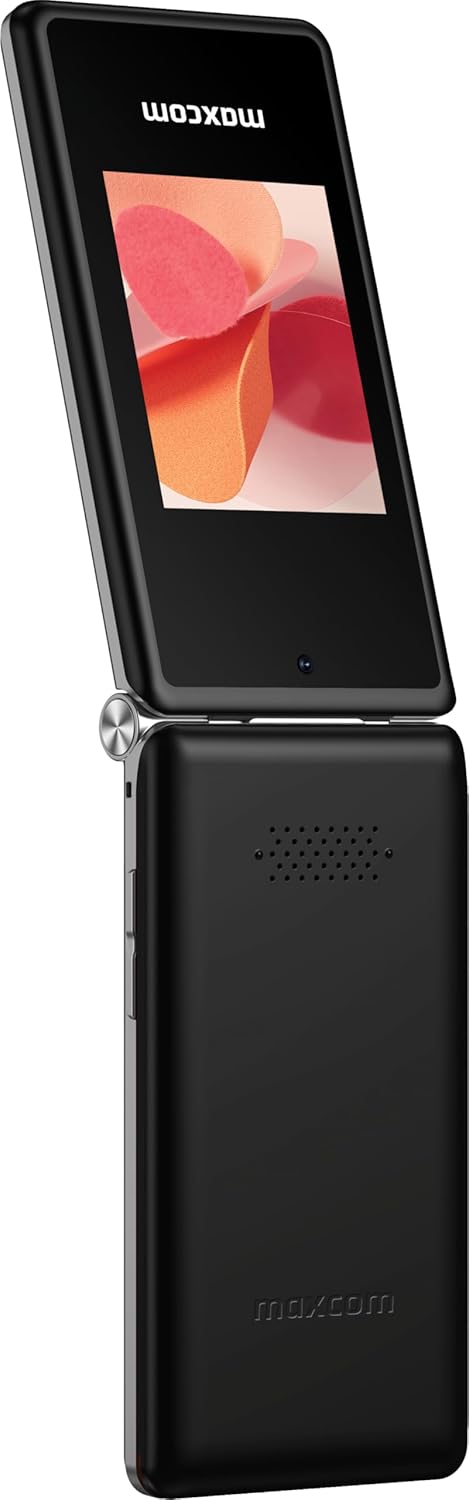
Rajah 1: Maxcom MM835 Flip Phone (Closed View). The external 2.4-inch screen displays time, date, battery status, and missed calls without opening the phone.
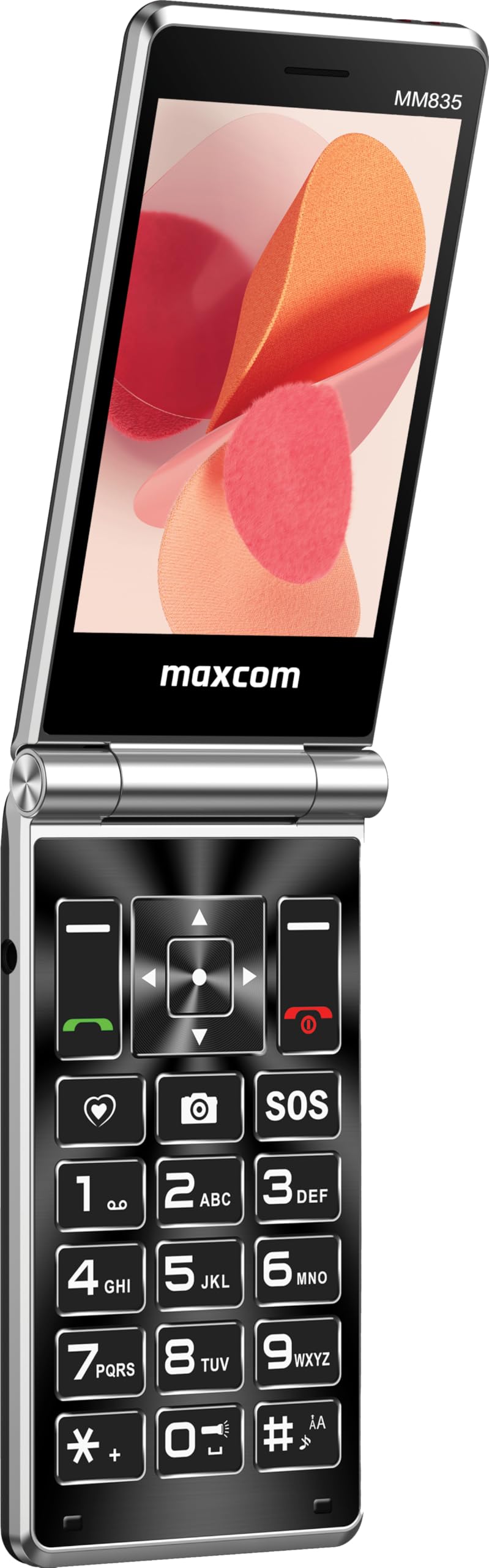
Rajah 2: Maxcom MM835 Flip Phone (Open View). The internal 3.5-inch screen provides a clear interface for contacts and messages, complemented by large, comfortable keys.

Rajah 3: sebelah view of the Maxcom MM835, illustrating the volume control buttons for easy audio adjustment.

Rajah 4: Bawah view of the Maxcom MM835, highlighting the USB-C charging port for convenient power connection.

Rajah 5: Detail of the Maxcom MM835 keyboard, featuring the prominent SOS button for emergency contacts.

Rajah 6: The Maxcom MM835 is Hearing Aid Compatible (HAC), ensuring clear audio for users with hearing aids.
Persediaan
1. Pemasangan dan Pengecasan Bateri
- Buka penutup belakang: Tanggalkan penutup belakang telefon dengan lembut.
- Masukkan bateri: Place the included Lithium-ion battery into its compartment, ensuring the contacts align correctly.
- Gantikan penutup belakang: Pasang penutup belakang dengan selamat.
- Cas telefon: Connect the provided USB-C cable to the phone's charging port (Figure 4) and to a compatible USB power adapter (not included). Allow the phone to charge fully before first use. The external screen will indicate charging status.
2. Pemasangan Kad SIM
The Maxcom MM835 supports dual SIM cards.
- Remove the back cover and battery: Follow the steps above to access the SIM card slots.
- Masukkan kad SIM: Carefully slide your SIM card(s) into the designated slot(s). Ensure the gold contacts face downwards and the notched corner aligns with the slot.
- Reinstall battery and cover: Gantikan bateri dan penutup belakang.
3. Menghidupkan/Mematikan
- Untuk Menghidupkan: Tekan dan tahan butang Kuasa/Tamat Panggilan (butang merah) sehingga skrin menyala.
- Untuk Mematikan: Press and hold the Power/End Call button until the power-off options appear, then select "Power Off".
Arahan Operasi
1. Navigasi Asas
- Paparan Dalaman: The 3.5-inch internal screen is your primary interface for menus and content.
- Paparan luaran: The 2.4-inch external screen shows essential information like time, date, battery, and caller ID when the phone is closed.
- Kekunci Navigasi: Use the directional keys (up, down, left, right) and the central OK button to navigate through menus.
- Kekunci lembut: The keys directly below the screen perform functions indicated on the display (e.g., "Menu", "Back").
- Kekunci Panggilan: The green button initiates calls, and the red button ends calls or powers the phone on/off.
2. Membuat dan Menerima Panggilan
- Untuk Membuat Panggilan:
- Open the phone.
- Dail nombor menggunakan pad kekunci.
- Press the green Call button to initiate the call.
- Untuk Menjawab Panggilan:
- When the phone rings, open the flip or press the green Call button.
- Untuk Menamatkan Panggilan: Tekan butang Tamat Panggilan merah.
3. Menghantar dan Menerima Mesej
- Navigasi ke menu "Mesej".
- Select "New Message" to compose a text.
- Masukkan nombor penerima atau pilih daripada kenalan.
- Taip mesej anda menggunakan pad kekunci.
- Tekan "Hantar".
4. SOS Button Functionality
The SOS button (Figure 5) is located on the main keypad and is designed for emergency situations.
- Persediaan: Before use, configure emergency contacts in the phone's settings. Refer to the "SOS Settings" section in the phone's menu.
- Pengaktifan: In an emergency, press and hold the SOS button. The phone will automatically send pre-defined notifications to your emergency contacts and may initiate calls to them.
5. Kamera
The phone includes a basic camera for capturing photos.
- Akses kamera daripada menu utama.
- Bingkaikan tangkapan anda menggunakan paparan dalaman.
- Press the central OK button to take a picture.
6. Radio FM
Enjoy listening to FM radio stations on your device.
- Navigate to the "FM Radio" application in the menu.
- Connect headphones (not included) to act as an antenna for optimal reception.
- Gunakan kekunci navigasi untuk mengimbas stesen atau menala secara manual.
Penyelenggaraan
- Pembersihan: Gunakan kain lembut dan kering untuk membersihkan bahagian luar telefon. Elakkan pencuci cecair atau bahan kasar.
- Penjagaan Bateri: To prolong battery life, avoid extreme temperatures. Charge the phone regularly, but do not leave it fully discharged for extended periods.
- Storan: Simpan telefon di tempat yang sejuk dan kering, jauh daripada cahaya matahari langsung dan kelembapan apabila tidak digunakan.
- Perisian: While software updates are not explicitly guaranteed, ensure your phone's settings are optimized for performance.
Menyelesaikan masalah
If you encounter issues with your Maxcom MM835, refer to the following common solutions:
| Masalah | Penyelesaian yang Mungkin |
|---|---|
| Telefon tidak dihidupkan | Ensure the battery is correctly installed and fully charged. Connect the charger and try again. |
| Tidak boleh membuat atau menerima panggilan | Check if the SIM card is properly inserted. Verify that you have network signal. Contact your service provider if the issue persists. |
| Hayat bateri yang lemah | Ensure the phone is fully charged. Reduce screen brightness or close unused applications. Battery performance can degrade over time. |
| "Emergency Call Only" message | This indicates a lack of network signal or an issue with your SIM card/service. Try moving to an area with better reception or reinserting your SIM card. |
| Kunci tidak bertindak balas | Restart the phone. If the issue continues, ensure no debris is obstructing the keys. |
Spesifikasi
| Ciri | Perincian |
|---|---|
| Jenama | Maxcom |
| Nama Model | MM835 |
| Jenis Produk | Flip Phone |
| warna | Hitam |
| Sistem Operasi | Maxcom OS |
| Internal Screen Size | 3.5 Inci |
| External Screen Size | 2.4 Inci |
| Ketersambungan | 4G, VoLTE |
| Ciri Khas | Dual SIM, SOS Button, HAC (Hearing Aid Compatible), Large Keys |
| Komposisi Bateri | Litium-ion |
| Kapasiti Bateri | 1400 mAh |
| Port Pengecasan | USB Jenis C |
| Kapasiti Penyimpanan Memori | 32 GB |
| Model CPU | ARMv7 |
| Resolusi Skrin | 640 x 360 |
| Pembawa Tanpa Wayar | All carriers (Unlocked) |
Waranti dan Sokongan
For warranty information and customer support, please refer to the documentation provided with your purchase or contact the seller directly. Maxcom strives to provide reliable products, and support is available for any manufacturing defects or operational queries.
- Pengeluar: Maxcom
- Penjual: You Get - Innovation & Technology
- Polisi Pemulangan: Typically 30 days for refund/replacement (check with seller for specifics).


