1. Pengenalan
Welcome to the user manual for your new AEEZO Android 14 10-inch Tablet. This manual provides essential information on how to set up, operate, maintain, and troubleshoot your device. Please read this manual thoroughly to ensure optimal performance and longevity of your tablet.
2. Apa yang ada di dalam Kotak
Carefully unpack your new AEEZO tablet and ensure all items are present:
- AEEZO Android 14 10-inch Tablet
- Pengecas
- papan kekunci
- tetikus
- Kabel USB
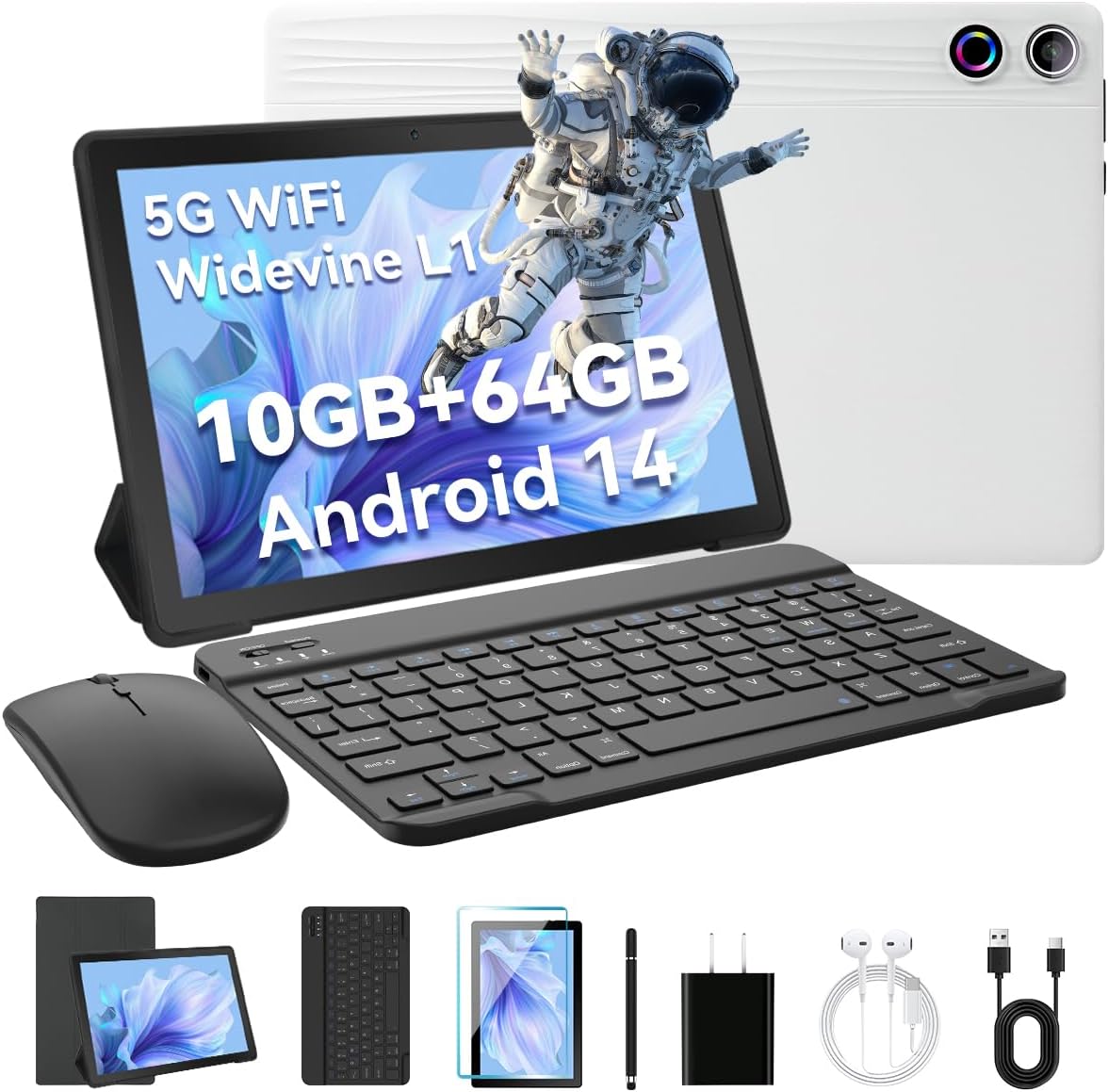
Image: The AEEZO Android 14 10-inch Tablet displayed with its full set of accessories, including the tablet itself, a detachable keyboard, a wireless mouse, a charger, and a USB cable.
3. Produk Lebihview
Familiarize yourself with the main components of your AEEZO tablet.

Imej: Depan view of the AEEZO Android 14 10-inch Tablet, showcasing its display with various application icons. Below the tablet, key specifications are highlighted, including the Octa-Core Processor, Android 14 operating system, 10GB RAM + 64GB ROM, 1280x800 HD resolution, WiFi 6, and Bluetooth 5.0 connectivity.
3.1. Komponen Fizikal
- Butang Kuasa: Located on the side, used to power on/off or wake/sleep the screen.
- Butang Kelantangan: Laraskan kelantangan audio.
- Port USB Jenis-C: Untuk pengecasan dan pemindahan data.
- Bicu Fon Kepala 3.5mm: Untuk menyambungkan fon kepala berwayar.
- Kamera Depan: Untuk panggilan video dan swafoto (5MP).
- Kamera Belakang: Untuk mengambil foto dan video (8MP).
- Slot Kad MicroSD: Expand storage up to 1TB (TF card sold separately).
- Penceramah Dwi: Provide stereo audio output.

Image: The AEEZO Android 14 10-inch Tablet is shown with graphical representations highlighting its memory specifications: 10GB RAM, 64GB internal memory, and the capability for TF card expansion up to 1TB.
4. Persediaan
4.1. Mengecas Tablet
Before first use, fully charge your tablet. Connect the provided charger to the USB Type-C port on the tablet and plug it into a power outlet. The battery indicator on the screen will show charging status.
4.2. Menghidupkan/Mematikan
- Untuk Menghidupkan: Press and hold the Power button until the AEEZO logo appears.
- Untuk Mematikan: Press and hold the Power button until a power menu appears, then select "Power off".
- Untuk Tidur/Bangun: Tekan butang Kuasa sebentar.
4.3. Persediaan Awal
Sebaik sahaja dihidupkan buat kali pertama, ikuti arahan pada skrin untuk mengkonfigurasi tablet anda:
- Pilih bahasa pilihan anda.
- Sambung ke rangkaian Wi-Fi.
- Sign in with your Google account or create a new one. This is essential for downloading apps from the Google Play Store.
- Sediakan kunci skrin (PIN, corak, kata laluan atau Buka Kunci Wajah).
- Review dan menerima terma dan syarat.
4.4. Connecting Keyboard and Mouse
The included keyboard and mouse connect via Bluetooth. Ensure Bluetooth is enabled on your tablet (Settings > Connected devices > Bluetooth).
- papan kekunci: Turn on the keyboard. It should appear in the list of available Bluetooth devices. Tap to pair.
- tetikus: Turn on the mouse. It should appear in the list of available Bluetooth devices. Tap to pair.
4.5. Memasukkan Kad TF (MicroSD)
To expand storage, locate the TF card slot on the side of the tablet. Gently insert a MicroSD card (up to 1TB, sold separately) until it clicks into place. The tablet will recognize the new storage.
5. Mengendalikan Tablet Anda
5.1. Navigasi Asas
- Ketik: Pilih item atau buka apl.
- Ketik & Tahan: Akses menu kontekstual atau alihkan ikon.
- Leret: Tatal melalui skrin atau senarai.
- Cubit-untuk-Zum: Zum masuk atau keluar pada imej dan web muka surat.
- 3-Finger Screenshot: Swipe down with three fingers to capture a screenshot.
5.2. Sambungan Wi-Fi
Pergi ke Tetapan > Rangkaian & internet > Internet. Turn on Wi-Fi, select your desired network, and enter the password if required.
5.3. Sambungan Bluetooth
Pergi ke Tetapan > Peranti yang disambungkan > Bluetooth. Turn on Bluetooth, and the tablet will scan for nearby devices. Select a device to pair.
5.4. Menggunakan Kamera
Open the Camera app to take photos or record videos. The tablet features a 5MP front camera and an 8MP rear camera.

Imej: A terperinci view of the AEEZO Android 14 10-inch Tablet's rear, emphasizing its 8MP rear camera and 5MP front camera. The image also illustrates the Face Unlock feature and shows examples of video calls and outdoor scenes, demonstrating the tablet's utility for communication and capturing moments.
5.5. Kawalan Ibu Bapa
Android 14 offers enhanced parental control features. Navigate to Tetapan > Kesejahteraan Digital & kawalan ibu bapa to manage screen time, app access, and content filters for children's accounts.
5.6. Buka Kunci Wajah
Set up Face Unlock for convenient and secure access to your tablet. Go to Settings > Security & privacy > Device unlock > Face Unlock and follow the on-screen instructions to register your face.
5.7. Multi-Window Mode
To use two apps simultaneously, open one app, then swipe up from the bottom of the screen to reveal the recent apps. Tap the app icon at the top of the window and select "Split screen". Choose another app to open in the second window.
5.8. Eye Protection Mode
Activate Eye Protection Mode (also known as Night Light or Reading Mode) to reduce blue light emission, which can help reduce eye strain. This setting is typically found in Tetapan > Paparan.
5.9. Ciri Audio
The tablet features built-in dual speakers for a high-quality audio experience. For private listening, connect headphones to the 3.5mm headphone jack.
5.10. Widevine L1 Support
Your tablet supports Widevine L1, enabling high-definition streaming from popular platforms like Netflix, Hulu, and Amazon Prime Video. Ensure your internet connection is stable for optimal streaming quality.
6. Penyelenggaraan
6.1. Membersihkan Tablet Anda
Gunakan kain lembut dan tidak berbulu untuk membersihkan skrin dan badan tablet. Untuk calitan degil, sedikit dampen the cloth with water or a screen cleaner. Avoid harsh chemicals or abrasive materials.
6.2. Penjagaan Bateri
- Elakkan suhu yang melampau.
- Jangan biarkan bateri habis sepenuhnya dengan kerap.
- Gunakan pengecas yang disediakan untuk pengecasan yang optimum.
6.3. Kemas Kini Perisian
Periodically check for system updates to ensure your tablet has the latest features and security patches. Go to Tetapan > Sistem > Kemas kini sistem.
6.4. Pengurusan Storan
Bersihkan secara kerap yang tidak perlu files, cache data, and uninstall unused apps to free up storage space and maintain performance. You can manage storage in Tetapan > Storan.
7. Penyelesaian masalah
| Masalah | Penyelesaian |
|---|---|
| Tablet tidak dapat dihidupkan | Ensure the tablet is charged. Press and hold the Power button for 10-15 seconds to force restart. |
| Isu sambungan Wi-Fi | Restart your Wi-Fi router. Forget the network on the tablet and reconnect. Ensure Wi-Fi is enabled. |
| Apl ranap atau beku | Clear the app's cache (Settings > Apps > [App Name] > Storage & cache > Clear cache). Update the app or reinstall it. |
| Prestasi perlahan | Close unused apps. Clear cache. Free up storage space. Restart the tablet. |
| Keyboard/Mouse not connecting | Ensure devices are charged and in pairing mode. Re-pair them via Bluetooth settings. |
8. Spesifikasi
Detailed technical specifications for your AEEZO Android 14 10-inch Tablet:
| Ciri | Perincian |
|---|---|
| Nama Model | 10.1 inch Tablet |
| Sistem Operasi | Android 14 |
| Pemproses | A523 8-core processor (up to 1.8 GHz) |
| GPU | Mali-G57 |
| RAM | 10GB (8GB built-in + 2GB virtual) |
| Storan Dalaman | ROM 64GB |
| Storan Boleh Dikembangkan | TF Card up to 1TB (sold separately) |
| Saiz Skrin | 10.1 inci |
| Resolusi Paparan | 1280 x 800 IPS HD |
| Sokongan Widevine | Widevine L1 |
| Kamera Depan | 5MP |
| Kamera Belakang | 8MP |
| Kapasiti Bateri | 5000mAh |
| Wi-Fi | Dual-band Wi-Fi 6 (2.4G/5G) |
| Bluetooth | Bluetooth 5.0 |
| Port Pengecasan | USB Jenis-C |
| Bicu Audio | Bicu Fon Kepala 3.5mm |
| Dimensi (LxWxH) | 9.64 x 6.42 x 0.35 inci |

Image: A visual representation of the AEEZO Android 14 10-inch Tablet's internal components, specifically highlighting the Jeazans Octa-Core Processor and its support for WiFi 6. Accompanying text emphasizes key benefits such as large memory expandability up to 1TB via TF card, low power consumption with high performance, and a 2.0GHz main frequency for improved multi-tasking capabilities.
9. Waranti dan Sokongan
Your AEEZO tablet comes with a standard manufacturer's warranty. Please refer to the warranty card included in your packaging for specific terms and conditions. For technical support, product inquiries, or warranty claims, please contact AEEZO customer service through their official webtapak atau peruncit tempat anda membeli produk tersebut.
For further assistance, you may visit the AEEZO Store online: AEEZO Official Store