1. Pengenalan
This manual provides detailed instructions for the installation, operation, and maintenance of your SOVMIKU 2CG6S-H 2K Wireless Security Camera. Please read this guide thoroughly before use to ensure proper functionality and safety.
The SOVMIKU 2CG6S-H is a battery-powered 2K wireless security camera designed for both indoor and outdoor use. It features PIR motion detection, two-way audio, audible and flashlight sirens, and color night vision. The camera operates on a 2.4GHz Wi-Fi network.
2. Apa yang ada di dalam Kotak
- Battery Camera x1
- Kurungan Kamera x1
- Kabel USB x1
- Manual Pengguna x1
- Beg Skru x1
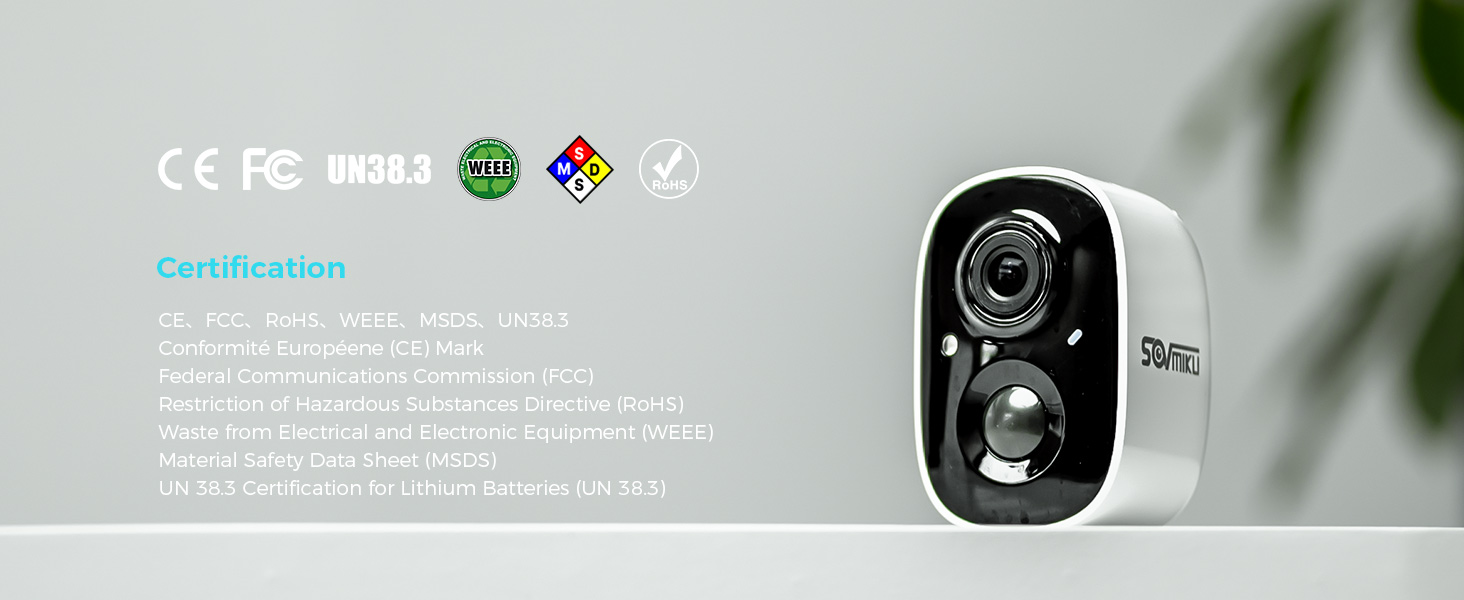
Image: Contents of the SOVMIKU 2CG6S-H camera package.
Video: Unboxing the SOVMIKU 2CG6S-H camera, showing the camera and included accessories.
3. Persediaan
3.1 Menghidupkan dan Menetapkan Semula Kamera
- Hidupkan kuasa: Remove the rubber cover on the camera. Press and hold the power button for 6 seconds until the camera powers on.
- Tetapkan semula: Double-click the power button to reset the camera. You will hear an audible confirmation.
3.2 Pemasangan Aplikasi
Muat turun VicoHome application from your device's app store:
- For Android devices, search for "VicoHome" on the Gedung Google Play.
- For iOS devices, search for "VicoHome" on the Apple App Store.
After installation, create an account or sign in if you already have one.
3.3 Menyambung ke Wi-Fi
- Open the VicoHome app and tap the '+' icon in the top right corner to add a new device.
- Select "Add a new device" and follow the on-screen prompts.
- Confirm you hear the sound from the camera and proceed to the next step.
- The app will search for nearby cameras. Select your camera (e.g., CG6).
- Choose your home 2.4GHz Wi-Fi network (5GHz networks are not supported) and enter the password.
- Confirm the Wi-Fi details and connect to the device's temporary Wi-Fi hotspot when prompted.
- Once connected, name your device and set its location.
Video: Guide on how to set up the CG6 camera with the VicoHome app, including powering on, resetting, and connecting to Wi-Fi.
3.4 Memasang Kamera
The camera comes with a wall/ceiling indoor/outdoor metal mount. Use the provided screws and anchors to fix the base of the mount to your desired installation position. The mount is adjustable, allowing for 360-degree swivel and 90-degree tilt to achieve the optimal viewsudut ing.
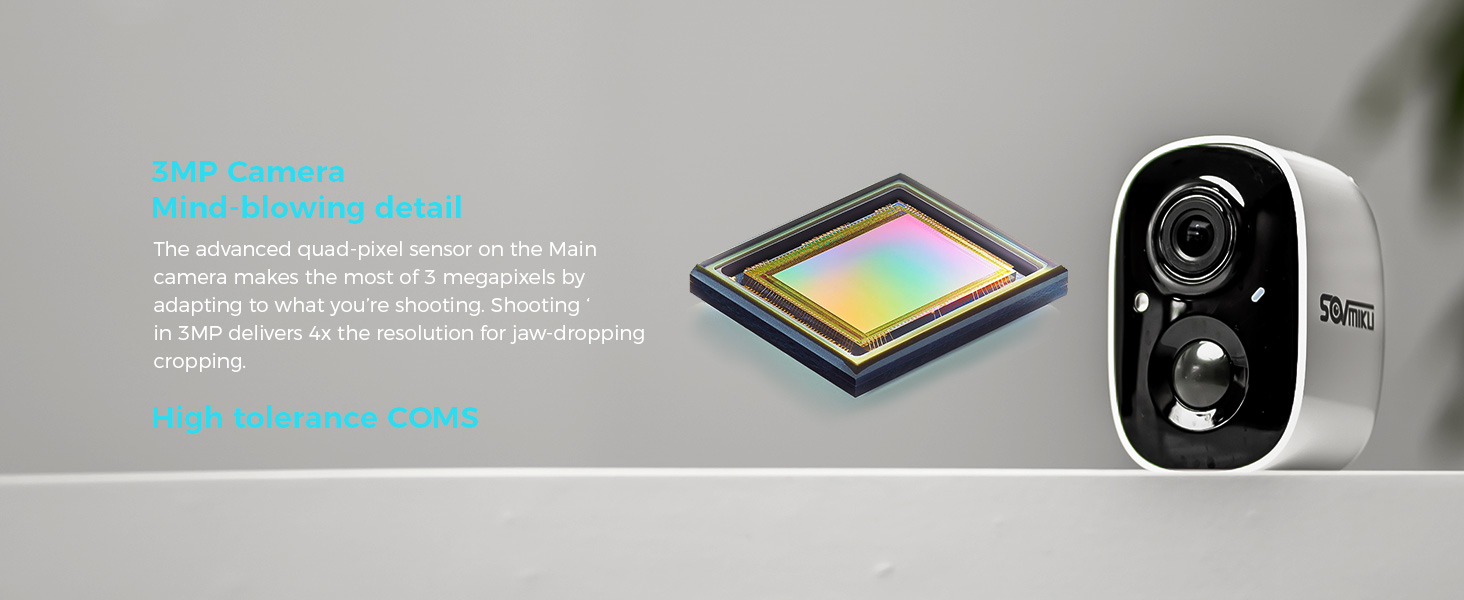
Image: SOVMIKU camera mounted on a wall, illustrating its adjustable bracket for flexible positioning.
3.5 Wi-Fi Network Considerations
The camera supports 2.4GHz Wi-Fi (IEEE 802.11 b/g/n) only. 2.4GHz Wi-Fi offers a larger coverage area compared to 5GHz, which is sufficient for security cameras. Ensure your camera is installed within range of a strong 2.4GHz Wi-Fi signal.

Image: Explanation of 2.4GHz Wi-Fi suitability for security cameras due to wider coverage.
4. Mengendalikan Kamera
4.1 Pengesanan Pergerakan
The camera features an always-on Passive Infrared (PIR) sensor. When a warm body (human or animal) passes by, the PIR sensor triggers the camera, activating it within milliseconds. If enabled, the camera will also activate a spotlight at night and trigger an audible alarm or flashlight alert when motion is detected.
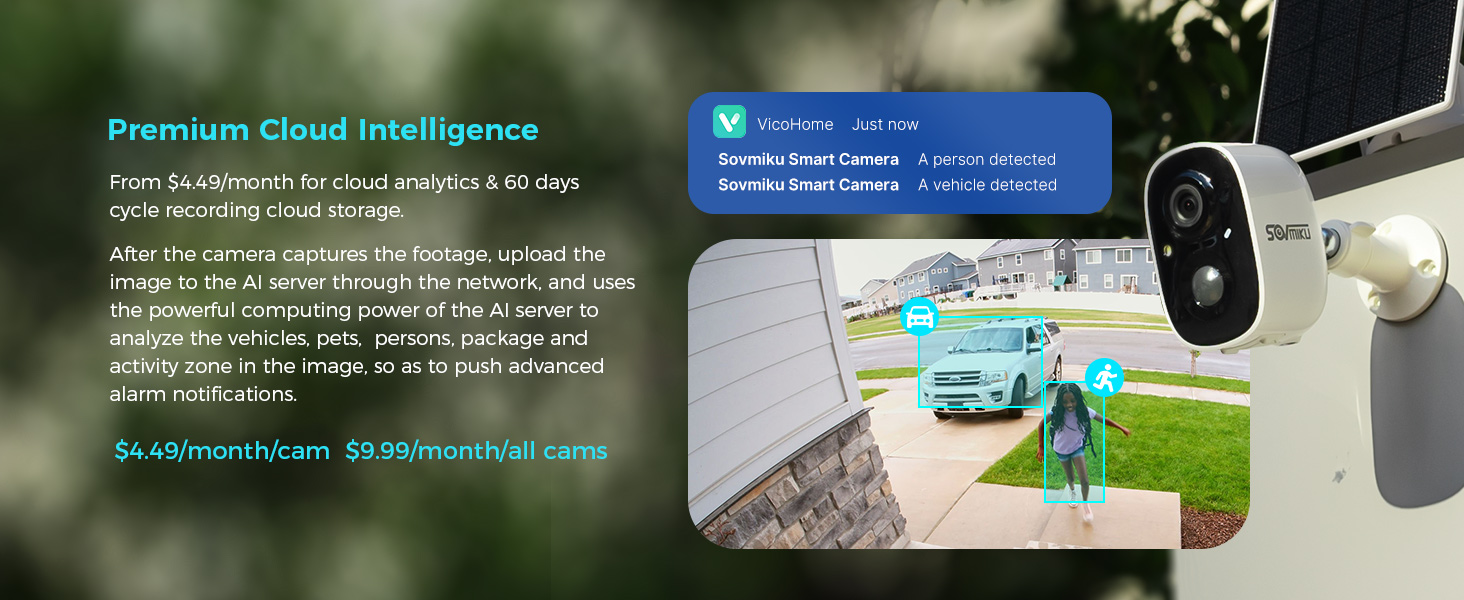
Image: Motion detection alert on a smartphone, showing a person detected by the camera.

Image: Flashlight and audible alarm features of the camera.
4.2 Audio Dua Hala
The camera supports two-way audio, allowing you to communicate with individuals near the camera through the VicoHome app on your smartphone.

Image: Two-way audio functionality of the camera.
4.3 Penglihatan Malam
The camera offers both Color Night Vision and Infrared Night Vision. Color Night Vision uses a white light to illuminate the environment, providing color images at night. Infrared Night Vision produces clearer black and white images using infrared light.

Image: Color Night Vision vs. Infrared Night Vision.
4.4 Pilihan Storan
The camera supports local storage via a built-in microSD card slot, supporting up to 128GB. A 128GB card can store approximately 15 months of motion detection recordings. A microSD card is not included. Encrypted cloud storage is also available as an option, ensuring recordings are safe even if the camera is compromised.
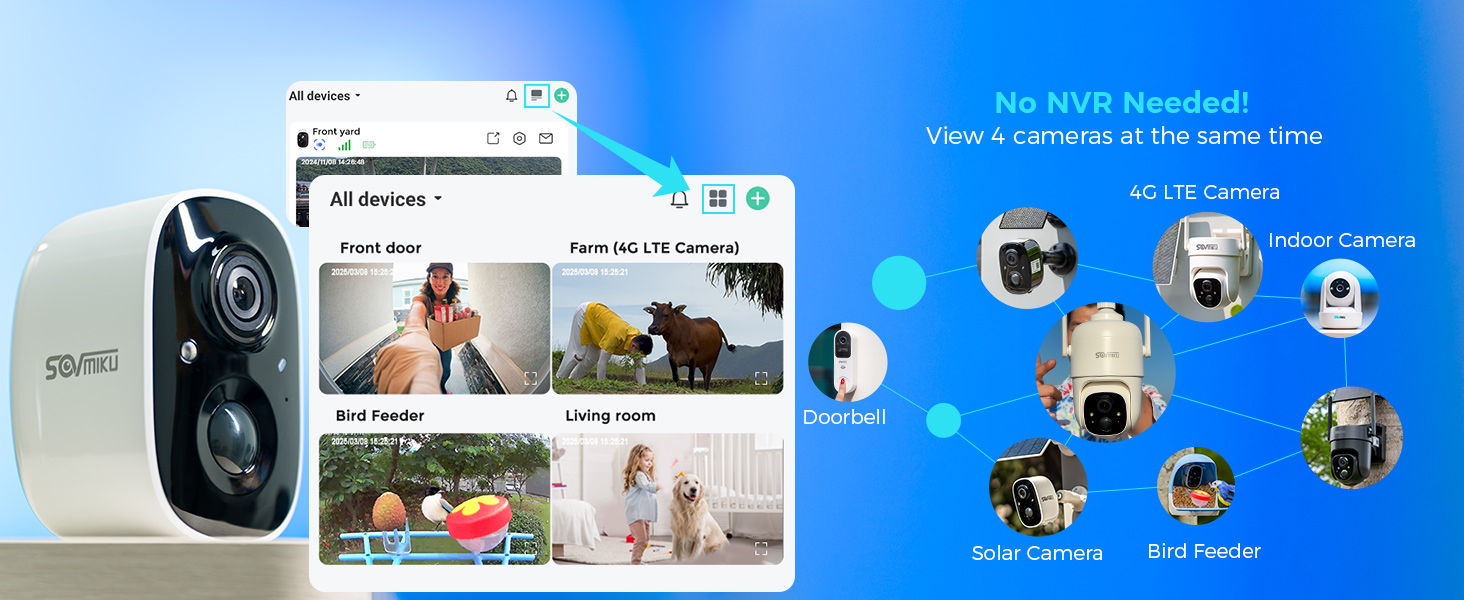
Image: MicroSD card slot for local storage.
4.5 Zon Aktiviti
You can define specific activity zones within the camera's view. The camera will record all videos, but you will only receive notifications for movement detected within these designated activity zones. This feature may require a cloud storage subscription.

Image: Setting up activity zones in the VicoHome app.
4.6 Multi-Device Viewing
The VicoHome app supports viewing up to 4 cameras simultaneously and can manage over 50 devices without the need for a Network Video Recorder (NVR).
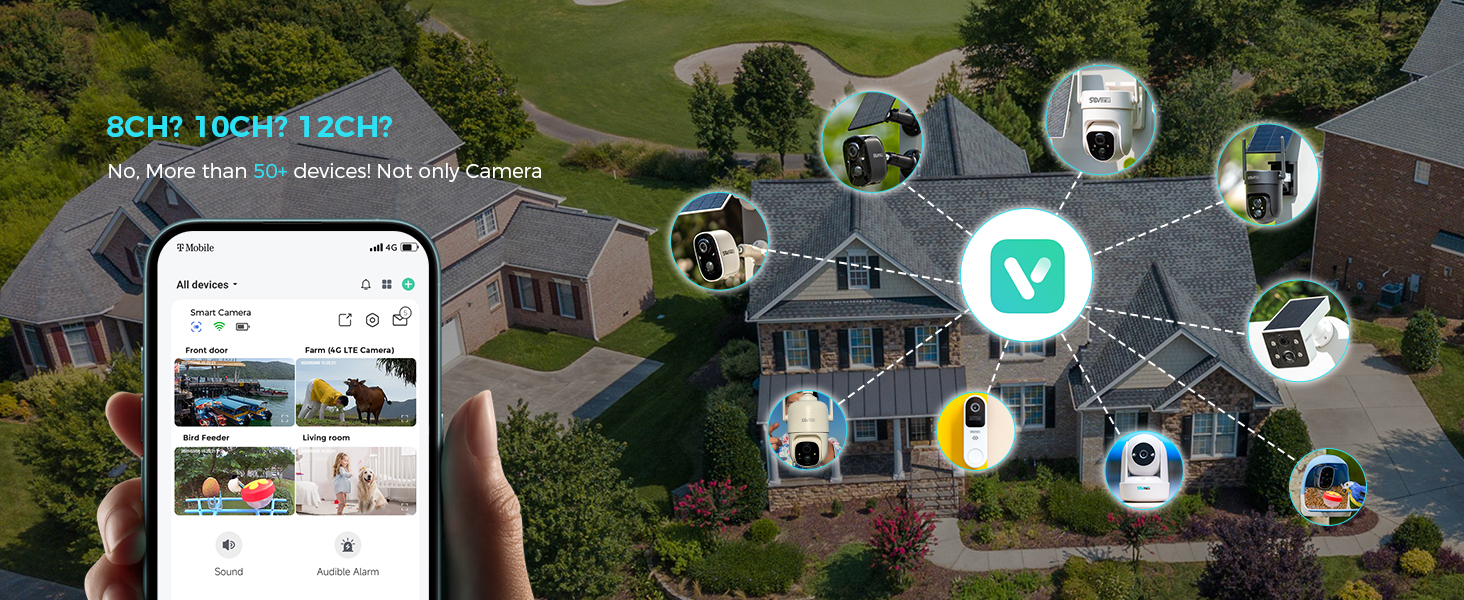
Image: Multi-device viewing in the VicoHome app.
5. Penyelenggaraan
5.1 Hayat Bateri dan Pengecasan
The camera is equipped with a 5200mAh battery. A single charge can last up to 55 days, based on an average of 53.68 camera activations per day. The battery is designed for over 8 years of use with proper charging cycles.
For continuous operation, especially in outdoor installations, consider purchasing additional SOVMIKU solar panels. These monocrystalline silicon solar panels have an energy conversion rate of up to 23% and come with a 9.8ft cable for optimal sunlight placement. When running out of battery, the device will automatically turn on after charging if the "Auto-on after charging" function is enabled in the app.

Image: Battery specifications and lifespan.

Image: Solar panel charging option for the camera.
5.2 Tahan Air dan Habuk
The 2CG6S-H camera is splash, water, and dust resistant with an IP65 rating under IEC standard 60529. This means it is protected against dust ingress and low-pressure water jets from any direction. Resistance may decrease with normal wear over time. The charging interface is protected by a silicone waterproof plug for outdoor installation.

Image: Camera demonstrating water resistance.
5.3 Pembersihan
For cleaning instructions, refer to the detailed user guide included in the package. Ensure the camera is powered off and disconnected from any power source before cleaning. Use a soft, damp cloth to wipe the exterior. Avoid abrasive cleaners or solvents.
6. Penyelesaian masalah
If you encounter any issues with your camera, please refer to the Frequently Asked Questions (FAQs) section within the VicoHome App. Many common problems can be resolved through the app's resources.
For further assistance, contact customer support using the information provided in the Support section of this manual.
7. Spesifikasi
| Ciri | Spesifikasi |
|---|---|
| Nama Model | 2CG6S-H |
| Jenama | SOVMIKU |
| Resolusi Tangkapan Video | 3 MP (2K) |
| Teknologi Ketersambungan | Wayarles (Wi-Fi) |
| Protokol Ketersambungan | Wi-Fi (2.4GHz) |
| Sumber Kuasa | Dikuasakan Bateri |
| Penggunaan Dalaman/Luar | Luar |
| Ciri Khas | Kalis air (IP65) |
| Julat Penglihatan Malam | 32 Kaki |
| Teknologi Cahaya Rendah | Malam Warna |
| Jenis Makluman | Gerak Sahaja |
| Kaedah Kawalan | Apl |
| Dimensi Produk | 1.9 x 1.5 x 2.7 inci |
| Berat Barang | 1.54 paun |

Image: Camera dimensions and weight.
7.1 Pensijilan
The SOVMIKU 2CG6S-H camera complies with the following certifications:
- CE (Conformité Européenne) Mark
- FCC (Suruhanjaya Komunikasi Persekutuan)
- RoHS (Restriction of Hazardous Substances Directive)
- WEEE (Sisa daripada Peralatan Elektrik dan Elektronik)
- MSDS (Helaian Data Keselamatan Bahan)
- UN 38.3 Certification for Lithium Batteries

Image: Product certifications.
8. Waranti
SOVMIKU offers a 180-day exchange policy for this product. If you encounter any issues, you can submit a request for exchange. No specific reason is needed for the exchange within this period.

Image: 180-day exchange policy details.
9. Sokongan
For any questions or support, you can contact SOVMIKU customer service:
- e-mel: Sovmiku@163.com
- WhatsApp: +8613507839341
SOVMIKU aims to respond to all inquiries within 12 hours.

Image: SOVMIKU support contact details.


