Produk Selesaiview
The TELESIN 4-in-1 Floating Selfie Stick Tripod is a versatile accessory designed for action cameras. It functions as a floating buoyancy stick, an extendable selfie stick, a stable tripod, and a comfortable hand grip. Constructed from durable aluminum alloy, it is suitable for both land and water activities.
Apa yang ada di dalam Kotak:
- TELESIN Floating Tripod Selfie Stick x1
- Hanging Rope (Wrist Strap) x1
- Skru Ibu jari x1
- Manual Arahan x1
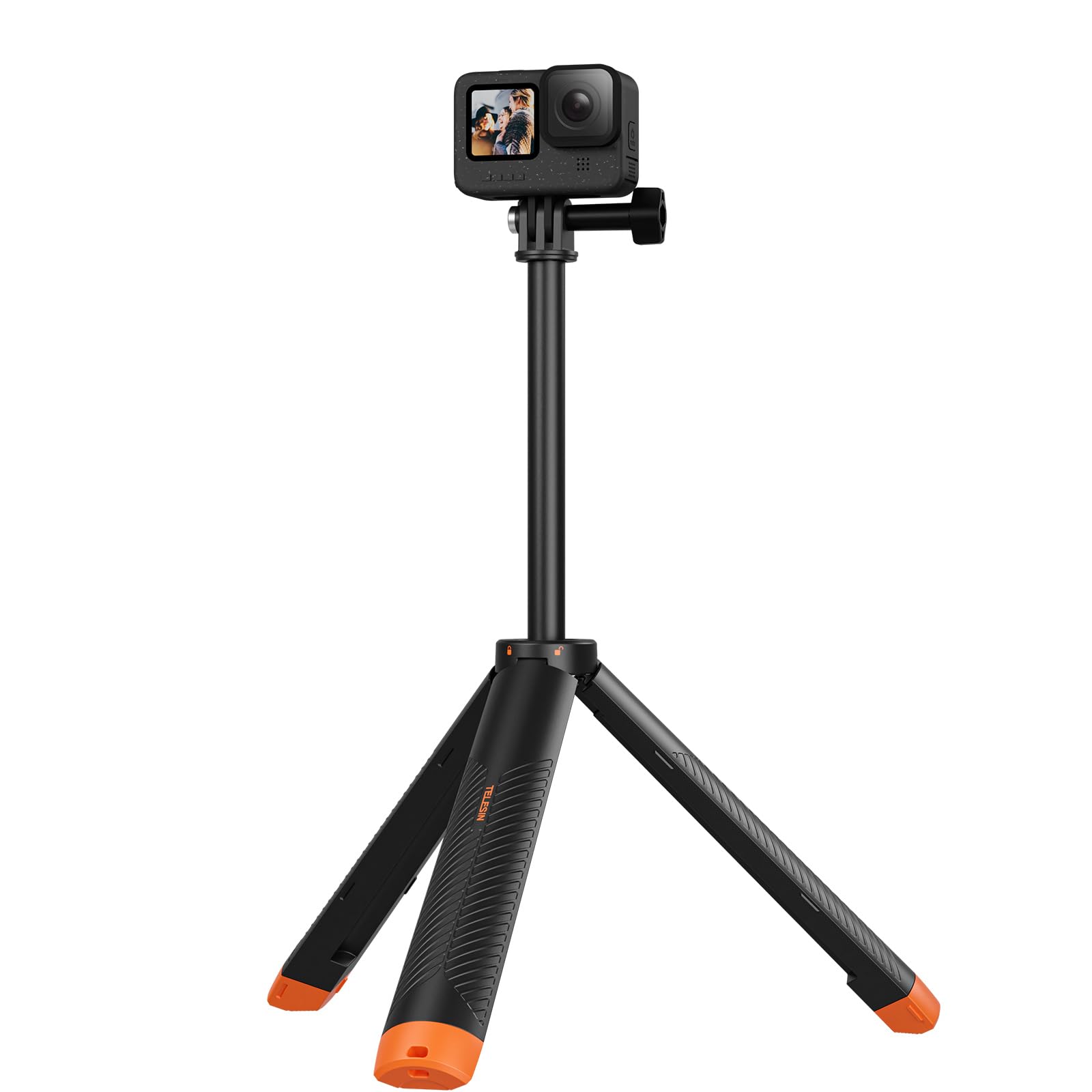
Image: The TELESIN 4-in-1 Floating Selfie Stick Tripod in its compact form.
Video: Selesaiview of the TELESIN 4-in-1 Floating Selfie Stick Tripod features and usage scenarios.
Keserasian
This accessory is compatible with a wide range of action cameras, including:
- GoPro Hero 13, 12, 11, 10, 9, 8, 7, 6, 5, 4, 3, 3+
- DJI OSMO Action series
- Insta360 cameras
- Most other action cameras with a standard 1/4-inch screw interface.
Nota Penting:
- Action camera adapters may need to be purchased separately.
- For optimal buoyancy and to prevent the device from being too heavy, it is recommended to use plastic adapters or a waterproof case that matches your camera model.
Arahan Persediaan
1. Attaching Your Action Camera
- Locate the thumb screw on the mounting head of the selfie stick.
- Loosen the thumb screw by turning it counter-clockwise.
- Align your action camera's mounting bracket with the selfie stick's mount.
- Masukkan kamera ke dalam pelekap.
- Tighten the thumb screw clockwise until the camera is securely fastened. Do not overtighten.
2. Memasang Tali Pergelangan Tangan
The wrist strap provides an extra layer of security, preventing accidental loss, especially during water activities.
- Identify the three small holes on the orange tripod base of the selfie stick.
- Thread the thin loop of the lanyard through one of the side holes from below.
- Pull the lanyard loop through the top hole.
- Pass the main wrist strap through the lanyard loop and pull it tight to secure.
- Adjust the wrist strap to comfortably fit your wrist before use.
Video: Operational demonstration of camera installation, stick extension, and wrist strap attachment.
Arahan Operasi
Extending and Folding the Selfie Stick
- To extend the stick, rotate the rod counter-clockwise to unlock the telescopic sections.
- Pull the sections outwards to your desired length (up to 24 inches / 61 cm).
- To lock the stick at the desired length, rotate the rod clockwise until it is secure.
- To fold the stick, rotate counter-clockwise to unlock, push the sections back in, and then rotate clockwise to lock it in its compact 8.6-inch (22 cm) form.
Using the 4-in-1 Functions
- Tongkat Selfie: Extend the pole to capture wider shots or self-portraits.
- Genggaman tangan: Use the compact form as a stable hand grip for steady footage.
- Floating Buoyancy Stick: The design allows the stick to float on water, preventing your camera from sinking. Ensure the tripod legs are folded for optimal buoyancy.
- Tripod: The base features a magnetic attachment for the tripod legs. Extend the legs to create a stable tripod for hands-free shooting on flat surfaces or in shallow water.

Image: Visual representation of the four modes: Buoyancy Stick, Extendable Selfie Stick, Tripod, and Handle.

Image: The TELESIN Floating Tripod in use for hands-free underwater shooting.

Image: The selfie stick folded to 22cm, demonstrating its compact size for easy storage.
Penyelenggaraan
Post-Use Care for Saltwater Environments:
- After use in seawater, shake out any seawater from inside the selfie stick.
- Immerse the entire product in fresh water for 10 minutes to dissolve salt residues.
- After soaking, remove the product from the fresh water.
- Rinse the product thoroughly with running tap water for 5 minutes, ensuring all parts are flushed.
- Use a dry, soft towel to wipe off any remaining water droplets from the product's surface.
- Place the product in a dry, well-ventilated area to air dry completely.
Caution: Do not use a dryer, stove, or any external heat source for drying, as this may damage the product.
Video: Demonstration of post-use cleaning and drying procedures for saltwater environments.
Menyelesaikan masalah
No specific troubleshooting steps are provided in the product information. If you encounter issues, please refer to the Support section for assistance.
Spesifikasi
| Ciri | Perincian |
|---|---|
| Jenama | TELESIN |
| bahan | Aloi Aluminium |
| Berat Barang | 7.8 auns (lebih kurang 221 gram) |
| Maximum Height (Extended Length) | 24 Inci (61 cm) |
| Minimum Height (Folded Length) | 8.6 Inci (22 cm) |
| Saiz Dilipat | 8.7 inci (L) x 2.4 inci (W) x 0.9 inci (H) |
| Device Weight Limit | Up to 7.05 Ounces (200 grams) |
| Jenis Kepala Tripod | Underwater Tripod Head |
Note: The device weight limit refers to the maximum weight of the camera that can be attached for optimal performance, especially regarding buoyancy.
Waranti dan Sokongan
TELESIN is committed to product quality. If you encounter any quality problems with your TELESIN 4-in-1 Floating Selfie Stick Tripod, please contact TELESIN Global customer support for assistance.
For further support and product information, you may visit the official TELESIN Store:


