1. Pengenalan
Terima kasih kerana membeliasing the Surfola 15.6-inch HD Portable DVD Player, Model SD05W. This manual provides essential information for the safe and efficient use of your device. Please read it thoroughly before use and retain it for future reference.
2. Kandungan Pakej
Pastikan semua barang yang disenaraikan di bawah disertakan dalam pakej anda:
- Surfola 15.6-inch Portable DVD Player
- Alat Kawalan Jauh
- AC Power Adapter (PSE certified, 100-240V global voltage serasi)
- Car Charger (1.8m cable)
- Kabel AV 3-dalam-1
- Manual Pengguna
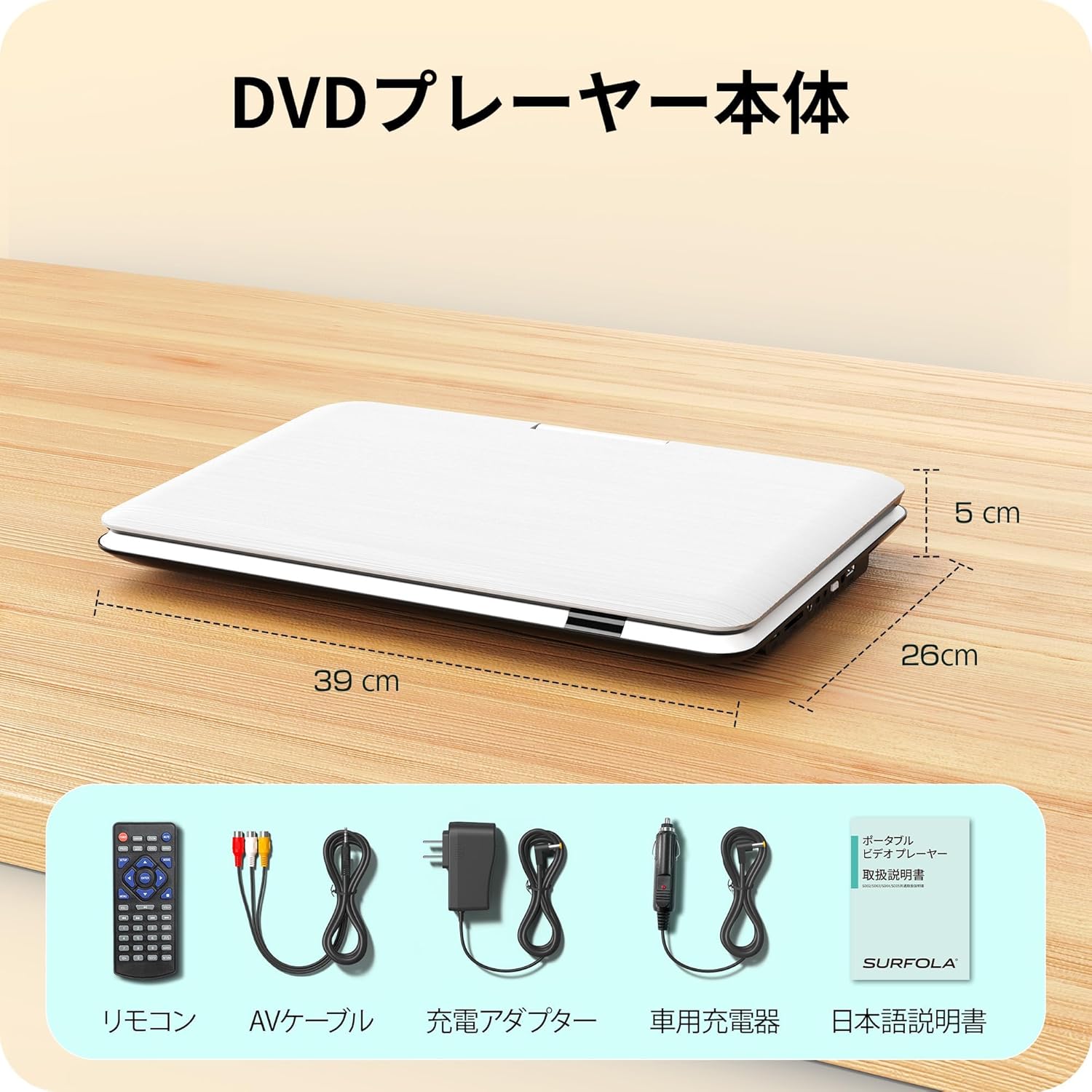
Image: Contents of the Surfola Portable DVD Player package, including the player, remote control, AV cable, AC adapter, car charger, and user manual.
3. Produk Lebihview
Familiarize yourself with the various parts and connections of your portable DVD player.

Imej: Sisi view of the Surfola Portable DVD Player showing various connection ports. These include a USB port, SD card slot, AV OUT, AV IN, DC IN, Power Switch, and Headphone Jack.
Ciri-ciri Utama:
- 15.6-inch HD LCD Display: 1366x768 resolution for clear video playback.
- 270° Rotation & 180° Flip: Screen can be adjusted for optimal viewsudut-sudut.
- Region-Free & CPRM Compatible: Plays DVDs from any region and supports CPRM content.
- Sokongan Pelbagai Format: Plays video, music, and photo files from USB drives (up to 16GB) and SD cards. Supported formats include MPEG, MP3, JPG. (Note: Blu-ray discs and MP4 format are not supported.)
- Fungsi Resume: Menyambung semula main balik secara automatik dari tempat ia dihentikan terakhir.
- Pelbagai Pilihan Kuasa: Built-in 5000mAh battery for up to 6 hours of playback, AC adapter (100-240V), and car charger (DC12V).
- AV Input/Output: Connect to a TV or projector for a larger screen experience.
4. Persediaan
4.1 Kuasa Awal Hidup
- Sambungkan Kuasa: Use the provided AC adapter or car charger to power the device. For portable use, ensure the internal battery is charged.
- Hidupkan: Cari suis kuasa (biasanya di sisi atau belakang) dan luncurkannya ke kedudukan "HIDUP".

Image: A visual guide showing three simple steps: 1. Turn on the power, 2. Insert a DVD, 3. Video playback begins.
5. Arahan Operasi
5.1 Main Semula DVD Asas
- Open Disc Cover: Gently lift the disc cover.
- Sisipkan DVD: Place a DVD disc onto the spindle with the label side facing up. Ensure it is seated correctly.
- Close Disc Cover: Tutup penutup cakera.
- Main balik: The player will automatically detect the disc and begin playback. Use the remote control or front panel buttons for play, pause, stop, and navigation.
5.2 Main Semula USB/Kad SD
- Sisipkan Media: Insert a USB flash drive (up to 16GB) into the USB port or an SD card into the SD card slot.
- Pilih Sumber: Use the "Source" or "Mode" button on the remote or player to select USB or SD mode.
- Semak imbas Files: Navigasi melalui anda files using the directional buttons and select the desired video, music, or photo file untuk bermain.
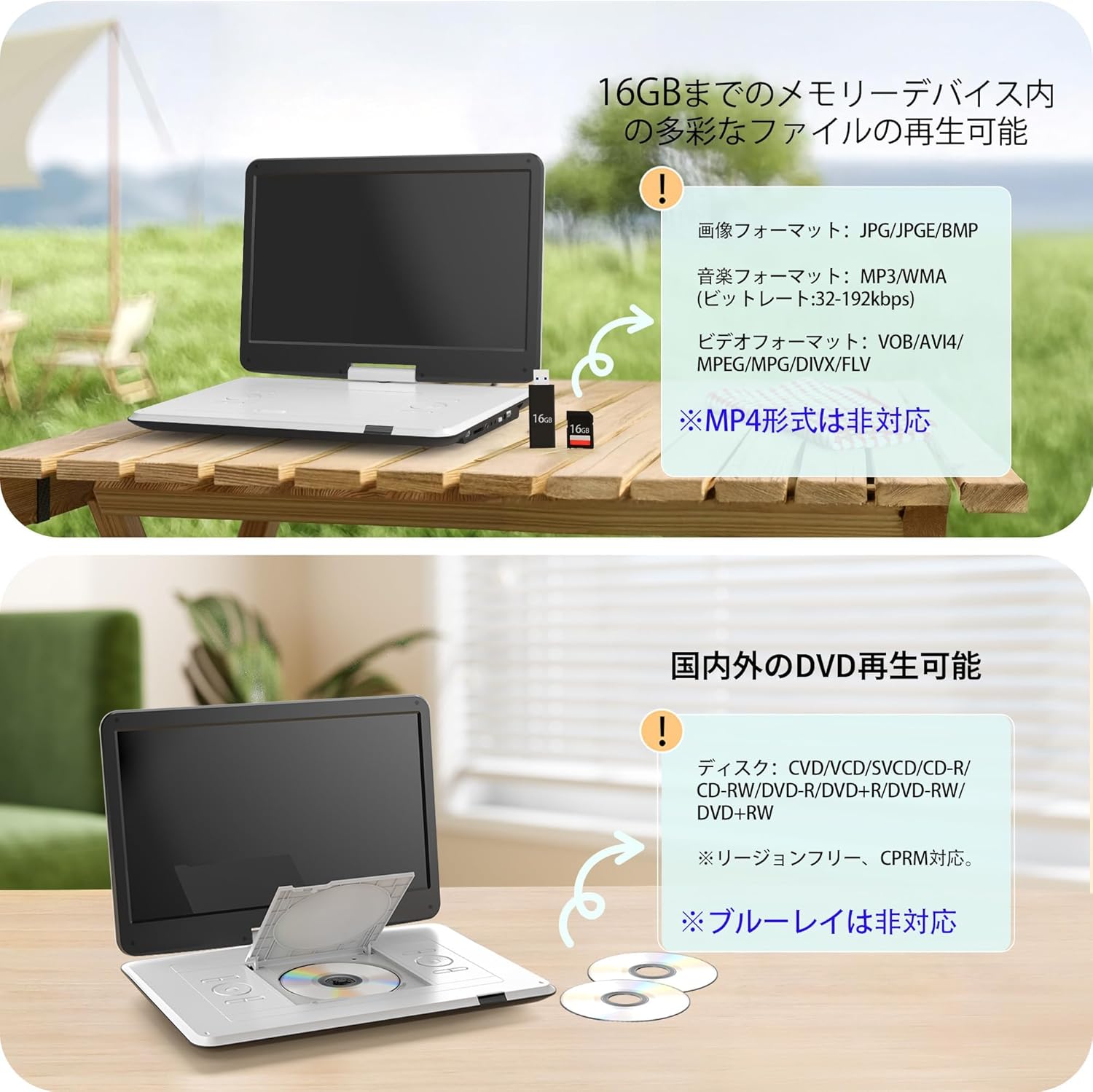
Image: The portable DVD player displaying content from a USB drive and SD card. Text indicates support for various image, music, and video formats, and notes that MP4 is not supported.
5.3 Pelarasan Skrin
The screen can be rotated 270 degrees and flipped 180 degrees for flexible viewing. Adjust the screen to your preferred angle for comfortable viewing in various environments, including in a car.

Image: Demonstrates the screen's ability to rotate 270 degrees and flip 180 degrees, showing various viewing configurations including a folded tablet-like mode.
5.4 Connecting to External Displays (TV/Projector)
Use the included 3-in-1 AV cable to connect your DVD player to a TV or projector for a larger viewpengalaman dalam.
- Connect AV Cable: Insert one end of the AV cable into the AV OUT port on the DVD player.
- Sambung ke Paparan: Connect the other end of the AV cable to the corresponding AV IN ports (Yellow for Video, Red/White for Audio) on your TV or projector.
- Pilih Input: On your TV or projector, select the correct AV input source.

Image: The portable DVD player connected via AV cable to a television and a projector, demonstrating its capability to synchronize with external displays for a larger viewpengalaman dalam.
5.5 Fungsi Resume
The player features a resume function that allows it to automatically continue playback from the exact point where it was last stopped, even after powering off the device. This is useful for uninterrupted viewing.

Image: A visual representation of the resume function, showing that playback continues from the last stopped position even after the device is powered off and on again.
6. Bekalan Kuasa
Your Surfola Portable DVD Player offers three power options:
- Bateri Terbina dalam: The 5000mAh internal battery provides up to 6 hours of continuous playback on a full charge.
- Penyesuai AC: Use the included AC power adapter for home use. It supports 100-240V, making it suitable for international travel.
- Pengecas Kereta: The included 1.8m car charger connects to your vehicle's cigarette lighter socket (DC12V) for use on the go.
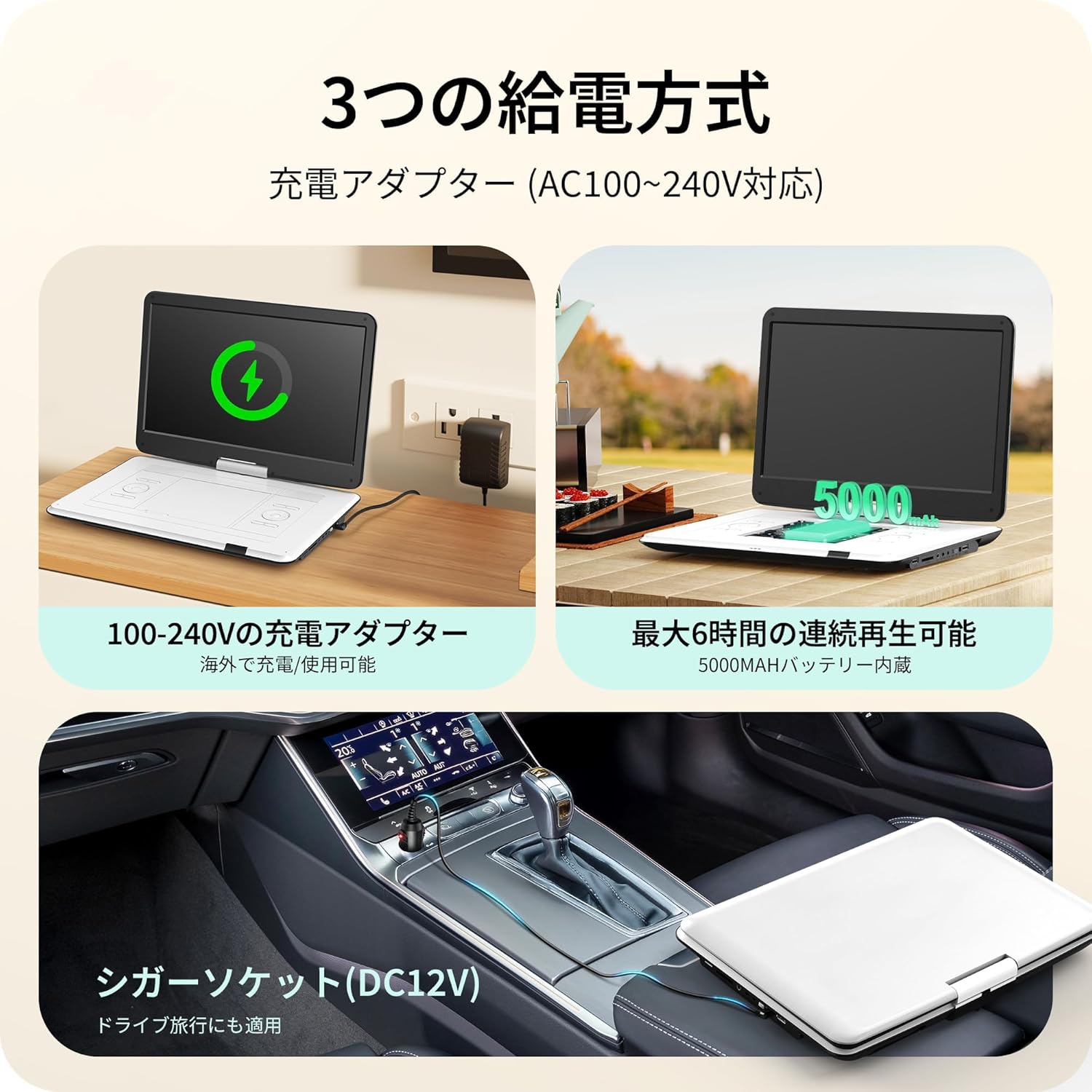
Image: Illustrates the three power supply methods: charging via AC adapter, continuous playback with the 5000mAh internal battery, and powering via car cigarette lighter socket.
7. Penyelenggaraan
- Membersihkan Skrin: Gunakan kain lembut dan tidak berbulu untuk mengelap skrin dengan lembut. Untuk kesan degil, sedikitampen kain dengan air atau pembersih skrin. Elakkan bahan kimia yang keras.
- Membersihkan Dulang Cakera: Keep the disc tray free of dust and debris. Use a soft brush or compressed air if necessary.
- Storan: Apabila tidak digunakan, simpan pemain di tempat yang sejuk dan kering jauh dari cahaya matahari langsung dan suhu yang melampau.
- Penjagaan Bateri: Untuk memanjangkan hayat bateri, elakkan daripada menyahcas sepenuhnya bateri dengan kerap. Mengecasnya dengan kerap, walaupun tidak digunakan untuk tempoh yang lama.
8. Penyelesaian masalah
| Masalah | Kemungkinan Punca | Penyelesaian |
|---|---|---|
| Tiada kuasa | Bateri habis, penyesuai kuasa tidak disambungkan, suis kuasa dimatikan. | Charge the battery, ensure AC adapter/car charger is properly connected, turn power switch ON. |
| Cakera tidak dimainkan | Disc inserted incorrectly, disc is dirty/scratched, unsupported disc type (e.g., Blu-ray). | Reinsert disc correctly, clean disc, try a different disc. Note that Blu-ray discs are not supported. |
| Tiada bunyi | Volume too low, headphones not connected properly, external speaker issue. | Increase volume, check headphone connection, ensure external speakers are working if connected. |
| No picture on external display | AV cable not connected correctly, incorrect input selected on TV/projector. | Check AV cable connections, select the correct AV input on your TV/projector. |
| Kad USB/SD tidak dikenali | Unsupported format, card/drive capacity too large (over 16GB), media corrupted. | Ensure media is formatted correctly (e.g., FAT32), check capacity (max 16GB), try a different USB/SD card. |
9. Spesifikasi
| Ciri | Perincian |
|---|---|
| Nombor Model | SD05W |
| Saiz Skrin | 15.6 inci |
| Jenis Paparan | LCD |
| Resolusi | 1366 x 768 |
| Keserasian Cakera | DVD, CVD, VCD, SVCD, CD-R, CD-RW, DVD-R, DVD-RW, DVD+RW (Region-Free, CPRM compatible) |
| Sokongan Kad USB/SD | Sehingga 16GB |
| Supported Formats (USB/SD) | Video: MPEG, VOB, AVI, DIVX, FLV; Audio: MP3, WMA; Image: JPG, JPEG, BMP |
| Kapasiti Bateri | 5000mAh |
| Masa Main Semula Berterusan | lebih kurang 6 jam |
| Input Kuasa | AC 100-240V (Adapter), DC 12V (Car Charger) |
| Ketersambungan | USB, SD Card, AV IN, AV OUT, Headphone Jack |
| Dimensi (lebih kurang) | 39 x 26 x 5 cm (15.35 x 10.24 x 1.97 inci) |
| Berat (lebih kurang) | 1.8 kg (3.97 lbs) |
Note: Blu-ray discs and MP4 format are not supported.
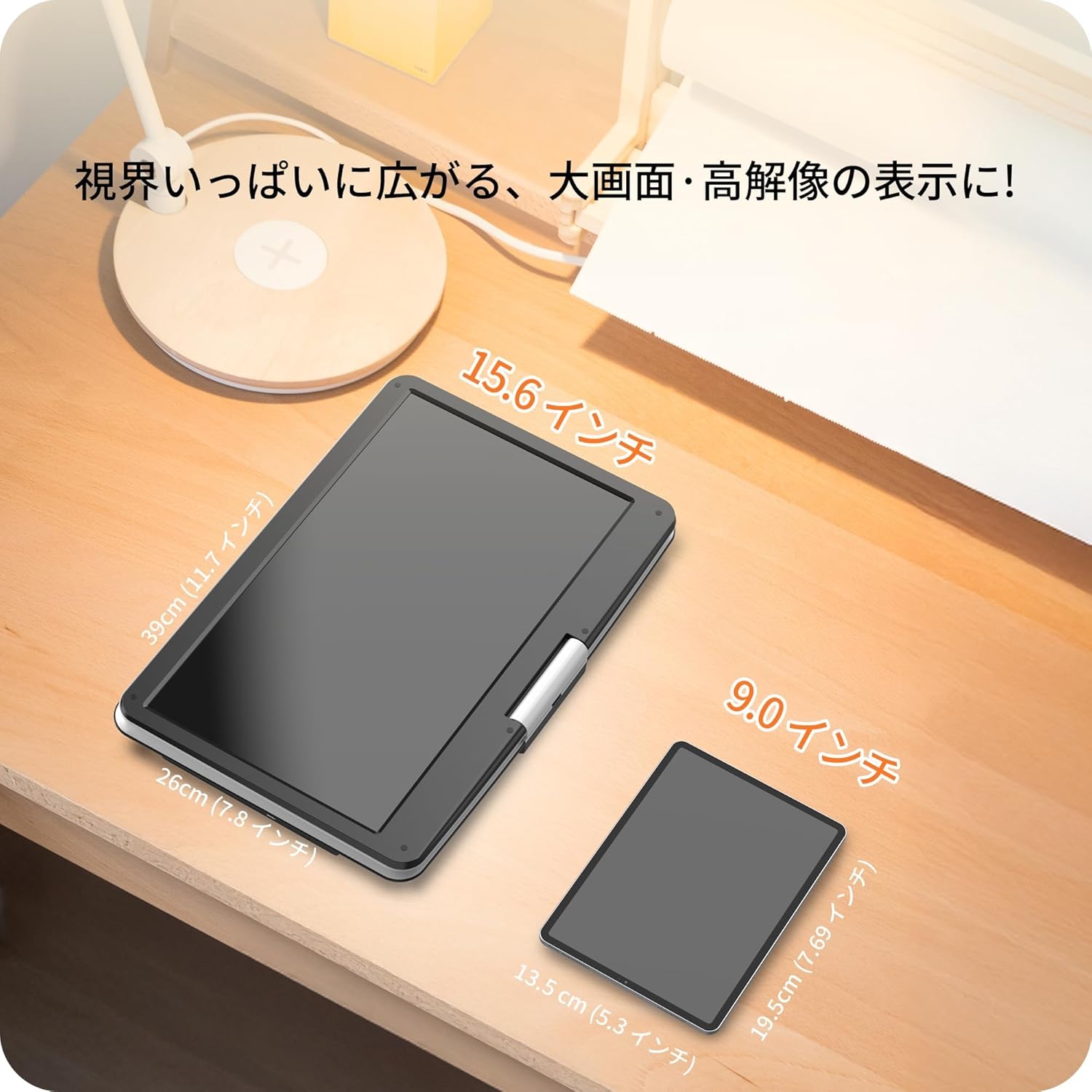
Image: A size comparison showing the 15.6-inch Surfola Portable DVD Player next to a smaller 9.0-inch player, highlighting its larger screen size.
10. Waranti dan Sokongan
For warranty information and customer support, please refer to the contact details provided in your product packaging or visit the official Surfola webtapak. Simpan resit pembelian anda sebagai bukti pembelian untuk tuntutan waranti.
Pengeluar: Surfola


