1. Produk Lebihview
The UNIWA F41 is a rugged 4G Android mobile phone designed with walkie-talkie capabilities, featuring a durable build, long-lasting battery, and support for various communication applications like Zello. It combines smartphone functionality with push-to-talk (PTT) features, making it suitable for professional and outdoor use.

Rajah 1: Depan dan belakang view of the UNIWA F41 device, showing the display, keypad, PTT button, and rear clip.
Ciri-ciri Utama:
- Sistem pengendalian: Android 8.1
- Pemproses: MT6739 Quad Core
- Ingatan: 1GB RAM + 8GB ROM (expandable up to 64GB with Micro SD)
- paparan: 2.4-inch IPS capacitive touch screen (320x240 resolution)
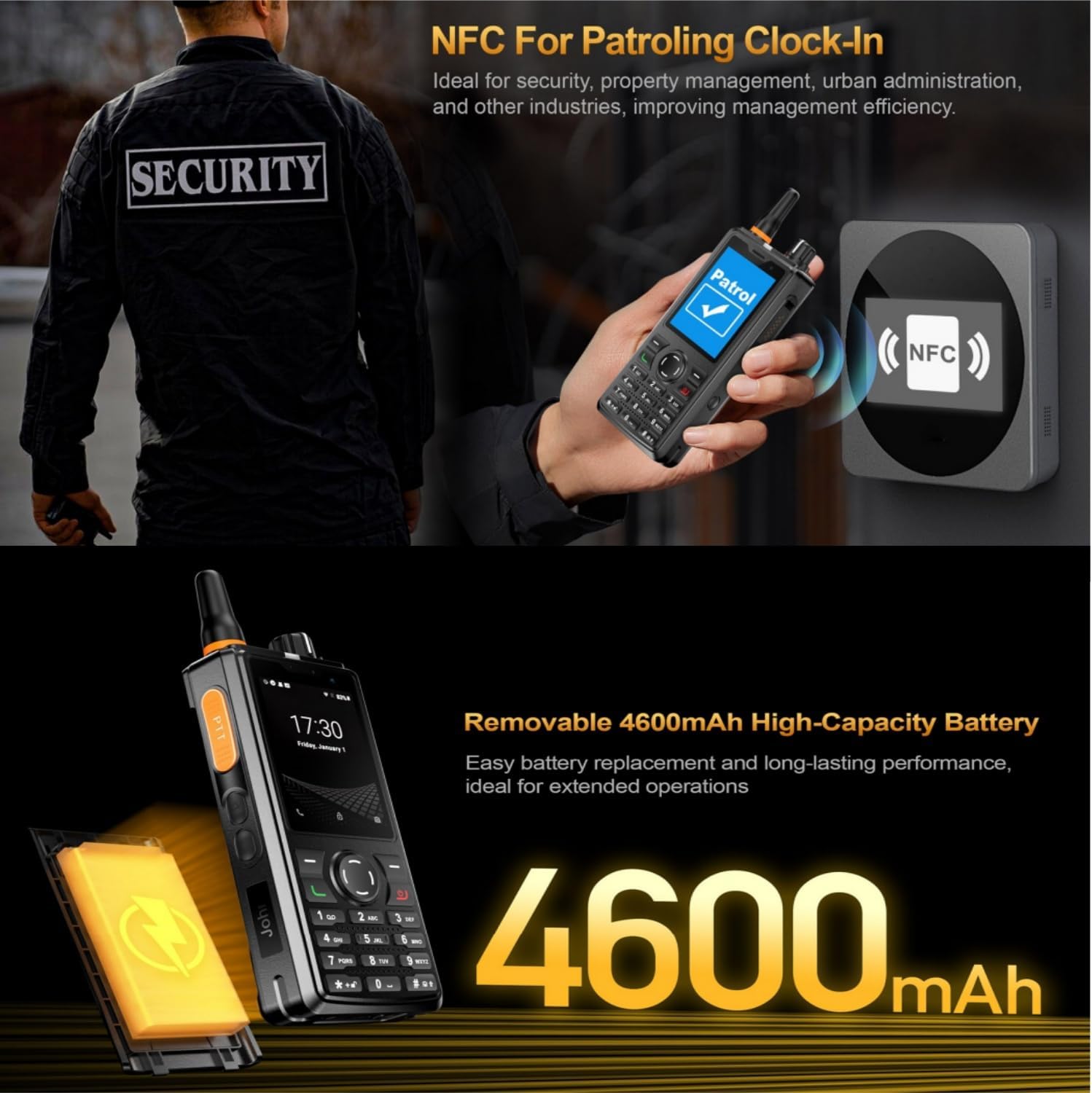
- Bateri: Removable 4600mAh Li-Polymer battery with 10W fast charging
- Ketahanan: IP54 waterproof, drop, and shockproof
- Ketersambungan: 2G/3G/4G global network bands, Wi-Fi (2.4GHz/5GHz), Bluetooth 4.2, GPS/BeiDou/GLONASS
- Kamera: 5MP depan, 8MP belakang
- Audio: Front Φ36/3 Watt BOX Speaker
- Ciri Khas: Zello intercom, Smart PTT, Posctar support, NFC for patrolling, SOS button, Dual SIM
2. Kandungan Pakej
Sahkan bahawa semua item terdapat dalam pakej:
- UNIWA F41 Talkie Walkie Smartphone (x1)
- Power Adapter (5V/2A) (x1)
- Kabel USB (x1)
- Klip (x1)
- Antena (x1)
- Manual Pengguna (x1)

Rajah 2: Contents of the UNIWA F41 retail package.
3. Persediaan
3.1. Pemasangan Bateri dan Pengecasan Awal
- Tanggalkan penutup belakang peranti.
- Insert the 4600mAh Li-Polymer battery into the battery compartment, ensuring the contacts align.
- Gantikan penutup belakang dengan selamat.
- Connect the provided USB cable to the device's USB Type-C port and the power adapter.
- Palamkan penyesuai kuasa ke salur keluar dinding.
- Charge the device for at least 1 hour before initial use. The charging indicator will show progress.

Rajah 3: The UNIWA F41 device with its high-capacity 4600mAh removable battery.
3.2. Pemasangan Kad SIM dan Kad Mikro SD
The device supports dual SIM cards and one TF (Micro SD) card.
- With the device powered off, remove the back cover and battery.
- Locate the SIM card slots (SIM Card Slot *2) and TF Card Slot *1.
- Carefully insert your SIM card(s) into the designated slots with the gold contacts facing down.
- Insert your Micro SD card (up to 64GB) into the TF card slot.
- Pasang semula bateri dan penutup belakang.
3.3. Lampiran Antena
Screw the provided antenna onto the top of the device until it is finger-tight. Ensure it is securely attached for optimal signal reception.
4. Arahan Operasi
4.1. Hidupkan/Mati Kuasa
- Hidupkan kuasa: Tekan dan tahan butang Kuasa (biasanya di sisi) sehingga skrin menyala.
- Matikan: Tekan dan tahan butang Kuasa, kemudian pilih "Matikan" daripada pilihan pada skrin.
4.2. Navigasi Asas
The UNIWA F41 features a 2.4-inch IPS capacitive touch screen and a T9 keypad for navigation.
- Skrin Sentuh: Ketik untuk memilih, leret untuk menatal.
- Pad kekunci: Use the directional keys for menu navigation and the central button to confirm selections.
- Butang Belakang: Kembali ke skrin sebelumnya.
- Butang rumah: Kembali ke skrin utama.

Rajah 4: The 2.4-inch IPS capacitive touch screen of the UNIWA F41, displaying various application icons.
4.3. Using Walkie-Talkie (Zello/PTT) Functionality
The UNIWA F41 is pre-adapted for popular PTT applications like Zello, Real PTT, and Pocstar.
- Ensure you have an active internet connection (Wi-Fi or 4G).
- Open your preferred PTT application (e.g., Zello).
- Log masuk atau cipta akaun.
- Join a channel or contact.
- Press and hold the dedicated PTT Intercom Button (located on the side) to transmit your voice. Release to listen.
- Use the Group Switching Knob (if available on your model) to quickly switch between talk groups.

Rajah 5: The UNIWA F41 showcasing its integration with Zello and other PTT applications, highlighting the ergonomic PTT button.
4.4. Network Connectivity (4G, Wi-Fi, Bluetooth)
- Rangkaian 4G: Ensure your SIM card supports the device's network bands (2G: GSM850/900/1800/1900MHz; 3G: WCDMA B1/B2/B5/B8, TD-SCDMA B34/B39; 4G: FDD-LTE:B1/B3/B7/B8/B20; TDD-LTE:B38/B39/B40/B41). The device will automatically connect to available cellular networks.
- Wi-Fi: Go to Settings > Network & Internet > Wi-Fi to connect to available Wi-Fi networks.
- Bluetooth: Pergi ke Tetapan > Peranti yang disambungkan > Bluetooth untuk berpasangan dengan aksesori Bluetooth.

Rajah 6: The UNIWA F41's capability to support global 2G/3G/4G network bands for seamless communication.
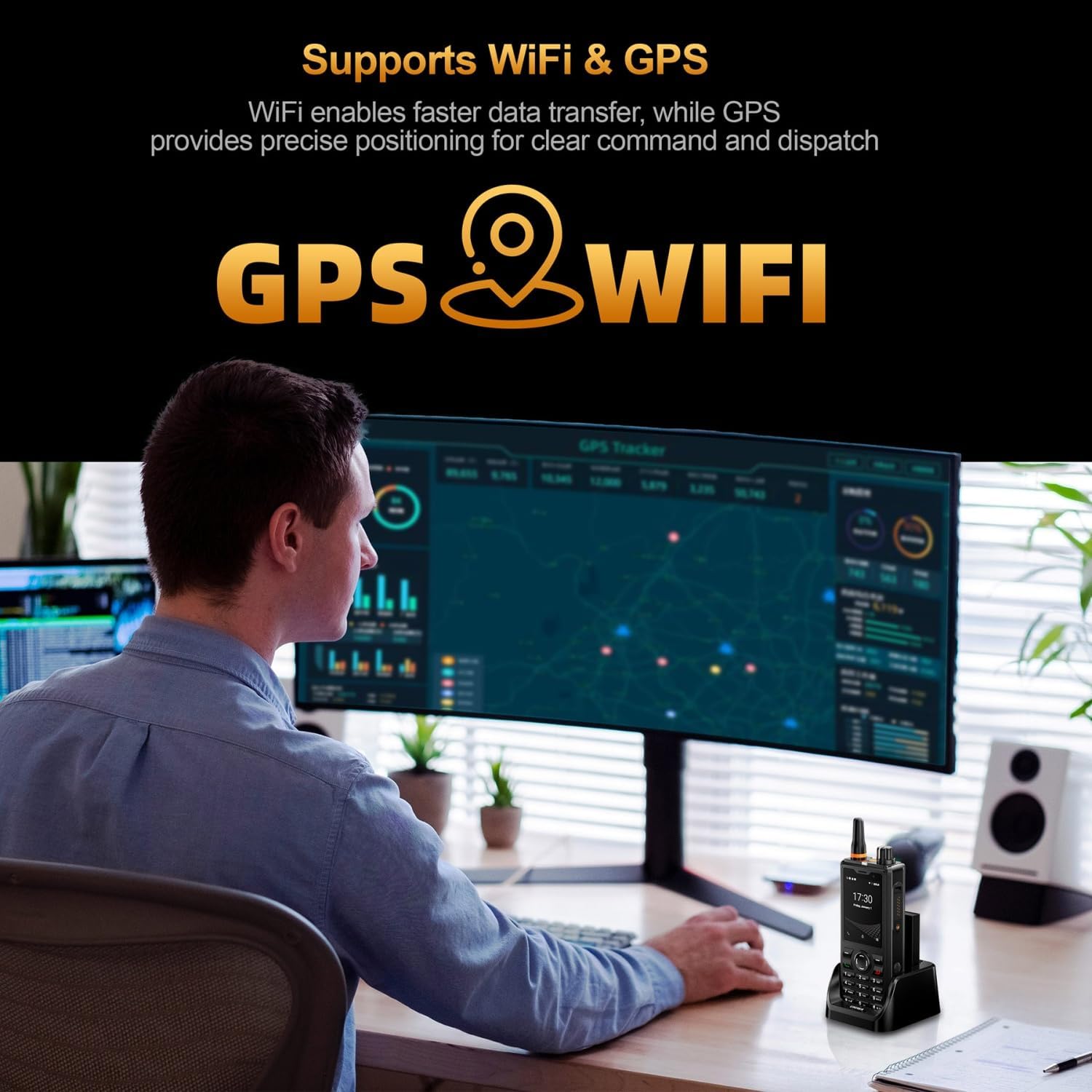
Rajah 7: Illustration of the UNIWA F41's integrated WiFi for faster data and GPS for precise positioning.
4.5. Penggunaan Kamera
The device features a 5MP front camera and an 8MP rear camera.
- Buka aplikasi Kamera daripada skrin utama atau laci aplikasi.
- Ketik butang pengatup untuk mengambil foto.
- Bertukar antara kamera hadapan dan belakang menggunakan ikon togol kamera.
- Pilih mod video untuk merakam video.
Rajah 8: The UNIWA F41's dual camera system, featuring a 5MP front camera and an 8MP rear camera for high-definition capture.
4.6. Fungsi NFC
The built-in NFC can be used for applications such as patrolling clock-in.
- Ensure NFC is enabled in Settings.
- Open the relevant NFC-enabled application.
- Tap the device near an NFC tag or reader to perform the desired action (e.g., clock-in).

Rajah 9: The UNIWA F41 utilizing its NFC feature for applications like patrolling clock-in, ideal for various industries.
4.7. Panggilan Kecemasan SOS
The device includes a dedicated SOS button for emergency situations.
- Configure emergency contacts in the device settings.
- In an emergency, press the SOS Button (usually on the side) to initiate an emergency call or send an SOS message to pre-set contacts.
5. Penyelenggaraan
5.1. Membersihkan Peranti
- Gunakan kain lembut dan tidak berbulu untuk mengelap skrin dan badan peranti.
- Untuk kotoran degil, sedikit dampen the cloth with water or a mild screen cleaner.
- Avoid using harsh chemicals, abrasive cleaners, or aerosols.
- Pastikan semua port kering sebelum mengecas atau menyambungkan aksesori.
5.2. Penjagaan Bateri
- Cas bateri sepenuhnya sebelum penggunaan pertama.
- Elakkan suhu yang melampau, kerana ia boleh menjejaskan prestasi bateri.
- Jangan tebuk, buka atau litar pintas bateri.
- Jika peranti tidak akan digunakan untuk tempoh yang lama, cas sehingga kira-kira 50% dan simpan di tempat yang sejuk dan kering.
5.3. Kemas Kini Perisian
Important Note: Currently, the F41 only supports Android 8.1. Do not upgrade the Android version, otherwise the phone will not work.
Regularly check for official software updates from UNIWA to ensure optimal performance and security. Follow the instructions provided by the update notification or check in Settings > System > System update.
6. Penyelesaian masalah
| Masalah | Kemungkinan Punca | Penyelesaian |
|---|---|---|
| Peranti tidak dihidupkan. | Low battery; Battery not installed correctly; Software issue. | Charge the device for at least 1 hour. Reinstall the battery. Perform a force restart (refer to device specific instructions if available). |
| Tiada isyarat rangkaian. | SIM card not inserted correctly; Out of network coverage; Incorrect network settings. | Reinsert SIM card. Move to an area with better coverage. Check APN settings in Network & Internet settings. Ensure antenna is securely attached. |
| PTT function not working. | No internet connection; PTT app not configured; App permissions. | Verify Wi-Fi or 4G connection. Ensure PTT app is logged in and configured correctly. Check app permissions for microphone and network access. |
| Bateri cepat habis. | High screen brightness; Many apps running in background; Poor network signal. | Reduce screen brightness. Close unused apps. Disable Wi-Fi/Bluetooth when not in use. Use power-saving mode. |
| Peranti perlahan atau tidak responsif. | Too many apps open; Low storage; Software glitch. | Close background apps. Clear cache. Free up storage space. Restart the device. |
| Cannot upgrade Android version. | Had peranti. | The UNIWA F41 is designed to operate on Android 8.1. Attempting to upgrade may cause the device to malfunction. Do not upgrade the Android version. |
| Speaker volume is low or distorted. | Volume settings; Speaker obstruction; Software issue. | Increase volume using the volume buttons. Ensure speaker is not blocked. Restart the device. |
| GPS not accurate. | Poor satellite signal; GPS settings. | Pastikan anda berada di kawasan terbuka dengan langit cerah view. Check location settings and ensure GPS is enabled. |
| NFC not working. | NFC disabled; Incorrect positioning. | Enable NFC in settings. Ensure the device's NFC area is close to the tag/reader. |
7. Spesifikasi
| Ciri | Perincian |
|---|---|
| Jenama | UNIWA |
| Model | F41 |
| Sistem Operasi | Android 8.1 |
| CPU | MT6739 Quad Core |
| Memori (RAM) | 1GB |
| Storan (ROM) | 8GB |
| Storan Boleh Dikembangkan | Up to 64GB (Micro SD) |
| Sokongan Kad SIM | Dual SIM |
| Saiz Paparan | 2.4 inci |
| Jenis Paparan | Skrin Sentuh Kapasitif IPS |
| Resolusi Paparan | 320x240 |
| Kamera Belakang | 8MP |
| Kamera Depan | 5MP |
| Kapasiti Bateri | 4600mAh Li-Polymer (Removable) |
| Mengecas | 10W Fast Charging, USB Type-C, Dock charging connectors |
| Dimensi | 135.6 x 60.5 x 26.0 mm |
| Berat badan | 265g (including battery and clip) |
| Tahan Air/Habuk | IP54 Waterproof, Drop and Shockproof |
| Jalur Rangkaian | 2G: GSM850/900/1800/1900MHz; 3G: WCDMA B1/B2/B5/B8, TD-SCDMA B34/B39; 4G: FDD-LTE:B1/B3/B7/B8/B20; TDD-LTE:B38/B39/B40/B41 |
| Wi-Fi | 2.4GHz / 5GHz |
| Bluetooth | BT4.2 |
| GNSS | GPS/BeiDou/GLONASS |
| NFC | ya |
| Penceramah | Front Φ36/3 Watt BOX Speaker |
| Butang | PTT Intercom Button, Volume +/-, SOS Button, Customize Button, T9 Keypad |
| Bicu Fon Kepala | M6 Headphone Jack |
| Suhu Operasi | -20 ℃ hingga + 60 ℃ |
8. Maklumat Keselamatan
- Baca semua arahan dengan teliti sebelum menggunakan peranti.
- Jangan dedahkan peranti kepada suhu yang melampau, cahaya matahari langsung atau kelembapan berlebihan.
- Use only manufacturer-approved accessories (battery, charger, antenna).
- Do not attempt to disassemble, repair, or modify the device yourself. Refer to qualified service personnel.
- Lupuskan peranti dan bateri secara bertanggungjawab mengikut peraturan tempatan.
- Elakkan menggunakan peranti semasa memandu atau mengendalikan jentera berat.
- Maintain a safe distance from medical implants (e.g., pacemakers) when using the device.
- The device is IP54 rated for water and dust resistance, but it is not fully submersible. Avoid prolonged exposure to water.
9. Waranti dan Sokongan
For warranty information, please refer to the warranty card included with your product or contact UNIWA customer support. Keep your purchase receipt as proof of purchase.
For technical support or service inquiries, please contact your retailer or visit the official UNIWA weblaman web untuk maklumat hubungan.


