1. Pengenalan
Thank you for choosing the Jxrev J53 Wireless Earbuds. These earbuds are designed to provide a superior audio experience with advanced features such as Bluetooth 5.4 connectivity, Hi-Fi stereo sound, and Environmental Noise Cancellation (ENC) for clear calls. This manual will guide you through the setup, operation, and maintenance of your new earbuds.
2. Kandungan Pakej
Sila pastikan semua item ada dalam pakej anda:
- Wireless Earbuds (2)
- Sarung Pengecasan (1)
- Kabel Pengecas Jenis-C (1)
- Manual Pengguna (1)
3. Bermula
3.1 Caj Permulaan
Before first use, fully charge the earbuds and the charging case. Connect the provided Type-C charging cable to the charging case and a USB power source. The LED display on the case will show the charging status and battery percentage.

Image: Jxrev J53 Wireless Earbuds in their charging case, illustrating the LED battery display and the earbuds themselves.
3.2 Berpasangan dengan Peranti Anda
- Pastikan fon telinga dicas.
- Buka bekas pengecas. Fon telinga akan memasuki mod berpasangan secara automatik.
- Pada peranti anda (telefon pintar, tablet, dll.), dayakan Bluetooth.
- Cari untuk "J53" in the list of available Bluetooth devices and select it to connect.
- Once connected, the earbuds will automatically pair with your device whenever the charging case is opened.
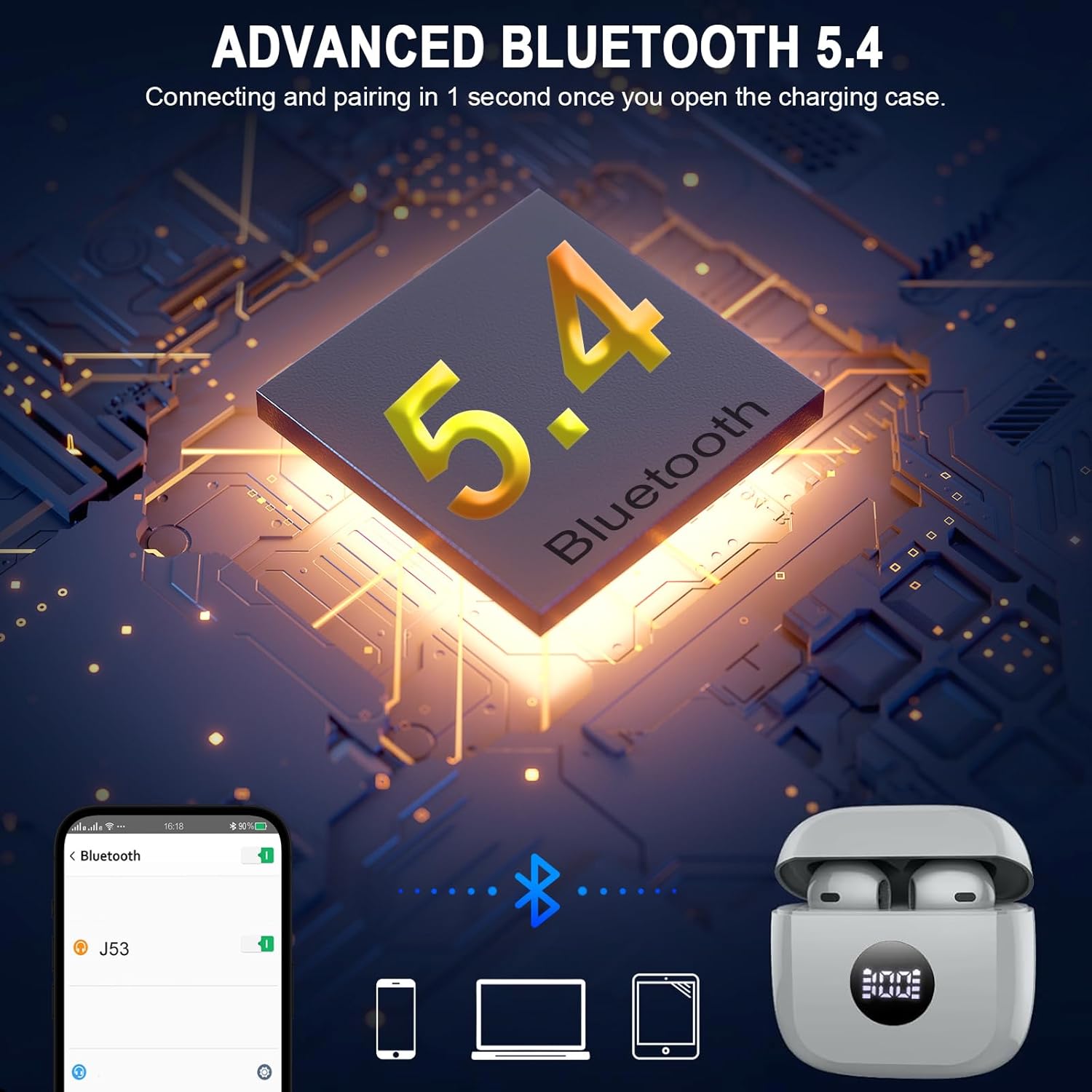
Image: A visual representation of the Jxrev J53 earbuds connecting to different devices (phone, laptop, tablet) using Bluetooth 5.4 technology.
4. Mengendalikan Fon Telinga Anda
4.1 Kawalan Sentuhan
The Jxrev J53 earbuds feature intuitive touch controls for easy management of your audio and calls:
- Main/Jeda Muzik: Ketik sekali pada salah satu fon telinga.
- Lagu Seterusnya: Ketik dua kali pada fon telinga kanan.
- Trek Sebelumnya: Ketik dua kali pada fon telinga kiri.
- Jawab/Tamatkan Panggilan: Ketik sekali pada salah satu fon telinga.
- Tolak Panggilan: Tekan dan tahan salah satu fon telinga selama 2 saat.
- Aktifkan Pembantu Suara: Ketik tiga kali pada salah satu fon telinga.
- Pelarasan Kelantangan: Specific gestures may vary; refer to your device's Bluetooth settings or experiment with long presses on left/right earbuds if not covered by single/double/triple taps.

Image: A user wearing a Jxrev J53 earbud, highlighting the CVC8.0 noise cancelling and smart touch control features with visual sound waves.
4.2 Ciri Audio
The J53 earbuds are equipped with a 13mm triple-chamber dynamic driver and SBC/AAC audio decoder, delivering clear highs, rich midtones, and deep bass for a high-fidelity stereo sound experience.

Image: An intricate view of the 13mm dynamic driver, illustrating its design for producing deep bass in the Jxrev J53 earbuds.

Image: Two Jxrev J53 earbuds depicted with circular sound wave patterns, symbolizing their Hi-Fi stereo sound and clear call quality.
4.3 Pembatalan Bunyi Alam Sekitar (ENC)
With 4 ENC microphones and a built-in noise reduction chip, the earbuds can suppress up to 75% of ambient noise, ensuring your voice is clear during phone calls.
5. Pengecasan dan Hayat Bateri
The earbuds provide approximately 8 hours of playback on a single 1-hour charge. The charging case extends the total playtime to up to 40 hours. The case features a dual LED display to show the remaining battery percentage pada bekas dan status pengecasan setiap fon telinga.
- Pengecasan fon telinga: Place earbuds into the charging case. They will automatically begin charging.
- Pengecasan Kes: Connect the Type-C cable to the case and a power source. A full charge takes approximately 1 hour.
- Caj Cepat: A 10-minute charge can provide an additional two hours of use when the battery is low.
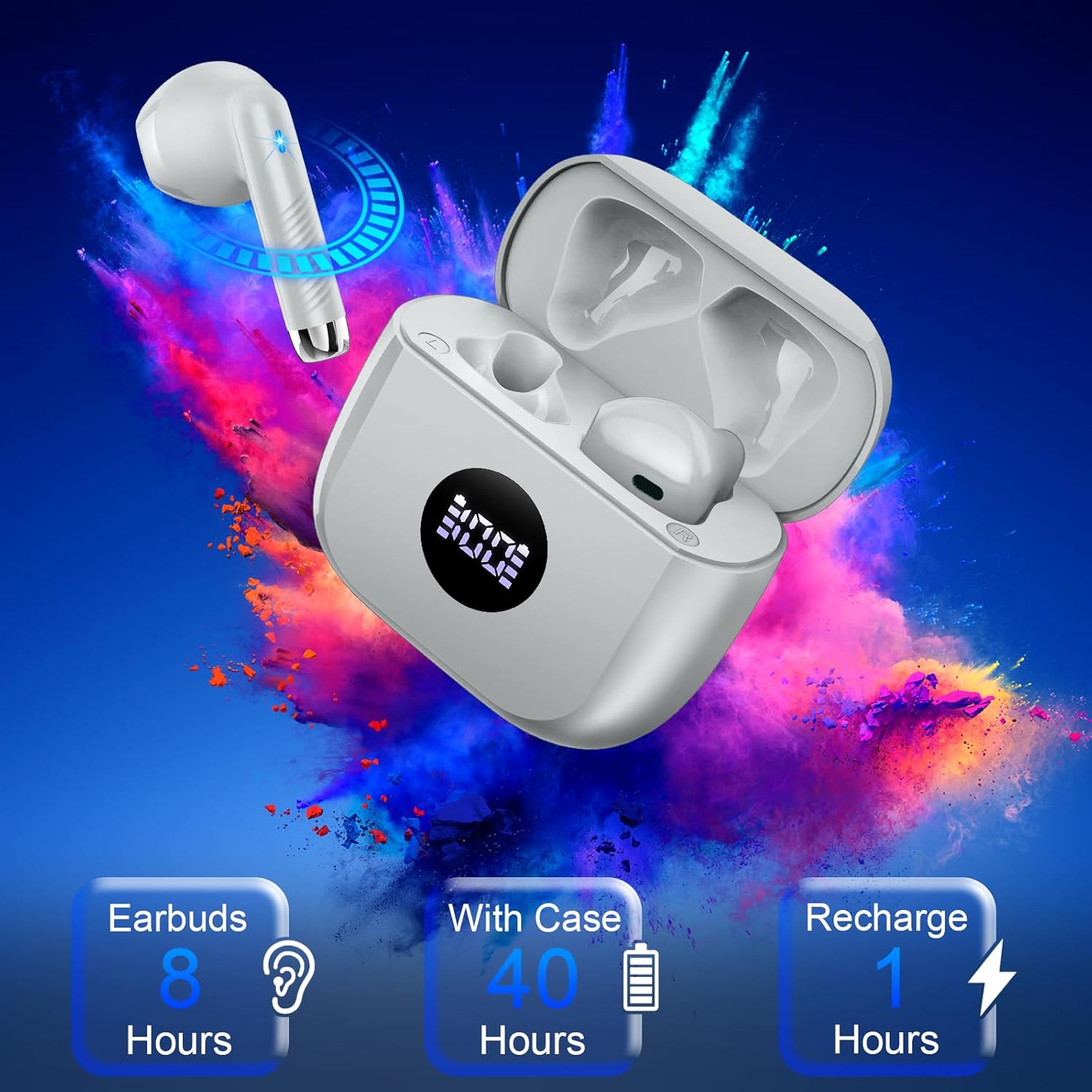
Image: An infographic detailing the battery performance of the Jxrev J53 earbuds: 8 hours for earbuds, 40 hours total with the charging case, and 1 hour for a full recharge.
6. Penjagaan dan Penyelenggaraan
6.1 Kalis air
The Jxrev J53 earbuds feature IP7 nano-coating technology, providing protection against daily splashes, sweat, and rain. They are suitable for workouts and outdoor activities. However, they are not designed for submersion in water.
6.2 Pembersihan
Untuk mengekalkan prestasi dan kebersihan yang optimum:
- Lap fon telinga dan bekas pengecas dengan kain lembut, kering dan tidak berbulu.
- Elakkan penggunaan bahan kasar, pelarut atau semburan aerosol.
- Pastikan sesentuh pengecasan bersih dan kering sebelum meletakkan fon telinga dalam bekas.
6.3 Penyimpanan
Store the earbuds in their charging case when not in use to protect them and ensure they remain charged. The compact and lightweight design makes them easy to carry.

Image: A woman gently holding the compact Jxrev J53 charging case in her palm, emphasizing its lightweight design and the visible LED display.
7. Penyelesaian masalah
If you encounter any issues with your Jxrev J53 Wireless Earbuds, please refer to the following common solutions:
- Fon telinga tidak berpasangan:
Ensure both earbuds are in the charging case and fully charged. Close the case, wait a few seconds, then open it again to re-enter pairing mode. Delete "J53" from your device's Bluetooth list and try pairing again. - Hanya satu fon telinga berfungsi:
Place both earbuds back into the charging case. Close the lid, then open it again. This should reset the connection between the two earbuds. If the issue persists, try re-pairing them with your device. - Tiada bunyi atau kelantangan rendah:
Check the volume level on both your device and the earbuds. Ensure the earbuds are properly seated in your ears. Clean any debris from the earbud speakers. - Isu pengecasan:
Ensure the charging cable is securely connected to both the case and the power source. Check if the charging contacts on the earbuds and inside the case are clean. Try a different charging cable or power adapter. - Fon telinga tercabut:
Ensure you are wearing the earbuds correctly, with a comfortable and secure fit. The ergonomic design is intended for stability.
8. Spesifikasi Produk
| Nama Model | J53 |
| Versi Bluetooth | 5.4 |
| Julat Bluetooth | 15 Meter |
| Saiz Pemacu Audio | 13 mm |
| Hayat Bateri (Earbud) | 8 Jam |
| Jumlah Masa Main (dengan Kes) | 40 Jam |
| Masa Mengecas | 1 Hour (Earbuds & Case) |
| Tahap Ketahanan Air | IP7 Kalis Air |
| Kawalan Bunyi | Pengasingan Bunyi (ENC untuk panggilan) |
| Jenis Kawalan | Kawalan Sentuh |
| Penempatan Telinga | Di Telinga |
| Berat Barang (Fon Telinga) | 3 Gram |
| Teknologi Ketersambungan | Wayarles (Bluetooth) |
| Peranti Serasi | Cellphones (iOS 9.0+, Android 5.0+) |
9. Hubungi dan Sokongan
For further assistance, warranty information, or support, please contact Jxrev customer service through the retailer where you purchased the product or visit the official Jxrev webtapak.


