pengenalan
This manual provides instructions for the setup, operation, and maintenance of your Paladone PlayStation DualSense Controller Digital Alarm Clock. This device combines a digital alarm clock with a night light function, designed for ease of use and to complement gaming-themed environments.
Apa yang ada dalam Kotak
- Paladone PlayStation DualSense Controller Digital Alarm Clock
- Manual Arahan (dokumen ini)
Note: 3x AA batteries are required and not included.
Persediaan
1. Pemasangan Bateri
- Locate the battery compartment on the underside of the alarm clock.
- Buka penutup petak bateri.
- Insert 3x AA batteries, ensuring correct polarity (+/-).
- Tutup penutup petak bateri dengan selamat.
2. Penetapan Masa Awal
Upon battery installation, the display will illuminate. Follow the operating instructions to set the current time.

Image: The PlayStation DualSense Controller Digital Alarm Clock displaying the time.
Arahan Operasi
Menetapkan Masa
- Tekan dan tahan butang MASA DITETAPKAN button (usually marked with a clock icon) until the hour digits begin to flash.
- Gunakan + dan - buttons to adjust the hour. Pay attention to AM/PM indicators if present.
- Tekan ke MASA DITETAPKAN butang sekali lagi untuk beralih ke digit minit.
- Gunakan + dan - butang untuk melaraskan minit.
- Tekan ke MASA DITETAPKAN button one last time to confirm and exit time setting mode.
Menetapkan Penggera
- Tekan dan tahan butang SET ALARM button (usually marked with an alarm icon) until the alarm hour digits begin to flash.
- Gunakan + dan - butang untuk melaraskan jam penggera.
- Tekan ke SET ALARM butang sekali lagi untuk beralih ke digit minit penggera.
- Gunakan + dan - butang untuk melaraskan minit penggera.
- Tekan ke SET ALARM button one last time to confirm and exit alarm setting mode.
- Untuk mengaktifkan atau menyahaktifkan penggera, tekan ALARM ON / OFF button (may be the same as ALARM SET or a separate button). An alarm icon will appear on the display when active.
Using the Night Light Function
The PlayStation DualSense controller replica on top of the clock functions as a night light.
- To activate the night light, gently tap the controller.
- To deactivate the night light, tap the controller again.
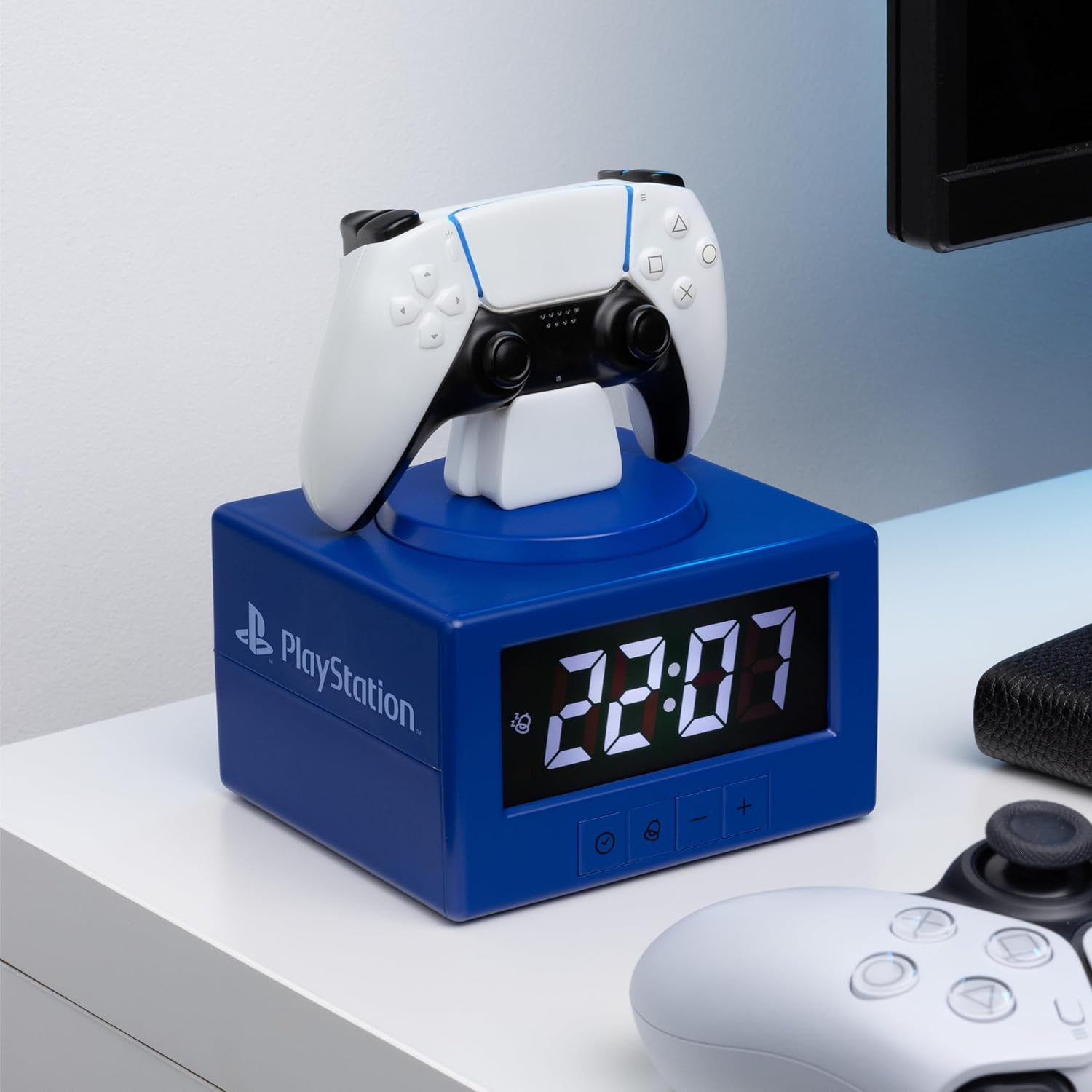
Image: The alarm clock with the DualSense controller glowing as a night light.
Penyelenggaraan
- Pembersihan: Lap jam dengan kain lembut dan kering. Jangan gunakan pembersih atau pelarut yang kasar.
- Penggantian Bateri: Replace batteries when the display dims or functions become unreliable. Always replace all three AA batteries at the same time.
- Storan: Jika menyimpan untuk tempoh yang lama, keluarkan bateri untuk mengelakkan kebocoran.
Menyelesaikan masalah
| Masalah | Penyelesaian |
|---|---|
| Clock display is dim or blank. | Replace the 3x AA batteries. Ensure batteries are inserted with correct polarity. |
| Penggera tidak berbunyi. | Ensure the alarm is activated (alarm icon visible on display). Verify the alarm time is set correctly. |
| Lampu malam tidak menyala. | Ensure batteries are fresh. Gently tap the controller to activate. |
| Time or alarm settings reset unexpectedly. | Ini mungkin menunjukkan kuasa bateri yang rendah. Gantikan bateri. |
Spesifikasi
- Jenama: Paladone
- Nombor Model: PP13475PS
- Jenis Paparan: digital
- Ciri Khas: Alarm, Night Mode
- Dimensi Produk: 4.92"W x 7.09"H
- Sumber Kuasa: Dikuasakan Bateri (3 bateri AA, tidak termasuk)
- Bahan: plastik
- Berat Barang: 8.8 auns (0.25 Kilogram)
- Penggunaan Dalaman/Luar: Dalaman
Waranti dan Sokongan
For warranty information and customer support, please refer to the official Paladone webtapak atau hubungi peruncit anda. Simpan bukti pembelian anda untuk sebarang tuntutan waranti.
Untuk bantuan tambahan, sila layari Paladone Store on Amazon.


