1. Pengenalan
Thank you for choosing the SENCOR SVC 7822TQ 2-in-1 Cordless Stick Vacuum Cleaner. This appliance is designed for efficient and convenient cleaning of various surfaces in your home. Its versatile 2-in-1 design allows it to function as a powerful stick vacuum for floors and carpets, and as a portable handheld unit for furniture, car interiors, and hard-to-reach areas. Please read this manual thoroughly before first use to ensure safe operation and optimal performance.
2. Arahan Keselamatan
Sentiasa patuhi langkah berjaga-jaga keselamatan asas apabila menggunakan peralatan elektrik untuk mengurangkan risiko kebakaran, renjatan elektrik atau kecederaan.
- Perkakas ini adalah untuk kegunaan rumah sahaja. Jangan gunakannya di luar rumah atau untuk tujuan komersial.
- Jangan pegang palam atau perkakas dengan tangan yang basah.
- Jauhkan rambut, pakaian longgar, jari dan semua bahagian badan daripada bukaan dan bahagian yang bergerak.
- Jangan vakum bahan mudah terbakar atau mudah terbakar, abu panas atau objek tajam.
- Ensure the dust bin and filters are correctly installed before operation.
- Use only the original charger and accessories provided by SENCOR.
- Do not immerse the appliance or its charging base in water or other liquids.
- Jika kord kuasa rosak, ia mesti diganti oleh pengilang, ejen servisnya, atau orang yang berkelayakan yang serupa untuk mengelakkan bahaya.
- Perkakas ini boleh digunakan oleh kanak-kanak berumur 8 tahun ke atas dan orang yang kurang keupayaan fizikal, deria atau mental atau kurang pengalaman dan pengetahuan jika mereka telah diberi penyeliaan atau arahan mengenai penggunaan perkakas dengan cara yang selamat dan memahami bahaya yang terlibat .
3. Kandungan Pakej
Carefully unpack your SENCOR SVC 7822TQ and check that all items are present and in good condition. If any items are missing or damaged, contact your retailer.
- Main Vacuum Unit (with removable handheld unit)
- Floor Nozzle with Motorized Brush and LED Lights
- Charging Base with Accessory Holder
- Penyesuai Kuasa
- Flat Nozzle Attachment
- Lekapan Berus Debu
- Manual Pengguna

Image 3.1: SENCOR SVC 7822TQ with main unit, handheld unit, floor nozzle, charging base, flat nozzle, and dusting brush.
4. Produk Lebihview
Familiarize yourself with the components and controls of your vacuum cleaner.
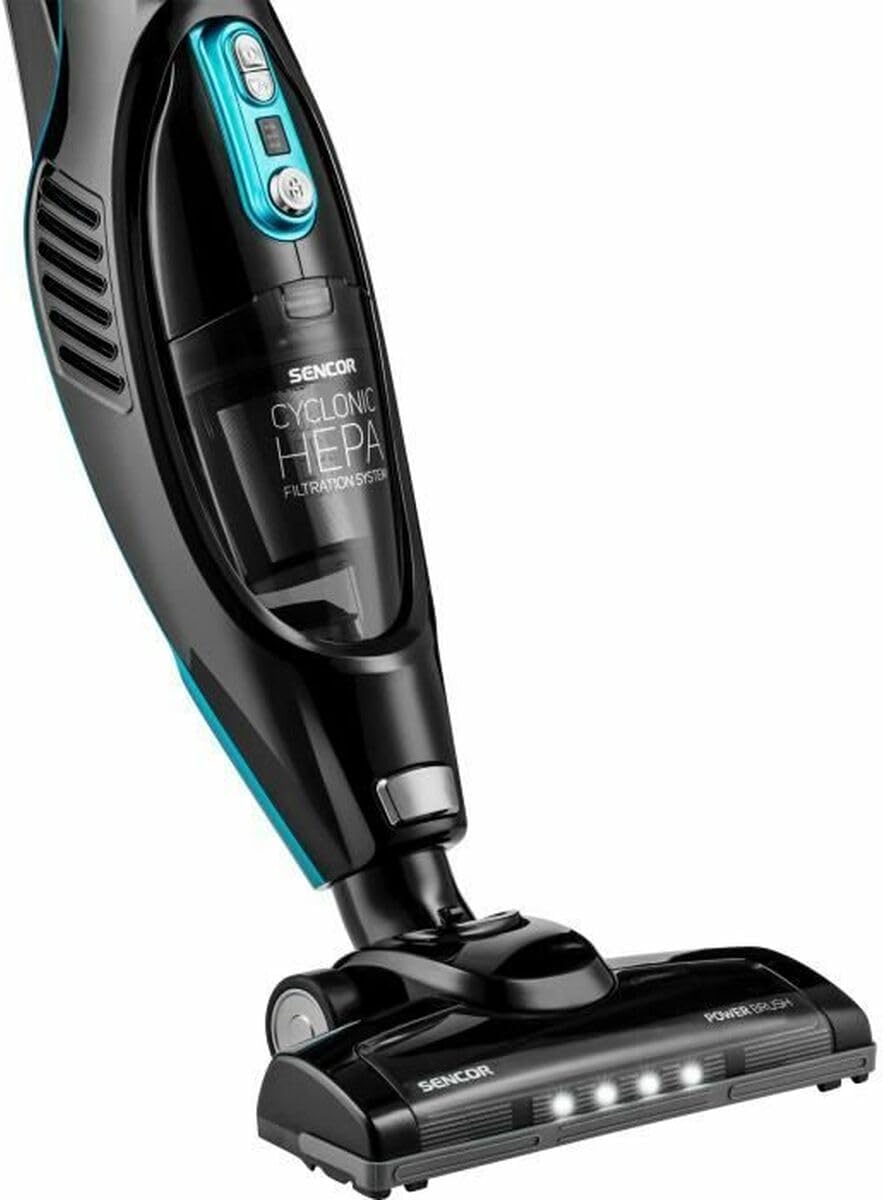
Imej 4.1: Jarak dekat view of the vacuum's main body, dust bin, and floor nozzle with integrated LED lights.
Komponen Utama:
- pemegang: Direka secara ergonomik untuk cengkaman yang selesa.
- Butang Kuasa: Turns the vacuum on and off.
- Pemilih Kelajuan: Adjusts suction power (2 speeds: high power, prolonged suction).
- Penunjuk Bateri: LED lights display remaining battery charge.
- Tong sampah: Transparent, bagless design with 0.5 L capacity.
- HEPA Filtration System: Ensures efficient dust capture.
- Handheld Unit Release Button: Detaches the handheld vacuum.
- Motorized Floor Nozzle: Features an independent motor for effective cleaning on various surfaces, including carpets.
- Lampu LED: Integrated into the floor nozzle to illuminate dark areas and reveal fine dust.
- 180° Swivel Nozzle: Provides excellent maneuverability around furniture.

Image 4.2: The removable handheld unit of the SENCOR SVC 7822TQ.
5. Persediaan
5.1 Perhimpunan
- Insert the main vacuum unit into the floor nozzle until it clicks securely into place.
- If using the handheld unit separately, press the release button to detach it from the main unit. Attach the desired accessory (flat nozzle or dusting brush) to the handheld unit.
- To reattach the handheld unit, align it with the main unit and push until it clicks.
5.2 Pengecasan Awal
Before first use, fully charge the vacuum cleaner. The battery indicator LEDs will show the charging status.
- Place the charging base in a convenient location, preferably near a power outlet. The base includes an integrated accessory holder for organized storage.
- Sambungkan penyesuai kuasa ke tapak pengecas dan pasangkannya ke soket dinding.
- Place the vacuum cleaner onto the charging base. Ensure proper contact for charging.
- A full charge takes approximately 4.5 hours. The battery indicator lights will illuminate to show charging progress and turn off or change color when fully charged (refer to specific indicator behavior in your product's detailed manual).
6. Arahan Operasi
6.1 Menggunakan sebagai Stick Vacuum
- Ensure the vacuum is fully charged and assembled in stick mode.
- Press the power button to turn on the vacuum. The LED lights on the floor nozzle will illuminate automatically.
- Select the desired speed setting using the speed selector button. There are two speeds: standard for prolonged cleaning and high power for stubborn dirt.
- Guide the vacuum across the floor. The 180° swivel nozzle allows for easy maneuvering around obstacles.
- Setelah selesai, tekan butang kuasa untuk mematikan vakum.
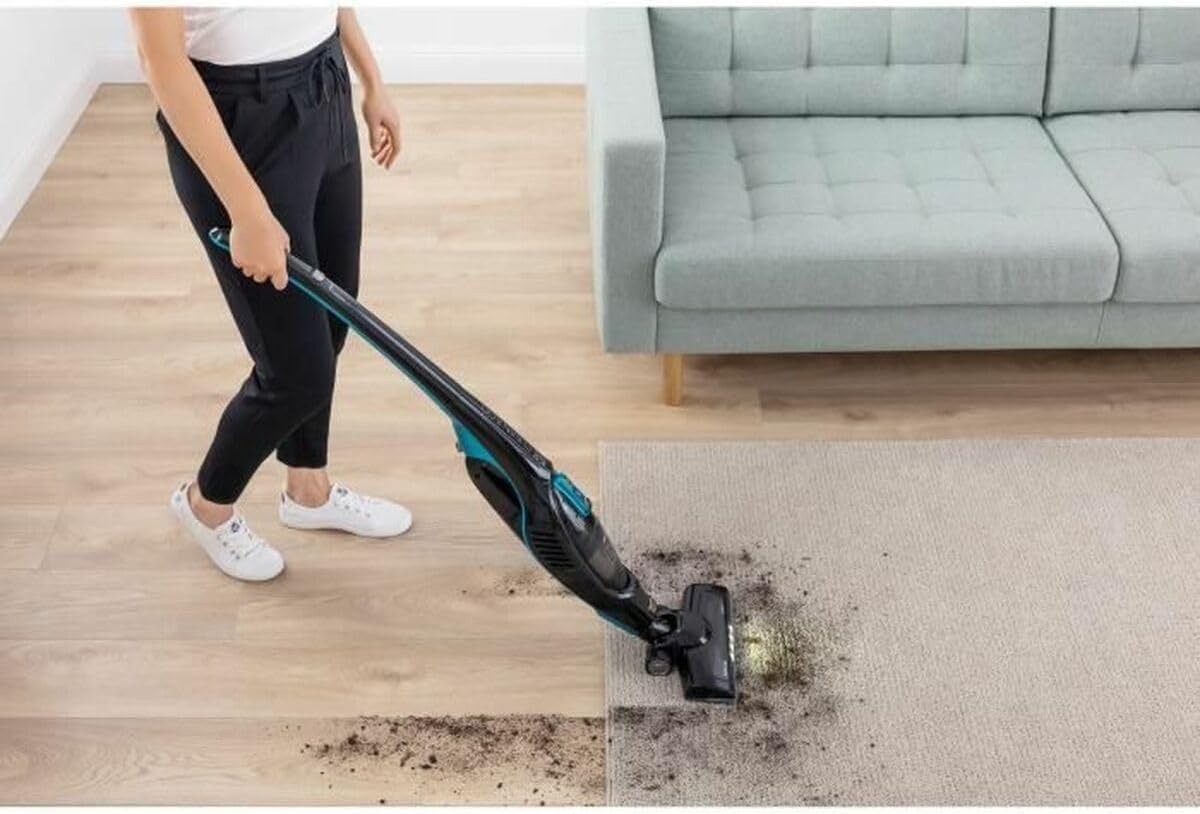
Image 6.1: Operating the SENCOR SVC 7822TQ stick vacuum on a carpet, demonstrating the LED illumination.
6.2 Menggunakan sebagai Vakum Genggam
- Press the handheld unit release button and pull the handheld unit away from the main body.
- Attach the flat nozzle for narrow gaps or the dusting brush for delicate surfaces and upholstery.
- Press the power button on the handheld unit to start cleaning.
- When finished, press the power button to turn off.
- Reattach the handheld unit to the stick vacuum or place it on the charging base.
6.3 Fungsi Berdiri Kendiri
The SENCOR SVC 7822TQ features a self-standing function, allowing you to temporarily pause cleaning and stand the vacuum upright without needing to lean it against a wall or place it on its charging base. Simply push the vacuum into an upright position until it locks.

Image 6.2: The SENCOR SVC 7822TQ in its self-standing position.
7. Penyelenggaraan
Penyelenggaraan tetap memastikan prestasi optimum dan memanjangkan jangka hayat pembersih vakum anda.
7.1 Mengosongkan Tong Habuk
Empty the dust bin after each use or when the MAX fill line is reached.
- Pastikan vakum dimatikan.
- Locate the dust bin release button (usually near the dust bin). Press it to detach the dust bin from the handheld unit.
- Hold the dust bin over a waste bin and open the bottom flap to release the contents.
- Close the flap and reattach the dust bin to the handheld unit until it clicks.

Imej 7.1: Belakang view of the vacuum, highlighting the dust bin for easy removal and emptying.
7.2 Membersihkan Penapis HEPA
The HEPA filter should be cleaned regularly, ideally once a month, or more frequently with heavy use.
- Keluarkan tong habuk seperti yang diterangkan di atas.
- Carefully remove the HEPA filter from the dust bin.
- Ketik penapis perlahan-lahan di atas tong sampah untuk mengeluarkan habuk yang longgar.
- If necessary, rinse the filter under cold running water. Do not use detergents.
- Biarkan penapis kering sepenuhnya selama sekurang-kurangnya 24 jam sebelum memasangnya semula. Jangan gunakan pengering rambut atau peranti pemanasan lain.
- Reassemble the filter and dust bin.
7.3 Membersihkan Berus Bermotor
Hair and debris can get tangled in the motorized brush. Clean it periodically to maintain suction power.
- Matikan vakum dan putuskan sambungannya dari tapak pengecasan.
- Terbalikkan muncung lantai.
- Locate the brush roll cover release mechanism (refer to your product's specific diagram for details).
- Keluarkan gulungan berus.
- Gunakan gunting atau berus untuk mengeluarkan sebarang rambut atau serpihan yang kusut.
- Masukkan semula gulungan berus dan pasangkan penutupnya.
8. Penyelesaian masalah
Jika anda menghadapi masalah dengan pembersih vakum anda, rujuk jadual berikut untuk masalah dan penyelesaian biasa.
| Masalah | Kemungkinan Punca | Penyelesaian |
|---|---|---|
| Vakum tidak dihidupkan. | Bateri habis. | Caskan pembersih vakum sepenuhnya. |
| Butang kuasa tidak ditekan dengan betul. | Pastikan butang kuasa ditekan dengan kuat. | |
| Kuasa sedutan rendah. | Tong habuk penuh. | Kosongkan tong habuk. |
| Penapis tersumbat. | Bersihkan atau gantikan penapis HEPA. | |
| Muncung atau hos tersumbat. | Periksa dan keluarkan sebarang sekatan. | |
| Berus bermotor tidak berputar. | Brush roll is tangled with hair/debris. | Bersihkan gulungan berus. |
| Obstruction in the brush roll area. | Keluarkan sebarang halangan. | |
| Masa operasi yang singkat. | Bateri tidak dicas sepenuhnya. | Ensure the vacuum is fully charged (4.5 hours). |
| Using high power mode continuously. | High power mode consumes battery faster. Use standard mode for longer runtime. |
If the problem persists after trying these solutions, please contact SENCOR customer support.
9. Spesifikasi
| Ciri | Spesifikasi |
|---|---|
| Nombor Model | SVC 7822TQ |
| taip | Vakum Batang Tanpa Kord 2-dalam-1 |
| Jenis Bateri | Li-Ion 2200 mAh |
| Voltage | 22.2 V |
| kuasa | 110 Watt |
| Masa Mengecas | 4.5 jam |
| Masa Operasi | Sehingga 45 minit |
| Isipadu Tong Debu | 0.5 L |
| Sistem Penapisan | Cyclonic HEPA |
| Tahap Kebisingan | 76 dB |
| Dimensi (L x W x H) | 23.6 x 28.6 x 113.5 cm |
| Berat badan | 2.8 kg |
| Ciri Khas | 2-in-1 design, HEPA filtration, LED cleaning light, Self-standing function |
| Termasuk Aksesori | Flat nozzle, Dusting brush |
10. Waranti dan Sokongan
SENCOR products are manufactured to high-quality standards. For information regarding warranty terms and conditions, please refer to the warranty card included with your product or visit the official SENCOR website. If you require technical assistance, spare parts, or have any questions not covered in this manual, please contact SENCOR customer support through their official channels.
Sila simpan bukti pembelian anda untuk tuntutan waranti.


