1. Pengenalan
Terima kasih kerana membeliasing the ELECOM LBT-ECOWS01MBK Open-Ear Bluetooth 5.4 Wireless Headphones. These headphones are designed to allow you to enjoy audio content while remaining aware of your surroundings. This manual provides essential information for the safe and effective use of your new device.

Image: The ELECOM LBT-ECOWS01MBK open-ear wireless headphones and their transparent charging case.
2. Kandungan Pakej
- ELECOM LBT-ECOWS01MBK Open-Ear Wireless Headphones (Left and Right)
- Kes Pengecasan
- Kabel Pengecas USB (USB-A ke USB Type-C™)
- Panduan Mula Pantas
3. Ciri-ciri Produk
- Reka Bentuk Telinga Terbuka: Listen to music or videos while simultaneously hearing ambient sounds, ensuring awareness of your surroundings.
- Keselesaan Ringan: Each earbud weighs approximately 9.8g, providing a comfortable fit for extended wear without pressure or stuffiness.
- Audio Berkualiti Tinggi: Equipped with a large 16mm diameter driver for clear sound and supports AAC codec for high-quality audio on compatible devices like iPhones.
- Mod Suara: Optimizes audio frequencies to make human voices clearer, ideal for radio, audiobooks, and conversations.
- Mod Kependaman Rendah: Reduces audio-visual delay, enhancing the experience for videos and games.
- Main Semula Lanjutan: Up to 10 hours of continuous playback on a single charge, and up to 25 hours with the charging case.
- Kawalan Sensor Sentuh: Conveniently manage music playback, volume, and calls directly from the earbuds.
- Sokongan Pembantu Suara: Compatible with Siri and Google Assistant for hands-free control.
- Penggunaan Earbud Tunggal: Mana-mana fon telinga boleh digunakan secara bebas.
- USB Type-C™ Charging: The charging case features a USB Type-C™ port for convenient charging.

Image: A man wearing the open-ear headphones, demonstrating the ability to hear ambient sounds while enjoying media.
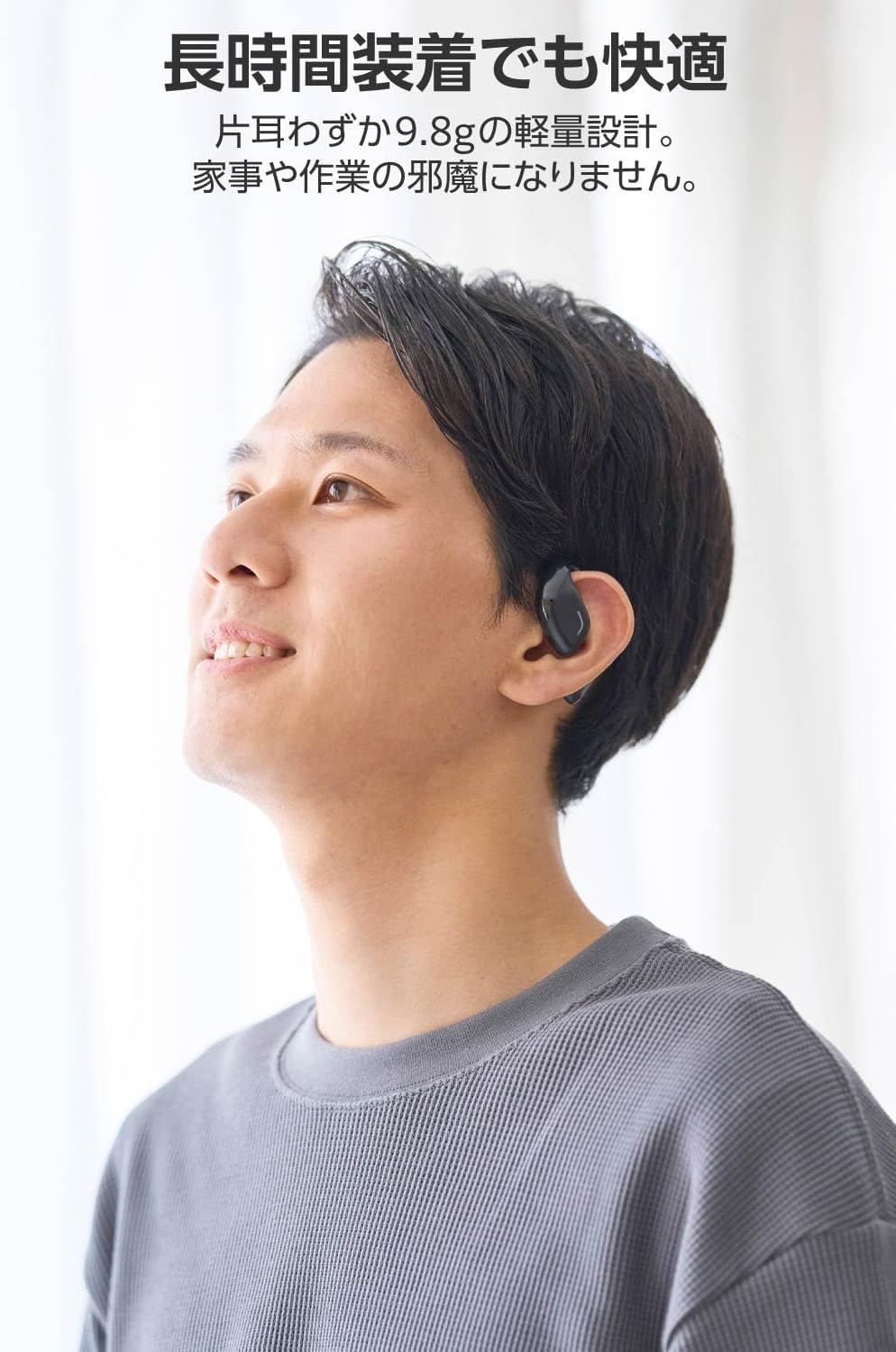
Image: A man wearing the lightweight open-ear headphones, highlighting their comfortable design for long-term use.
4. Persediaan
4.1. Mengecas Fon Kepala dan Sarung
Sebelum penggunaan pertama, cas sepenuhnya fon kepala dan bekas pengecas.
- Letakkan kedua earbud ke dalam cas pengecasan.
- Connect the supplied USB Type-C™ cable to the charging port on the case and a USB power adapter (not included).
- The LED indicator on the charging case will show the charging status.
Masa Pengecasan:
- Headphones: Approximately 1.5 hours
- Bekas Pengecasan: Lebih kurang 1.5 jam

Image: Illustration of the charging process for the headphones and case, showing the USB-C port and LED indicators.
4.2. Berpasangan dengan Peranti Bluetooth
- Pastikan fon kepala dicas.
- Open the charging case. The headphones will automatically enter pairing mode. The LED indicator on the earbuds will flash.
- On your device (smartphone, PC, tablet), enable Bluetooth and search for available devices.
- Select "LBT-ECOWS01MBK" from the list of found devices.
- Sebaik sahaja disambungkan, penunjuk LED pada fon telinga akan berhenti berkelip.
- After initial pairing, the headphones will automatically connect to the last paired device when removed from the case.
4.3. Memakai Fon Kepala
The headphones are designed to hook over your ears.
- Kenal pasti fon telinga Kiri (L) dan Kanan (R).
- With the LED facing outwards, hook the earbud over the top of your ear.
- Adjust the earbud for a comfortable and secure fit.

Image: Step-by-step guide on correctly wearing the open-ear headphones.
5. Arahan Operasi
5.1. Touch Sensor Controls
The headphones feature touch sensors on each earbud for various functions.
| Fungsi | Tindakan | Earbud |
|---|---|---|
| Main/Jeda | Ketik sekali | L atau R |
| Trek Seterusnya | Ketik dua kali | R |
| Trek Sebelumnya | Ketik dua kali | L |
| Kelantangan Naik | Tekan lama (lebih kurang 2 saat) | R |
| Kelantangan Kurang | Tekan lama (lebih kurang 2 saat) | L |
| Jawab/Tamatkan Panggilan | Ketik sekali | L atau R |
| Tolak Panggilan | Tekan lama | L atau R |
| Aktifkan Pembantu Suara | Ketik tiga kali | L atau R |

Image: Visual representation of the touch sensor areas and corresponding music and volume controls.
5.2. Switching Audio Modes
The headphones offer three distinct audio modes:
- Mod Biasa: Standard audio playback.
- Mod Kependaman Rendah: Reduces audio-visual delay, suitable for watching videos or playing games.
- Mod Suara: Enhances human voice frequencies for clearer dialogue, ideal for audiobooks, podcasts, or calls.
To switch between modes, refer to the quick start guide or the official product page for specific touch gestures, as these can sometimes be customized.

Imej: Tamatview of the three available audio modes and their recommended uses.
5.3. Single Earbud Use
You can use either the left or right earbud independently. When using only one earbud, ensure the other earbud is powered off or stored in the charging case.
6. Penyelenggaraan
Untuk memastikan jangka hayat dan prestasi optimum fon kepala anda:
- Bersihkan fon telinga dan bekas pengecas dengan kerap menggunakan kain lembut dan kering.
- Jangan gunakan pembersih atau pelarut yang melelas.
- Elakkan dedahkan fon kepala kepada suhu yang melampau, kelembapan atau cahaya matahari langsung.
- Keep the charging contacts on the earbuds and inside the case clean and free of debris.
- Simpan fon kepala di dalam bekas pengecas apabila tidak digunakan untuk melindunginya dan memastikan ia sentiasa dicas.
7. Penyelesaian masalah
Jika anda menghadapi masalah dengan fon kepala anda, rujuk kepada penyelesaian biasa berikut:
- Tiada Bunyi:
- Pastikan fon kepala dicas.
- Check that the headphones are properly paired and connected to your device.
- Laraskan kelantangan pada kedua-dua fon kepala dan peranti anda yang disambungkan.
- Tidak boleh berpasangan:
- Ensure the headphones are in pairing mode (LED flashing).
- Turn off Bluetooth on other nearby devices that may have previously connected.
- Mulakan semula peranti anda dan cuba pasangkan semula.
- Sambungan Terputus-putus:
- Ensure there are no obstacles between the headphones and your device.
- Move closer to your device (maximum communication distance is approximately 10m).
- Elakkan persekitaran dengan gangguan elektromagnet yang kuat.
- Kawalan Sentuh Tidak Bertindak balas:
- Pastikan jari anda bersih dan kering.
- Try restarting the headphones by placing them in the case and then taking them out again.
- Low Battery Voice Prompt: If you hear a repeated "Low Battery, please charge" prompt, place the earbuds in the charging case immediately.
If the issue persists, please refer to the official ELECOM support webtapak untuk bantuan lanjut.
8. Spesifikasi
| Ciri | Spesifikasi |
|---|---|
| Nama Model | LBT-ECOWS01MBK |
| Teknologi Ketersambungan | Wireless (Bluetooth® Version 5.4) |
| Bluetooth Profiles | A2DP, AVRCP, HFP |
| Codec yang Disokong | AAC, SBC |
| Max Communication Distance | lebih kurang 10m (tanpa halangan) |
| Frequency Response (A2DP) | 20-20,000Hz |
| Masa Main Semula Berterusan | lebih kurang 10 jam (Kira-kira 25 jam dengan kes pengecasan) |
| Masa Pengecasan (Fon Kepala) | lebih kurang 1.5 jam |
| Masa Pengecasan (Kes) | lebih kurang 1.5 jam |
| Jenis Mikrofon | jenis MEMS |
| Unit Pemandu | φ16mm Full Range |
| Berat (setiap fon telinga) | lebih kurang 9.8g |
| Berat (Kes Pengecasan) | lebih kurang 59.0g |
| warna | Hitam Matte |
| Tahan Air | Tidak kalis air |
| Suhu Operasi | 5 ℃ hingga 35 ℃ |
| Kelembapan Operasi | 20% hingga 80% (tidak pemeluwapan) |
9. Waranti dan Sokongan
9.1. Maklumat Waranti
Produk ini disertakan dengan a Waranti 1 tahun from the date of purchase. Please retain your proof of purchase for warranty claims. The warranty covers manufacturing defects but does not cover damage caused by misuse, accidents, unauthorized modifications, or normal wear and tear.
9.2. Sokongan Pelanggan
For further assistance, technical support, or detailed product information, please visit the official ELECOM webtapak:
You may also find additional FAQs and troubleshooting tips on the product support pages.


