pengenalan
Welcome to the user manual for your new OHAYO 60W Computer Speakers. These speakers are designed to provide high-fidelity audio for gaming, music, and movies, offering versatile connectivity options and a compact design. Please read this manual carefully to ensure proper setup and optimal performance.
Kandungan Pakej
Sila sahkan bahawa semua item yang disenaraikan di bawah disertakan dalam pakej anda:
- 2 x Computer Speakers (1 Active main speaker, 1 Passive auxiliary speaker)
- 1 x Kabel Kuasa AC
- 1 x Kabel Data (USB-C)
- 1 x 3.5mm Double-ended Audio Cable (AUX)
- 1 x Manual Pengguna

This image displays the complete package contents: two white OHAYO speakers, an AC power cable, a USB-C data cable, a 3.5mm AUX cable, and the user manual.
Ciri-ciri Produk
The OHAYO 60W Computer Speakers offer a range of features designed for an enhanced audio experience:
- Bunyi Kuat: Delivers 30Wx2 distortion-free sound, suitable for rooms up to 50 square meters.
- Audio yang berkualiti tinggi: Equipped with a 0.75-inch carbon fiber silk dome tweeter and a 3-inch carbon fiber full-range driver for crystal-clear highs and rich mid-bass.
- Bass Dipertingkatkan: Features a rear bass port for amplified low-end depth.
- Integrated Sound Card: Ensures smooth, detailed audio playback.
- Pembinaan Tahan Lama: Premium MDF wooden enclosure effectively reduces box resonance for clearer, more precise sound.
- Kawalan Mudah: Front-panel volume control knob allows for quick adjustments during gaming or music sessions.
- Ketersambungan Serbaguna: Supports Bluetooth 5.3, RCA, AUX (3.5mm), and USB inputs.
- Reka bentuk padat: Modern aesthetic and space-saving design fits seamlessly into any environment.
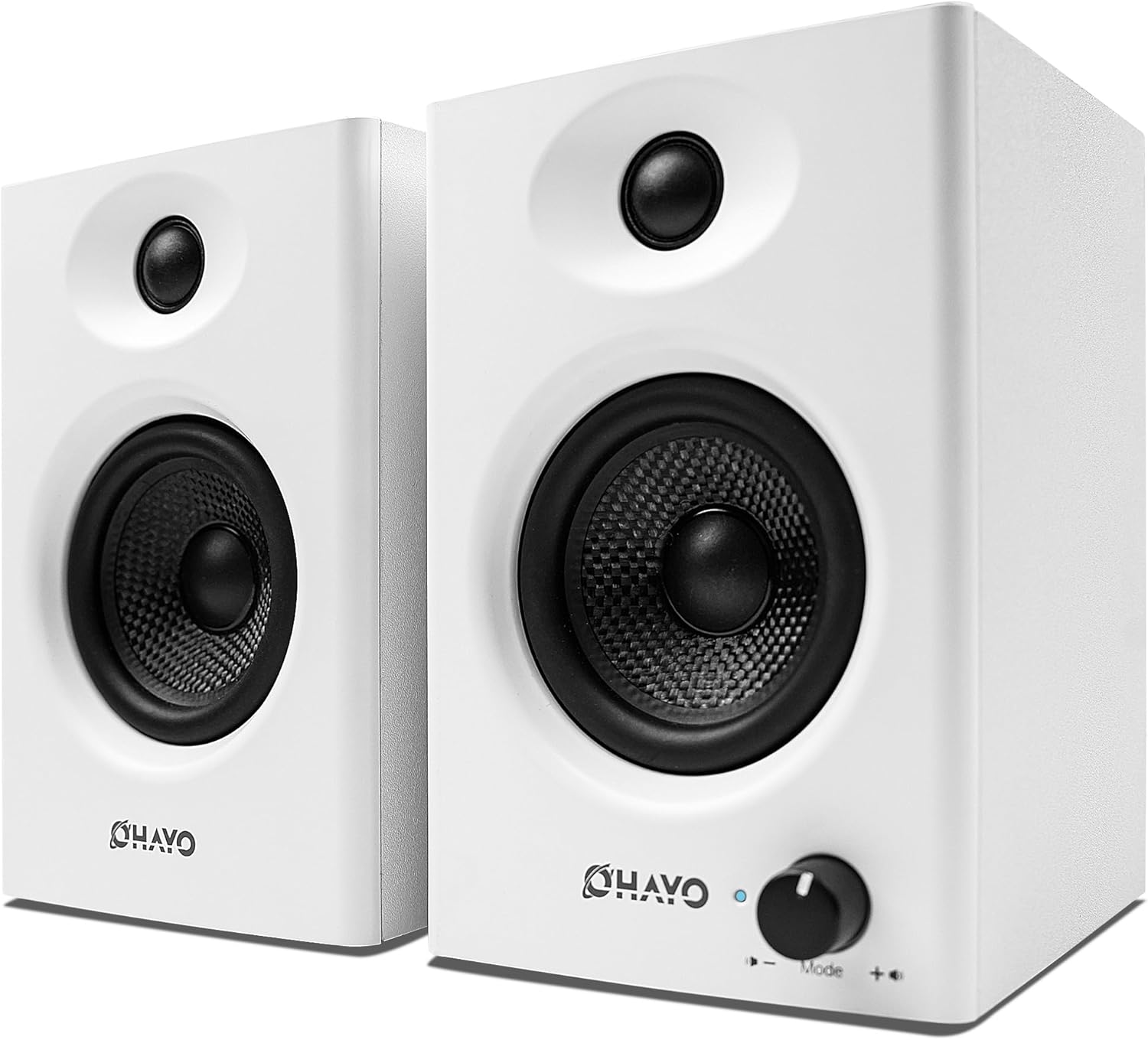
A pair of white OHAYO 60W Computer Speakers, showcasing their compact and modern design with the volume knob visible on the right speaker.

This image illustrates the dimensions of a single OHAYO speaker: 16.5cm (6.50 inches) in height, 11cm (4.33 inches) in width, and 12cm (4.72 inches) in depth.

Sebuah meletup view diagram of the speaker's internal components, emphasizing the 0.75-inch silk dome tweeter and 3-inch carbon fiber composite woofer, which contribute to the speaker's high-fidelity sound.
This video demonstrates the OHAYO 60W Computer Speakers in various usage scenarios, highlighting their design, sound quality, and versatility for gaming, music, and movie watching.
Panduan Persediaan
- penempatan: Place the active (right) speaker and passive (left) speaker on a stable, flat surface, ensuring they are equidistant from your listening position for optimal stereo imaging.
- Connect Passive Speaker: Connect the passive (left) speaker to the active (right) speaker using the provided speaker cable. Ensure a secure connection.
- Sambungan Kuasa: Connect the AC power cable to the active speaker's power input and then plug it into a wall outlet.
- Sambungan Input Audio: Choose your preferred audio input method:
- Bluetooth: Turn on the speakers and enable Bluetooth on your device. Select "OHAYO C6" from your device's Bluetooth list to pair.
- USB: Connect the provided USB-C data cable from your computer's USB port to the speaker's USB input.
- AUX (3.5mm): Connect the 3.5mm double-ended audio cable from your device's audio output to the speaker's AUX input.
- RCA: Connect RCA cables (not included) from your audio source (e.g., turntable, TV) to the RCA input ports on the active speaker.
- Hidupkan kuasa: Flip the power switch on the back of the active speaker to the "ON" position.

Imej ini memberikan yang terperinci view of the active speaker's rear panel, labeling the Bass Adjustment, Treble Adjustment, PC/Mobile-USB cable connection, AUX IN-3.5mm audio input interface, RCA Unbalanced input, Power Switch, Left speaker output interface, and AC input 100V-240V.

An illustration highlighting the versatile audio input options available: Bluetooth 5.3 for wireless connection, USB-C for digital audio, TRS (3.5mm) for auxiliary input, and RCA for analog audio sources.
Arahan Operasi
- Hidupkan/Mati Kuasa: Use the power switch on the rear panel of the active speaker.
- Kawalan Kelantangan: Rotate the large knob on the front of the active speaker clockwise to increase volume and counter-clockwise to decrease it.
- Pemilihan Mod Input: Press the volume knob to cycle through input modes (Bluetooth, USB, AUX, RCA). The LED indicator will change color to show the active mode.
- Pelarasan Bes: Use the "Bass Adjustment" knob on the rear panel to fine-tune the low-frequency output.
- Pelarasan Treble: Use the "Treble Adjustment" knob on the rear panel to fine-tune the high-frequency output.
- Pairing Bluetooth: If already paired, the speakers will automatically connect to the last connected device. To pair a new device, ensure the speakers are in Bluetooth mode and visible in your device's Bluetooth settings.

This image shows the OHAYO speakers in various usage scenarios, emphasizing their 360-degree immersive sound for gaming, music, and movies.
Penyelenggaraan
- Pembersihan: Use a soft, dry cloth to clean the speaker surfaces. Avoid using abrasive cleaners, waxes, or solvents.
- penempatan: Keep speakers away from direct sunlight, heat sources, and excessive moisture. Ensure adequate ventilation around the speakers.
- Pengendalian: Avoid dropping or subjecting the speakers to strong impacts.
- Matikan: When not in use for extended periods, turn off the speakers and unplug them from the power outlet.
Menyelesaikan masalah
| Masalah | Penyelesaian |
|---|---|
| Tiada bunyi |
|
| Isu berpasangan Bluetooth |
|
| Bunyi herot |
|
Spesifikasi
| Ciri | Perincian |
|---|---|
| Jenama | OHAYO |
| Nama Model | C6-white |
| Jenis Pembesar Suara | Stereo 2.0 (Surround Sound) |
| Teknologi Ketersambungan | Bluetooth 5.3, USB, AUX (3.5mm), RCA |
| Kuasa Output Maksimum Pembesar Suara | 60 Watts (30W x 2) |
| Respons Kekerapan | 50Hz - 20kHz |
| Diameter Woofer | 3 Inci |
| Diameter Tweeter | 0.75 Inci |
| bahan | Kayu (MDF) |
| Dimensi Produk (H x W x D) | 6.5"T x 4.33"L x 4.72"J |
| Berat Barang | 5.46 paun |
| Nisbah Isyarat-ke-Bunyi | 80 dB |
Waranti dan Sokongan
The OHAYO 60W Computer Speakers come with a Waranti Seumur Hidup mengikut spesifikasi produk.
For technical support, troubleshooting assistance, or warranty claims, please contact OHAYO customer service through the platform where you purchased the product or refer to the contact information provided in your product packaging.
You can also visit the official OHAYO brand page on Amazon for more information: OHAYO Brand Store.


