1. Pengenalan
This manual provides detailed instructions for the setup, operation, and maintenance of your Memorex MX-CR160 Bluetooth Clock Radio. Please read this manual thoroughly before using the device to ensure proper functionality and to maximize your user experience.
The Memorex MX-CR160 is a versatile bedside device featuring a digital clock, FM PLL radio with presets, dual alarms, Bluetooth wireless audio streaming, a USB charging port, and battery backup for power outages.
Termasuk dalam Kotak:
- Radio Jam Bluetooth Memorex MX-CR160
- AC/DC Adapter (100–240V 50/60Hz, DC5V 1.8A)
- Manual Pengguna (dokumen ini)
2. Maklumat Keselamatan
- Sumber Kuasa: Use only the provided AC/DC adapter. Ensure the voltage sepadan dengan bekalan kuasa tempatan anda.
- Air dan Kelembapan: Jangan dedahkan unit kepada hujan, lembapan atau cecair menitis/percikan. Jangan letakkan objek yang diisi dengan cecair, seperti pasu, pada unit.
- Pengudaraan: Pastikan pengudaraan yang mencukupi. Jangan sekat bukaan pengudaraan.
- haba: Jauhkan unit daripada sumber haba seperti radiator, daftar haba, dapur, atau radas lain (termasuk amppenghidup) yang menghasilkan haba.
- Pembersihan: Cabut palam unit daripada salur keluar kuasa sebelum membersihkan. Gunakan kain lembut dan kering sahaja.
- Servis: Jangan cuba servis produk ini sendiri. Rujuk semua perkhidmatan kepada pegawai perkhidmatan yang berkelayakan.
- Bateri: Buang bateri terpakai mengikut peraturan tempatan. Jangan dedahkan bateri kepada haba yang berlebihan.
3. Produk Lebihview dan Kawalan
Familiarize yourself with the main components and controls of your Memorex MX-CR160.
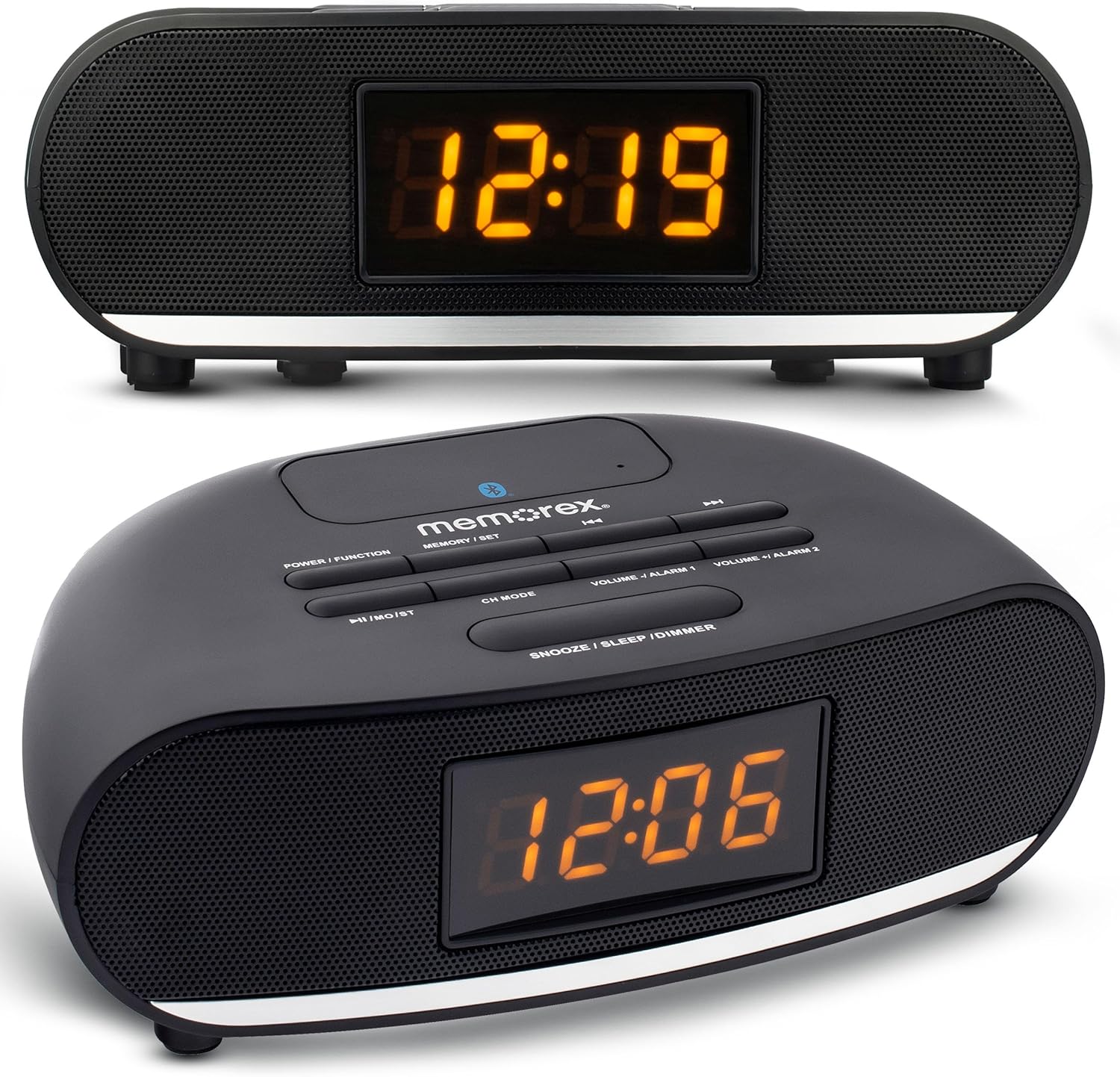
Rajah 1: Depan dan atas view of the Memorex MX-CR160 Bluetooth Clock Radio, showing the LED display and control buttons.
Kawalan Panel Atas:

Rajah 2: Bahagian atas terperinci view of the Memorex MX-CR160 control buttons.
- POWER / FUNCTION: Press to turn the unit ON/OFF. Press repeatedly to cycle through modes (FM Radio, Bluetooth).
- MEMORY / SET: Used to save FM radio presets and to set time/alarm.
- ◄◄ / ►►: In FM mode, short press to tune frequency, long press for auto-scan. In Bluetooth mode, short press for previous/next track.
- ►►I / MO/ST: In FM mode, short press to play/pause. In Bluetooth mode, short press for play/pause.
- MOD CH: In FM mode, press to cycle through saved presets.
- VOLUME - / ALARM 1: Press to decrease volume. Long press to set Alarm 1.
- VOLUME + / ALARM 2: Press to increase volume. Long press to set Alarm 2.
- SNOOZE / SLEEP / DIMMER: Press for snooze. Long press to set sleep timer. Press repeatedly to adjust display brightness.
Paparan Hadapan:

Rajah 3: jarak dekat view of the Memorex MX-CR160's amber LED display.
The 0.9-inch amber LED display shows the current time, radio frequency, and alarm indicators. It features 2-step dimmer control for adjustable brightness.
4. Persediaan
4.1 Sambungan Kuasa
- Plug the AC/DC adapter into the DC 5V input jack on the back of the unit.
- Plug the other end of the adapter into a standard wall outlet (AC 100-240V, 50/60Hz).
- The unit will power on, and the display will show a flashing time (e.g., 12:00 AM).
4.2 Pemasangan Sandaran Bateri
The battery backup feature ensures that your time and alarm settings are retained during a power outage. Batteries are not included.
- Cari petak bateri di bahagian bawah unit.
- Buka penutup petak bateri.
- Insert two (2) AAA batteries, observing the correct polarity (+ and -) as indicated inside the compartment.
- Tutup penutup petak bateri dengan selamat.
Nota: The battery backup only maintains time and alarm settings; it does not power the display or audio functions during a power outage.
5. Arahan Operasi
5.1 Menetapkan Masa
- Ensure the unit is powered ON.
- Tekan dan tahan butang MEMORY / SET butang sehingga digit jam mula berkelip.
- Gunakan ◄◄ or ►► buttons to adjust the hour. Pay attention to the AM/PM indicator (a small dot on the display).
- Tekan ke MEMORY / SET butang sekali lagi. Angka minit akan berkelip.
- Gunakan ◄◄ or ►► butang untuk melaraskan minit.
- Tekan ke MEMORY / SET butang sekali lagi untuk mengesahkan dan keluar dari mod tetapan masa.
5.2 Menetapkan Penggera (Penggera 1 dan Penggera 2)
The unit features two independent alarms. The alarm indicator (a small dot) will appear on the display when an alarm is active.
- Untuk Menetapkan Penggera 1: Tekan dan tahan butang VOLUME - / ALARM 1 butang sehingga digit jam penggera berkelip.
- Gunakan ◄◄ or ►► buttons to adjust the alarm hour. Observe the AM/PM indicator.
- Tekan VOLUME - / ALARM 1 sekali lagi. Nombor minit penggera akan berkelip.
- Gunakan ◄◄ or ►► butang untuk melaraskan minit penggera.
- Tekan VOLUME - / ALARM 1 again to select the alarm source: FM radio or Buzzer. The display will show 'FM' or 'BUZ'.
- Tekan VOLUME - / ALARM 1 one more time to confirm and activate Alarm 1. A small dot will appear on the display indicating Alarm 1 is set.
- Untuk Menetapkan Penggera 2: Follow the same steps as Alarm 1, but use the VOLUME + / ALARM 2 button. A separate small dot will appear for Alarm 2.
5.3 Disabling/Enabling Alarms
To disable an active alarm, press the corresponding PENGGERA 1 or PENGGERA 2 button once. The alarm indicator dot will disappear. To re-enable, press the button again.
5.4 Fungsi Tunda

Rajah 4: Demonstrating the snooze function by pressing the large button on top.
Apabila penggera berbunyi, tekan butang besar TIDUR / TIDUR / DIMMER button to temporarily silence the alarm for approximately 9 minutes. The alarm will sound again after the snooze period. To cancel the alarm completely, press the corresponding PENGGERA 1 or PENGGERA 2 butang.
5.5 Pemasa Tidur
Pemasa tidur membolehkan anda tertidur dengan radio, yang akan dimatikan secara automatik selepas tempoh yang ditetapkan.
- While the radio is playing, press and hold the TIDUR / TIDUR / DIMMER button. The display will show the sleep timer duration (e.g., '90').
- Tekan ke TIDUR / TIDUR / DIMMER button repeatedly to cycle through available sleep times (90, 80, 70, ..., 10 minutes, OFF).
- Release the button when your desired sleep time is displayed. The radio will play for the selected duration and then automatically turn off.
5.6 Operasi Radio FM
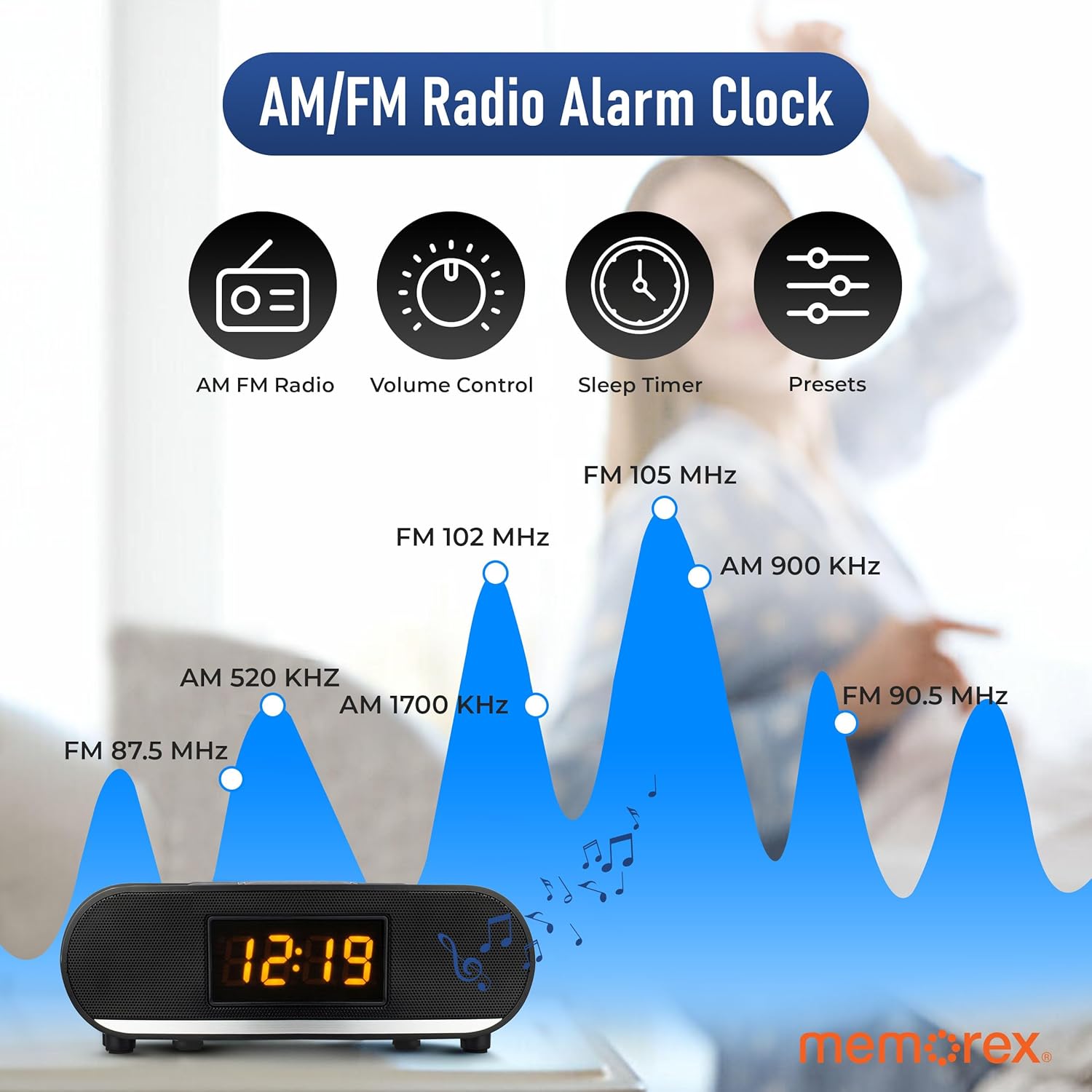
Rajah 5: Visual representation of FM radio tuning capabilities.
- Hidupkan Radio: Tekan ke KUASA / FUNGSI butang berulang kali sehingga 'FM' muncul pada paparan.
- Penalaan Manual: Tekan pendek ◄◄ or ►► buttons to tune the frequency step-by-step.
- Imbasan Auto: Tekan lama ◄◄ or ►► butang untuk mengimbas secara automatik stesen yang tersedia seterusnya.
- Laraskan Kelantangan: Gunakan JILID - or JILID + butang.
Saving FM Presets:
You can save up to 20 FM radio stations.
- Tune to your desired FM station.
- Tekan dan tahan butang MEMORY / SET button. A preset number (e.g., 'P01') will flash on the display.
- Gunakan ◄◄ or ►► butang untuk memilih nombor pratetap yang diingini.
- Tekan ke MEMORY / SET butang sekali lagi untuk mengesahkan dan menyimpan stesen.
Recalling FM Presets:
While in FM mode, press the MOD MOD CH button repeatedly to cycle through your saved preset stations.
5.7 Operasi Bluetooth

Rajah 6: The Memorex MX-CR160 highlighting its Bluetooth connectivity.
- Masukkan Mod Bluetooth: Tekan ke KUASA / FUNGSI button repeatedly until 'BT' appears on the display and the Bluetooth indicator flashes, indicating pairing mode.
- Berpasangan: On your Bluetooth-enabled device (smartphone, tablet, etc.), enable Bluetooth and search for new devices. Select 'MX-CR160' from the list.
- Sambungan: Setelah dipasangkan, penunjuk Bluetooth pada radio jam akan berhenti berkelip dan kekal kukuh. Anda kini boleh menstrim audio daripada peranti anda.
- Kawalan Main Semula: Gunakan ►►I / MO/ST button to play/pause. Use the ◄◄ or ►► buttons to skip tracks. Adjust volume using the JILID - or JILID + buttons on the unit or your connected device.
Nota: The effective operating range between the unit and a paired Bluetooth device is approximately 10 meters (33 feet).
5.8 Fungsi Pengecasan USB
The built-in USB port allows you to charge compatible devices.
- Connect your smartphone, smartwatch, or other USB-powered device to the USB charging port (5V/1A) on the back of the Memorex MX-CR160 using your device's USB charging cable.
- Peranti akan mula dicas secara automatik.
Nota: This port is for charging only and does not support data transfer or audio playback.
5.9 Dimmer Paparan
Untuk melaraskan kecerahan paparan LED:
- Tekan ke TIDUR / TIDUR / DIMMER butang berulang kali.
- The display will cycle between two brightness levels (High and Low). Select the desired brightness.
6. Penyelenggaraan
6.1 Pembersihan
To clean the unit, first unplug it from the power outlet. Use a soft, dry cloth to wipe the surfaces. Do not use abrasive cleaners, waxes, or solvents as these may damage the finish.
6.2 Penggantian Bateri
If the unit is unplugged and the time/alarm settings are no longer retained, the AAA backup batteries may need replacement. Refer to Section 4.2 for battery installation instructions.
7. Penyelesaian masalah
| Masalah | Kemungkinan Punca | Penyelesaian |
|---|---|---|
| Tiada kuasa / Paparan dimatikan | Penyesuai kuasa tidak disambungkan atau rosak. | Ensure the AC/DC adapter is securely plugged into the unit and a working wall outlet. |
| Tetapan masa/penggera hilang selepas kuasa dimatikantage | Bateri sandaran mati atau tidak dipasang. | Install two fresh AAA batteries or replace existing ones. Ensure correct polarity. |
| Penggera tidak berbunyi | Alarm not set or disabled. Volume too low. | Verify alarm settings (time, AM/PM, source). Ensure alarm is enabled (dot visible). Increase volume if alarm source is FM. |
| Poor FM radio reception / Static | Weak signal. Unit placed near interference sources. | Adjust the position of the unit. Move away from other electronic devices that may cause interference. Try manual tuning. |
| Peranti Bluetooth tidak boleh dipasangkan | Unit not in pairing mode. Device too far. Bluetooth disabled on device. | Ensure the unit is in Bluetooth pairing mode (flashing 'BT'). Move device closer. Enable Bluetooth on your device and search again. |
| Pengecasan USB tidak berfungsi | Cable faulty. Device incompatible. | Try a different USB cable. Ensure your device is compatible with 5V/1A charging. |
| Paparan terlalu terang | Brightness setting is on High. | Tekan ke TIDUR / TIDUR / DIMMER button to cycle to the lower brightness setting. |
8. Spesifikasi
| Ciri | Spesifikasi |
|---|---|
| Model | MX-CR160 |
| Sumber Kuasa | AC 100-240V ~ 50/60Hz, DC 5V 1.8A (Adapter) |
| Sandaran Bateri | 2 x bateri AAA (tidak termasuk) |
| Jenis Paparan | 0.9-inch Amber LED |
| Radio FM | PLL Tuning, 20 Presets |
| Versi Bluetooth | Not specified (Wireless Streaming) |
| Output Pengecasan USB | 5V / 1A |
| Dimensi Produk | 9.43" W x 2.67" H (approximate) |
| Berat badan | 14.9 auns (anggaran) |
9. Waranti dan Sokongan
Memorex products are designed for reliability and performance. For warranty information or technical support, please refer to the warranty card included with your purchase or visit the official Memorex webtapak. Simpan resit pembelian anda sebagai bukti pembelian untuk tuntutan waranti.


