Maklumat Keselamatan Penting
Please read these instructions carefully before using the product and retain them for future reference. Observe all warnings and follow all instructions to ensure safe operation and prevent damage.
- Jangan dedahkan perkakas ini kepada titisan atau percikan.
- Jangan letakkan objek yang diisi dengan cecair, seperti pasu, pada radas.
- Jangan sekat sebarang bukaan pengudaraan. Pasang mengikut arahan pengilang.
- Jangan pasang berhampiran mana-mana sumber haba seperti radiator, daftar haba, dapur, atau radas lain (termasuk amppenghidup) yang menghasilkan haba.
- Lindungi kord kuasa daripada berjalan atau tersepit, terutamanya pada palam, bekas kemudahan dan tempat keluar dari radas.
- Hanya gunakan lampiran/aksesori yang ditentukan oleh pengilang.
- Cabut plag radas ini semasa ribut petir atau apabila tidak digunakan untuk jangka masa yang lama.
- Rujuk semua servis kepada kakitangan perkhidmatan yang berkelayakan. Servis diperlukan apabila radas telah rosak dalam apa jua cara, seperti kord bekalan kuasa atau palam rosak, cecair telah tertumpah atau objek jatuh ke dalam radas, radas telah terdedah kepada hujan atau lembapan, tidak beroperasi seperti biasa. , atau telah digugurkan.
Apa yang ada dalam Kotak
Pastikan semua komponen berada dalam keadaan baik dan lengkap semasa membuka bungkusan.

Image: The Edifier ES300 speaker, power cable, USB cable, 3.5mm-to-3.5mm audio cable, quick start guide, and important safety instructions are included in the box.
- ES300 Speaker x 1
- Kabel Kuasa x 1
- Kabel USB x 1
- 3.5mm-to-3.5mm Audio Cable x 1
- Panduan Mula Pantas x 1
- Important Safety Instructions x 1
Produk Selesaiview
The Edifier ES300 is a versatile tabletop wireless speaker designed for high-resolution audio playback and multiple connectivity options. Its elegant design and advanced features make it suitable for various environments.
Reka Bentuk dan Dimensi
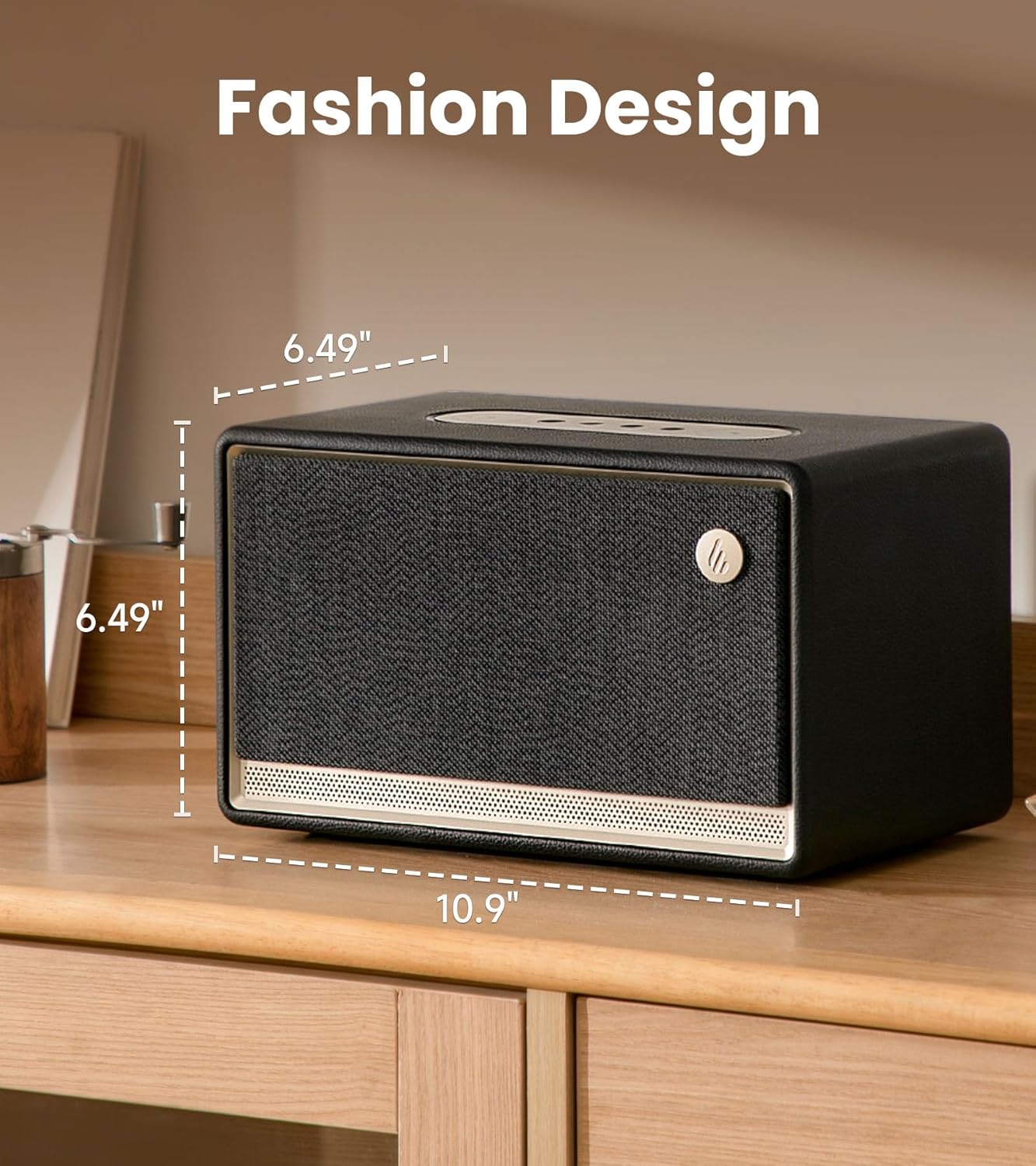
Image: The Edifier ES300 speaker showcasing its compact dimensions, ideal for tabletop placement.
The ES300 features a stylish design with a handcrafted wooden case, leather-like coating, braided grille, and metallic controls. Its dimensions are approximately 13.5"D x 10.2"W x 8.9"H (34.3cm D x 25.9cm W x 22.6cm H), making it a compact yet powerful audio solution.
Acoustic Architecture

Imej: Dalaman view of the ES300's speaker components, including the mid-bass driver, tweeters, and bass reflex channels.
Equipped with a 4-inch mid-low driver and dual 1.25-inch silk dome tweeters, the ES300 delivers a total output power of 30W+15W*2 (RMS). It incorporates MazeTube bass reflex channels for enhanced low frequencies and TurbMuff air noise suppression technology for clean, distortion-free sound.
Audio Resolusi Tinggi

Image: Visual representation of the ES300's high-resolution audio processing capabilities.
The ES300 is certified for Hi-Res Audio and Hi-Res Audio Wireless, supporting 24-bit/96kHz high-resolution audio with end-to-end digital audio processing. This ensures a rich and detailed sound experience whether streaming wirelessly or using wired inputs.
Pilihan Kesambungan
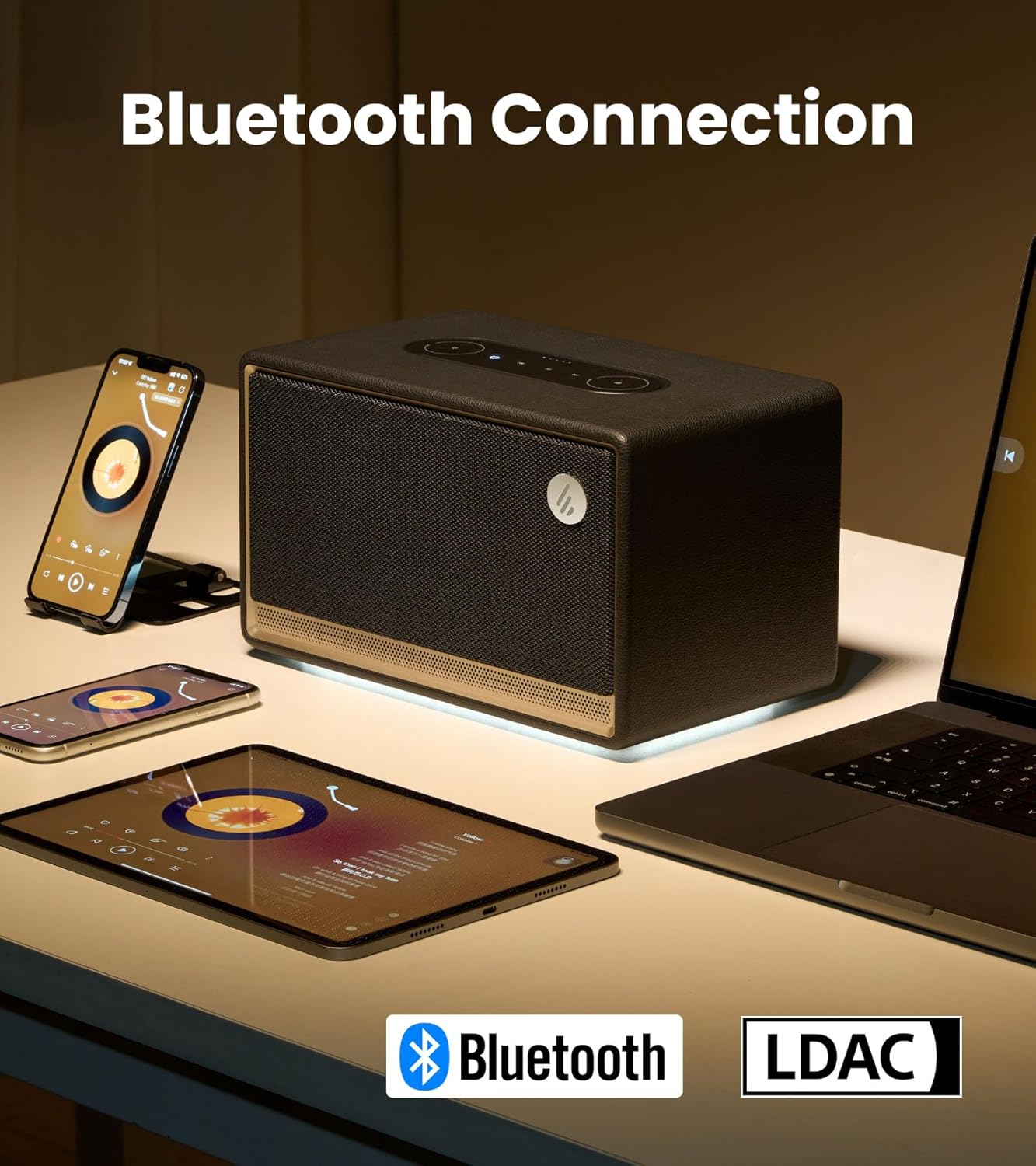
Image: The ES300 demonstrating its Bluetooth connectivity with various devices.
The speaker offers multiple connectivity options including Bluetooth 5.3 (with multi-point connection), WiFi (5G and 2.4G), USB, and AUX inputs. This versatility allows connection to a wide range of audio sources.

Image: Close-up of the rear panel showing the USB-A and AUX input ports.
Multi-Room Audio Synchronization

Image: The ES300's capability for multi-room audio setup using Apple AirPlay 2.
The ES300 supports Apple AirPlay 2, allowing you to group multiple speakers into a multi-room music system. This provides uninterrupted music as you move between rooms and enables immersive surround sound listening when configured via the app.
Hayat Bateri
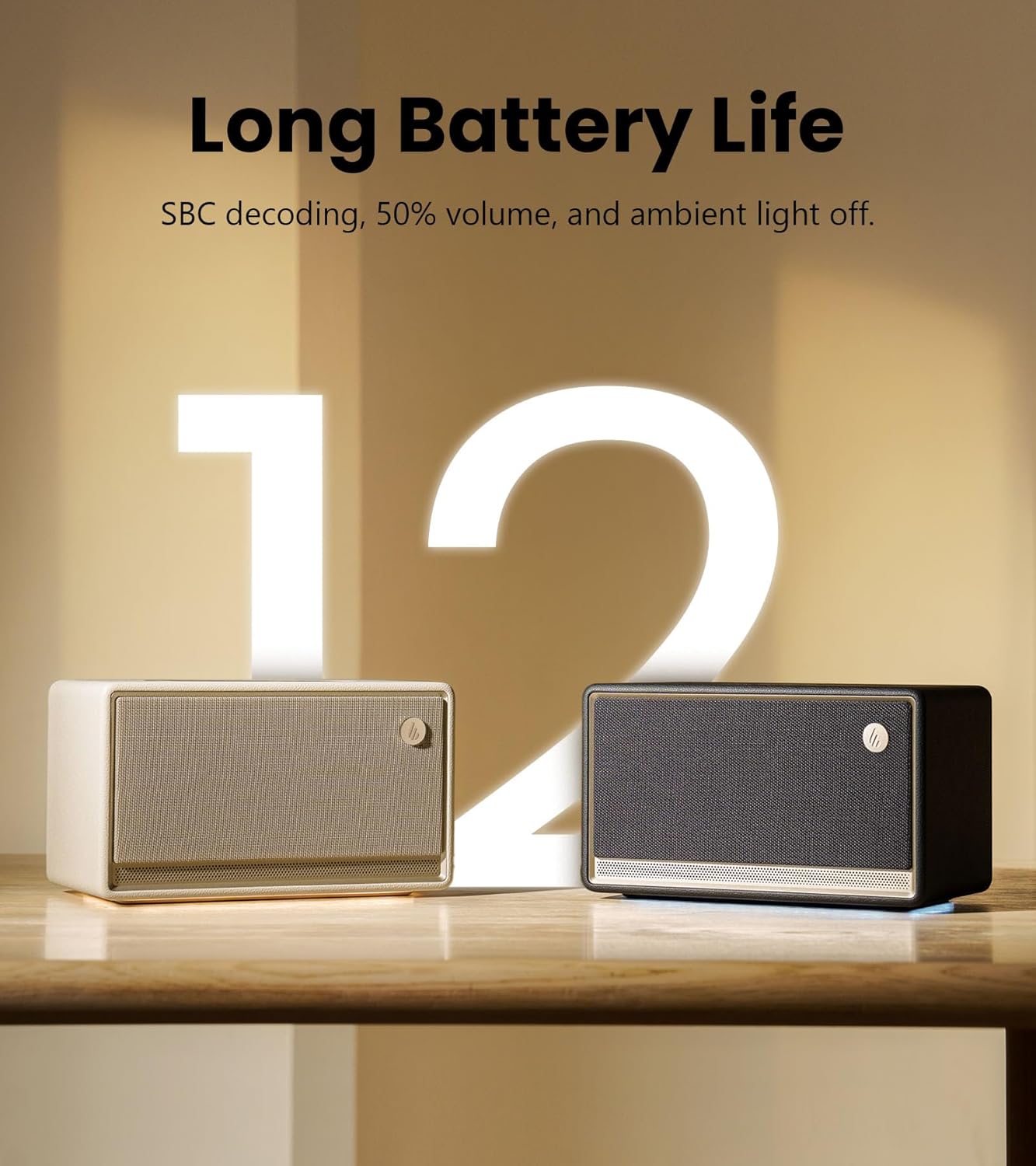
Image: The ES300 highlighting its long battery life.
The built-in 5200mAh battery provides up to 12 hours of continuous playtime, making the ES300 suitable for both indoor and outdoor use. Battery life is tested with SBC decoding, 50% volume, and ambient light off. Actual performance may vary.
Sistem Cahaya Ambien
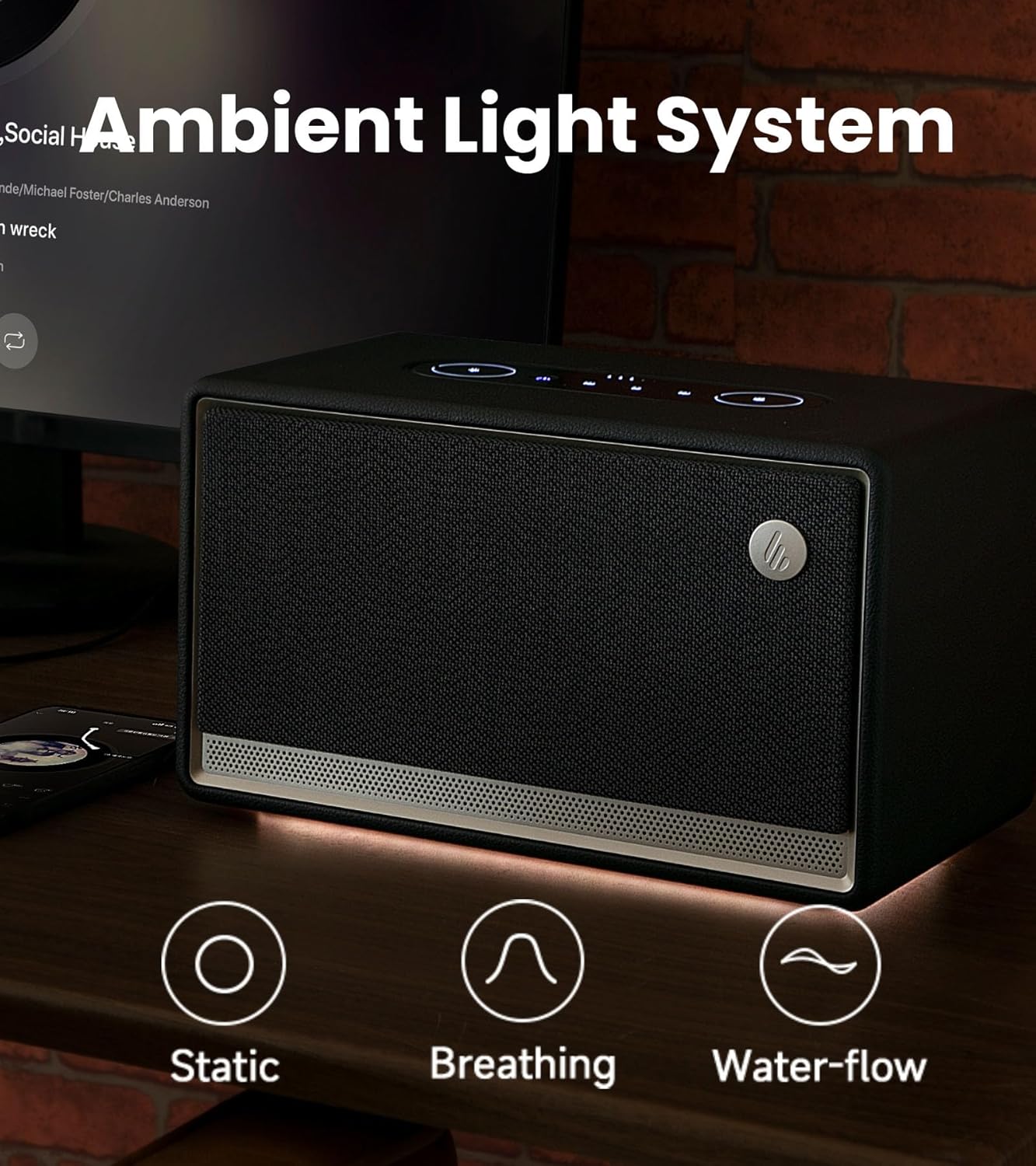
Image: The ES300's ambient light system with various effects.
The integrated ambient light system offers 3 preset effects (Static, Breathing, Water-flow) and two color options, allowing you to set a cozy and tranquil atmosphere.
Panel Kawalan

Imej: Terperinci view of the ES300's easy-to-use touch control panel.
The sleek metallic control panel on top of the speaker provides intuitive touch controls for power, playback, volume adjustment, source selection, and ambient light settings.
Video Produk Rasmi
Video: Video produk rasmi daripada Edifier showcasing the features and design of the ES300 Tabletop Wireless Speaker.
Panduan Persediaan
1. Sambungan Kuasa
Connect the provided power cable to the power input port on the rear of the speaker and then plug it into a wall outlet. The speaker will automatically power on or enter standby mode.
2. Berpasangan Bluetooth
- Press the Bluetooth/Source button on the control panel to switch to Bluetooth mode. The Bluetooth indicator light will blink.
- On your device (smartphone, tablet, computer), enable Bluetooth and search for "EDIFIER ES300".
- Select "EDIFIER ES300" to pair. Once connected, the Bluetooth indicator will remain solid.
- For multi-point connection, you can pair a second device by repeating steps 1-3. The speaker will seamlessly switch between the two paired devices.
3. Wi-Fi (AirPlay 2) Setup
For Wi-Fi connectivity and AirPlay 2 functionality, download the EDIFIER Home App. The app will guide you through the network configuration process.
- Download the "EDIFIER Home" app from your device's app store.
- Open the app and follow the on-screen instructions to connect your ES300 speaker to your Wi-Fi network (supports 5G and 2.4G).
- Once connected to Wi-Fi, you can use AirPlay 2 from compatible Apple devices to stream audio or set up multi-room audio groups.
4. USB and AUX Connections
- Input USB: Connect your audio source (e.g., computer) to the USB IN port on the rear of the speaker using the provided USB cable. Select USB input via the source button.
- Input AUX: Connect your audio source (e.g., turntable, MP3 player) to the AUX IN port on the rear of the speaker using the 3.5mm-to-3.5mm audio cable. Select AUX input via the source button.
Arahan Operasi
Hidupkan/Mati dan Tunggu Sedia
Press the power button on the control panel to turn the speaker on or off. A short press will toggle between active and standby modes.
Kawalan Kelantangan
Rotate the outer ring of the volume control on the control panel clockwise to increase volume and counter-clockwise to decrease volume.
Pemilihan Sumber
Press the source button (often combined with Bluetooth icon) on the control panel to cycle through available input sources: Bluetooth, Wi-Fi, USB, and AUX.
Kawalan Main Semula
- Main/Jeda: Tekan butang Main/Jeda.
- Lagu Seterusnya: Tekan butang Laluan Seterusnya.
- Trek Sebelumnya: Tekan butang Trek Sebelumnya.
Kawalan Cahaya Ambien
Press the light icon button on the control panel to cycle through the ambient light effects (Static, Breathing, Water-flow) and color options. You can also adjust brightness via the EDIFIER Home App.
Using the EDIFIER Home App

Image: The EDIFIER Home App interface, offering extended control and customization.
The EDIFIER Home App provides enhanced control and customization options for your ES300 speaker, including:
- Konfigurasi rangkaian Wi-Fi
- Pertukaran sumber
- Kawalan main balik
- Stereo channel setup
- Sound effect switch and customization
- Light effect switch and brightness adjustment
- Access to the user manual
- Scheduled power-off
- Kemas kini perisian tegar
Penyelenggaraan
- Pembersihan: Gunakan kain lembut dan kering untuk membersihkan permukaan pembesar suara. Jangan gunakan pembersih, lilin atau pelarut yang kasar.
- Storan: Apabila tidak digunakan untuk tempoh yang lama, simpan pembesar suara di tempat yang sejuk dan kering jauh dari cahaya matahari langsung dan suhu yang melampau.
- Penjagaan Bateri: Untuk memanjangkan hayat bateri, elakkan daripada kerap mencas sepenuhnya bateri. Cas pembesar suara secara berkala, walaupun tidak digunakan secara berterusan.
Menyelesaikan masalah
| Masalah | Kemungkinan Punca | Penyelesaian |
|---|---|---|
| Tiada bunyi | Power off; Incorrect source; Volume too low; Loose cable connection. | Ensure speaker is powered on; Select correct input source; Increase volume; Check all cable connections. |
| Kegagalan berpasangan Bluetooth | Pembesar suara tidak dalam mod berpasangan; Peranti terlalu jauh; Gangguan. | Ensure speaker is in Bluetooth pairing mode (blinking indicator); Move device closer to speaker; Avoid strong electromagnetic interference. |
| Isu sambungan Wi-Fi | Incorrect Wi-Fi password; Router issues; Speaker too far from router. | Verify Wi-Fi password; Restart router; Move speaker closer to router; Use EDIFIER Home App for setup. |
| Bunyi herot | Volume too high; Source audio quality; Speaker placement. | Reduce volume on speaker and/or source device; Try a different audio source; Adjust speaker placement to avoid reflections. |
| Hayat bateri pendek | High volume usage; Ambient light on; Battery degradation. | Reduce volume; Turn off ambient light when not needed; Ensure full charge before use. |
If the problem persists, please refer to the EDIFIER Home App for further assistance or contact customer support.
Spesifikasi

Image: Detailed technical specifications of the Edifier ES300 speaker.
| Ciri | Perincian |
|---|---|
| Total Output Power (RMS) | Treble 15W x 2, Mid-bass 30W |
| Unit Pemandu | Treble: 1.25-inch, Mid-bass: 4-inch |
| Respons Kekerapan | 56Hz - 40KHz |
| Nisbah Isyarat-ke-Bunyi | ≥ 85dB (A) |
| Input Audio | Bluetooth, Wi-Fi (Apple AirPlay), USB-A, AUX |
| Versi Bluetooth | V5.4 |
| Codec | SBC, AAC, LDAC, and ALAC (AirPlay mode only) |
| Sensitiviti Input | AUX: 600 ± 50mV, USB: 600 ± 50mFFS, Bluetooth: 600 ± 50mFFS |
| Dimensi (W x H x D) | 277mm × 185mm × 165mm (10.9"D x 10.2"W x 8.9"H) |
| Berat Bersih | 3.7kg (8.16 paun) |
| Kapasiti Bateri | 5200mAh (4 bateri Lithium Ion disertakan) |
| Masa bermain | Sehingga 12 jam |
Waranti dan Sokongan
Edifier products come with a limited warranty. Please refer to the warranty card included in your package or visit the official Edifier webtapak untuk terma dan syarat waranti terperinci khusus untuk wilayah anda.
For technical support, troubleshooting assistance, or service inquiries, please contact Edifier customer support through their official webtapak atau maklumat hubungan yang diberikan dalam dokumentasi produk anda.
Edifier Rasmi Webtapak: www.edifier.com


