1. Pengenalan
Terima kasih kerana membeliasing the DANFI AUDIO DF TE-2017 Vinyl Record Player. This manual provides essential information for the safe and correct operation of your new record player. Please read it thoroughly before use and retain it for future reference.
2. Kandungan Pakej
- Pemain Rakaman Vinil DANFI AUDIO DF TE-2017
- Penyesuai 45 RPM
- Power Cord & Adapter (100-240V~)
- Jarum Pengganti
- Tikar Lipat Meja Putar
- Manual Pengguna (dokumen ini)
3. Produk Lebihview
The DANFI AUDIO DF TE-2017 is a versatile 3-speed belt-drive turntable with built-in speakers, Bluetooth wireless playback, USB/SD recording, AUX input, and RCA output. It features a clear dust cover and a digital display for easy operation.

Rajah 1: Depan dan Belakang View of the TE-2017 Record Player with Labeled Components. This image displays the turntable platter, spindle, 45 RPM adapter, tone arm lift lever, speed selection switch, auto stop on/off switch, tone arm lock, stylus, speakers, AUX input, Mode/TF/USB controls, LED display, RCA audio out, and power port.
4. Persediaan
- Membongkar: Carefully remove the record player and all accessories from the packaging. Retain the packaging for future transport or storage.
- Dust Cover Installation: Slide the clear plastic dust cover into the brackets located at the rear of the turntable. Ensure it is securely seated.
- Sambungan Kuasa: Connect the power adapter to the DC 5V/1A port on the rear of the record player and plug it into a wall outlet.
- penempatan: Place the record player on a stable, level surface away from direct sunlight, heat sources, and excessive dust or vibrations.
- Perlindungan Stilus: Remove the stylus protective cap before playing a record.
5. Arahan Operasi
5.1 Memainkan Rekod Vinyl
- Hidupkan kuasa: Turn the ON/OFF/VOLUME knob clockwise to power on the unit and adjust the volume.
- Pilih Mod: Set the PH/BT/AUX/USB switch to 'PH' (Phono) mode.
- Rekod Tempat: Place a vinyl record on the turntable platter. If playing a 7-inch single, use the included 45 RPM adapter.
- Pilih Kelajuan: Adjust the 3-speed selection switch (33, 45, 78 RPM) to match the record's speed.
- Auto-Stop (Optional): If desired, set the Auto Stop ON/OFF switch to 'ON'. The turntable will stop spinning automatically when the record finishes.
- Kedudukan Nada Lengan: Gently lift the tone arm using the lift lever. Move the tone arm over the desired track of the record.
- Lengan Nada Bawah: Slowly lower the tone arm onto the record using the lift lever. The music will begin to play.
- Laraskan Padang: Use the PITCH control knob to fine-tune the playback speed if necessary.
- Tamat Main Semula: At the end of the record, lift the tone arm, return it to its rest, and lower the lift lever. Turn the ON/OFF/VOLUME knob counter-clockwise to power off.
Video 1: Demonstration of Vinyl Playback Mode on an LP&No.1 Turntable with Built-in Speakers. This video illustrates how to place a record, position the tone arm, and initiate playback, highlighting the smooth operation of the turntable.
5.2 Bluetooth Wireless Playback
- Hidupkan kuasa: Putar tombol ON/OFF/VOLUME mengikut arah jam untuk menghidupkan unit.
- Pilih Mod: Set the PH/BT/AUX/USB switch to 'BT' (Bluetooth) mode. The digital display will show 'BT' and the indicator light will blink blue, indicating pairing mode.
- Pasangkan Peranti: On your smartphone, tablet, or other Bluetooth-enabled device, search for 'Turntable' in the Bluetooth settings and select it to pair. Once connected, the indicator light will stop blinking and remain solid blue.
- Main Muzik: Start playing music on your paired device. The audio will stream through the record player's built-in speakers.
- Laraskan Kelantangan: Control the volume using the ON/OFF/VOLUME knob on the record player or your paired device.
Video 2: Selesaiview of Record Player with Speakers, demonstrating Bluetooth connectivity. This video shows how to switch to Bluetooth mode, pair a mobile device, and stream audio wirelessly to the turntable's speakers.
5.3 Rakaman dan Main Semula USB/SD
- Masukkan USB/SD: Insert a USB flash drive or SD card into the corresponding port on the front panel.
- Pilih Mod: Set the PH/BT/AUX/USB switch to 'USB' mode. The digital display will show 'USB'.
- Main balik: The unit will automatically detect and play audio files from the USB/SD device. Use the control buttons (Previous Song, Pause & Play, Next Song) to navigate tracks.
- Recording Vinyl to USB/SD:
- Start playing a vinyl record as described in section 5.1.
- Press the 'REC' button (if available, typically near the USB/SD slot) to begin recording. The indicator light may change to confirm recording is active.
- Press 'REC' again to stop recording. The recorded audio will be saved as an MP3 file on the USB/SD device.
- Use the 'SPLIT' button (if available) to create separate tracks during recording.
Video 3: USB Playback & Vinyl to MP3 Recording demonstration. This video shows how to insert a USB drive, initiate recording from vinyl, and manage recorded files, highlighting the digital conversion feature.
5.4 Input AUX
- Hidupkan kuasa: Putar tombol ON/OFF/VOLUME mengikut arah jam untuk menghidupkan unit.
- Pilih Mod: Set the PH/BT/AUX/USB switch to 'AUX' mode.
- Sambungkan Peranti: Connect an external audio device (e.g., MP3 player, CD player) to the AUX IN port on the rear of the record player using a 3.5mm audio cable (not included).
- Mainkan Audio: Play audio from your external device. The sound will be output through the record player's speakers.
- Laraskan Kelantangan: Control the volume using the ON/OFF/VOLUME knob on the record player or the external device.
5.5 Keluaran RCA
- Sambungkan Pembesar Suara Luaran: Connect external powered speakers or an amplifier to the RCA OUT ports (red for right, white for left) on the rear of the record player using an RCA cable (not included).
- Mainkan Audio: Play a vinyl record or stream via Bluetooth/AUX. The audio will be routed through the connected external audio system.
- Laraskan Kelantangan: Control the volume primarily through your external audio system. The record player's volume knob may still affect the output level.
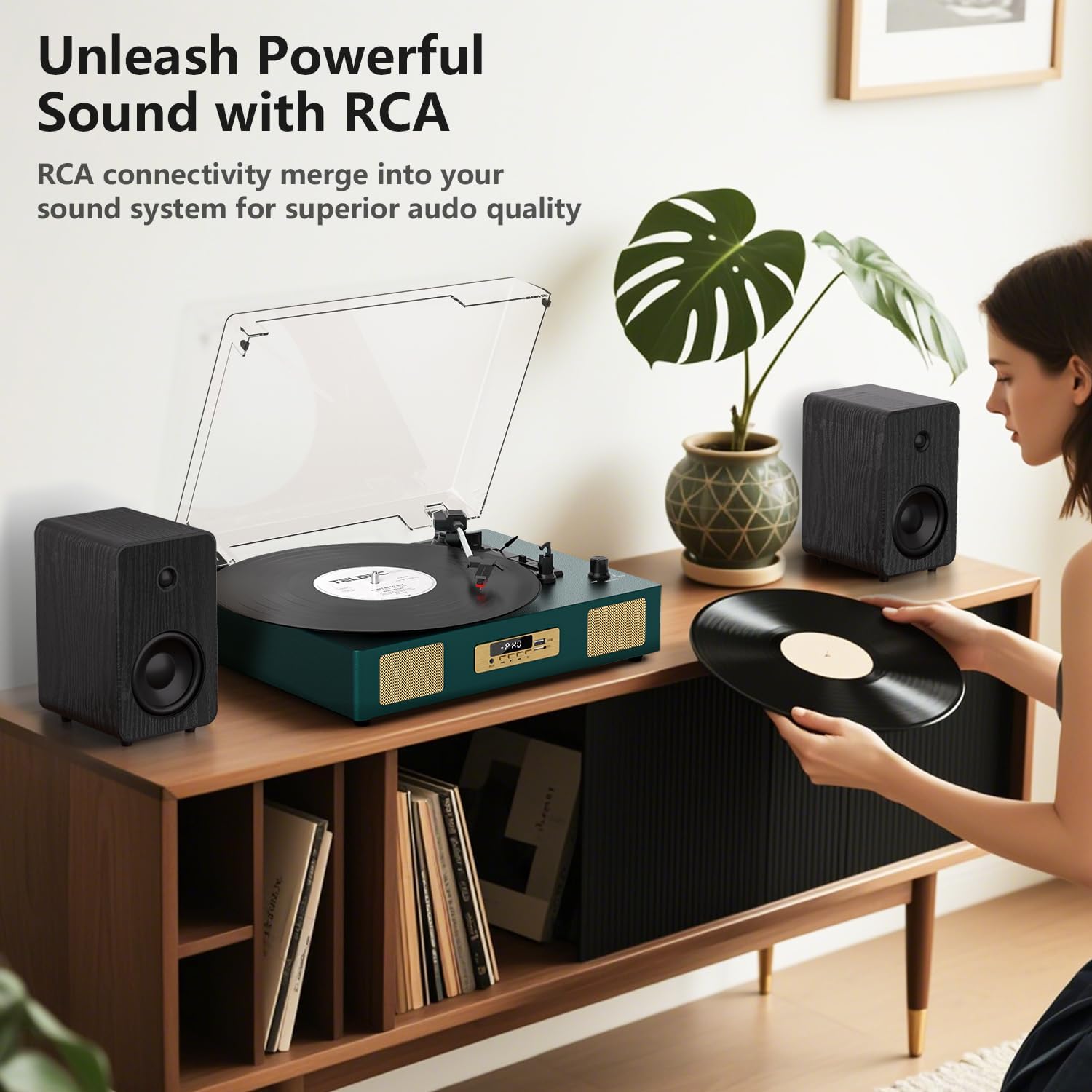
Rajah 2: Belakang view of the TE-2017 Record Player, illustrating the RCA output ports connected to external speakers for enhanced audio quality.
5.6 Bicu Fon Kepala
For private listening, plug 3.5mm headphones into the headphone jack located on the front panel. The built-in speakers will be muted automatically.
6. Penyelenggaraan
- Membersihkan Stylus: Use a soft brush (not included) to gently clean the stylus from back to front. Do not use excessive force.
- Membersihkan Pemain Rekod: Lap unit dengan kain lembut dan kering. Jangan gunakan pembersih atau pelarut yang melelas.
- Penutup habuk: Pastikan penutup habuk ditutup apabila tidak digunakan untuk melindungi meja putar daripada habuk dan serpihan.
- Penjagaan Rekod: Handle records by their edges. Store them vertically in their sleeves to prevent warping and dust accumulation.
7. Penyelesaian masalah
| Masalah | Kemungkinan Punca | Penyelesaian |
|---|---|---|
| Tiada kuasa | Penyesuai kuasa tidak disambungkan atau alur keluar rosak. | Pastikan penyesuai kuasa disambungkan dengan selamat dan soketnya berfungsi. |
| Tiada suara dari pembesar suara | Volume too low; incorrect mode selected; headphones connected. | Increase volume; select correct mode (PH, BT, AUX, USB); disconnect headphones. |
| Meja putar tidak berputar | Power off; belt dislodged; auto-stop engaged prematurely. | Ensure power is on; check belt (refer to maintenance); try disabling auto-stop. |
| Melangkau atau bunyi herot | Rakaman kotor atau rosak; stylus kotor atau haus; meja putar tidak rata. | Bersihkan rekod; bersihkan atau gantikan stylus; pastikan meja putar berada di atas permukaan yang rata. |
| Bluetooth tidak berpasangan | Incorrect mode; device too far; device already paired. | Ensure 'BT' mode is selected; move device closer; unpair from other devices. |
8. Spesifikasi
- Jenama: DANFI AUDIO DF
- model: TE-2017
- Kelajuan Meja Putar: 33 1/3, 45, 78 RPM
- Jenis Drive: Pemacu Belt
- Ketersambungan: Bluetooth Receiver, USB, SD Card, AUX Input, RCA Output
- Ciri Khas: Digital Recorder, WAV Converter, Digital Display, Pitch Control, Auto-Stop
- Sumber Kuasa: Elektrik Berwayar (DC 5V/1A)
- Signal-to-noise ratio (dB): 78 dB
- Dimensi Produk: 35.56 x 27.94 x 12.45 cm (14 x 11 x 4.9 inci)
- Berat: 3.07 kg (6.77 lbs)
9. Waranti dan Sokongan
For warranty information or technical support, please refer to the contact details provided with your purchase or visit the official DANFI AUDIO DF webtapak. Simpan bukti pembelian anda untuk sebarang tuntutan waranti.


