pengenalan
Thank you for choosing the SOAR NBA Wireless Boombox Speaker. This manual provides essential information for the safe and effective use of your new speaker. Designed for the ultimate sports experience, this boombox delivers dynamic sound and features to amplify your game day celebrations. Please read this manual thoroughly before operating the device and retain it for future reference.

Imej: Depan view of the SOAR NBA Wireless Boombox Speaker, showcasing the Philadelphia 76ers logo and vibrant LED light show.

Image: A user enjoying the SOAR NBA Wireless Boombox Speaker outdoors on a basketball court.
Maklumat Keselamatan
Untuk memastikan operasi yang selamat dan mengelakkan kerosakan, sila patuhi langkah berjaga-jaga berikut:
- Jangan dedahkan pembesar suara kepada suhu yang melampau, cahaya matahari langsung atau kelembapan yang tinggi.
- Elakkan daripada menjatuhkan atau menundukkan pembesar suara kepada impak yang kuat.
- Jangan buka, baiki atau ubah suai peranti ini sendiri. Rujuk semua servis kepada kakitangan yang berkelayakan.
- Jauhkan pembesar suara daripada air atau cecair lain.
- Gunakan hanya kabel pengecasan dan penyesuai kuasa yang ditentukan.
- Bersihkan pembesar suara dengan kain lembut dan kering. Jangan gunakan pembersih yang kasar.
Kandungan Pakej
Sahkan bahawa semua item terdapat dalam pakej:
- SOAR NBA Wireless Boombox Speaker
- Kabel Pengecas USB
- Kabel Audio Tambahan
- Manual Pengguna
Produk Selesaiview
Familiarize yourself with the various parts and controls of your SOAR NBA Wireless Boombox Speaker.

Imej: Depan view of the speaker, highlighting the team logo and speaker grilles.

Imej: Terperinci view of the control panel, including AUX, Micro SD, USB, DC IN ports, and control buttons.
Ciri Panel Kawalan:
- Butang Kuasa: Menghidupkan/mematikan pembesar suara.
- Butang Mod: Switches between Bluetooth, FM Radio, AUX, USB, and TF Card modes.
- Butang Main/Jeda: Mengawal main balik audio.
- Butang Sebelumnya/Kelantangan Rendah: Skips to the previous track or decreases volume.
- Butang Seterusnya/Kelantangan Naik: Skips to the next track or increases volume.
- Input AUX: Untuk menyambungkan peranti audio luaran melalui kabel 3.5mm.
- Slot Kad Mikro SD: Untuk memainkan audio daripada kad Micro SD.
- Port USB: Untuk memainkan audio daripada pemacu USB.
- Pelabuhan DC IN: Untuk mengecas pembesar suara.
- Input Mikrofon: Untuk menyambungkan mikrofon luaran.
Persediaan
1. Mengisi Speaker
Before first use, fully charge the speaker. Connect the provided USB charging cable to the DC IN port on the speaker and the other end to a USB power adapter (not included) or a computer's USB port. The charging indicator light will illuminate during charging and turn off when fully charged. A full charge provides up to 8 hours of playback.
2. Menghidupkan/Mematikan
Tekan dan tahan butang Butang Kuasa for a few seconds to turn the speaker on or off. A voice prompt will indicate the power status.
3. Berpasangan Bluetooth
Untuk menyambungkan pembesar suara anda ke peranti yang didayakan Bluetooth:
- Turn on the speaker. It will automatically enter Bluetooth pairing mode, indicated by a voice prompt.
- Dayakan Bluetooth pada peranti mudah alih anda (telefon pintar, tablet, dll.).
- Cari untuk "SOAR Boombox" in the list of available Bluetooth devices.
- Select "SOAR Boombox" to connect. Once paired, a voice prompt will confirm the connection.
The speaker will automatically reconnect to the last paired device if it's within range and Bluetooth is enabled.

Image: Speaker connected via Bluetooth to a smartphone, ready for audio playback.
4. Auxiliary (AUX) Input
Connect non-Bluetooth devices using the provided 3.5mm auxiliary cable. Insert one end into the AUX input port on the speaker and the other end into the audio output jack of your device. The speaker will automatically switch to AUX mode, or you can manually select it using the Butang Mod.
5. Input Mikrofon
For karaoke or announcements, connect a microphone (not included) to the microphone input jack on the speaker.
6. Operasi Radio FM
Untuk menggunakan radio FM terbina dalam:
- Tekan ke Butang Mod to switch to FM Radio mode.
- Tekan ke Butang Main/Jeda untuk mengimbas dan menyimpan stesen FM yang tersedia secara automatik.
- Gunakan Sebelumnya/Kurangkan Kelantangan dan Seterusnya / Naikkan Kelantangan butang untuk menavigasi antara stesen yang disimpan.
7. Main Semula Kad USB/TF
Insert a USB flash drive or a TF (Micro SD) card containing MP3 audio files into the respective port. The speaker will automatically detect the media and begin playback. Use the playback controls to manage your music.
8. Menyegerakkan Dua Pembesar Suara (Fungsi TWS)
For an enhanced stereo sound experience, you can pair two SOAR NBA Wireless Boombox Speakers together:
- Pastikan kedua-dua pembesar suara dihidupkan dan tidak disambungkan ke mana-mana peranti Bluetooth.
- Pada satu pembesar suara (ini akan menjadi pembesar suara utama), tekan dua kali pada Butang Mod or a dedicated TWS button (if available) to initiate TWS pairing. A voice prompt will indicate it's searching.
- The two speakers will automatically connect to each other. A voice prompt will confirm successful TWS pairing.
- Now, connect your mobile device to the primary speaker via Bluetooth as described in step 3. Audio will play in stereo through both speakers.

Image: Illustration of two speakers syncing together for stereo sound, with a smartphone connected to one.
Mengendalikan Speaker
Kawalan Main Semula
- Main/Jeda: Tekan ke Butang Main/Jeda untuk memainkan atau menjeda audio.
- Lagu Seterusnya: Tekan pendek Butang Seterusnya / Kelantangan untuk melangkau ke trek seterusnya.
- Trek Sebelumnya: Tekan pendek Butang Turun Sebelumnya / Kelantangan untuk pergi ke trek sebelumnya.
Pelarasan Kelantangan
- Tingkatkan Kelantangan: Tekan dan tahan butang Butang Seterusnya / Kelantangan.
- Kurangkan Kelantangan: Tekan dan tahan butang Butang Turun Sebelumnya / Kelantangan.
Pertunjukan Lampu LED
The speaker features an integrated RGB LED light show that syncs with the music. This feature is automatically active when the speaker is on. There is no specific button to control the light show; it operates automatically.
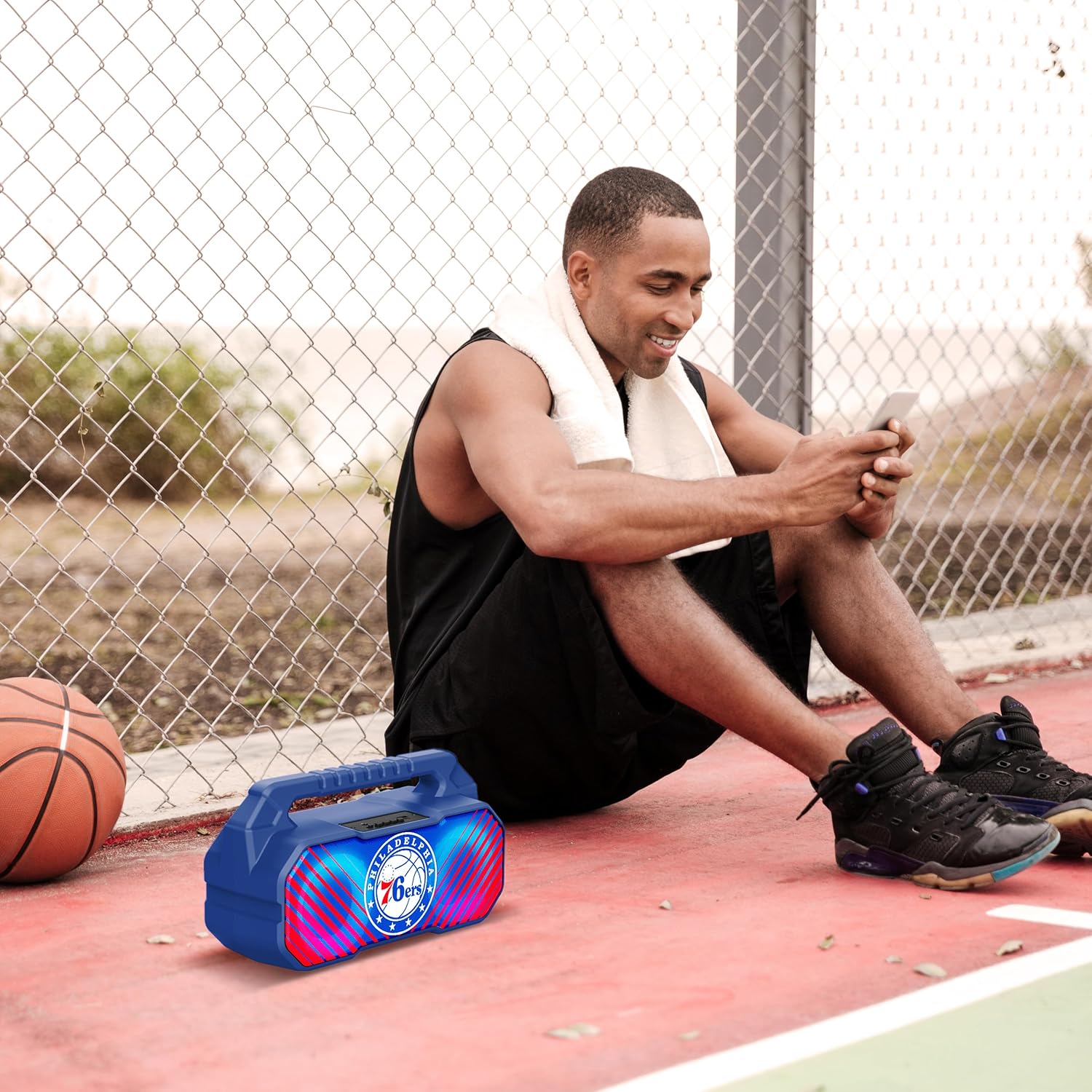
Image: The speaker's LED light show in action during a gathering, creating an ambient effect.
Penyelenggaraan
Proper care will extend the life of your speaker:
- Pembersihan: Wipe the speaker with a soft, dry, lint-free cloth. Do not use liquid cleaners, aerosols, or solvents.
- Storan: Apabila tidak digunakan untuk tempoh yang lama, simpan pembesar suara di tempat yang sejuk dan kering, jauh dari cahaya matahari langsung dan suhu yang melampau.
- Penjagaan Bateri: To maintain battery health, charge the speaker at least once every three months if not used regularly.
Menyelesaikan masalah
Jika anda menghadapi masalah dengan pembesar suara anda, rujuk masalah dan penyelesaian biasa berikut:
| Masalah | Kemungkinan Punca | Penyelesaian |
|---|---|---|
| Speaker tidak dihidupkan. | Bateri hampir habis atau habis. | Cas pembesar suara sepenuhnya. |
| Tiada bunyi. | Kelantangan terlalu rendah; mod yang salah dipilih; peranti tidak dipasangkan dengan betul. | Naikkan kelantangan; tekan butang Mod untuk memilih input yang betul; pasangkan semula peranti Bluetooth. |
| Sambungan Bluetooth tidak stabil. | Device is too far from speaker; interference. | Move device closer to speaker (within 33 feet/10 meters); avoid obstacles. |
| Penerimaan radio FM kurang baik. | Isyarat lemah; gangguan persekitaran. | Relocate the speaker; re-scan for stations. |
| Gandingan TWS gagal. | Pembesar suara telah disambungkan ke peranti lain; prosedur pemasangan yang salah. | Ensure both speakers are disconnected from other devices; follow TWS pairing steps precisely. |
Spesifikasi
Key technical specifications for the SOAR NBA Wireless Boombox Speaker:
| Ciri | Perincian |
|---|---|
| Nama Model | Wireless BoomBox Speaker |
| Nombor Bahagian | NBA-BBX-PHI |
| Kuasa Keluaran | 10 Watts (2 x 5-Watt speakers) |
| Versi Bluetooth | Bluetooth 5.0 |
| Hayat Bateri | Sehingga 8 jam |
| Dimensi (L x W x H) | 13.5 x 7.5 x 5.3 inci |
| Berat badan | 1.11 Kilogram |
| bahan | plastik |
| Komponen yang Disertakan | Built-In Microphone (referring to microphone input capability) |
| UPC | 192129179047 |

Image: Dimensional drawing of the speaker, indicating its width and height.

Image: Internal component view, emphasizing the 10W speaker drivers and various features like Bluetooth 5.0, FM Radio, AUX input, and LED lights.
Waranti dan Sokongan
The SOAR NBA Wireless Boombox Speaker comes with a Waranti Terhad 1 Tahun dari tarikh pembelian. Waranti ini meliputi kecacatan pembuatan dalam bahan dan mutu kerja di bawah penggunaan biasa.
The warranty does not cover damage caused by misuse, accident, unauthorized modification, or external causes such as drops or liquid exposure.
For warranty claims or technical support, please contact the manufacturer, Prime Brands Group Inc., or refer to the contact information provided on the product packaging or the official SOAR website. Please have your proof of purchase and product model number ready when contacting support.
Manufacturer: Prime Brands Group Inc.


