pengenalan
This manual provides detailed instructions for the setup, operation, and maintenance of your GOBOULT Rover Pro Smartwatch. Please read this manual thoroughly before using your device to ensure proper functionality and to maximize your user experience.

Image: GOBOULT Rover Pro Smartwatch, showcasing its sleek design and digital time display.
Kandungan Pakej
Upon opening your GOBOULT Rover Pro Smartwatch package, verify that all items listed below are present:
- GOBOULT Rover Pro Smartwatch
- Kabel Pengecasan
- Manual Pengguna (dokumen ini)
Persediaan
1. Mengecas Jam Pintar
Before initial use, fully charge your GOBOULT Rover Pro Smartwatch. Connect the provided charging cable to the charging port on the back of the smartwatch and to a standard USB power adapter (not included). A full charge typically takes approximately 150 minutes (2.5 hours).

Image: Illustration of the smartwatch charging, highlighting battery life and charging duration.
2. Menghidupkan/Mematikan
- Hidupkan kuasa: Tekan dan tahan butang sisi sehingga skrin menyala.
- Matikan: Tekan dan tahan butang sisi, kemudian pilih "Matikan Kuasa" pada skrin.
3. Pemasangan Apl dan Berpasangan
To unlock the full potential of your smartwatch, download and install the companion application on your smartphone. The application can typically be found by scanning a QR code in the watch's settings or by searching for "GloryFit" in your smartphone's app store. Once installed:
- Dayakan Bluetooth pada telefon pintar anda.
- Open the companion app and follow the on-screen instructions to add your device.
- Select "GOBOULT Rover Pro" from the list of available devices to pair.
- Sahkan permintaan berpasangan pada telefon pintar dan jam tangan pintar anda.
Untuk muat turun aplikasi, sila layari: GloryFit App Download
Mengendalikan Smartwatch
Paparan dan Navigasi
The GOBOULT Rover Pro features a 1.43-inch AMOLED display with 1000 nits brightness, ensuring clear visibility even in direct sunlight. The display supports an Always-on mode for continuous time display.

Imej: Terperinci view of the smartwatch's 1.43-inch round AMOLED curved display.

Image: Visual comparison highlighting the superior brightness and clarity of the Rover Pro's AMOLED display.
- Leret ke Atas/Bawah/Kiri/Kanan: Navigasi melalui menu, pemberitahuan dan tetapan pantas.
- Ketik: Pilih item atau buka aplikasi.
- Butang Sisi: Press to return to the home screen or access the app list.
Pemantauan Kesihatan
The GOBOULT Rover Pro Smartwatch offers comprehensive health tracking features to help you monitor your well-being:
- Pemantauan Denyut Jantung 24/7: Menjejaki kadar denyutan jantung anda secara berterusan sepanjang hari.
- SpO2 Blood Oxygen Saturation: Mengukur tahap oksigen dalam darah anda.
- Pemantauan Tidur: Analyzes your sleep patterns, including deep sleep, light sleep, and wake times.
- Penjejakan Kitaran Haid Wanita: Memberikan pandangan dan ramalan untuk kitaran haid.
- Penjejak Aktiviti: Merekod langkah, jarak dan kalori yang dibakar.
- Peringatan: Includes reminders to drink water and stay active.
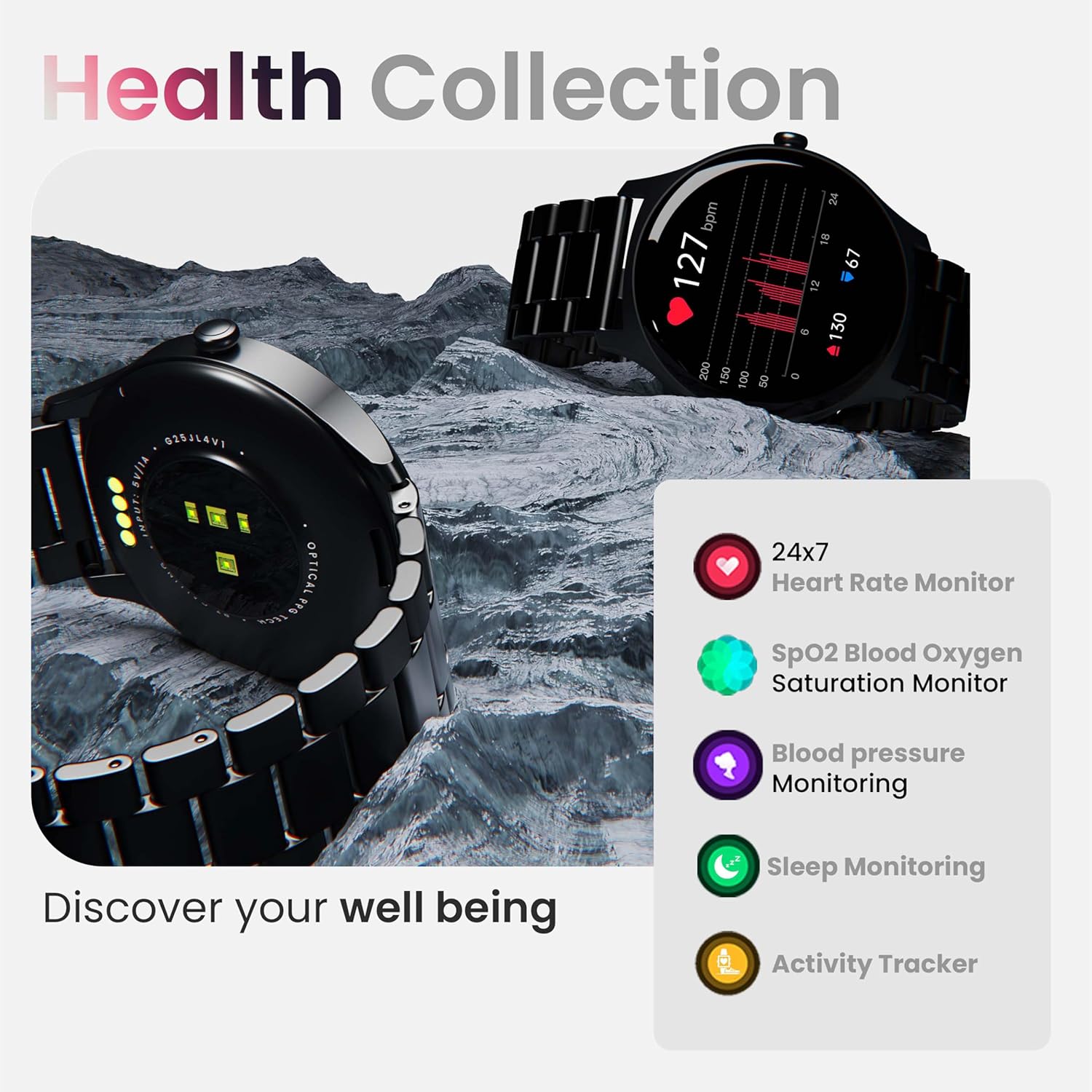
Imej: Selesaiview of the smartwatch's health monitoring capabilities.
Nota: This device is not a medical instrument. Health data is for reference only and should not be used for medical diagnosis or treatment.
Mod Sukan
With over 120 sports modes, the GOBOULT Rover Pro Smartwatch is designed to track a wide range of physical activities. Select your desired sport from the watch's menu to record specific metrics such as duration, calories burned, and heart rate during your workout.

Image: Display of various sports modes available on the smartwatch.
Penyesuaian
Watch Faces
Personalize your smartwatch with over 150 cloud-based watch faces available through the companion app. You can also create custom watch faces using your own photos.

Imej: Cthamples of various watch faces and customization options.
Panggilan Bluetooth
The GOBOULT Rover Pro Smartwatch features Bluetooth 5.2 single-chip technology, enabling direct calls from your wrist. It includes a dedicated speaker and microphone for clear communication.
- Membuat Panggilan: Access the dial pad or contact list on your watch to initiate calls.
- Menjawab/Menolak Panggilan: Swipe on the screen to answer or reject incoming calls.
- Penyegerakan Kenalan: Sync your phone's contacts to the smartwatch via the companion app.

Image: Visual representation of the smartwatch's Bluetooth calling interface and features.
Pembantu Suara AI
Interact with your smartwatch hands-free using the built-in AI voice assistant. Simply activate the assistant and speak your commands to perform various functions, such as setting alarms, checking weather, or initiating calls. Supports popular voice assistants like Siri and Google Assistant when connected to a compatible smartphone.
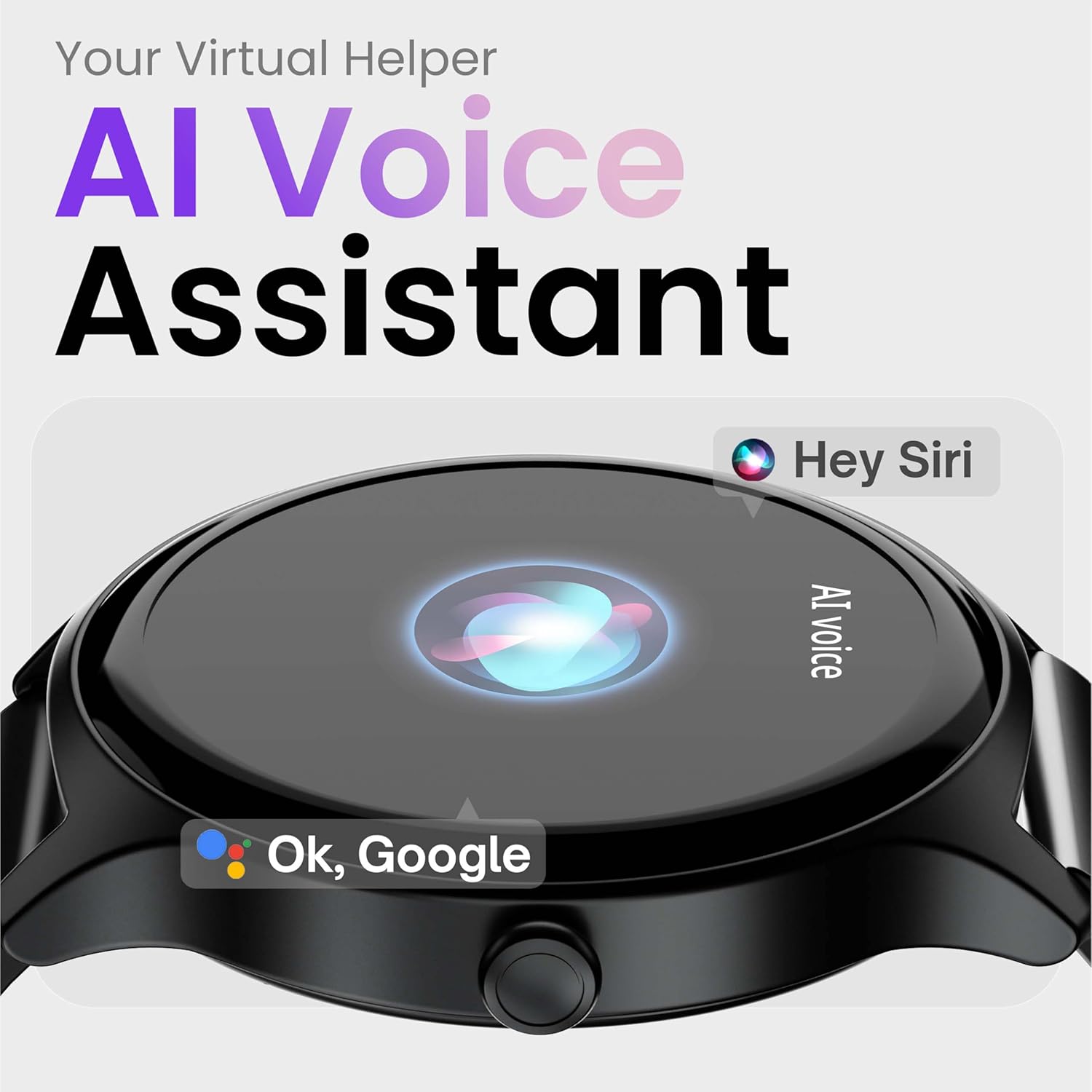
Image: Depiction of the AI Voice Assistant functionality on the smartwatch.
Smart Notifications & Safety Features
Pemberitahuan Pintar
Receive SMS, call, and app notifications directly on your wrist. Manage which notifications appear through the companion app settings.

Image: Smartwatch screen showing notification alerts and the 'Find my phone' function.
Ciri Keselamatan
- 4-Digit PIN: Secure your smartwatch with a PIN for enhanced privacy.
- One-Tap SOS Alert: In an emergency, activate the SOS feature to notify pre-set emergency contacts.
- Secure Sign-in Methods: Utilize easy and secure methods for accessing your device.
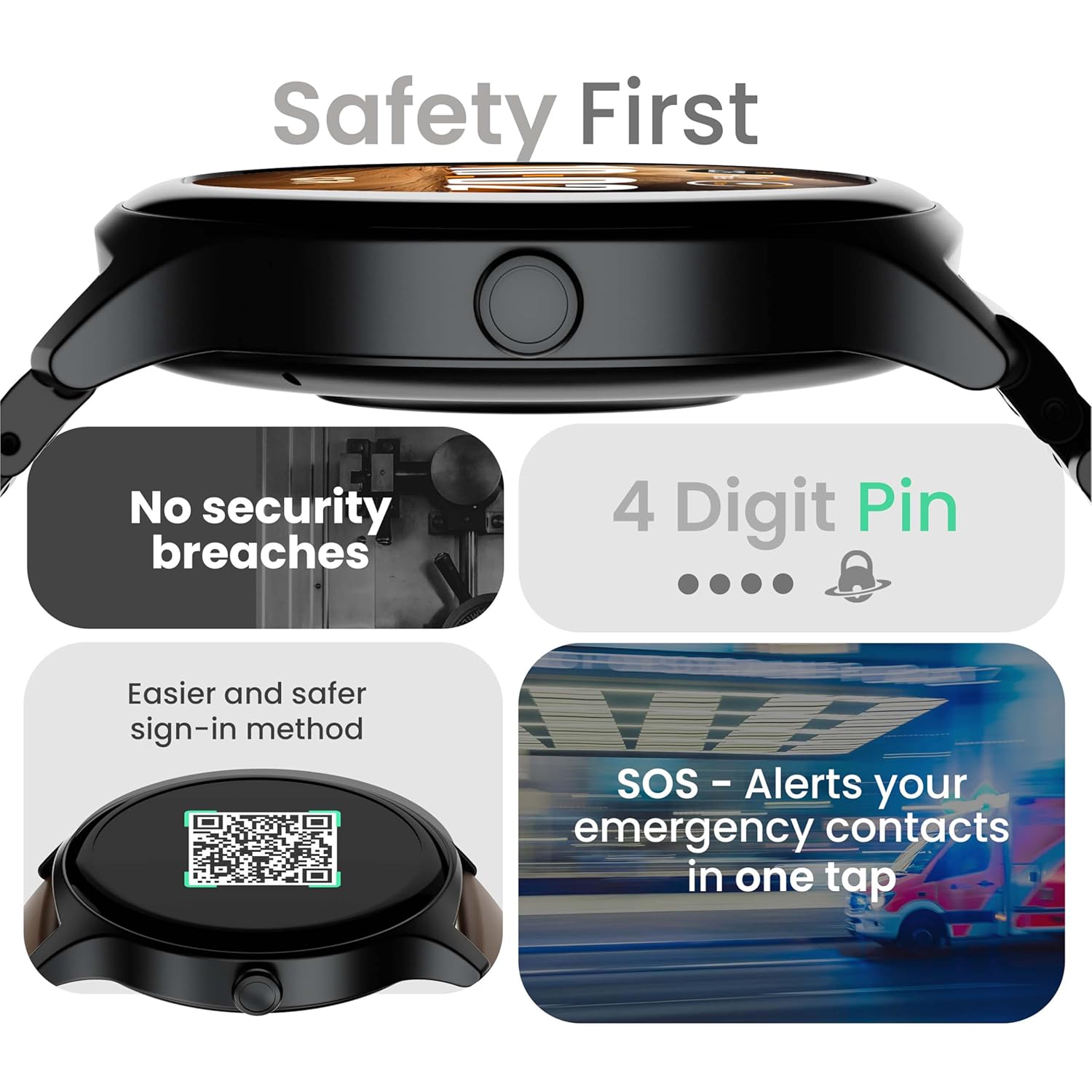
Image: Visuals illustrating the smartwatch's security and emergency features.
Hayat Bateri & Pengecasan
The GOBOULT Rover Pro Smartwatch is equipped with a battery designed for extended use:
- Penggunaan Biasa: Hayat bateri sehingga 7 hari.
- Masa Siap sedia: Sehingga 20 hari.
- Pengecasan Cepat: Approximately 10 minutes of charging provides up to 2 days of battery life.
- Masa Pengecasan Penuh: Approximately 90 minutes for a complete charge.
Use only the provided charging cable to ensure optimal charging performance and to prevent damage to the device.
Rintangan Air (IP68)
The GOBOULT Rover Pro Smartwatch has an IP68 rating, meaning it is dustproof and water-resistant. It can withstand immersion in water up to 1.5 meters deep for up to 30 minutes. This makes it suitable for daily use and various outdoor activities, but it is not recommended for diving or high-pressure water activities.

Image: Illustration of the smartwatch's IP68 water and dust resistance.
Penyelenggaraan
To ensure the longevity and optimal performance of your smartwatch, follow these maintenance guidelines:
- Pembersihan: Lap skrin dan tali jam tangan dengan kerap menggunakan kain lembut dan kering. Jika perlu, gunakan sedikit kain lembapamp kain untuk tali, kemudian keringkan dengan teliti.
- Elakkan Bahan Kimia: Jangan gunakan bahan kimia yang keras, pelarut pembersih atau detergen yang kuat, kerana ini boleh merosakkan kemasan dan pengedap jam tangan.
- Port Pengecasan: Pastikan sesentuh pengecasan bersih dan kering.
- Storan: Simpan jam tangan pintar di tempat yang sejuk dan kering apabila tidak digunakan.
- Elakkan Suhu Melampau: Jangan dedahkan jam tangan kepada suhu panas atau sejuk yang melampau untuk tempoh yang lama.
Menyelesaikan masalah
If you encounter issues with your GOBOULT Rover Pro Smartwatch, refer to the following common solutions:
| Masalah | Penyelesaian |
|---|---|
| Jam tangan pintar tidak dapat dihidupkan. | Pastikan jam tangan dicas sepenuhnya. Sambungkannya ke pengecas selama sekurang-kurangnya 30 minit. |
| Tidak boleh berpasangan dengan telefon pintar. |
|
| Data kesihatan yang tidak tepat. |
|
| Pemberitahuan tidak diterima. |
|
| Hayat bateri pendek. |
|
Spesifikasi
| Ciri | Perincian |
|---|---|
| Jenama | GOBOULT |
| Siri Model | Rover Pro |
| Saiz Paparan | 1.43 Inci |
| Jenis Paparan | AMOLED |
| Kecerahan | 1000 Nit |
| Ketersambungan | Bluetooth 5.2 |
| Sistem Operasi | Android (serasi) |
| Tahan Air | IP68 |
| Hayat Bateri (Biasa) | Sehingga 7 Hari |
| Masa Pengecasan Bateri | Approx. 150 Minutes (Full Charge) |
| Berat Barang | 43 g |
| Komponen yang Disertakan | Kabel Pengecasan, Manual Pengguna |
Waranti dan Sokongan
Maklumat Waranti
Your GOBOULT Rover Pro Smartwatch comes with a Waranti 1 Tahun dari tarikh pembelian. Waranti ini meliputi kecacatan dan kerosakan pembuatan di bawah penggunaan biasa. Ia tidak meliputi kerosakan yang disebabkan oleh salah guna, kemalangan, pengubahsuaian tanpa kebenaran atau haus dan lusuh biasa.
Sokongan Pelanggan
For technical assistance, warranty claims, or any other inquiries, please contact GOBOULT customer support through their official website or the contact information provided with your purchase documentation. Please have your product model and purchase details ready when contacting support.


