pengenalan
The Thrustmaster SimTask FarmStick is a multifunctional joystick designed to enhance the simulation experience for farming, construction, and other heavy machinery games. This manual provides essential information for setting up, operating, maintaining, and troubleshooting your SimTask FarmStick, ensuring optimal performance on PlayStation 5 and PC platforms.
Key features include a 3-axis joystick, numerous programmable buttons, and precise control thanks to H.E.A.R.T (HallEffect AccuRate Technology) magnetic sensors. Its ambidextrous design allows for flexible setup, whether used individually, in pairs, or alongside a racing wheel.
1. Persediaan
1.1 Kandungan Pakej
- Thrustmaster SimTask FarmStick
- Kabel Sambungan USB
- Manual Arahan (dokumen ini)
1.2 Keperluan Sistem
- PC: Windows 10 atau 11
- PlayStation 5: Compatible with Farming Simulator 25. Requires use with a compatible steering wheel.
1.3 Connecting the SimTask FarmStick
- Ensure your PC or PlayStation 5 console is powered off.
- Connect the USB cable from the SimTask FarmStick to an available USB port on your PC or PlayStation 5.
- Power on your PC or PlayStation 5. The device is designed for Plug & Play functionality and should be automatically recognized by your system.
- For PlayStation 5, ensure a compatible steering wheel is also connected and properly configured, as the SimTask FarmStick requires it for operation with Farming Simulator 25.

Figure 1: The Thrustmaster SimTask FarmStick, ready for connection.
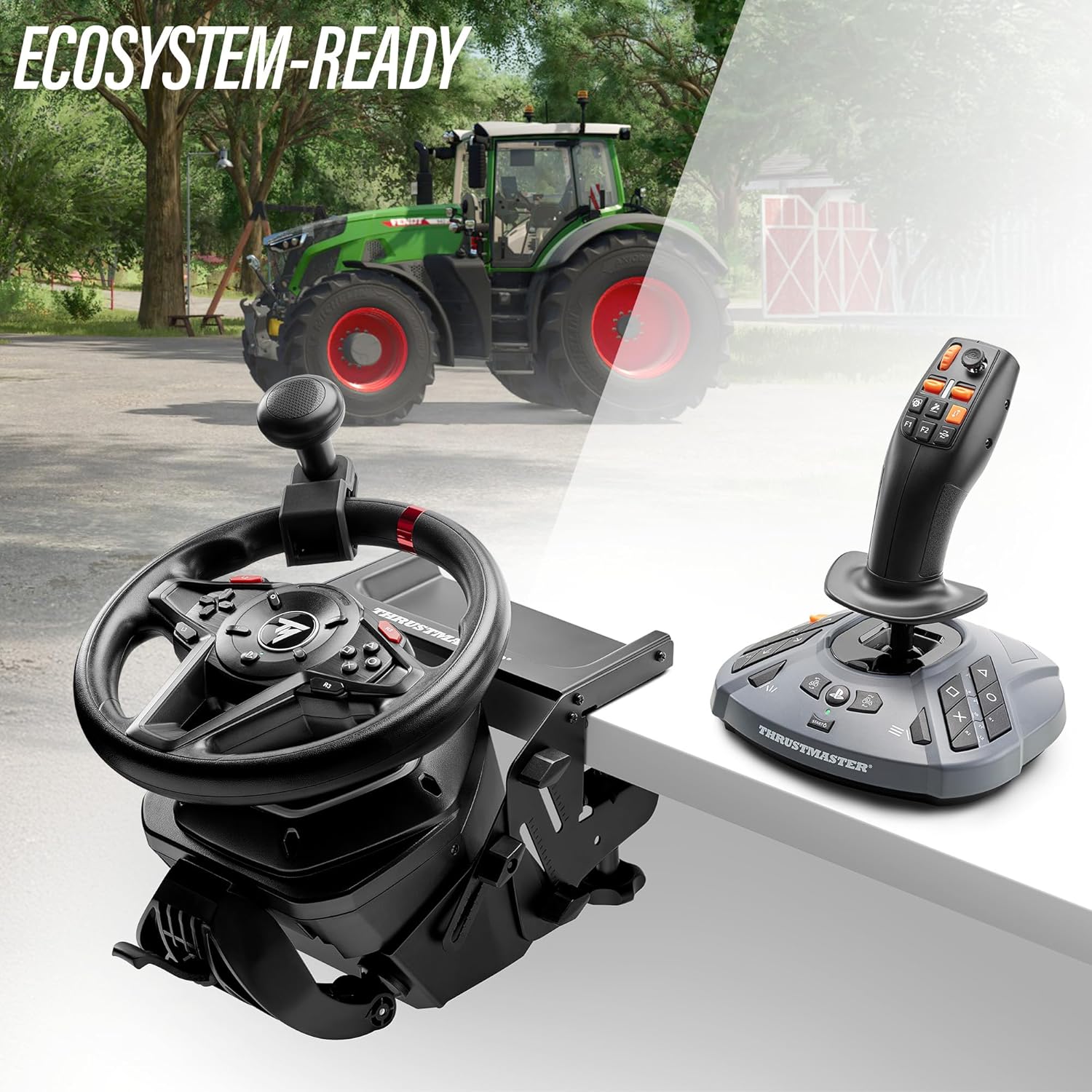
Figure 2: The SimTask FarmStick can be used alongside a racing wheel for an integrated control setup.
2. Operating the SimTask FarmStick
2.1 Berakhirview daripada Kawalan
The SimTask FarmStick features a comprehensive set of controls designed for intuitive operation of heavy machinery in simulation games.
- 3-Axis Joystick: Provides precise control over movement and implements.
- 6 Butang: Programmable for various in-game functions.
- 1 Thumbwheel: Ideal for fine adjustments or menu navigation.
- 1 Mini-stick: For camera control or additional axis input.
- 2 Rocker Switches: For quick toggling of functions.
- 2 Triggers: Located on the stick for easy access to primary actions.
- Pendikit Tangan: For speed and power control.
- Up to 33 Action Buttons: Located on the base and stick for extensive customization.
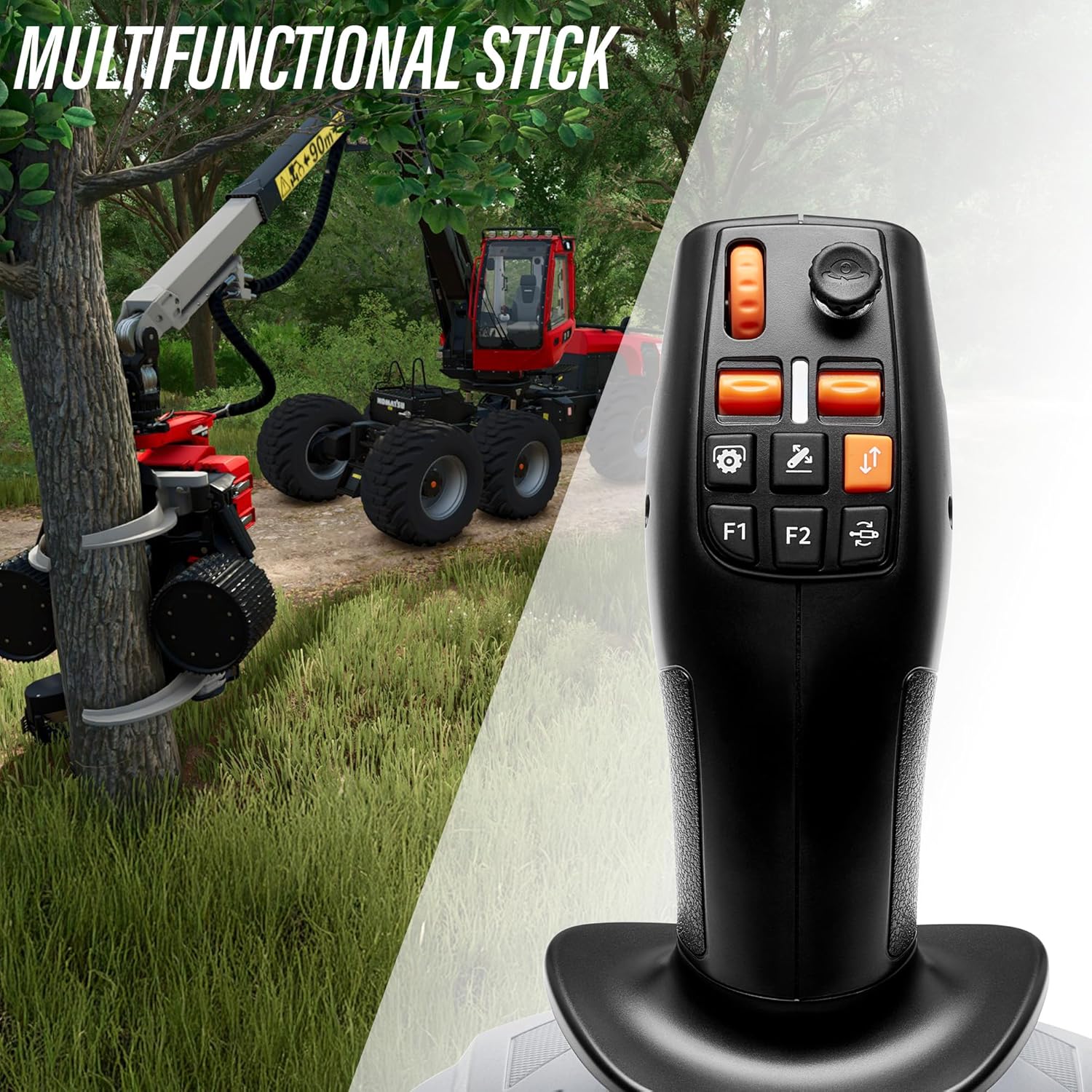
Rajah 3: Terperinci view of the multifunctional stick, highlighting buttons and mini-stick.
2.2 In-Game Configuration
Upon connecting, most compatible games, such as Farming Simulator 25, will automatically detect the SimTask FarmStick. You may need to access the game's control settings to customize button assignments and axis sensitivities to your preference.
- Navigate to the 'Controls' or 'Options' menu within your game.
- Locate the section for joystick or controller settings.
- Map the desired in-game actions to the physical buttons and axes on your SimTask FarmStick.
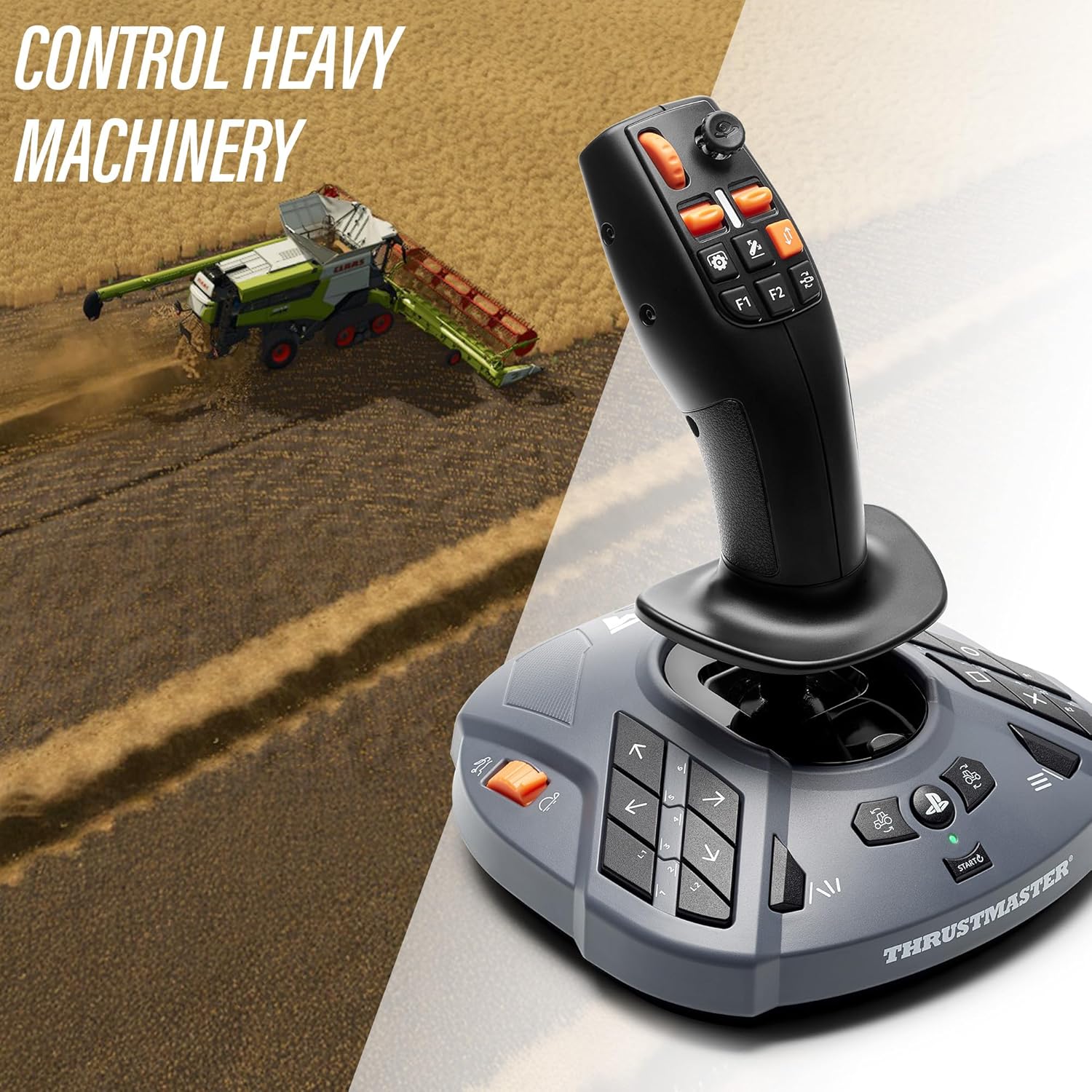
Figure 4: The SimTask FarmStick provides precise control for heavy machinery like combine harvesters.
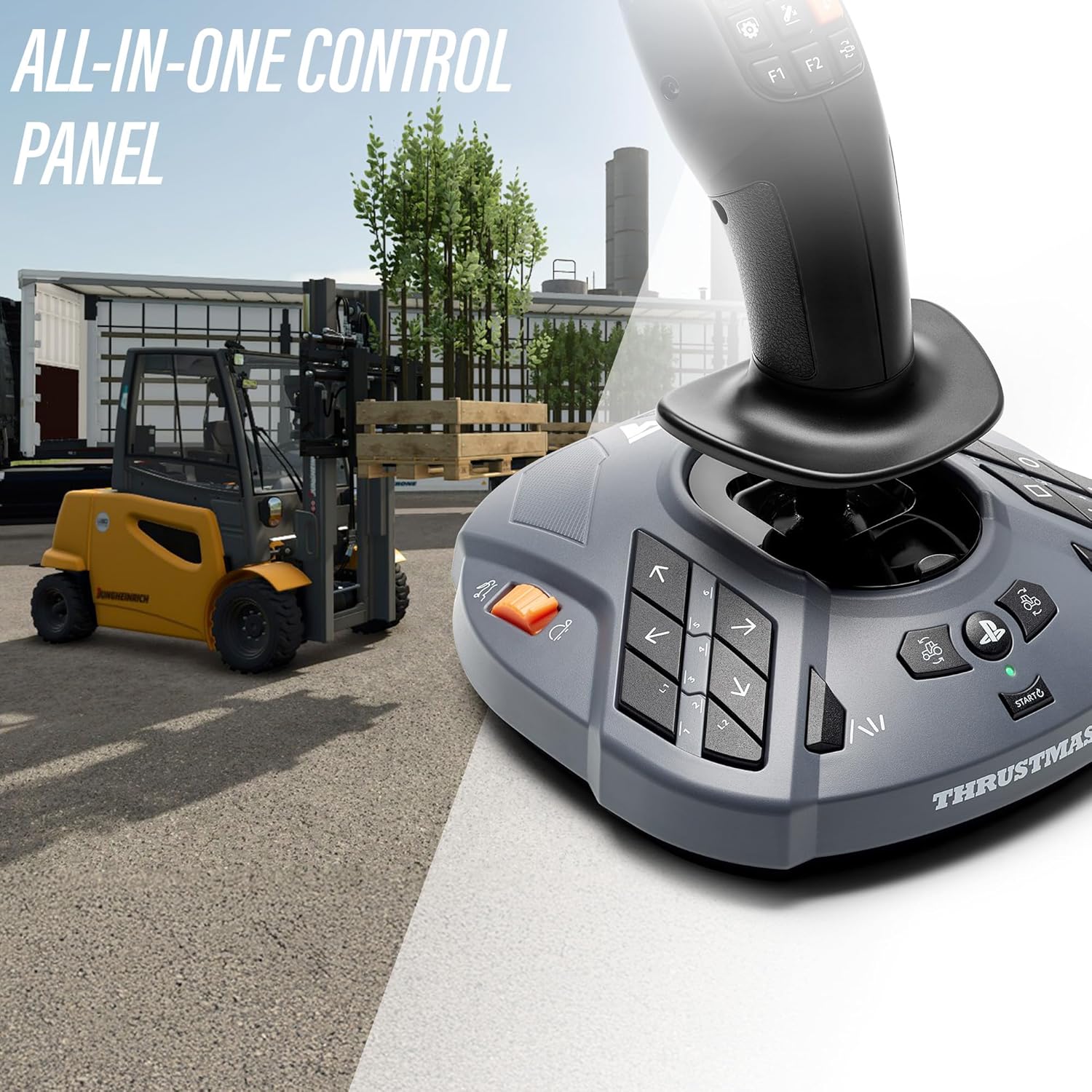
Figure 5: The all-in-one control panel of the SimTask FarmStick is suitable for various tasks, including forklift operation.
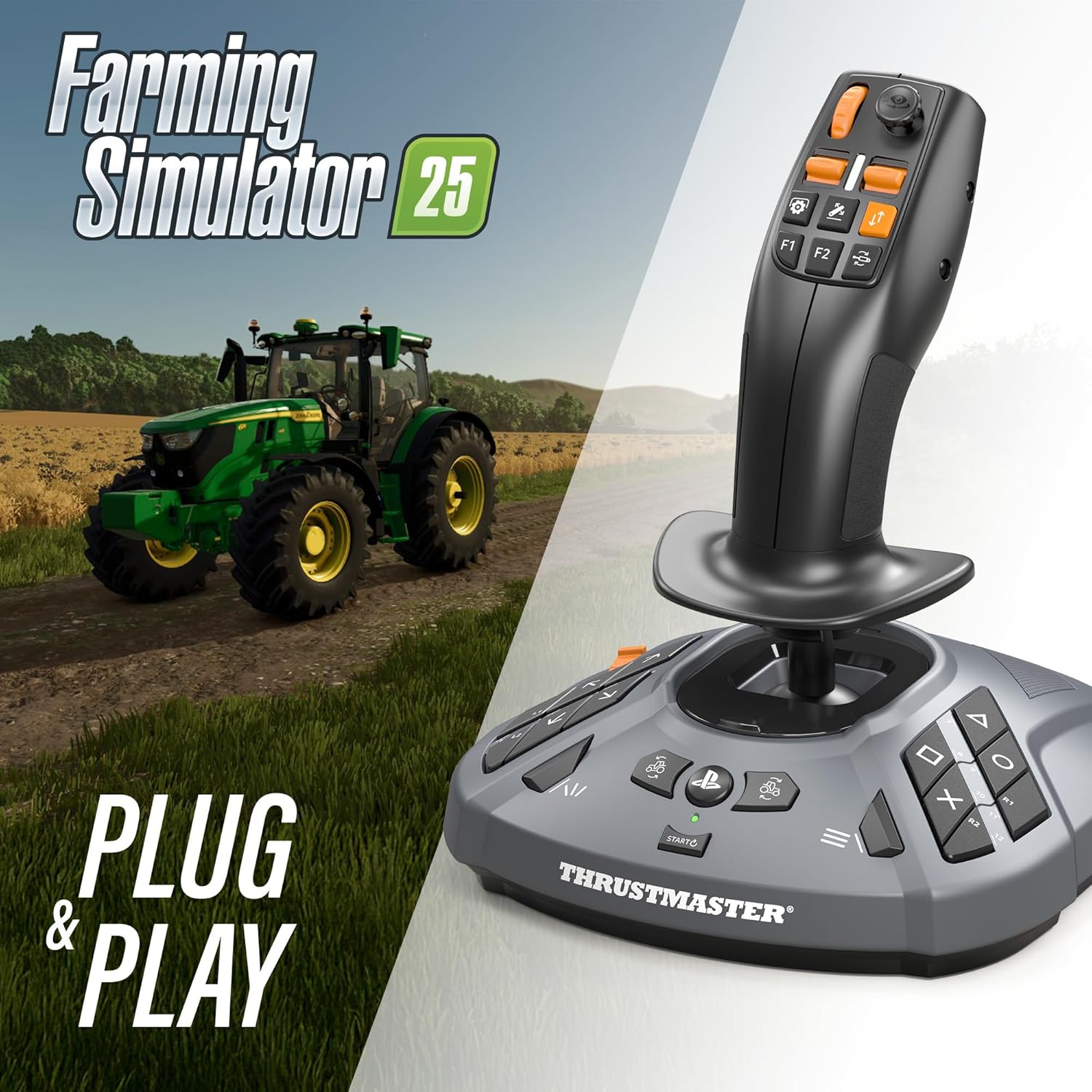
Figure 6: The SimTask FarmStick offers Plug & Play compatibility with Farming Simulator 25.
3. Penyelenggaraan
3.1 Pembersihan
To maintain the longevity and performance of your SimTask FarmStick, regular cleaning is recommended.
- Disconnect the device from your PC or console before cleaning.
- Use a soft, dry cloth to wipe down the surfaces of the joystick and base.
- Untuk kotoran degil, sedikit dampen kain dengan air. Elakkan menggunakan bahan kimia yang keras atau pembersih yang kasar.
- Jangan benarkan cecair memasuki peranti.
3.2 Penyimpanan
When not in use, store the SimTask FarmStick in a clean, dry environment away from direct sunlight and extreme temperatures. Protect it from dust and physical impact.
4. Penyelesaian masalah
4.1 Peranti Tidak Dikenali
- Ensure the USB cable is securely connected to both the SimTask FarmStick and your PC/console.
- Try connecting the device to a different USB port.
- Restart your PC or console.
- On PC, check Device Manager to see if the device is listed and if there are any driver issues.
- For PlayStation 5, confirm that a compatible steering wheel is also connected, as required for Farming Simulator 25.
4.2 Incorrect Button or Axis Response
- Verify in-game control settings and ensure buttons/axes are correctly mapped.
- Check for updated drivers or firmware on the official Thrustmaster support webtapak.
- Perform a calibration check through your operating system's joystick settings (e.g., Windows Game Controllers).
4.3 Intermittent Disconnections
- Ensure the USB cable is not damaged and is firmly connected.
- Avoid using unpowered USB hubs, which can sometimes lead to power delivery issues. Connect directly to the PC/console if possible.
- Uji dengan port USB yang berbeza.
5. Spesifikasi
- Nombor Model: 4160881
- Dimensi Produk: 9.45 x 8.19 x 7.8 inci (240 x 208 x 198 mm)
- Berat Barang: 1.89 paun (0.86 kg)
- Ketersambungan: USB
- Keserasian: PC (Windows 10/11), PlayStation 5 (Farming Simulator 25 with steering wheel)
- Teknologi Sensor: H.E.A.R.T (HallEffect AccuRate Technology) magnetic sensors
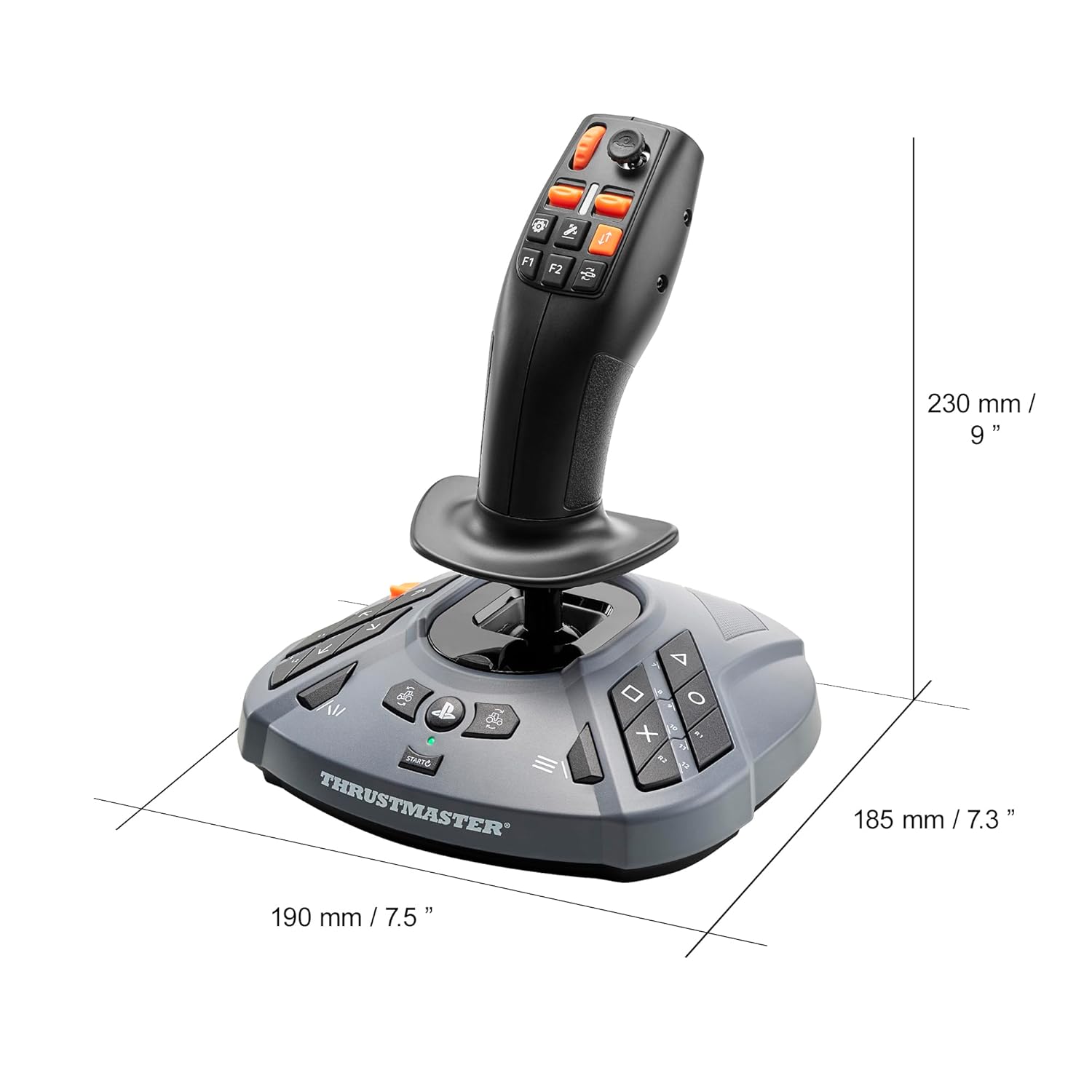
Figure 7: Physical dimensions of the SimTask FarmStick.
6. Waranti dan Sokongan
Thrustmaster products are covered by a manufacturer's warranty. For detailed warranty information, including terms, conditions, and duration, please refer to the warranty card included with your product or visit the official Thrustmaster webtapak.
For technical support, driver downloads, firmware updates, and frequently asked questions, please visit the official Thrustmaster support website. You can also find additional resources and contact customer service through their portal.
Thrustmaster Official Store: Visit the Thrustmaster Store on Amazon


