1. Pengenalan
This manual provides detailed instructions for the setup, operation, and maintenance of your LTC GM023 Tri-Mode Wireless Gaming Mouse. Designed for precision and comfort, the GM023 offers versatile connectivity options and customizable features to enhance your gaming and work experience.

Imej: Selesaiview of the LTC GM023 Wireless Gaming Mouse highlighting its key features.
2. Ciri-ciri Produk
- Kesambungan Mod Tiga Kali Ganda: Supports Bluetooth 5.0, 2.4Ghz wireless, and wired USB-C connections for versatile use.
- Reliable PAW3104 Sensor: Delivers precision with a 1000Hz polling rate, 15G acceleration, and 45 IPS tracking speed. Adjustable DPI up to 8000.
- Lightweight Honeycomb Design: Weighs only 79g with a breathable ergonomic honeycomb shell for enhanced airflow and comfort during extended use.
- 6 Programmable Buttons & Onboard Memory: Customize functions and save up to 3 profiles directly to the mouse.
- Pro Software Support: Assign macros, remap key functions, redefine DPI, and fine-tune polling rate.

Imej: Terperinci view of the PAW3104 Pro Sensor and its performance metrics.

Image: The lightweight honeycomb design of the GM023 mouse, emphasizing comfort and reduced sweat.
3. Kandungan Pakej
Pastikan semua item ada dalam pakej:
- LTC GM023 Gaming Mouse
- Flexible Paracord Type-C Cable
- Panduan Pengguna
4. Persediaan
4.1. Mod Kesambungan
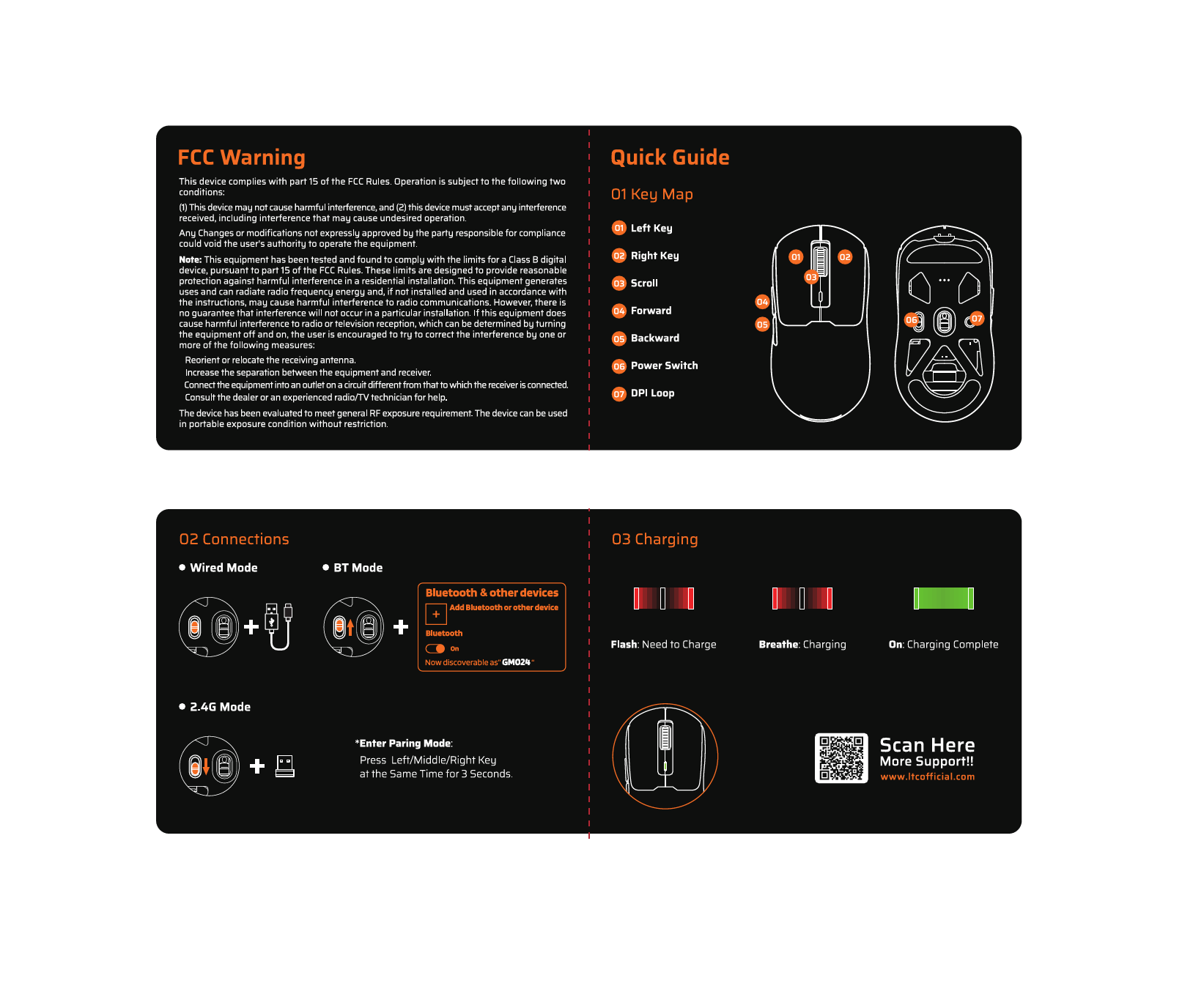
The LTC GM023 supports three connection modes: 2.4Ghz Wireless, Bluetooth 5.0, and Wired USB-C.
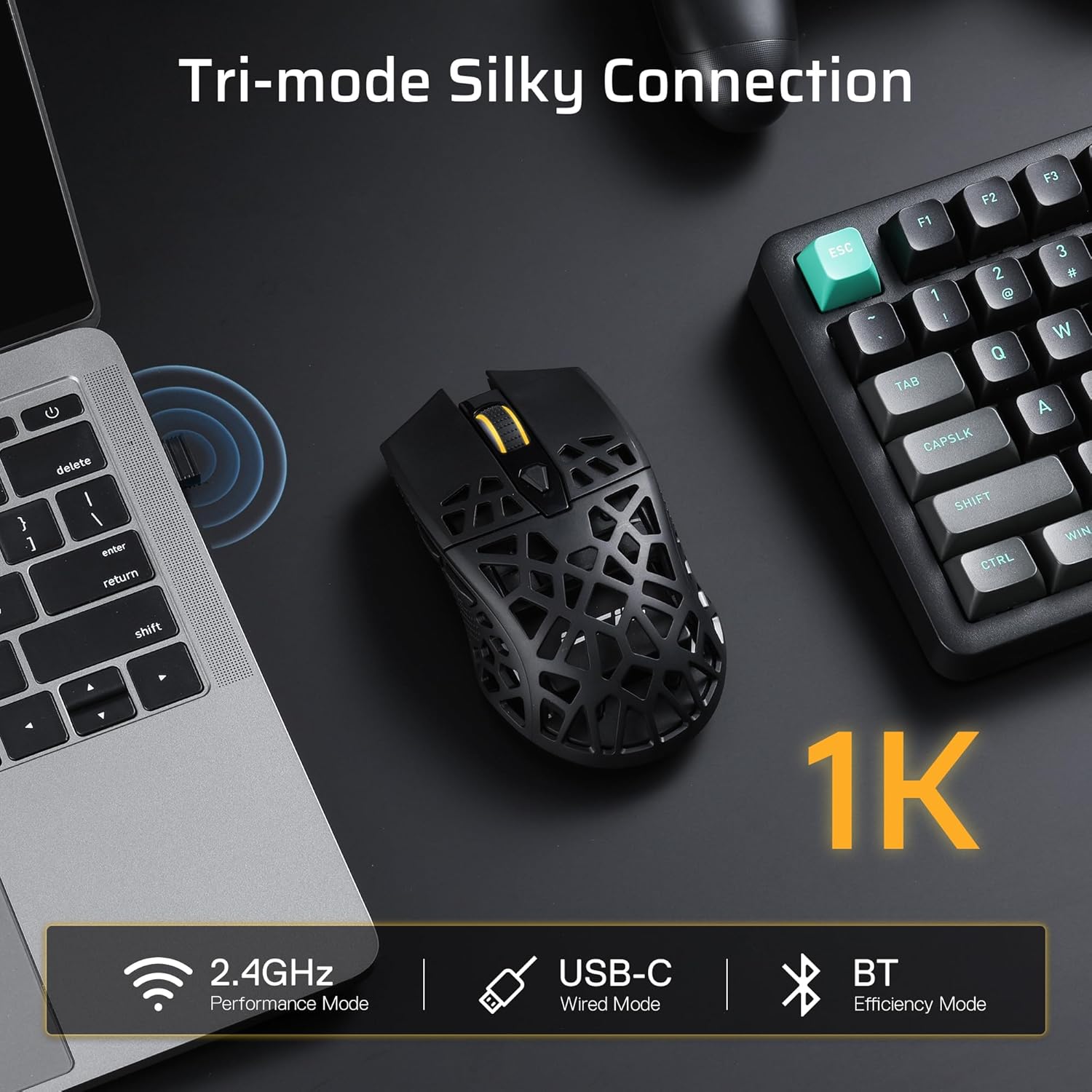
Image: Visual representation of the mouse's tri-mode connectivity options: 2.4GHz, USB-C Wired, and Bluetooth.
Mod Tanpa Wayar 2.4Ghz:
- Locate the 2.4Ghz USB receiver stored in the compartment on the underside of the mouse.
- Palamkan penerima USB ke dalam port USB yang tersedia pada komputer anda.
- Tukar pemilih mod di bahagian bawah tetikus kepada '2.4G'.
- Tetikus akan bersambung secara automatik ke komputer anda.
Mod Bluetooth 5.0:
- Switch the mode selector on the bottom of the mouse to 'BT'.
- On your computer, navigate to Bluetooth settings and enable Bluetooth.
- Cari untuk new devices and select 'LTC GM023' from the list to pair.
Wired USB-C Mode:
- Connect the provided USB-C cable to the front port of the mouse.
- Sambungkan hujung kabel yang lain ke port USB yang tersedia pada komputer anda.
- Tetikus akan berfungsi dalam mod berwayar dan dicas secara serentak.

Image: The underside of the mouse, indicating the mode switch (BT/OFF/2.4G) and the storage slot for the 2.4G dongle.
4.2. Mengecas Tetikus
The LTC GM023 features a rechargeable 500mAh battery. Connect the USB-C cable to the mouse and a USB power source (computer, wall adapter) to charge. The mouse can be used while charging in wired mode.
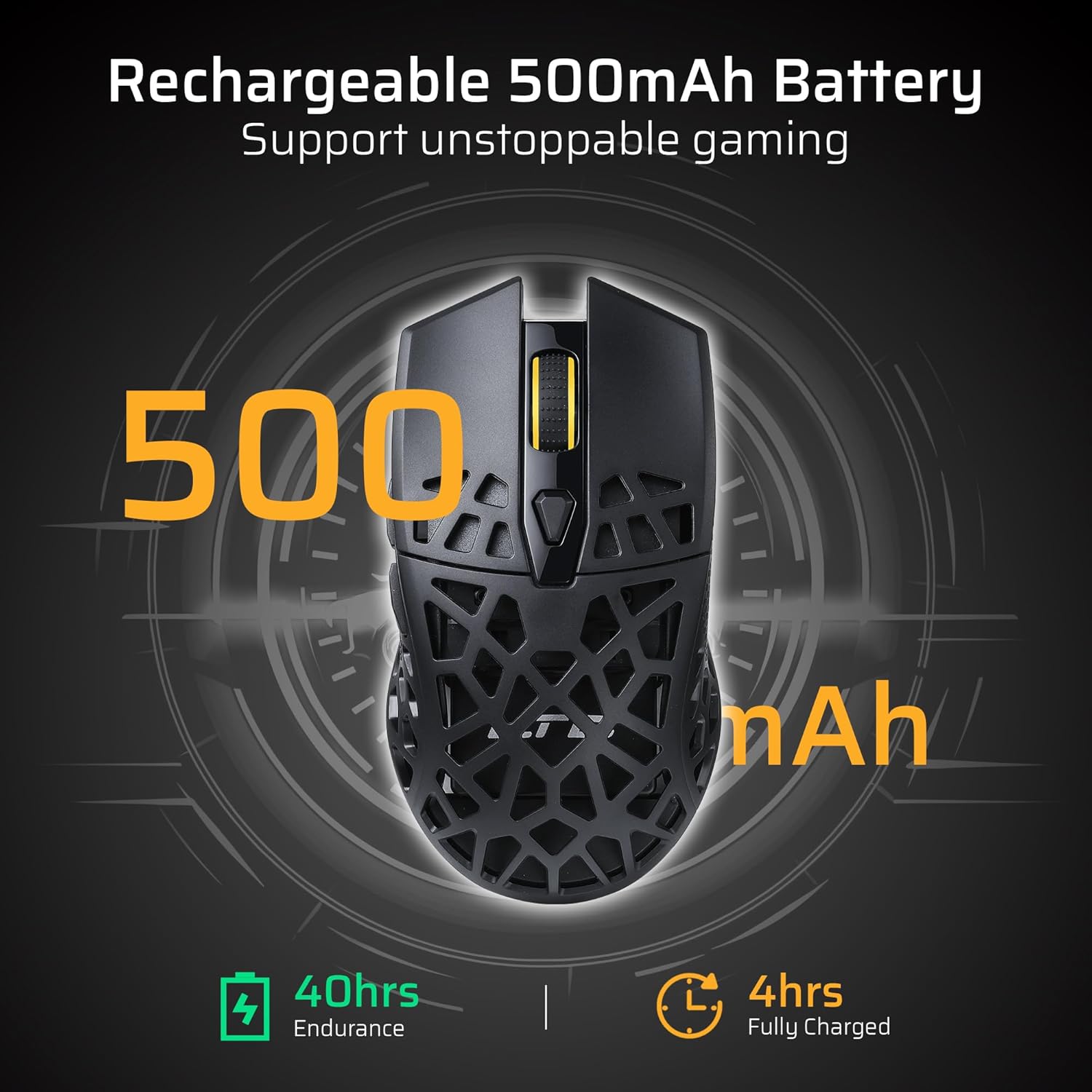
Image: The mouse's rechargeable 500mAh battery, indicating 40 hours of endurance and 4 hours for a full charge.
5. Arahan Operasi
5.1. Pelarasan DPI
The mouse offers 6 adjustable DPI settings up to 8000 DPI. Use the dedicated DPI button (usually located near the scroll wheel) to cycle through the sensitivity levels. Each level may be indicated by a different LED color or pattern.
5.2. Butang Boleh Aturcara
The LTC GM023 has 6 programmable buttons. To customize these buttons, download and install the LTC Pro Software from the official LTC weblaman web. Perisian ini membolehkan anda:
- Assign complex macro functions.
- Petakan semula fungsi utama.
- Redefine 6-Step DPI settings.
- Fine-tune polling rate.
- Save up to 3 ready-to-play profiles directly to the mouse.
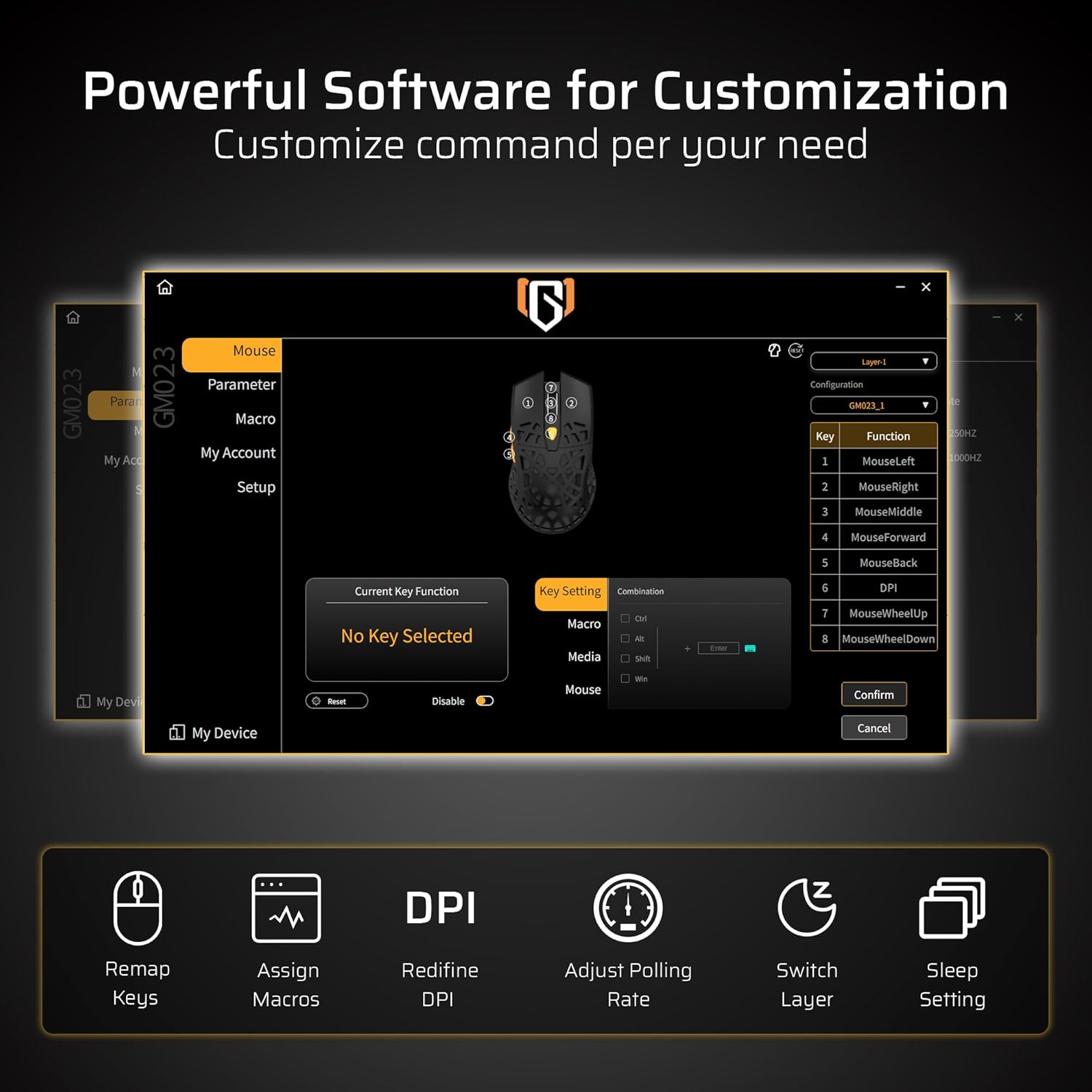
Image: The powerful software interface for customizing the GM023 mouse, showing options for key remapping, macro assignment, DPI adjustment, and more.

Image: Further illustration of the customization options available through the mouse's software, including sleep settings and layer switching.
6. Penyelenggaraan
To ensure the longevity and optimal performance of your LTC GM023 mouse:
- Bersihkan tetikus dengan kerap menggunakan kain lembut dan kering.
- Avoid exposing the mouse to extreme temperatures or humidity.
- Do not disassemble the mouse, as this may void the warranty.
- Keep the USB receiver in its storage compartment when not in use to prevent loss.
7. Penyelesaian masalah
7.1. Mouse Not Responding:
- Pastikan tetikus dihidupkan.
- Periksa tahap bateri dan cas jika perlu.
- For 2.4Ghz mode, ensure the USB receiver is securely plugged in and the mode switch is set correctly.
- For Bluetooth mode, ensure Bluetooth is enabled on your device and the mouse is paired. Try re-pairing if connection is lost.
- Untuk mod berwayar, pastikan kabel USB-C disambungkan dengan selamat pada tetikus dan komputer.
7.2. Cursor Movement is Erratic:
- Bersihkan penderia optik di bahagian bawah tetikus.
- Pastikan anda menggunakan tetikus pada permukaan yang sesuai (cth, pad tetikus).
- Laraskan tetapan DPI ke tahap yang selesa.
8. Spesifikasi
| Ciri | Spesifikasi |
|---|---|
| Dimensi Produk | 4.8 x 2.6 x 0.1 inci |
| Berat Barang | 2.01 auns |
| Nombor Model Item | GM023 |
| Bateri | 1 bateri Polimer Litium (termasuk) |
| Teknologi Ketersambungan | Bluetooth, Radio Frequency (2.4Ghz), USB-C |
| Ciri Khas | LED Lights, Lightweight, Programmable Buttons, Rechargeable, Wireless |
| Teknologi Pengesanan Pergerakan | Optik |
9. Waranti dan Sokongan
For warranty information and technical support, please refer to the official LTC website or contact customer service through your purchase platform. Keep your proof of purchase for warranty claims.
10. Video Produk Rasmi
LTC GM023 GM024 Wireless Gaming Mouse
Video: Tamatview of the LTC GM023 and GM024 wireless gaming mice, showcasinreka bentuk dan ciri-ciri mereka.
LTC GM023 GM024 Tri-Mode Wireless Gaming Mouse
Video: A detailed look at the tri-mode connectivity of the LTC GM023 and GM024 wireless gaming mice.
LTC GM023 Wireless Gaming Mouse, 79g Ultra-Light Honeycomb
Video: Highlighting the ultra-lightweight 79g honeycomb design of the LTC GM023 wireless gaming mouse.