1. Pengenalan
Terima kasih kerana membeliasing the ROCAM CR1024 Projection Alarm Clock Radio. This device combines a digital alarm clock with a projection feature, FM radio, and convenient USB charging ports. Please read this manual carefully to ensure proper use and optimal performance of your new alarm clock.

Image 1.1: The ROCAM CR1024 Projection Alarm Clock Radio displaying time, date, temperature, and humidity, with the time projected onto a surface. The device also features an FM radio and dual alarm settings.
2. Maklumat Keselamatan
- Jangan dedahkan peranti kepada air atau kelembapan berlebihan.
- Elakkan meletakkan peranti berhampiran sumber haba atau di bawah cahaya matahari langsung.
- Gunakan hanya penyesuai kuasa yang disediakan.
- Jauhkan daripada kanak-kanak.
- Jangan cuba membuka atau membaiki peranti sendiri. Hubungi sokongan pelanggan jika timbul masalah.
3. Kandungan Pakej
Sila semak pakej untuk item berikut:
- ROCAM CR1024 Projection Alarm Clock Radio
- Penyesuai Kuasa
- Kabel Pengecas USB-C
- Manual Pengguna (dokumen ini)
4. Produk Lebihview
4.1. Controls and Buttons
- SNOOZE/OK/*: Snooze alarm, confirm settings, adjust display brightness (short press).
- VOL-/AL1: Decrease volume, set Alarm 1.
- VOL+/AL2: Increase volume, set Alarm 2.
- 12/24J: Switch between 12-hour and 24-hour time format.
- ° C / ° F: Switch between Celsius and Fahrenheit temperature display.
- PRESET/STORE: Save FM radio stations, recall presets.
- RADIO/SCAN: Turn FM radio on/off, auto-scan for stations.
- DIM: Adjust projection brightness.
- PUTAR: Rotate projected time display.
4.2. Paparan Elemen
- Paparan Masa: Large LED digits for current time.
- Penunjuk AM/PM: For 12-hour format.
- Petunjuk DST: Daylight Saving Time.
- Paparan Tarikh: Month and Day.
- Hari Minggu: Indication for current day.
- Suhu/Kelembapan: Indoor temperature and humidity readings.
- Alarm 1/2 Indicators: Show active alarms.
- Frekuensi FM: Displays current radio station frequency.
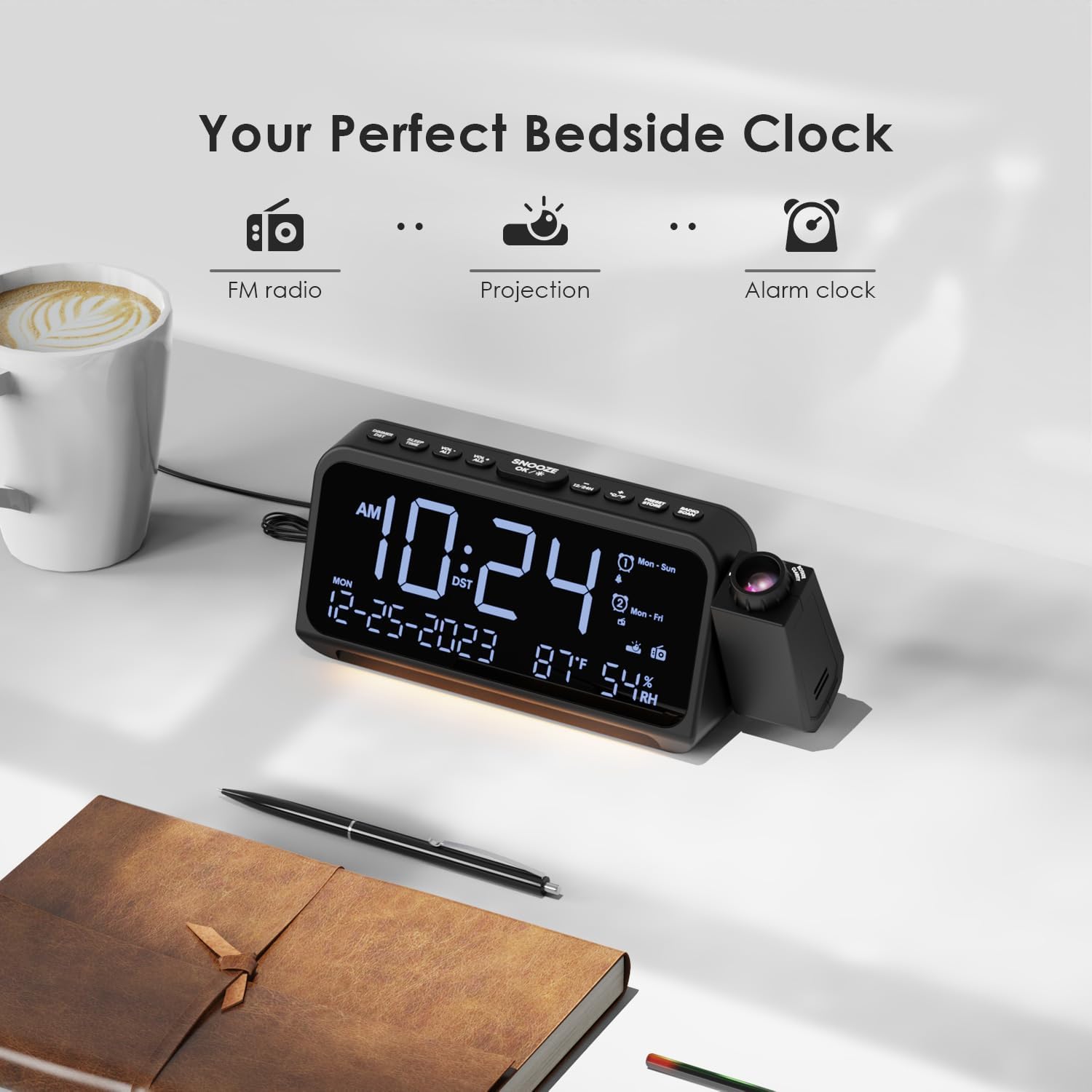
Image 4.1: The ROCAM CR1024 Projection Alarm Clock Radio positioned on a bedside table, highlighting its compact design and integrated projection feature. The display shows time, date, temperature, and humidity.
5. Persediaan
5.1. Sambungan Kuasa
Connect the provided power adapter to the DC IN port on the back of the alarm clock and plug it into a standard wall outlet. The display will light up.

Image 5.1: The alarm clock connected to a wall outlet via its power adapter, illustrating the primary power source connection.
5.2. Pemasangan Sandaran Bateri
For memory backup during power outages, insert 2 AAA batteries (not included) into the battery compartment on the bottom of the unit. This will preserve time and alarm settings but will not power the display or other functions.

Image 5.2: The open battery compartment on the underside of the alarm clock, showing where two AAA batteries should be inserted for backup power.
5.3. Tetapan Masa dan Tarikh Permulaan
- Tekan dan tahan butang 12/24J butang untuk memasuki mod tetapan masa. Digit jam akan berkelip.
- guna vol- or VOL+ untuk menyesuaikan jam. Tekan SNOOZE/OK/* to confirm and move to minute setting.
- Laraskan minit dengan vol- or VOL+. Tekan SNOOZE/OK/* to confirm and move to year setting.
- Continue adjusting year, month, and day using vol- or VOL+ dan mengesahkan dengan SNOOZE/OK/*.
- After setting the date, you can set the 12/24-hour format by pressing 12/24J.
- Tekan ° C / ° F to switch between Celsius and Fahrenheit for temperature display.
6. Arahan Operasi
6.1. Pelarasan Kecerahan Paparan
Tekan pendek SNOOZE/OK/* button to cycle through 5 levels of LED display brightness (L-1 to L-5). This allows you to adjust the display to your preference for different lighting conditions.
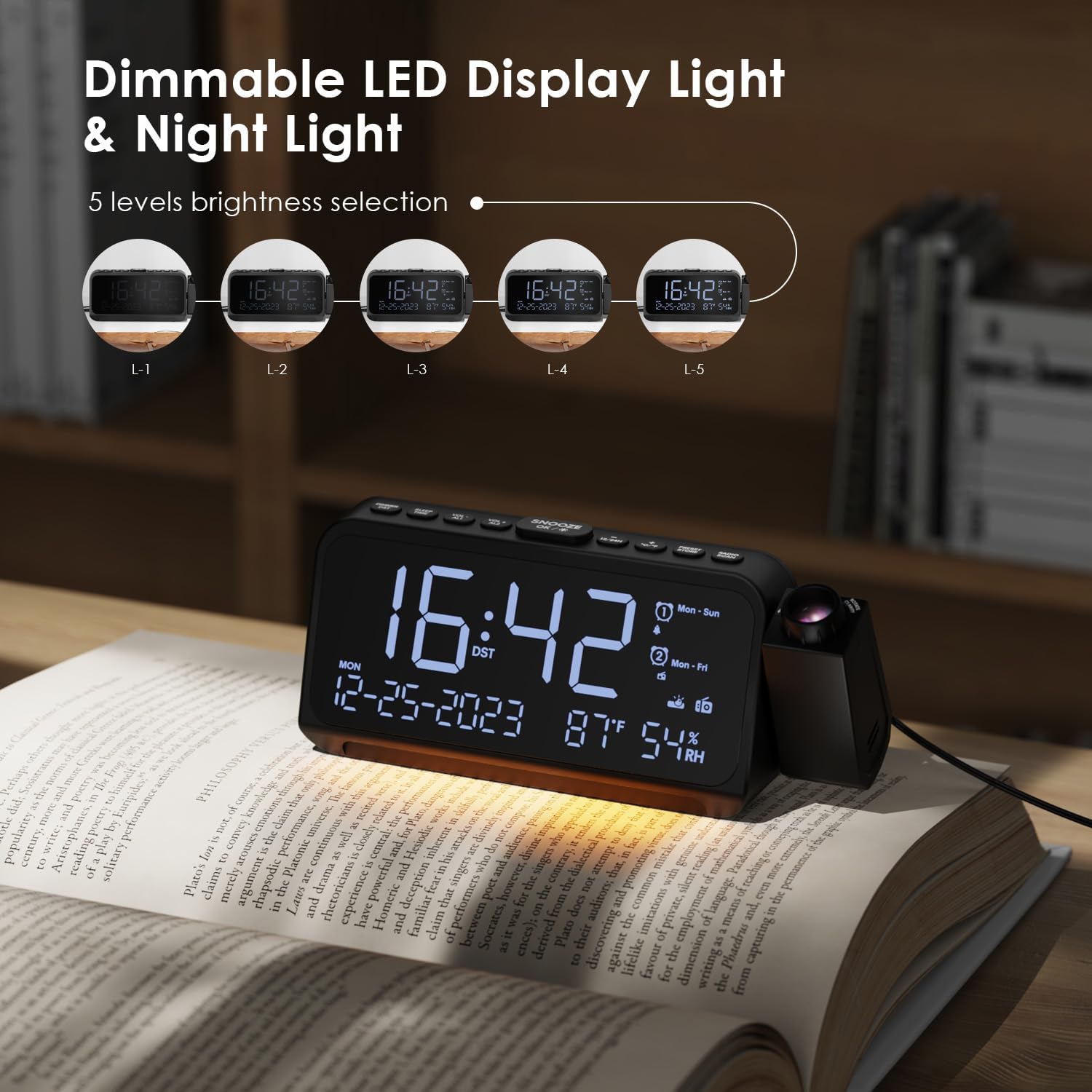
Image 6.1: The alarm clock demonstrating its 5-level dimmable LED display, with examples of different brightness settings (L-1 to L-5).
6.2. Ciri Unjuran
- To activate or deactivate the projection, press the DIM button on the side of the projector.
- Tekan ke DIM button repeatedly to cycle through 5 levels of projection brightness.
- Rotate the projector lens to adjust the focus of the projected image.
- Gunakan PUTAR button on the side of the projector to flip the projected time 180 degrees for optimal viewing angle. The projector can be physically rotated up to 270 degrees.

Image 6.2: The time projected clearly onto a wall from the alarm clock, illustrating the projection feature in a bedroom setting.

Image 6.3: A close-up of the projector lens, showing the rotation capability of the projected time for flexible viewsudut-sudut.
6.3. Alarm Settings (Alarm 1 & Alarm 2)
The device supports two independent alarms with customizable settings.
- Tekan dan tahan VOL-/AL1 to set Alarm 1. The hour digits will flash.
- guna vol- or VOL+ untuk menyesuaikan jam. Tekan SNOOZE/OK/* to confirm and move to minute setting.
- Laraskan minit dengan vol- or VOL+. Tekan SNOOZE/OK/* untuk mengesahkan.
- Select alarm sound: Use vol- or VOL+ to choose between buzzer or FM radio. Press SNOOZE/OK/*.
- Select alarm mode: Use vol- or VOL+ to choose between Mon-Sun, Mon-Fri, Sat-Sun, or One-Time. Press SNOOZE/OK/* untuk mengesahkan dan keluar.
- Repeat steps for Alarm 2 using VOL+/AL2.
- To activate/deactivate an alarm, short press VOL-/AL1 or VOL+/AL2. The alarm icon will appear/disappear on the display.
- When an alarm sounds, press SNOOZE/OK/* for a 9-minute snooze. To turn off the alarm, press any other button.

Image 6.4: The alarm clock display illustrating the dual alarm settings, including options for alarm sound (buzzer or radio) and alarm frequency (Mon-Sun, Mon-Fri, Sat-Sun, One-Time).
6.4. Operasi Radio FM
The alarm clock can store up to 30 FM radio stations (87.5 MHz - 108.0 MHz).
- Tekan RADIO/SCAN to turn the FM radio on or off.
- Auto-Imbas: When the radio is on, press and hold RADIO/SCAN to automatically scan and save available stations.
- Penalaan Manual: Tekan pendek RADIO/SCAN to switch between saved stations. To manually tune, press vol- or VOL+.
- Menyimpan Pratetap: Tune ke stesen yang anda inginkan. tekan dan tahan PRESET/STORE. guna vol- or VOL+ to select a preset number (P01-P30). Press PRESET/STORE sekali lagi untuk berjimat.
- Pratetap Mengingat: Tekan pendek PRESET/STORE to cycle through saved stations.
- Pelarasan Kelantangan: guna vol- or VOL+ to adjust the radio volume (7 levels).

Image 6.5: The alarm clock displaying an FM radio frequency (108.0 MHz) and illustrating the sleep timer function with options from 15 to 90 minutes, or off.
6.5. Pemasa Tidur
When the FM radio is on, press the TIDUR/MASA button to activate the sleep timer. Repeatedly press the button to cycle through sleep timer options: 15, 30, 60, 90 minutes, or OFF. The radio will automatically turn off after the selected duration.

Image 6.6: A hand interacting with the alarm clock, demonstrating the selection of sleep timer durations (15, 30, 60, 90 minutes, or OFF) for the FM radio.
6.6. Port Pengecasan USB
The alarm clock features two charging ports:
- Pelabuhan Jenis-C: Input 5V-2A, Output 5V-1A.
- Port USB-A: Output 5V-1A.
These ports can be used to charge compatible electronic devices such as smartphones or tablets while the alarm clock is powered.

Image 6.7: The back of the alarm clock, clearly showing the Type-C and standard USB charging ports, along with their respective input/output specifications.
7. Penyelenggaraan
- Bersihkan peranti dengan kain lembut dan kering. Jangan gunakan pembersih atau pelarut yang melelas.
- Ensure the projector lens is clean for clear projection.
- If storing the device for an extended period, remove the AAA backup batteries.
8. Penyelesaian masalah
| Masalah | Kemungkinan Punca | Penyelesaian |
|---|---|---|
| Paparan kosong. | No power, power adapter not connected. | Ensure the power adapter is securely plugged into the device and a working outlet. |
| Penggera tidak berbunyi. | Alarm not activated, volume too low, incorrect alarm mode. | Check if the alarm icon is displayed. Adjust alarm volume. Verify the alarm mode (Mon-Sun, Mon-Fri, etc.) is set correctly. |
| Radio statik atau penerimaan yang lemah. | Isyarat lemah, antena tidak dipanjangkan. | Extend the FM antenna fully. Try repositioning the device for better reception. Perform an auto-scan again. |
| Masa yang diunjurkan kabur. | Projection focus needs adjustment. | Rotate the projector lens to adjust the focus until the image is clear. |
| Pengecasan USB tidak berfungsi. | Device not powered, cable issue, incompatible device. | Ensure the alarm clock is powered. Try a different USB cable or device. |
9. Spesifikasi
- Jenama: ROCAM
- Nombor Model: CR1024
- warna: putih
- Dimensi Produk (L x W x H): 20 x 3.81 x 8.4 cm (7.87 x 1.5 x 3.3 inci)
- Berat: 370 gram (0.82 lbs)
- Bahan: plastik
- Jenis Paparan: LED digital
- Sumber Kuasa: Elektrik Bertali
- Bateri tambahan: 2 x bateri AAA (tidak termasuk)
- Frekuensi Radio FM: 87.5 MHz - 108.0 MHz
- Output USB-C: 5V-1A
- Keluaran USB-A: 5V-1A
10. Waranti dan Sokongan
For warranty information and customer support, please refer to the documentation included with your purchase or visit the official ROCAM webtapak. Simpan resit pembelian anda untuk tuntutan waranti.


