pengenalan
This manual provides detailed instructions for the installation, operation, and maintenance of your Zalman T6 MINI Compact MATX PC Case. Please read this manual thoroughly before beginning assembly to ensure proper setup and optimal performance.

Imej: Depan view of the Zalman T6 MINI PC Case, showcasing its minimalist design and front panel I/O ports.
Ciri-ciri Utama
- Reka Bentuk Padat & Cekap: Space-saving m-ATX mini tower suitable for compact builds.
- Ketersambungan Moden: Includes 1 x USB 3.0 and 2 x USB 2.0 ports for convenient device connections.
- Sokongan Perkakasan: Accommodates ATX PSUs (up to 160mm), GPUs (up to 250mm length), and CPU coolers (up to 147mm height).
- Pilihan Storan: Supports up to 2 x 3.5" HDDs and up to 4 x 2.5" SSDs.
- Sistem Penyejukan: Features 1 x preinstalled 80mm rear exhaust fan (1400±10% RPM) and supports 1 x 120mm side fan.
Product Dimensions and Compatibility
Understanding the dimensions and compatibility is crucial for component selection and installation.
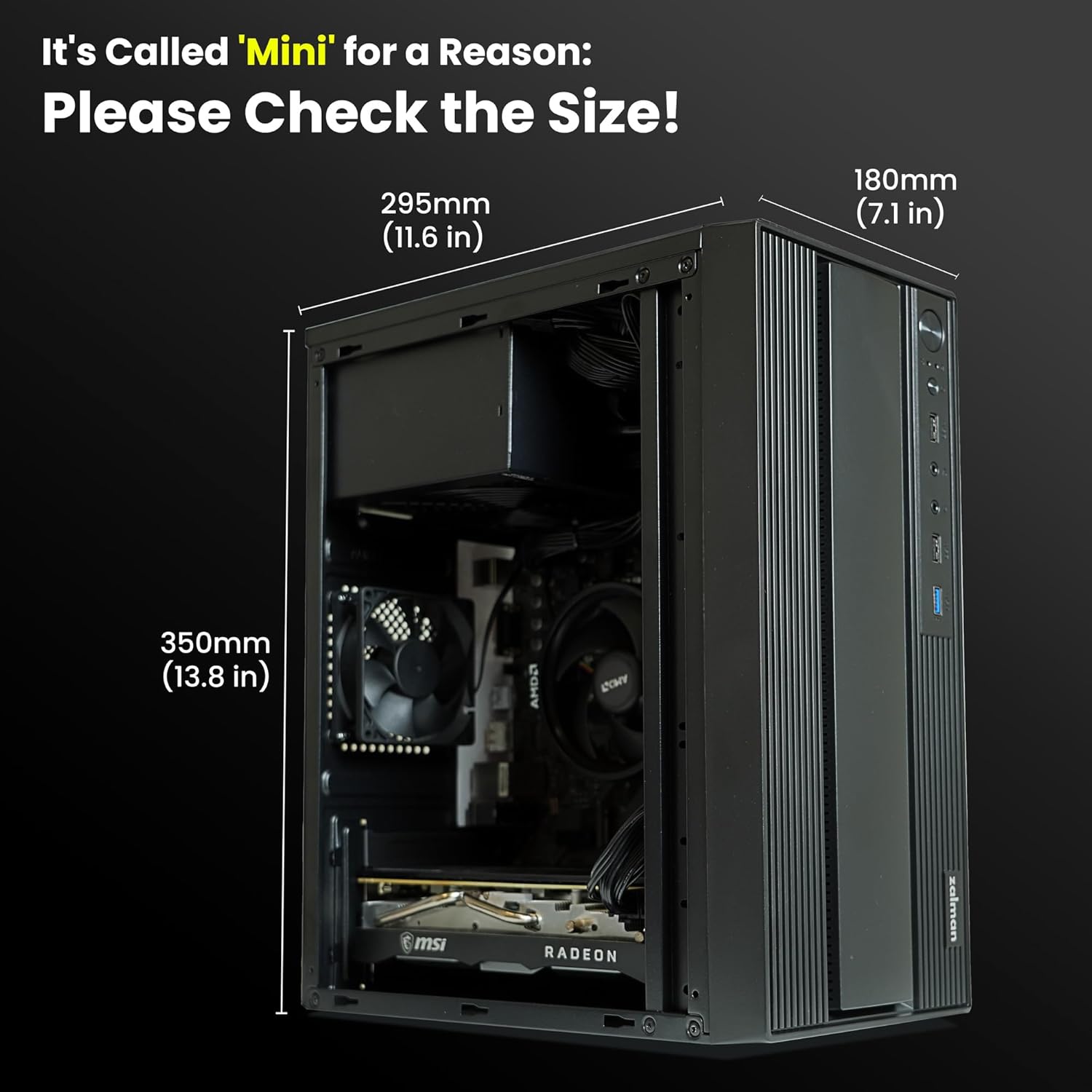
Image: Diagram illustrating the dimensions of the Zalman T6 MINI PC Case (11.6 in / 295mm depth, 7.1 in / 180mm width, 13.8 in / 350mm height).

Image: Visual guide detailing component compatibility, including motherboard (M-ATX, Mini-ITX), GPU length (max 250mm), CPU cooler height (max 147mm), and PSU length (max 160mm).
Persediaan dan Pemasangan
Follow these steps for assembling your PC components within the Zalman T6 MINI case.
1. Menyediakan Kes
Before installing components, ensure the side panels are removed. The case is designed for easy access to the interior.
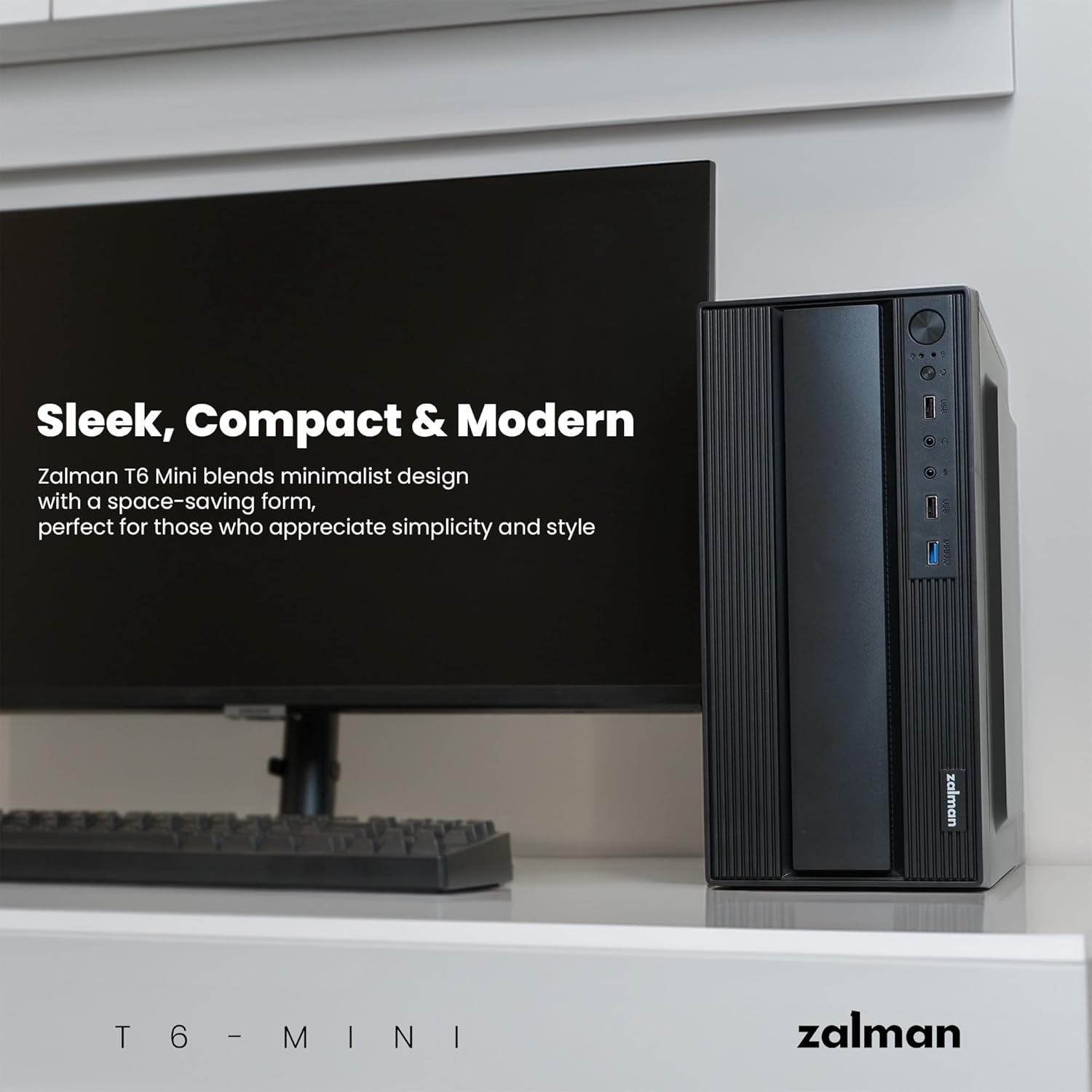
Image: The Zalman T6 MINI PC Case with its side panel removed, revealing the internal structure and component mounting areas.
2. Pemasangan Papan Induk dan GPU
Install your Micro-ATX or Mini-ITX motherboard. Ensure proper alignment with the standoffs. When installing the graphics card, note the maximum supported length of 250mm. For low-profile graphics cards, ensure the blocking plate is correctly replaced.
Video: A detailed tutorial demonstrating the installation process of components within a PC case, including motherboard and graphics card. This video is provided by the seller.
3. Pemasangan Bekalan Kuasa
The case supports ATX PSUs up to 160mm in length. Mount the power supply securely in its designated area.
4. Pemasangan Pemacu Storan
Install your 3.5" HDDs and 2.5" SSDs in the provided drive bays. The case supports up to 2 x 3.5" HDDs and up to 4 x 2.5" SSDs. Nota: If installing an HDD, the CPU cooler height should not exceed 40mm to ensure proper clearance.
5. Pengurusan Kabel
Utilize the internal routing options to manage cables neatly. This improves airflow and maintains a clean interior aesthetic.
Mengendalikan Sarung PC Anda
The front panel provides convenient access to essential controls and ports.

Image: Close-up of the front panel I/O of the Zalman T6 MINI, showing the Power button, Reset button, USB 2.0 ports, Microphone jack, Auxiliary Stereo jack, and USB 3.0 port.
- Butang Kuasa: Press to turn on/off your PC.
- Butang Tetapkan Semula: Press to restart your PC.
- Port USB 3.0: For high-speed data transfer devices.
- Port USB 2.0: Untuk menyambungkan peranti USB standard.
- Bicu Audio: Separate ports for microphone and headphones/speakers.
Penyelenggaraan
Regular maintenance helps ensure the longevity and optimal performance of your PC case and components.
- Pembersihan Habuk: Periodically clean dust from the case interior and fan filters to maintain efficient airflow. Use compressed air or a soft brush.
- Pemeriksaan Kipas: Check the preinstalled 80mm rear fan and any optional side fans for dust buildup or obstructions. Ensure they are spinning freely.
- Pemeriksaan Kabel: Verify that all internal cables remain securely connected and are not obstructing airflow.
Menyelesaikan masalah
Jika anda menghadapi masalah, pertimbangkan langkah penyelesaian masalah biasa berikut:
- Tiada Kuasa: Ensure the power supply is correctly installed and connected to the motherboard and wall outlet. Check all power cables.
- Terlalu panas: Verify that all fans are operating correctly and that there is no excessive dust buildup restricting airflow. Ensure proper component installation within the specified dimensions.
- Port USB Tidak Berfungsi: Check the internal USB headers connected to the motherboard. Ensure drivers are up to date.
- Isu-isu Padanan Komponen: Refer to the "Product Dimensions and Compatibility" section to confirm all components adhere to the maximum supported sizes.
Spesifikasi
| Ciri | Perincian |
|---|---|
| Jenama | Zalman |
| Nama Model | T6 MINI |
| Jenis Kes | Menara Mini |
| Keserasian Papan Induk | Mikro ATX, Mini ITX |
| Dimensi Produk (LxWxH) | 11.6 x 7 x 13.8 inci (295 x 180 x 350 mm) |
| Berat Barang | 4.49 paun |
| bahan | Alloy Steel, Metal, Plastic |
| warna | Hitam |
| Panjang GPU Maks | 250mm |
| Ketinggian Penyejuk CPU Maks | 147mm |
| Panjang PSU Maks | 160mm (ATX PSU) |
| Drive Bays | Up to 2 x 3.5" HDDs, up to 4 x 2.5" SSDs |
| Pelabuhan I / O Depan | 1 x USB 3.0, 2 x USB 2.0, Mic, Aux Stereo |
| Termasuk Peminat | 1 x 80mm Rear Exhaust Fan (1400±10% RPM) |
| Sokongan Peminat | 1 x 120mm Side, 1 x 80mm Rear |
| Liquid AIO Cooler Support | Tidak disokong |
Waranti dan Sokongan
For warranty information and technical support, please refer to the official Zalman webtapak atau hubungi peruncit anda. Simpan bukti pembelian anda untuk tuntutan waranti.
You can visit the official Zalman Store for more products and support: Zalman Store


