pengenalan
The Shark NeverChange Compact Pro Air Purifier is designed to deliver clean air with powerful, long-lasting HEPA filtration. This manual provides essential information for setting up, operating, and maintaining your air purifier to ensure optimal performance and air quality in your home.
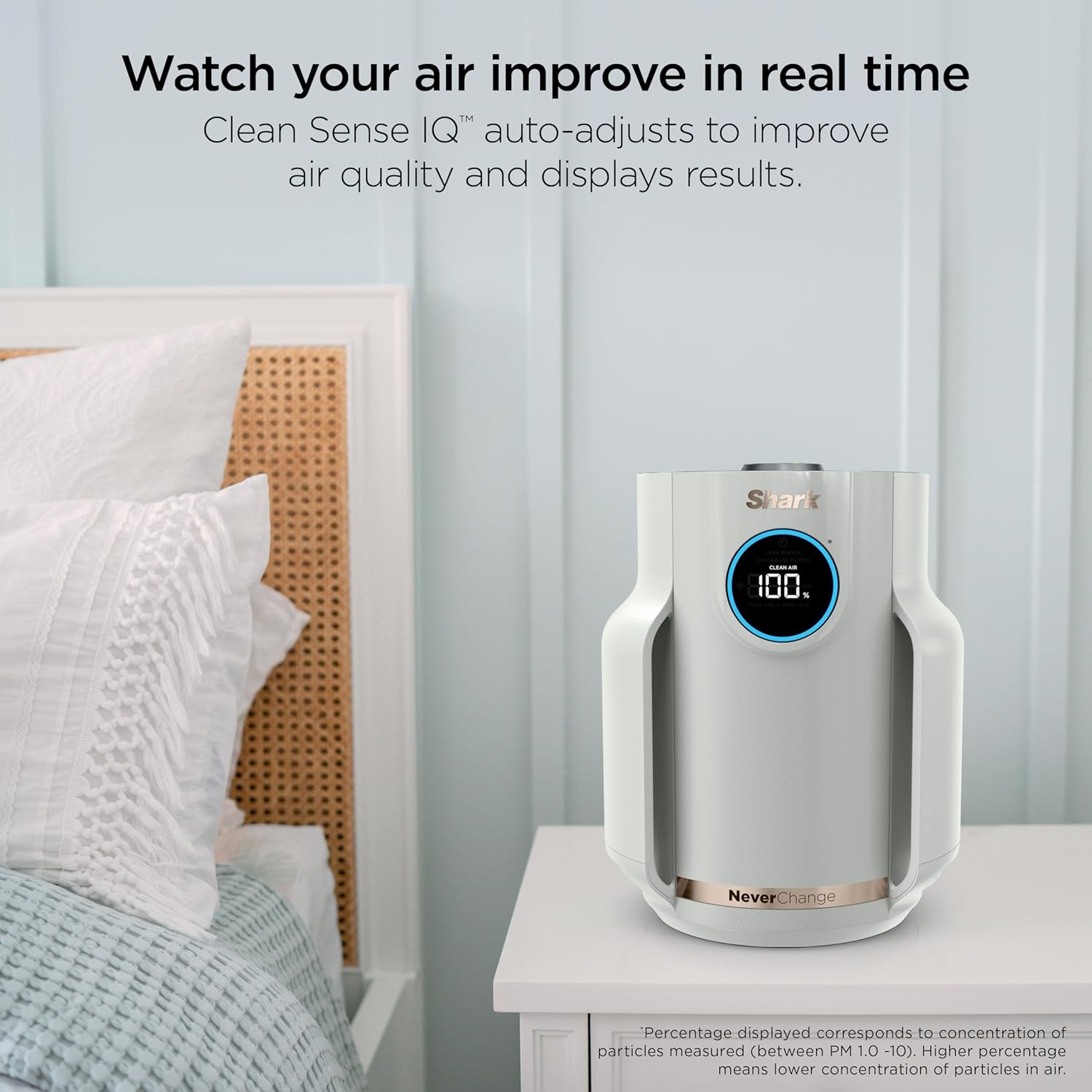
Image: Shark NeverChange Compact Pro Air Purifier, white, with a digital display showing '100%' clean air, placed on a bedside table next to a bed.
Persediaan
- Buka bungkusan Unit: Carefully remove the air purifier and all components from the packaging.
- Keluarkan Pembungkusan Penapis: Before first use, locate the HEPA filter at the bottom of the unit. Twist the bottom cover to unlock, remove the filter, and discard any plastic packaging. Reinsert the filter and secure the cover by twisting it back into place.
- Pasang Katrij Peneutral Bau: Locate the Odor Neutralizer Technology cartridge. Insert it into the designated slot on top of the unit. Rotate the dial to adjust the scent intensity (from minimum to maximum). This cartridge helps guard against odors and releases a fresh scent.
- Letakkan Penulen Udara: Place the unit on a flat, stable surface in the desired room. Ensure there is adequate space around the air intake (sides) and air outlet (top) for optimal airflow.
- Sambungkan Kuasa: Palamkan kord kuasa 6 kaki ke soket elektrik standard.
Video: Official Shark NeverChange Air Purifier Compact Pro overview, demonstrating key features and setup steps.
Arahan Operasi
The Shark NeverChange Air Purifier features an intuitive control panel and CleanSense IQ technology to automatically manage air quality.
Panel Kawalan Terlaluview

Image: Diagram highlighting the control panel features, including the Odor Neutralizer Technology, Front Display LED Screen, DebrisDefense Filters, and Shark NeverChange Filter.
- Butang Kuasa: Tekan untuk menghidupkan atau MATI unit.
- Kelajuan Kipas: Cycle through 5 manual fan speeds or select AUTO mode. In AUTO mode, the purifier adjusts fan speed based on real-time air quality.
- Kawalan Kecerahan: Adjust the brightness of the display lights, including a dim mode for minimal sleep interruption.
- Paparan Kualiti Udara: The LED screen displays real-time air quality percentage. A blue ring indicates good air quality (85-100%), orange indicates fair (70-84%), and red indicates poor (0-69%).
- Kualiti Udara Views: Press the 'i' button to switch between different air quality views: Clean Air percentage, PM1.0 (allergens), PM2.5 (smoke), and PM10 (dust).
CleanSense IQ Technology
With CleanSense IQ, the air purifier continuously monitors your air quality. When pollutants are detected, the unit automatically increases fan speed to clean the air. Once the air quality improves to 100% for 5 minutes, the unit enters Eco mode to conserve filter life and energy.

Image: Shark NeverChange Compact Pro Air Purifier in a nursery setting, highlighting its suitability for sensitive environments with quiet performance and dimmable lights.
Penyelenggaraan
Regular maintenance ensures the longevity and efficiency of your Shark NeverChange Air Purifier.
Penapis Boleh Dibasuh Pertahanan Serpihan
- The Debris Defense filter is designed to capture large particles like hair, dust, and pet dander before they reach the HEPA filter.
- Pembersihan: Easily remove the Debris Defense screens from the sides of the unit. You can vacuum, wipe, or rinse them clean. Allow them to dry completely before reinserting.

Image: A person demonstrating how to slide out and clean the Debris Defense filter of the Shark NeverChange Air Purifier.
Penapis HEPA Jangan Tukar
- The NeverChange HEPA filter is designed for long-lasting filtration, potentially up to 5 years, reducing the need for frequent replacements.
- Penggantian: The unit's display will indicate the remaining filter life. When replacement is needed, twist the bottom cover, remove the old filter, and insert a new Shark NeverChange HEPA filter.

Imej: Meletup view diagram illustrating the PureShield Anti-Allergen HEPA filtration system with Debris Defense, Pet Particle Barrier, Activated Carbon, and NanoSeal Anti-Allergen HEPA layers.
Menyelesaikan masalah
- Unit Tidak Dihidupkan: Ensure the power cord is securely plugged into both the unit and a working electrical outlet. Check if the filter cover is properly secured.
- Poor Air Quality Reading: Verify that the Debris Defense filters are clean and the HEPA filter is not expired. Ensure the unit is placed in an open area, not obstructed by walls or furniture.
- Bunyi Luar Biasa: Check for any obstructions in the fan or filter area. Ensure all filters are correctly installed.
- No Scent from Odor Neutralizer: Check if the Odor Neutralizer cartridge is correctly installed and the dial is set to a desired intensity. The cartridge may need replacement if it has been in use for an extended period.
Spesifikasi
- Nombor Model: HP072
- Jenama: jerung
- warna: Merpati
- Dimensi Produk: 9.21"D x 9.21"W x 11.61"H
- Berat Barang: 4.41 paun
- Liputan Kawasan Lantai: Up to 250 Square Feet (Based on AHAM AC-1, at one air change per hour)
- Kelas Penapis: HEPA (HEPA-Exceeding Anti-Allergen NanoSeal)
- Saiz Pengekalan Zarah: 0.2 mikron
- Ciri Khas: CleanSense IQ, NeverChange Filtration, Debris Defense Protection, Odor Neutralizer Technology
- Sumber Kuasa: AC/DC
- Wattage: 19.2 watt

Image: Shark NeverChange Compact Pro Air Purifier on a desk, with its height (11.3") and width (9.2") dimensions overlaid.
Waranti & Sokongan
Untuk maklumat jaminan dan sokongan pelanggan, sila rujuk laman web rasmi SharkNinja. webtapak atau hubungi perkhidmatan pelanggan mereka secara langsung. Simpan resit pembelian anda untuk tuntutan waranti.


