
pengenalan
Thank you for choosing the himaly Digital Food Scale-X1453. This precision kitchen scale is designed to assist you with accurate measurements for cooking, baking, and portion control. Please read this manual thoroughly before use to ensure proper operation and maintenance.
Kandungan Pakej:
- 1 x himaly Digital Food Scale
- 1 x Manual Arahan
Produk Selesaiview
Familiarize yourself with the components of your digital food scale:
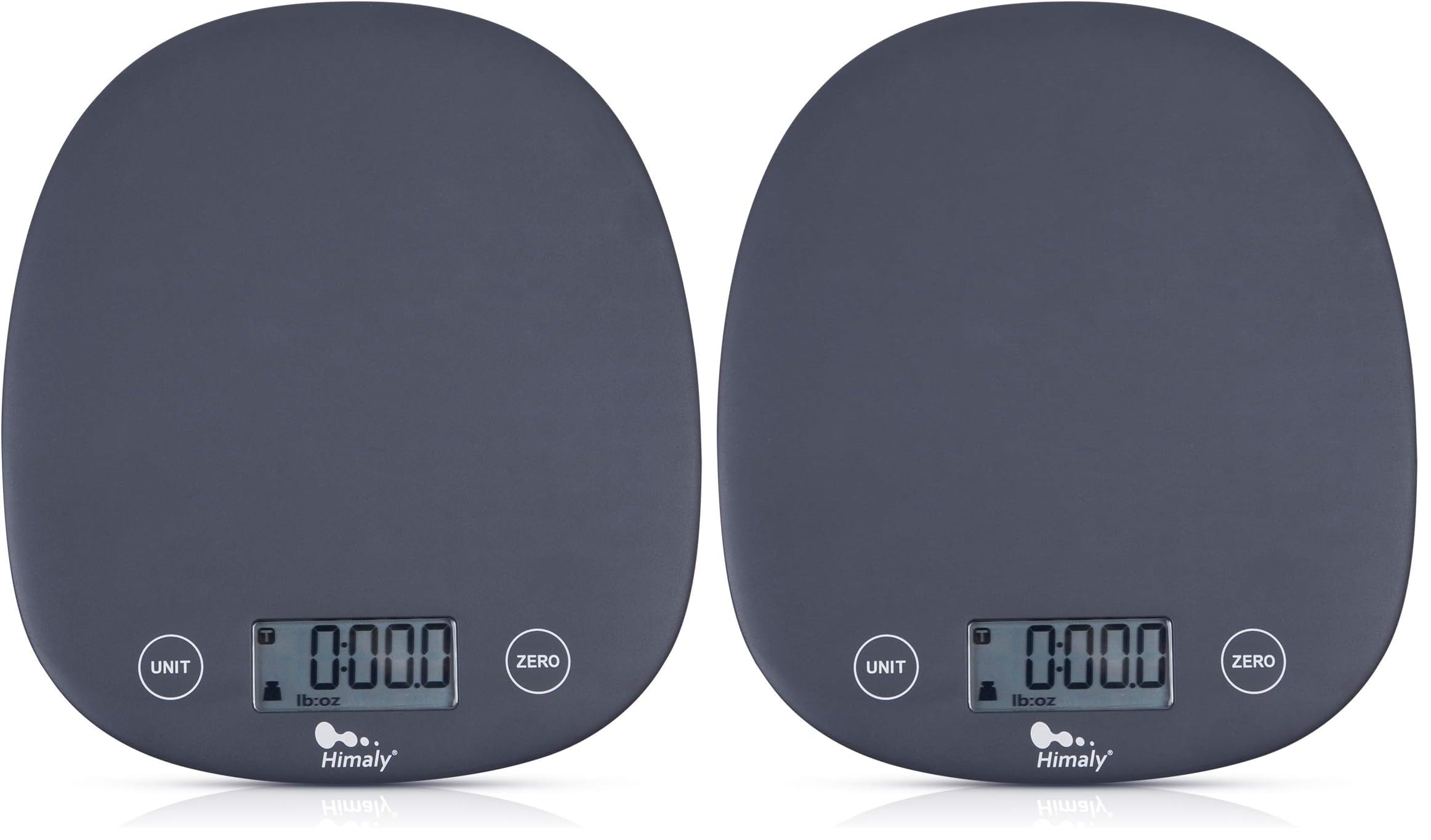
Image: The himaly Digital Food Scale-X1453, featuring a weighing platform, LCD display, and control buttons.
- Platform Penimbang: The surface where items are placed for measurement.
- Paparan LCD: Shows weight readings and unit indicators.
- Butang UNIT: Used to change measurement units.
- Butang TARE/ZERO: Used to reset the scale to zero or subtract container weight.
- Petak Bateri: Terletak di bahagian bawah skala.
- Lubang cangkuk: For convenient wall storage.
Persediaan
1. Pemasangan Bateri
- Buka penutup petak bateri di bahagian bawah penimbang.
- Masukkan 2 bateri AAA (tidak disertakan), pastikan kekutuban (+/-) yang betul.
- Tutup penutup petak bateri dengan selamat.
2. penempatan
Place the scale on a hard, flat, and stable surface to ensure accurate readings. Avoid soft or uneven surfaces, and keep away from strong electromagnetic interference.
Arahan Operasi
1. Hidupkan/Mati Kuasa
- To power on, simply press the weighing platform or the TARE/ZERO button. The scale will automatically turn on.
- The scale features an automatic shutdown function and will turn off after 2 minutes of inactivity to save energy.
2. Penukaran Unit
Tekan ke UNIT button to cycle through the available measurement units: grams (g), pounds and ounces (lb:oz), fluid ounces (fl'oz), and milliliters (ml).
3. Fungsi Tare
The tare function allows you to subtract the weight of a container or previous ingredients, enabling you to measure multiple items in the same bowl.
- Letakkan bekas kosong di atas platform penimbang.
- Tekan ke TARE / ZERO button. The display will reset to zero.
- Add your ingredients to the container. The display will show the net weight of the ingredients.
- Repeat the TARE/ZERO step to measure additional ingredients in the same container.

Image: A digital food scale with a metal bowl on its platform, demonstrating the tare function by showing a zero reading.
4. Menimbang Barangan
- Ensure the scale is on and displaying zero.
- Place the item directly onto the weighing platform or into a tared container.
- Read the weight displayed on the LCD screen. The LCD display will remain active for 30 seconds for easy reading.
Penyelenggaraan
Pembersihan
- Lap penimbang dengan sedikit damp kain. Jangan rendam skala dalam air atau gunakan pembersih yang melelas.
- Pastikan penimbang kering sebelum disimpan.
Penyimpanan
- Simpan skala di tempat yang sejuk dan kering.
- Utilize the integrated hook hole for convenient wall storage, saving counter space.
Menyelesaikan masalah
- "Lo" dipaparkan: This indicates low battery. Replace the batteries with new AAA batteries.
- "Err" dipaparkan: This indicates an overload. The weight on the scale exceeds its maximum capacity. Remove items immediately to prevent damage.
- Bacaan tidak tepat: Ensure the scale is on a flat, stable surface. Turn the scale off and on again to re-calibrate. Avoid placing the scale near electronic devices that may cause interference.
- Skala tidak dihidupkan: Check if batteries are inserted correctly and are not depleted.
Spesifikasi
| Model | Digital Food Scale-X1453 |
| Kapasiti | 11 paun / 5000 g |
| Pengukuran Minimum | 1 g / 0.1 lb |
| Unit | g, lb:oz, fl'oz, ml |
| Paparan | LCD dengan Lampu Latar |
| Mati secara automatik | 2 minit tidak aktif |
| Sumber Kuasa | 2 x Bateri AAA (tidak termasuk) |
| Dimensi Produk | 8.02 x 6.69 x 0.62 inci |
| Berat Barang | 1.35 paun |
Waranti dan Sokongan
For any questions, concerns, or support needs regarding your himaly Digital Food Scale-X1453, please refer to the contact information provided with your purchase or visit the official himaly weblaman web untuk butiran khidmat pelanggan.