pengenalan
This manual provides detailed instructions for the Micool Bluetooth Headset V5.4 (Model DY20PLUS). Please read this manual carefully before using the product to ensure proper operation and to maximize its features and lifespan. This headset is designed for clear communication and comfortable wear, featuring advanced noise cancellation and long battery life.
Maklumat Keselamatan
To ensure safe and proper use of your headset, please observe the following guidelines:
- Do not expose the headset to extreme temperatures, direct sunlight, or high humidity.
- Avoid dropping or subjecting the headset to strong impacts, which may damage internal components.
- Do not attempt to disassemble, repair, or modify the headset. This will void the warranty and may cause harm.
- Keep the headset and its accessories out of reach of children and pets.
- Use only the provided USB-C charging cable or a certified equivalent to prevent damage to the battery.
- Elakkan mendengar pada tahap kelantangan tinggi untuk tempoh yang lama untuk mengelakkan kerosakan pendengaran.
Kandungan Pakej
Sila sahkan bahawa semua item terdapat dalam pakej anda:
- Micool Bluetooth Headset (DY20PLUS)
- Kabel Pengecas USB-C
- Manual Pengguna
- Additional Eartips (Sizes L, M, S)
- Cangkuk Telinga

Image: Micool Bluetooth Headset and its accessories, including different sized eartips and a charging cable.
Produk Selesaiview
Familiarize yourself with the various components and controls of your Micool Bluetooth Headset:

Imej: Depan view of the Micool Bluetooth Headset, highlighting the main call button, volume controls, and the LED battery indicator lights.
- Butang pelbagai fungsi: Used for power on/off, answering/ending calls, and playing/pausing music.
- Kelantangan +/- Butang: Adjust volume, skip tracks, and check battery level.
- Paparan Kuasa LED: Indicates the remaining battery level with four segments.
- mikrofon: Equipped with dual-mic noise reduction for clear voice input during calls.
- Port Pengecasan USB-C: For connecting the charging cable to power the headset.
Persediaan
1. Mengecas Alat Dengar
Before initial use, fully charge your headset to ensure optimal battery performance.
- Connect the USB-C charging cable to the headset's charging port.
- Sambungkan hujung kabel yang satu lagi ke sumber kuasa USB (cth., komputer, penyesuai dinding).
- The LED power display will illuminate to indicate charging. A full charge typically takes approximately 1.5-2 hours.
2. Berpasangan dengan Peranti
The headset utilizes Bluetooth 5.4 for a stable and efficient wireless connection up to 50 meters.
- Ensure the headset is powered off and fully charged.
- Press and hold the Multi-function Button for approximately 3-5 seconds until the LED indicator flashes blue and red alternately. This indicates the headset is in pairing mode.
- On your desired device (smartphone, tablet, laptop), enable Bluetooth and search for available devices.
- Select "DY20PLUS" from the list of found devices.
- Once successfully connected, the LED indicator will flash blue slowly.
3. Connecting to Two Devices Simultaneously (Multi-point Connection)
The DY20PLUS supports connecting to two Bluetooth devices concurrently, allowing seamless switching between them.
- Pair the headset with the first device following the steps above.
- Disable Bluetooth on the first device. The headset will re-enter pairing mode (flashing blue and red).
- Pasangkan set kepala dengan peranti kedua.
- Re-enable Bluetooth on the first device. The headset should automatically connect to both devices. You can now receive calls or play audio from either device.
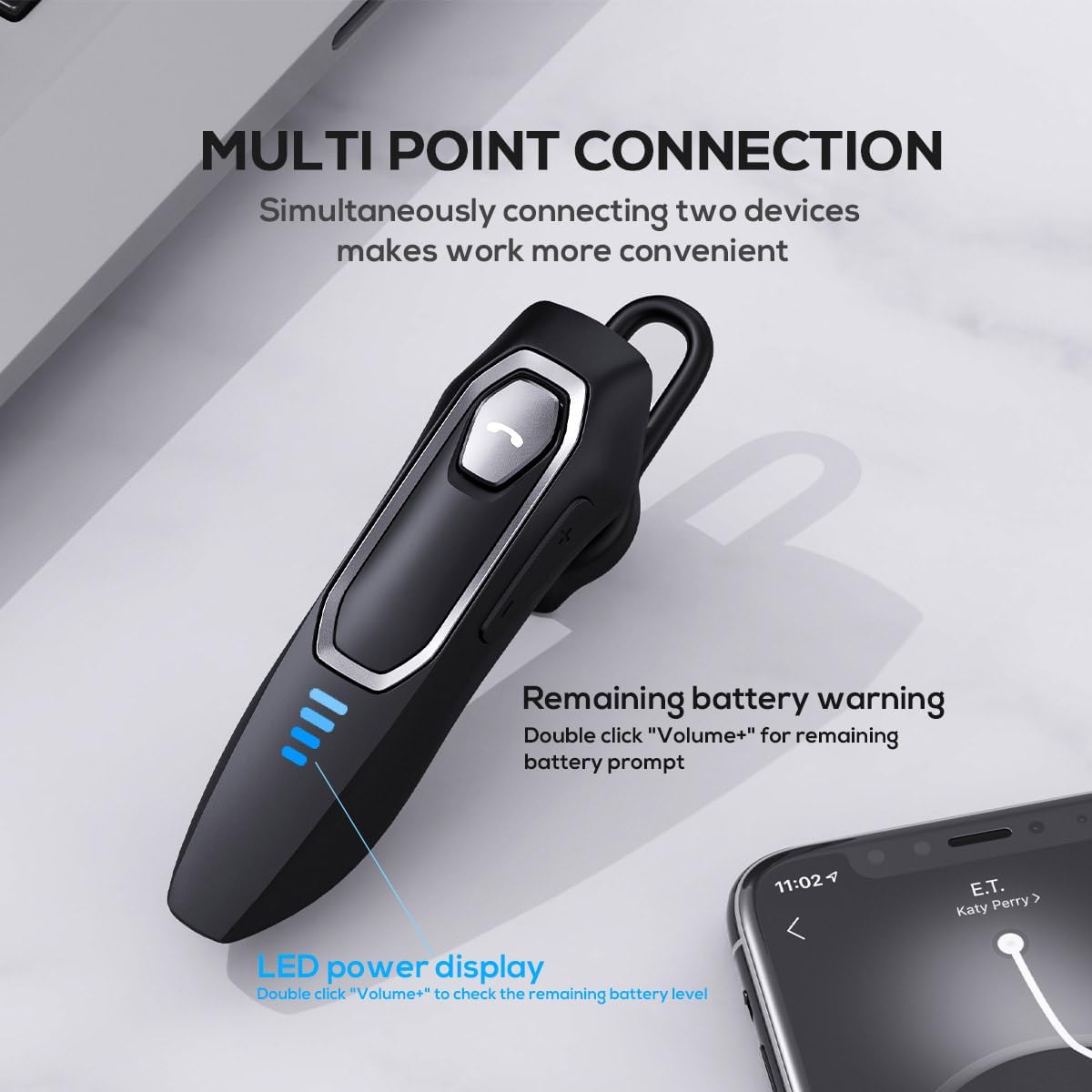
Image: The Micool headset demonstrating its multi-point connection capability, allowing simultaneous connection to two devices.
Arahan Operasi
Hidupkan/Mati Kuasa
- Hidupkan kuasa: Tekan dan tahan Butang Pelbagai fungsi selama 3 saat.
- Matikan: Tekan dan tahan Butang Pelbagai fungsi selama 5 saat.
Pengurusan Panggilan
- Jawab/Tamatkan Panggilan: Tekan sebentar Butang Pelbagai fungsi.
- Tolak Panggilan: Tekan dan tahan Butang Pelbagai fungsi selama 2 saat.
- Redam/Nyahredam Mikrofon: During a call, press and hold the Volume "-" button for approximately 2 seconds.
- Redial Last Outgoing Call: Triple-tap the Multi-function Button.

Image: Illustration of the mute function, activated by holding the Volume '-' button.
Main balik Muzik
- Main/Jeda: Tekan sebentar Butang Pelbagai fungsi.
- Lagu Seterusnya: Press and hold the Volume "+" button for 2 seconds.
- Trek Sebelumnya: Press and hold the Volume "-" button for 2 seconds.
Kawalan Kelantangan
- Tingkatkan Kelantangan: Short press the Volume "+" button.
- Kurangkan Kelantangan: Short press the Volume "-" button.
Pembantu Suara
- Aktifkan Pembantu Suara (Siri, Pembantu Google, dll.): Double-click the Multi-function Button.
Paparan Kuasa LED
- The four LED lights indicate the remaining battery level, with each light representing approximately 25% charge.
- To check the remaining power, double-click the Volume "+" button.
Image: The LED power display on the headset, indicating battery level.
Penyelenggaraan
Proper maintenance will help extend the life of your Micool Bluetooth Headset:
- Clean the headset regularly with a soft, dry, lint-free cloth.
- Do not use abrasive cleaners, solvents, or strong chemicals, as these may damage the surface or internal components.
- Simpan alat dengar di tempat yang sejuk dan kering jauh dari cahaya matahari langsung dan suhu yang melampau.
- Ensure the USB-C charging port is free of dust and debris to maintain proper charging connection.
- If the headset gets wet, wipe it dry immediately. Do not charge it until it is completely dry.
Menyelesaikan masalah
Jika anda menghadapi sebarang masalah dengan alat dengar anda, sila rujuk masalah dan penyelesaian biasa berikut:
| Masalah | Kemungkinan Punca | Penyelesaian |
|---|---|---|
| Alat dengar tidak akan dihidupkan. | Bateri lemah atau habis. | Charge the headset fully using the provided USB-C cable. |
| Tidak boleh berpasangan dengan peranti. | Headset not in pairing mode; Bluetooth disabled on device; device too far. | Ensure headset is in pairing mode (flashing red/blue); enable Bluetooth on your device; move device closer (within 50m). Clear previous Bluetooth connections if necessary. |
| Tiada bunyi atau kualiti bunyi yang buruk. | Volume too low; headset not connected; audio source issue; interference. | Adjust headset and device volume; re-pair headset; check audio source; move away from other wireless devices. |
| Mikrofon tidak berfungsi. | Mute function active; microphone blocked; device settings. | Deactivate mute function (hold Volume "-" for 2s); ensure microphone is clear; check microphone settings on your device. |
| Hayat bateri pendek. | Headset not fully charged; high volume usage; aging battery. | Ensure full charge before use; reduce volume; if issue persists after full charge, contact support. |
Spesifikasi
- Nama Model: DY20PLUS
- Teknologi Ketersambungan: Wayarles (Bluetooth)
- Versi Bluetooth: 5.4
- Julat Bluetooth: Sehingga 50 Meter
- Battery Life (Talk Time): Sehingga 36 Jam
- Hayat Bateri (Main Semula Muzik): Sehingga 45 Jam
- Masa Pengecasan: Lebih kurang 1.5-2 Jam
- Port Pengecasan: USB-C
- Kawalan Bunyi: Active Noise Cancellation (Dual-Mic)
- Peranti Serasi: Smartphones, Tablets, Smart Speakers
- Berat: 2.08 auns (lebih kurang 59 gram)
- Bahan: Akrilonitril Butadiena Stirena (ABS)
- Tahap Rintangan Air: Tahan Air
- Julat Kekerapan: 20 Hz - 20,000 Hz
Waranti dan Sokongan
Micool products are designed for reliability and performance. For detailed warranty information, including coverage and terms, please refer to the warranty card included with your product or visit the official Micool webtapak.
For technical support, troubleshooting assistance, or any inquiries regarding your Micool Bluetooth Headset, please contact our customer service team through the contact information provided on your product packaging or via the Micool Amazon Store:
Micool Amazon Store: Lawati Kedai
Our support team is available to assist you with any questions or concerns you may have.
