pengenalan
This manual provides detailed instructions for the setup, operation, and maintenance of your Taiahiro Wireless Gaming Keyboard and Mouse Combo. This combo features a 98-key RGB backlit mechanical keyboard with blue switches and an ergonomic wireless gaming mouse, offering versatile connectivity options (USB-C, 2.4G, Bluetooth 5.0) for various devices.
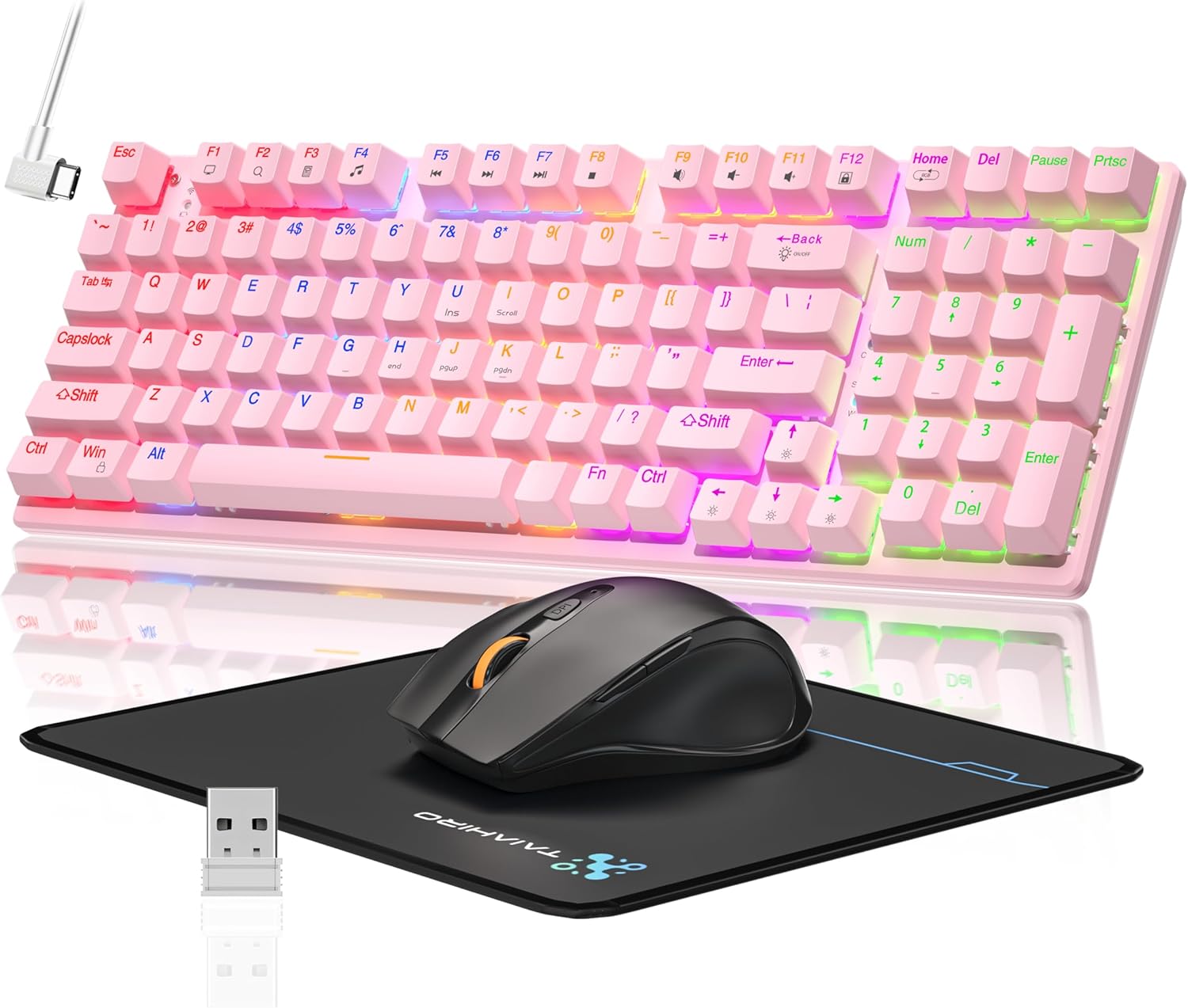
Image: The Taiahiro Wireless Gaming Keyboard and Mouse Combo, featuring a pink 98-key mechanical keyboard with RGB backlighting, a black ergonomic mouse, and a mouse pad. A USB receiver is also visible.
Kandungan Pakej
- Papan Kekunci Mekanikal Tanpa Wayar
- Tetikus Permainan Tanpa Wayar
- Kabel USB-C
- Penerima USB 2.4G
- Pad Tetikus
- Manual Pengguna (dokumen ini)
Persediaan
Persediaan Papan Kekunci
The keyboard supports three connectivity modes: USB-C wired, 2.4G wireless, and Bluetooth 5.0.
- Sambungan Berwayar USB-C: Connect the provided USB-C cable from the keyboard to an available USB port on your computer. The keyboard will be recognized automatically.
- Sambungan Wayarles 2.4G:
- Locate the 2.4G USB receiver, typically stored in the mouse or keyboard compartment.
- Pasangkan penerima USB 2.4G ke port USB yang tersedia pada komputer anda.
- Ensure the keyboard's mode switch (usually on the back or side) is set to 2.4G mode.
- Papan kekunci sepatutnya bersambung secara automatik.
- Sambungan Bluetooth 5.0:
- Ensure the keyboard's mode switch is set to Bluetooth mode.
- Pada peranti anda (PC, komputer riba, tablet, telefon pintar), dayakan Bluetooth dan cari peranti baharu.
- Select "Taiahiro Keyboard" (or similar name) from the list of available devices.
- Ikut sebarang gesaan pada skrin untuk melengkapkan gandingan.

Image: A pink mechanical keyboard connected to various devices (monitor, laptop, tablet) illustrating its triple-mode connectivity via Bluetooth, 2.4GHz, and USB-C.
Persediaan Tetikus
The mouse supports 2.4G wireless and Bluetooth connectivity.
- Sambungan Wayarles 2.4G:
- Insert 1 AA battery (not included) into the mouse.
- Plug the 2.4G USB receiver (shared with keyboard) into an available USB port on your computer.
- Ensure the mouse's power switch is turned ON.
- Tetikus sepatutnya bersambung secara automatik.
- Sambungan Bluetooth:
- Insert 1 AA battery (not included) into the mouse.
- Ensure the mouse's power switch is turned ON and set to Bluetooth mode.
- Pada peranti anda, dayakan Bluetooth dan cari peranti baharu.
- Select "Taiahiro Mouse" (or similar name) from the list of available devices.
- Ikut sebarang gesaan pada skrin untuk melengkapkan gandingan.

Image: A wireless gaming mouse highlighting its 4 adjustable DPI levels and showing the battery compartment with a tiny USB receiver and space for a 1AA battery.
Arahan Operasi
Fungsi Papan Kekunci
- Pencahayaan latar RGB: The keyboard features 8 different RGB lighting modes.
- Tekan Fn + Rumah to cycle through lighting modes.
- Tekan Fn + ↑/↓ to adjust brightness (5 levels).
- Tekan Fn + ←/→ to adjust breathing speed (5 levels).
- Kekunci Multimedia: Gunakan Fn key in combination with F-keys for multimedia controls (e.g., Fn+F1 for media player, Fn+F2 for volume down, etc.). Refer to the keycap legends for specific functions.
- Kaki boleh laras: The keyboard has adjustable feet on the underside to change the typing angle for ergonomic comfort.
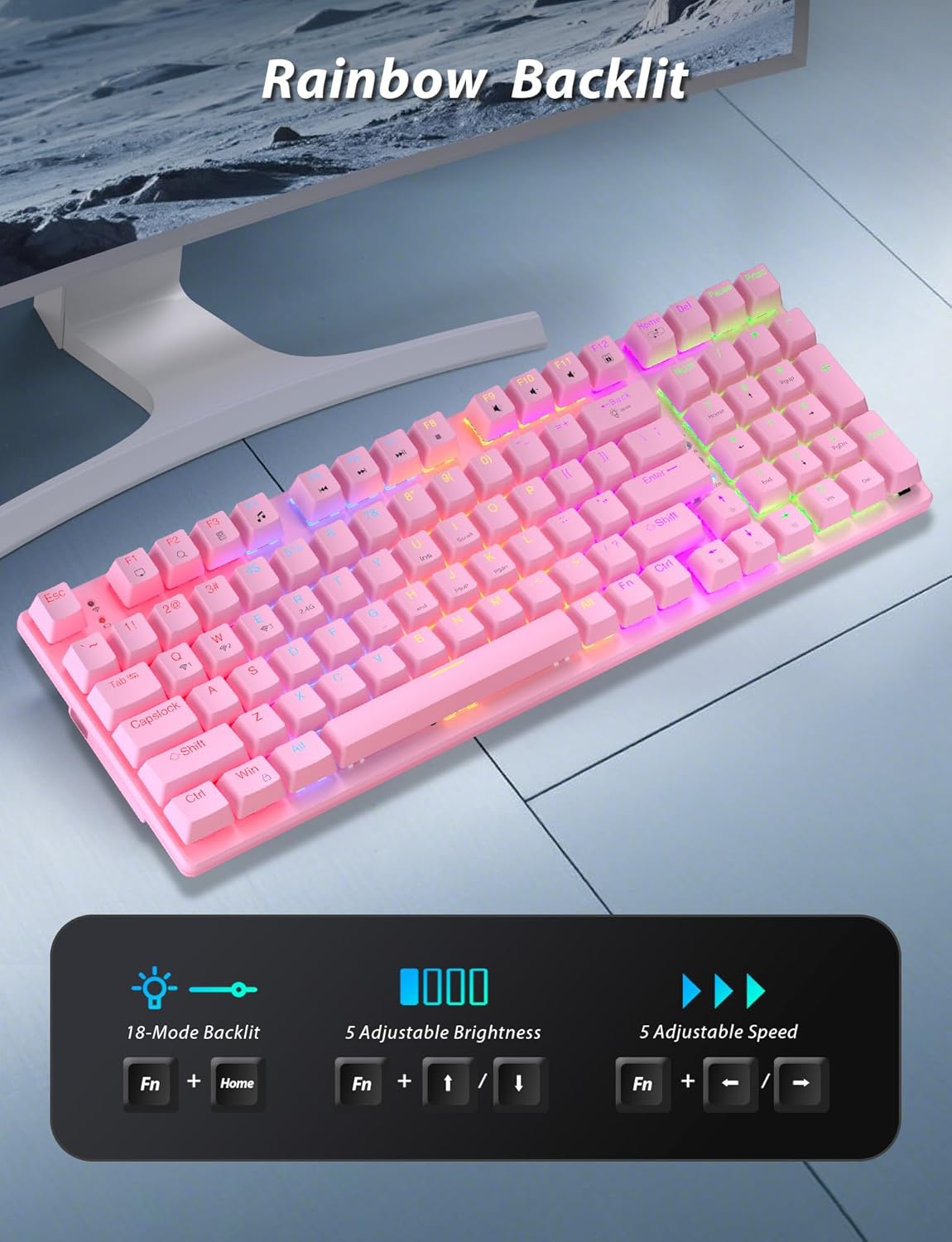
Image: A pink mechanical keyboard displaying its rainbow backlit keys, with an overlay showing the key combinations (Fn + Home, Fn + ↑/↓, Fn + ←/→) for controlling 8 modes, 5 adjustable brightness levels, and 5 adjustable speeds.

Imej: Dari dekat view of the side of the pink mechanical keyboard, showing its ergonomic sloped design and the adjustable feet extended for comfortable typing. The accompanying mouse is also shown on a mousepad.
Fungsi Tetikus
- Pelarasan DPI: The mouse features 4 adjustable DPI levels (800/1600/2400/3200). Press the DPI button (usually located behind the scroll wheel) to cycle through the sensitivity settings.
- Reka bentuk ergonomik: The contoured shape of the mouse is designed to fit comfortably in your hand, reducing fatigue during extended use.
- Anti-skid Scroll Wheel: Provides precise scrolling control.

Image: A wireless gaming mouse with a prominent scroll wheel and DPI button, illustrating its 4 adjustable DPI levels (800/1600/2400/3200), ergonomic shape, and forward/back buttons.
Penyelenggaraan
- Pembersihan: Gunakan kain lembut dan kering untuk membersihkan permukaan papan kekunci dan tetikus. Untuk pembersihan yang lebih mendalam, sedikitamp kain boleh digunakan, memastikan tiada cecair memasuki komponen dalaman. Elakkan bahan kimia yang keras atau bahan yang melelas.
- Penggantian Bateri: For the mouse, replace the AA battery when performance degrades. For the keyboard, recharge via the USB-C cable when the battery indicator shows low power.
- Storan: Apabila tidak digunakan untuk tempoh yang lama, simpan kombo di tempat yang sejuk dan kering jauh dari cahaya matahari langsung dan suhu yang melampau.
Menyelesaikan masalah
| Masalah | Penyelesaian |
|---|---|
| Keyboard/Mouse not connecting via 2.4G. |
|
| Keyboard/Mouse not connecting via Bluetooth. |
|
| RGB backlighting not working or dim. |
|
| Kursor tetikus tidak menentu atau tidak responsif. |
|
Spesifikasi
| Ciri | Perincian |
|---|---|
| Nombor Model | BK6301 |
| Jenis Papan Kekunci | 98-Key Mechanical Keyboard |
| Jenis Suis | Suis Biru |
| Kesambungan Papan Kekunci | USB-C (Berwayar), Tanpa Wayar 2.4G, Bluetooth 5.0 |
| Mouse Connectivity | Wayarles 2.4G, Bluetooth |
| Tahap DPI Tetikus | 800/1600/2400/3200 |
| Pencahayaan latar | RGB (8 Modes, 5 Brightness, 5 Speed) |
| Peranti Serasi | PC, Laptop, Smartphone, Tablet (Windows, macOS, Android) |
| Keyboard Key Life | 50 Juta Klik |
| Dimensi Papan Kekunci | Approx. 14.96 x 5.51 x 3.15 inches (from Package Dimensions) |
| Berat Barang | 2.72 pounds (combo weight) |
| Bateri tetikus | 1 x bateri AA (tidak termasuk) |
| Bateri Papan Kekunci | 1 x C battery (included) Note: This seems unusual for a keyboard, usually Li-ion. Based on input "1 C batteries required. (included)". Will state as per input. |

Imej: Dari dekat view of the mechanical blue switches on the keyboard, showing the keycap removed and the switch mechanism, along with specifications like 50,000,000 keystrokes life, key force, and stroke travel.
Waranti dan Sokongan
Taiahiro products are designed for reliability and performance. For warranty information or technical support, please refer to the contact details provided on the product packaging or visit the official Taiahiro webtapak. Simpan resit pembelian anda untuk tuntutan waranti.
For further assistance, you may contact Taiahiro customer service through their official channels. Please provide your product model number (BK6301) and a detailed description of the issue when seeking support.


