1. Pengenalan
This manual provides detailed instructions for the proper setup, operation, and maintenance of your FEELWORLD T10 Camera Monitor. Please read this manual thoroughly before using the product to ensure optimal performance and longevity. The FEELWORLD T10 is designed to enhance your videography and photography experience with its advanced monitoring capabilities.
2. Kandungan Pakej
Sahkan bahawa semua item terdapat dalam pakej anda:
- FEELWORLD T10 Camera Monitor
- F750 4400mAh Battery (or similar NP-F series battery)
- Kabel USB
- Manual Pengguna (dokumen ini)
If any items are missing or damaged, please contact FEELWORLD customer support.
3. Persediaan
3.1. Pemasangan Bateri
The FEELWORLD T10 monitor is powered by an NP-F series battery. The package includes an F750 4400mAh battery.
- Pastikan monitor dimatikan.
- Locate the battery slot on the rear of the monitor.
- Align the battery with the slot, ensuring the contacts match.
- Luncurkan bateri ke dalam slot sehingga ia mengklik pada tempatnya dengan selamat.
- To remove, press the battery release button (if present) and slide the battery out.
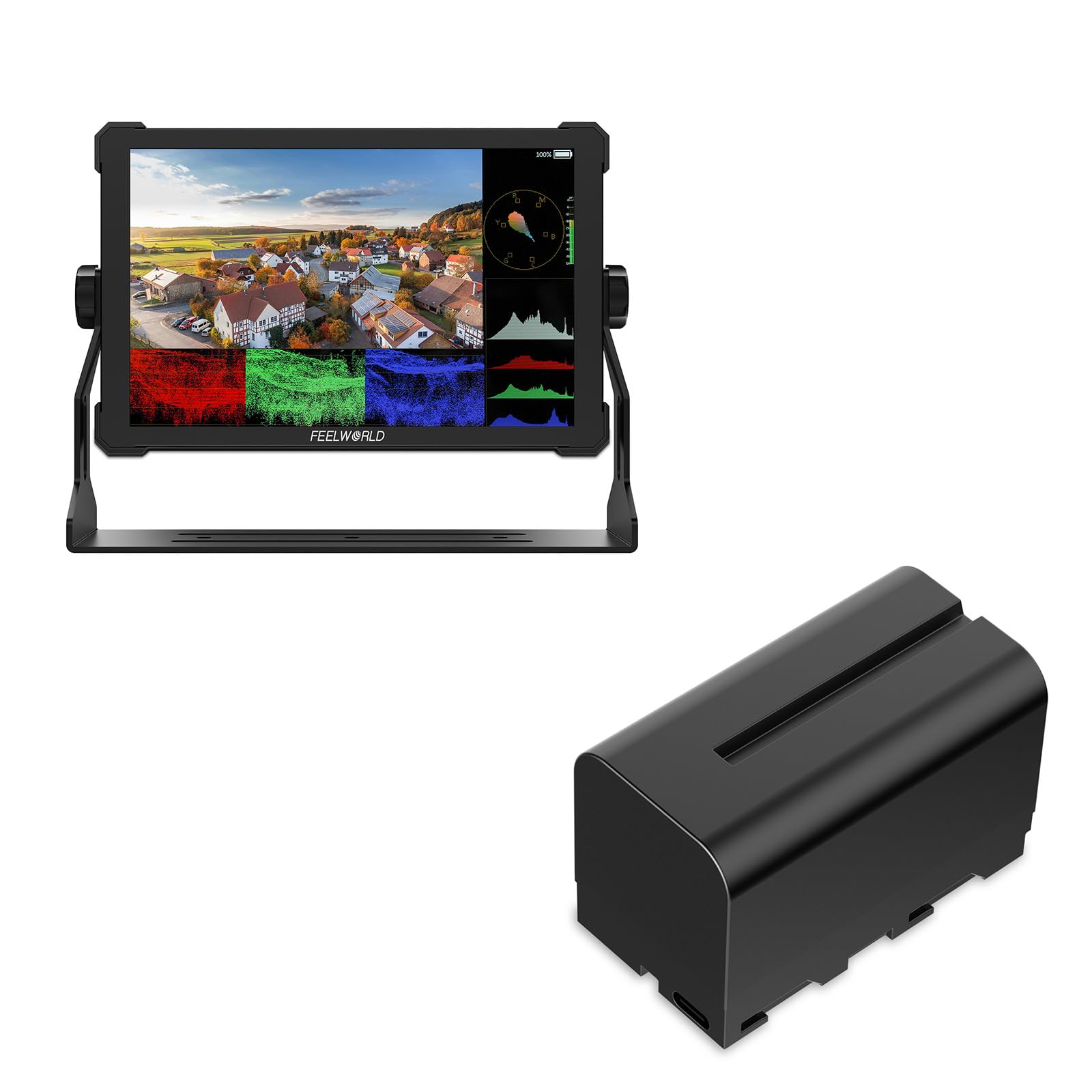
Imej 1: Belakang view of the FEELWORLD T10 Camera Monitor showing the battery slot. The F750 battery is designed to slide into this slot for power.
3.2. Connecting to a Camera/Device
The T10 monitor supports various input methods. Use the appropriate cable (not always included) to connect your camera or device.
- Input HDMI: Connect an HDMI cable from your camera's HDMI output to the monitor's HDMI input port.
- Sambungan USB: The included USB cable can be used for firmware updates or power delivery (if supported by your power source).
4. Arahan Operasi
4.1. Menghidupkan/Mematikan
Press and hold the power button (usually located on the side or top of the monitor) for a few seconds to turn the monitor on or off. A short press may activate/deactivate the screen or enter standby mode, depending on settings.
4.2. Basic Navigation and Menu System
The T10 monitor typically features a menu button and navigation buttons (up/down/left/right or a scroll wheel) to access and adjust settings.
- Tekan ke MENU butang untuk membuka menu utama.
- Gunakan butang navigasi untuk menatal melalui pilihan menu.
- Tekan ke OK/SET button (often the center of the navigation cluster) to select an option or confirm a setting.
- Tekan ke MENU button again or an EXIT butang untuk menutup menu.
4.3. Ciri dan Tetapan Utama
The FEELWORLD T10 offers various features to assist with videography and photography:
- Nisbah Aspek: Adjust the display aspect ratio (e.g., 16:9) to match your camera's output or desired viewformat ing.
- Resolusi Video: The monitor supports up to 1080p video resolution. Ensure your camera's output matches or is compatible.
- Bantuan Fokus: Utilize peaking or other focus assist tools to ensure sharp focus.
- Exposure Tools: Features like false color or zebras can help monitor exposure levels.
- Custom Function Buttons: Assign frequently used functions to programmable buttons for quick access.
5. Penyelenggaraan
5.1. Membersihkan Monitor
- Gunakan kain lembut yang tidak berbulu untuk mengelap skrin dan badan dengan lembut.
- Untuk calitan degil, sedikit dampen kain dengan air atau penyelesaian pembersihan skrin yang direka khusus untuk elektronik.
- Elakkan menggunakan bahan kimia, pelarut atau bahan kasar yang keras, kerana ini boleh merosakkan skrin atauasing.
5.2. Penjagaan Bateri
- Cas bateri sepenuhnya sebelum penggunaan pertama.
- Simpan bateri di tempat yang sejuk dan kering apabila tidak digunakan.
- Avoid fully discharging lithium-ion batteries frequently, as this can reduce their lifespan.
- Jika menyimpan untuk tempoh yang lama, cas bateri sehingga kapasiti lebih kurang 50-60%.
5.3. Penyimpanan
When not in use, store the monitor in a protective case or bag to prevent scratches and impact damage. Keep it away from extreme temperatures, humidity, and direct sunlight.
6. Penyelesaian masalah
| Masalah | Kemungkinan Punca | Penyelesaian |
|---|---|---|
| Monitor tidak dihidupkan. | Bateri mati atau tidak dipasang dengan betul. | Cas bateri atau pastikan ia dipasang dengan betul. |
| No signal displayed. | Incorrect input source selected; cable not connected properly; camera not outputting signal. | Check cable connections; select correct input source in monitor menu; verify camera's output settings. |
| Imej herot atau berkelip-kelip. | Faulty cable; incompatible resolution/frame rate; interference. | Try a different cable; adjust camera output resolution; move away from strong electromagnetic sources. |
| Bateri cepat habis. | High screen brightness; old battery; cold environment. | Reduce screen brightness; replace old battery; operate in moderate temperatures. |
If you encounter issues not listed here, please refer to the support section or contact customer service.
7. Spesifikasi
| Ciri | Perincian |
|---|---|
| Jenama | FEELWORLD |
| Nama Model | T10 |
| Nisbah Aspek | 16:9 |
| Resolusi Tangkapan Video | 1080p |
| Disokong File Format | MP4, AVI, MOV |
| Jenis Bateri | Lithium Ion (NP-F series compatible) |
| Purata Hayat Bateri | Approximately 3 Hours (with included F750 battery) |
| Peranti Serasi | Personal Computer, Smartphone, Tablet (via appropriate adapters/cables) |
| Kegunaan Khusus Untuk Produk | Videography, Photography |
| Resolusi Paparan Maksimum | FHD |
| Autofokus | Yes (Focus Assist features) |
8. Waranti dan Sokongan
8.1. Maklumat Waranti
FEELWORLD products typically come with a limited warranty. Please refer to the warranty card included with your product or visit the official FEELWORLD website for the most current and detailed warranty terms and conditions. Keep your proof of purchase for warranty claims.
8.2. Sokongan Pelanggan
For technical assistance, troubleshooting, or service inquiries, please contact FEELWORLD customer support through their official website or the contact information provided in your product packaging. You may need to provide your product model (T10) and serial number.
FEELWORLD Official Store: Visit the FEELWORLD Store on Amazon