pengenalan
This manual provides essential information for the safe and efficient use of your FLEXISPOT E3 Dual Motor Electric Standing Desk. It covers assembly instructions, operational guidelines, maintenance tips, and troubleshooting steps. Please read this manual thoroughly before assembly and first use to ensure proper function and longevity of your desk.
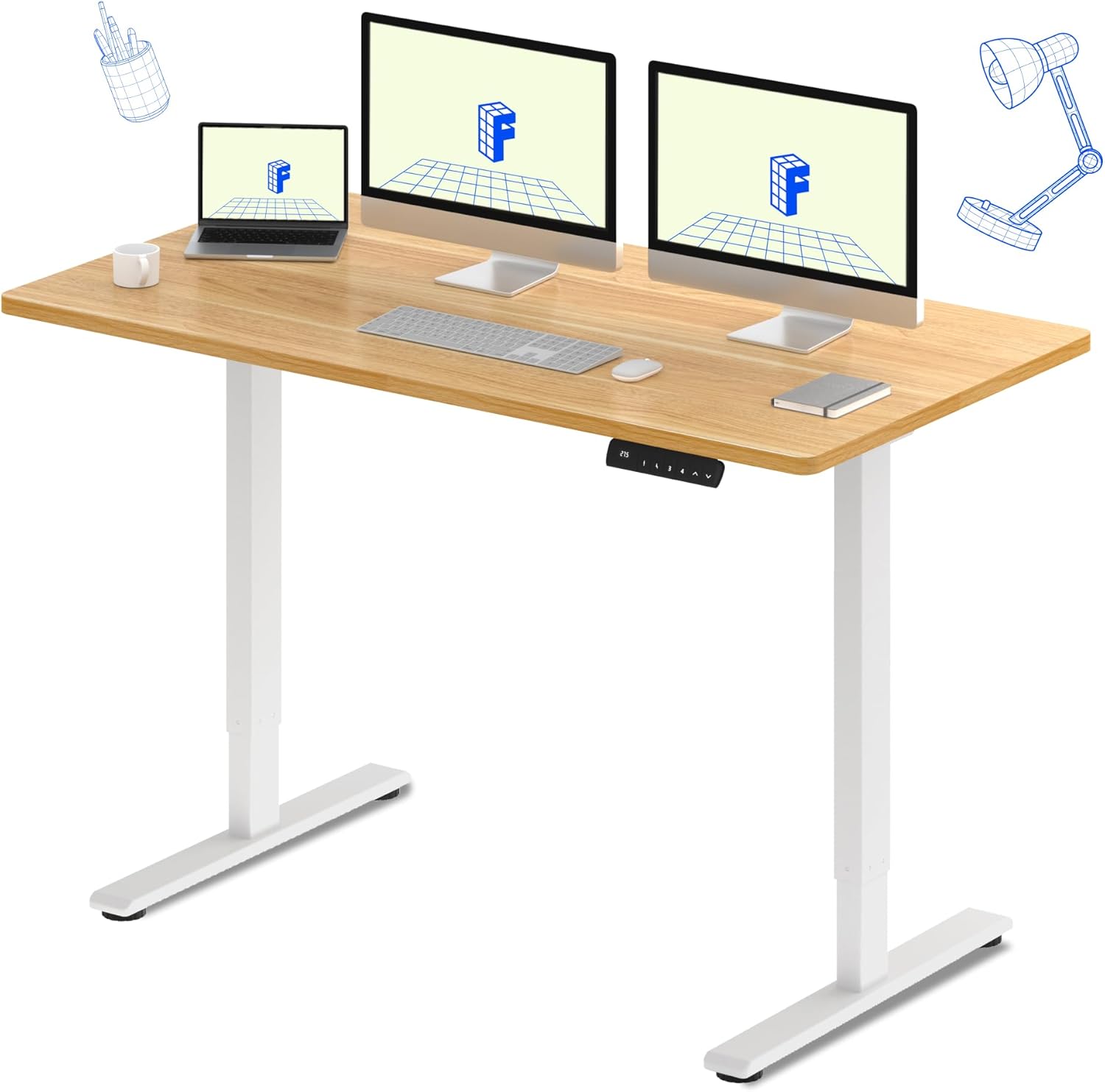
The FLEXISPOT E3 Dual Motor Electric Standing Desk, featuring a spacious 60"x24" maple desktop and a sturdy white frame, designed for a versatile workspace.
Maklumat Keselamatan
Untuk memastikan operasi yang selamat dan mencegah kerosakan, patuhi langkah berjaga-jaga keselamatan berikut:
- Sentiasa pastikan meja dipasang dengan betul dan stabil sebelum digunakan.
- Jangan melebihi had berat maksimum 220 paun (100 kg) pada desktop.
- Be cautious when adjusting the desk height to avoid pinching or crushing objects or body parts. Ensure there are no obstructions in the desk's path.
- Jauhkan kanak-kanak dan haiwan peliharaan dari meja semasa operasi.
- Jangan duduk atau berdiri di atas meja.
- Hanya gunakan penyesuai kuasa dan komponen yang disediakan.
- Putuskan sambungan kuasa sebelum membersihkan atau melakukan sebarang penyelenggaraan.
Ciri-ciri Utama
- Seamless & Silent Dual Motor Operation: Equipped with dual motors for quiet operation (under 50 dB) and enhanced lifting capacity.
- Kapasiti Berat Teguh: Capable of lifting up to 220 lbs, providing stable support for your equipment.
- Roomy & Ergonomic Workspace: Features a 59" x 23.6" (approx. 60"x24") solid-surface desktop, offering ample space for monitors, laptops, and other work essentials.
- Customizable & Convenient Height Settings: The control panel allows saving up to 4 custom height settings for quick transitions between sitting and standing positions.

Detail of the dual motor frame, illustrating the continuous height adjustment capability of the desk.

Visual representation of the desk's robust 220 lbs weight capacity.
Spesifikasi
| Atribut | Perincian |
|---|---|
| Jenama | FLEXISPOT |
| Model | E3 |
| Dimensi Produk (D x W x H) | 60"D x 23.6"W x 27.6"H |
| warna | White Frame + Maple Top |
| Gaya | moden |
| Bahan Asas | logam |
| Jenis Bahan Atas | kayu |
| Jenis Selesai | kayu |
| Ciri Khas | Corded |
| Saiz | 60"x24" Keseluruhan |
| Komponen yang Disertakan | Keyboard Tray, Monitor Arm (Note: These may be optional accessories, refer to packaging) |
| Cadangan Berat Maksimum | 220 paun (100 kg) |
| Perhimpunan yang Diperlukan | ya |
| bentuk | segi empat tepat |
| Reka Bentuk Meja | Meja Berdiri |
| Ketebalan Atas Meja | 23.6 Inches (Note: This likely refers to the width, not thickness) |
| Panjang Diagonal Permukaan Bekerja | 66.3 Inci |
Persediaan dan Perhimpunan
The FLEXISPOT E3 desk requires assembly. It typically arrives in two packages: one for the desktop and one for the frame components. While assembly is generally straightforward, it is recommended to have two people for certain steps due to the weight of the components.
Langkah Perhimpunan Agung:
- Buka Pembungkusan Komponen: Carefully unpack all parts and verify against the packing list.
- Pasang Bingkai: Follow the included instructions to assemble the desk frame, including the legs, crossbar, and motors.
- Lampirkan Desktop: Secure the desktop to the assembled frame. Note that the desktop may require pre-drilling holes for attachment, as indicated in some user experiences. Ensure proper alignment before securing.
- Pasang Panel Kawalan: Mount the control panel to the underside of the desktop in an accessible location.
- Sambungan Pendawaian: Connect all motor and control panel wiring to the control box as per the diagram in your specific instruction manual.
- Hidupkan dan Uji: Plug in the desk and perform an initial test of the height adjustment functions.
For detailed, step-by-step instructions and diagrams, please refer to the assembly manual included in your product packaging.
Arahan Operasi
Your FLEXISPOT E3 desk features an intuitive control panel for easy height adjustments and memory settings.

The programmable control panel for the FLEXISPOT E3 desk, featuring up/down buttons and four memory presets.
Operasi asas:
- Menyelaraskan Tinggi: Gunakan Atas (▲) dan Bawah (▼) arrows on the control panel to raise or lower the desk to your desired height. The current height is displayed on the digital screen.
- Saving Memory Presets: The desk allows you to save up to four preferred height settings. To save a height:
- Laraskan meja pada ketinggian yang diingini.
- Tekan ke 'M' or 'S' button (depending on control panel version).
- Tekan segera salah satu butang pratetap bernombor ('1', '2', '3', atau '4') before the display stops flashing. The height is now saved to that number.
- Mengingat Semula Pratetap Memori: Hanya tekan butang pratetap bernombor yang sepadan ('1', '2', '3', atau '4') untuk menggerakkan meja secara automatik ke ketinggian yang disimpan.
Penggunaan Ergonomik:
Regularly switching between sitting and standing positions can help alleviate discomfort associated with prolonged sitting. Utilize the memory presets to easily transition throughout your workday.

The FLEXISPOT E3 desk supports an active workspace, allowing for comfortable standing or walking while working.
Penyelenggaraan
Proper maintenance ensures the longevity and smooth operation of your standing desk.
- Pembersihan: Lap desktop dan bingkai dengan lembut, damp kain. Elakkan pembersih yang melelas atau bahan kimia keras yang boleh merosakkan kemasan.
- Pengurusan Kabel: Periodically check and organize cables to prevent tangles and ensure they do not interfere with the desk's movement.
- Semak Sambungan: Pastikan semua sambungan elektrik selamat dan bebas daripada kerosakan.
- Pelinciran: The motors and lifting columns are generally maintenance-free. Do not attempt to lubricate internal components unless specifically instructed by FLEXISPOT support.
Menyelesaikan masalah
If you encounter issues with your FLEXISPOT E3 desk, refer to the following common problems and solutions:
| Masalah | Kemungkinan Punca | Penyelesaian |
|---|---|---|
| Desk does not move / No power | Kabel kuasa diputuskan; Isu salur keluar kuasa | Check all power connections. Ensure the power outlet is functional. |
| Desk moves unevenly or stops | Overload; Obstruction; Unbalanced load | Reduce weight on the desk. Remove any obstructions. Distribute weight evenly. |
| Error codes (e.g., ASR/E20) displayed | Motor fault; Sensor issue; Overheat protection | Refer to your specific product manual for error code definitions and reset procedures. Often, unplugging the desk for 10-15 minutes and plugging it back in can clear temporary errors. If the issue persists, contact customer support. |
| Desk makes unusual noises | Loose components; Obstruction | Check for any loose screws or components. Ensure nothing is caught in the lifting mechanism. |
Jika masalah berterusan selepas mencuba penyelesaian ini, sila hubungi khidmat pelanggan FLEXISPOT untuk bantuan lanjut.
Waranti dan Sokongan
FLEXISPOT stands behind the quality of its products.
- Perlindungan Waranti: Your FLEXISPOT E3 desk comes with a Waranti 5 tahun on the desk frame and motor, and a Waranti 2 tahun on the control panel and electronics.
- Pelan Perlindungan: Additional protection plans may be available for purchase, offering extended coverage. Please refer to your purchase details for more information.
- Sokongan Pelanggan: For any questions, technical assistance, warranty claims, or replacement parts, please contact FLEXISPOT customer service. Have your product model and purchase information ready when contacting support.