1. Pengenalan
The MAONO WAVE T1 Mini Wireless Lavalier Microphone is an ultra-compact and portable audio solution designed for high-quality sound capture. It features advanced noise cancellation, AI voice filters, and extended battery life, making it ideal for content creation, video recording, vlogging, streaming, meetings, and interviews across various devices including iPhones, Android phones, tablets, and PCs.
2. Kandungan Pakej
The MAONO WAVE T1 Mini Wireless Lavalier Microphone (Type-C & Lightning Version) package includes the following items:
- Pemancar x2
- Type-C Receiver x1
- Lightning Receiver x1
- Kes Mengecas x1
- USB-C to USB-A Charging Cable x1
- Portable Storage Bag x1
- Manual Pengguna x1

Image: Complete MAONO WAVE T1 Mini package contents, including two transmitters, a charging case, and both Type-C and Lightning receivers.
3. Ciri-ciri Produk
- Mini Mic, Pro Sound: Ultra-compact and portable design delivering 48kHz/16bit studio-quality sound.
- MFi Diperakui: Apple-certified for secure recording with iOS systems, ensuring seamless compatibility and premium audio signal transmission without overheating or data loss.
- 4-Level AI Noise Cancellation: One-click noise reduction with 32dB gain control and Smart Automatic Limiting function for clear recordings in noisy environments.
- Dilanjutkan Hayat Bateri 30 Jam: The compact charging case provides up to 30 hours of use. The receiver allows device charging during recording.
- 328ft Stable Transmission: Plug-and-play operation with an uninterrupted 328ft connection range. LED indicators show working status.
- AI Voice Filters and Effects: Utilize the Maono Link app to switch between 4 unique voice filters and 4 voice-altering effects. Real-time adjustment of noise reduction and sound gain is also available.
- Serasi Secara Universal: Includes MFi certified Lightning and USB-C receivers, compatible with iPhone, Android phones and tablets, Windows, and Mac PCs.

Image: Visual representation of the microphone's core features.

Image: The microphone's thumb-sized design and lightweight nature (5.9g).
Video: Official product showcase highlighting mini size, sound quality, noise reduction, app control, and battery life.
4. Persediaan dan Sambungan
4.1 Sambungan Awal
- Insert the appropriate receiver (Type-C or Lightning) into your phone's charging port.
- The transmitter and receiver will pair automatically. The blue light on the receiver will remain solid once connected.
Nota: If the receiver indicator does not light up after plugging it in, you may need to enable the OTG function on your Android device. Cari untuk "OTG" in your phone's settings and enable it before use.
4.2 Manual Pairing (If blue light keeps flashing)
- With the transmitter powered off, press and hold the power button for 6 seconds until the blue light flashes rapidly, indicating pairing mode.
- After the receiver is connected to the phone, press and hold the pairing button on the transmitter for 6 seconds to enter pairing mode.
- Once pairing is successful, the blue light on both the transmitter and receiver will remain solid.
5. Arahan Operasi
5.1 Pembatalan Bunyi
A short press of the noise cancellation button on the transmitter can turn the noise cancellation function on or off. When enabled, the indicator light will turn green. During use, briefly press the receiver button to switch between 4 noise reduction levels (Slight, Moderate, Strong, Super). The green light will blink for the corresponding number of times to indicate the selected level.
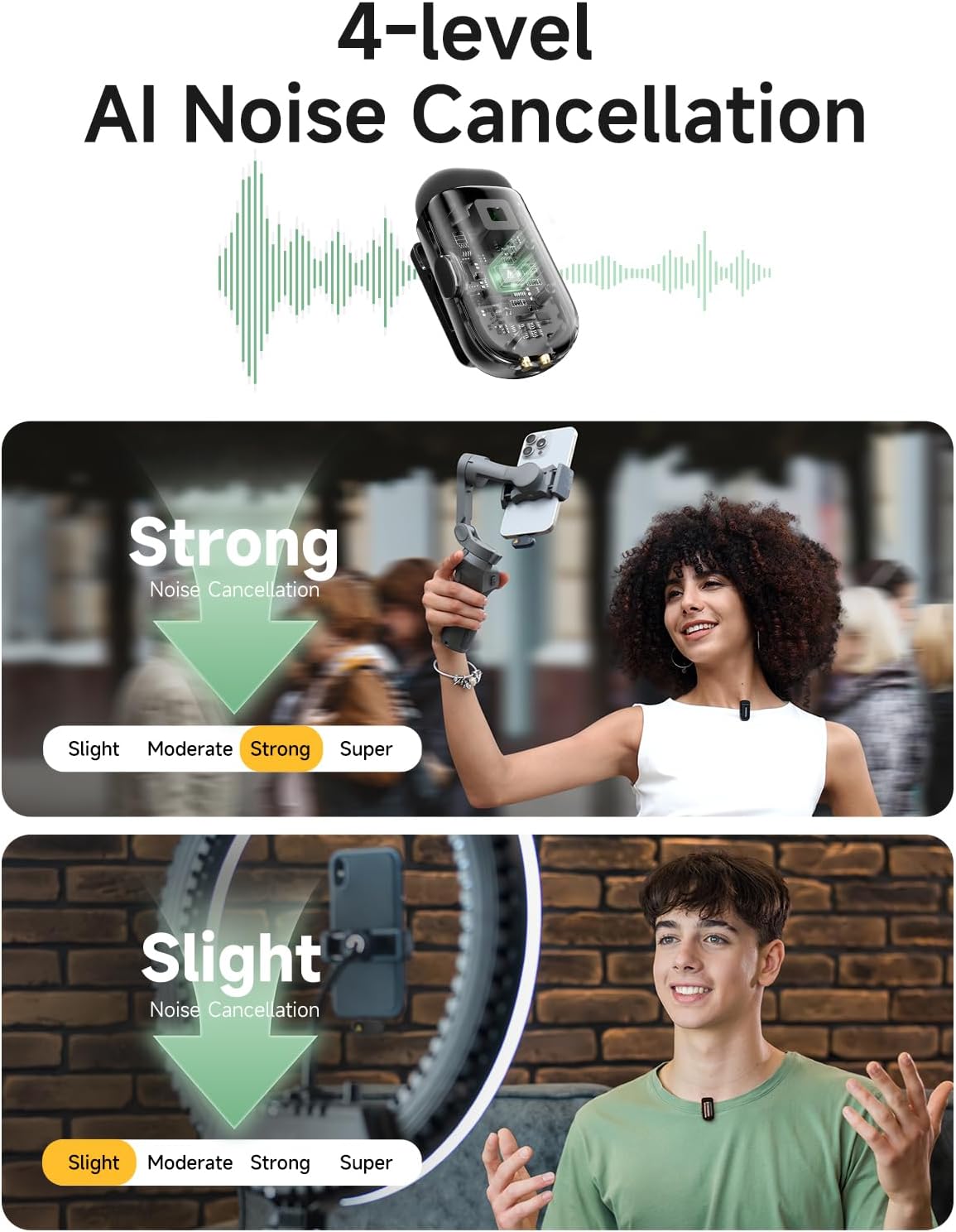
Image: Illustration of the 4-level AI Noise Cancellation feature.
5.2 Remote Control for Photo/Video
In your phone's camera or video recording interface, double-click the transmitter button to remotely control your phone to take photos or record videos.
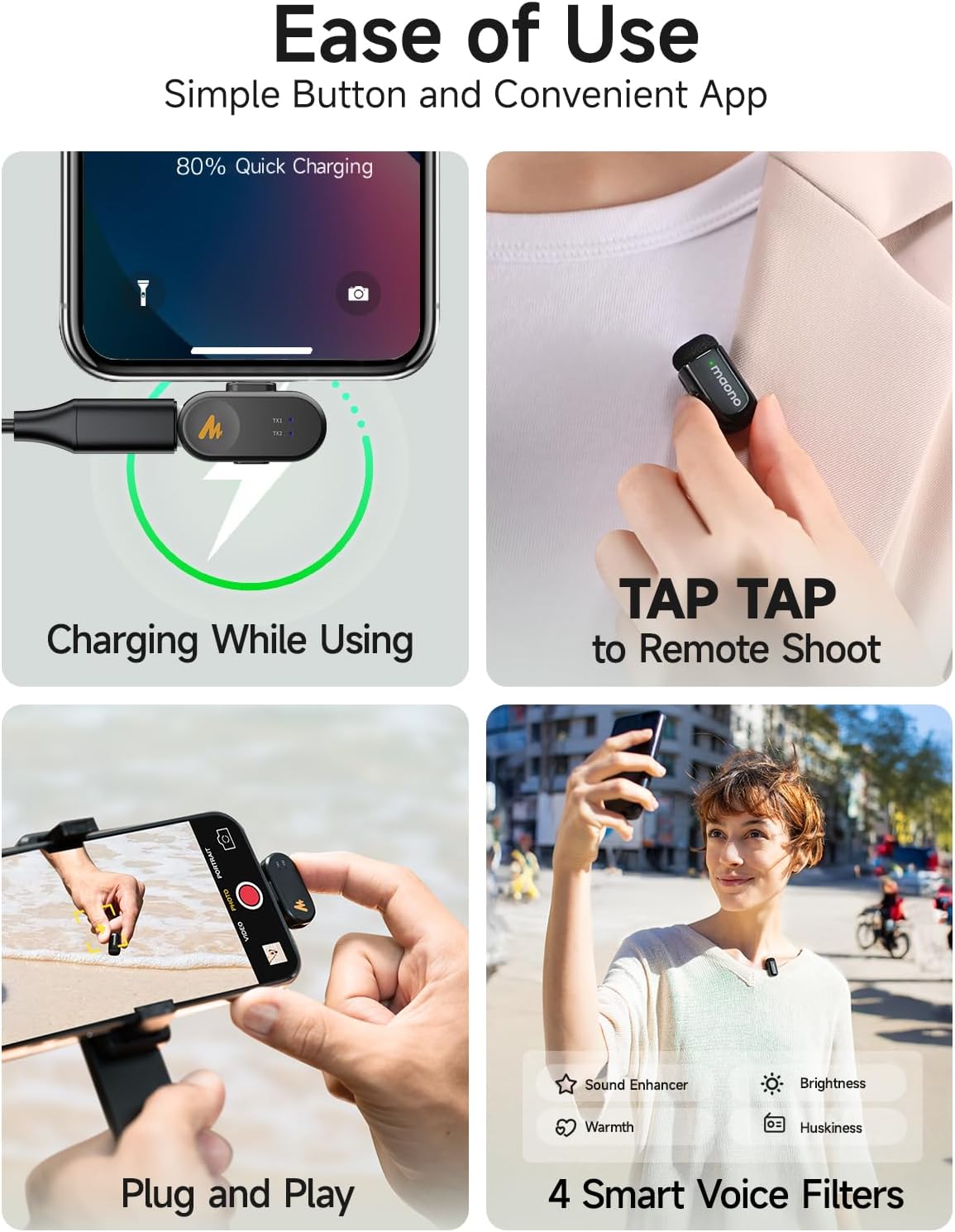
Image: Demonstrates remote shooting and other ease-of-use features.
5.3 Maono Link App Control
Install the Maono Link app on your smartphone to instantly adjust Wave T1 mini settings or restore them to factory settings. After connecting to the phone, the system will request access permissions. Once confirmed, you will enter the settings interface.
- Status Sambungan: Check the transmitter's connection status and remaining battery level.
- Tahap Input: View the real-time input level status of the microphone.
- Kawalan Keuntungan: Adjust the output volume in real-time through the gain control.
- Pembatalan Bunyi: Turn the noise cancellation function on or off and adjust the noise cancellation level (Slight, Moderate, Strong, Super) according to your needs.
- Voice Coloration (EQ Presets): Enable voice coloration to choose from four preset voice filters: Voice Enhancer, Warmth, Brightness, Huskiness.
- Penukar Suara: Provides four choices of voice changing effects: Uncle, Goddess, Baby Voice, and Original.
- Tetapan semula kilang: Ketik butang bahagian atas sebelah kanan untuk view device information or select "Restore Factory Settings" to resolve anomalies.
Video: Demonstrates the Maono Link app interface, including gain control, noise reduction levels, voice coloration, and voice changer effects.
6. Mengecas
The MAONO WAVE T1 Mini comes with a compact charging case that provides up to 30 hours of extended battery life. The transmitters charge inside the case. The case itself is rechargeable via USB-C.
When using the magnetic charging cable, ensure you pay attention to the correct direction for insertion. Do not attempt to open the back clip or insert the charging cable in reverse, as this may cause damage.
Video: Illustrates the correct method for using the magnetic charging cable.
If the red light on a transmitter flashes slowly, it indicates low battery. Please charge the transmitter by placing it in the charging case.
7. Penyelesaian masalah
- Receiver Indicator Not Lighting Up: If the receiver indicator does not light up after plugging it into your phone, try enabling the OTG function in your phone's settings before use. Cari untuk "OTG" in settings, find the OTG settings, and enable the function.
- Transmitter Not Pairing: If the blue light on the transmitter keeps flashing, manual pairing is required. Follow the steps in Section 4.2.
- Anomalies in Functionality: If you experience any unusual behavior, you can try restoring the device to factory settings via the Maono Link app.
8. Spesifikasi
| Ciri | Perincian |
|---|---|
| Penggunaan yang Disyorkan | Gaming, Interviews, Streaming, Video Recording, Vlogging |
| Jenama | MAONO |
| Nama Model | WM622 PBC2 |
| Teknologi Ketersambungan | Tanpa wayar |
| Jenis Penyambung | Kilat, USB Jenis-C |
| Ciri Khas | 30H Battery, 328FT Stable Transmission, 8 AI Voice Filters, 4-level Noise Cancellation, Maono Link app, Studio-Quality Sound, Ultra-Compact, MFi Certified |
| Peranti Serasi | Action Camera, Laptop, Personal Computer, Smartphone, Tablet |
| Komponen yang Disertakan | Charging Case, Portable Storage Bag, Type-C & Lightning Receiver, User Manual, Wave T1 mini Transmitter x2 |
| Corak Kutub | Omnidirectional |
| Faktor Bentuk Mikrofon | Lavalier |
9. Waranti dan Sokongan
Untuk maklumat jaminan dan sokongan teknikal, sila rujuk MAONO rasmi weblaman web atau hubungi khidmat pelanggan mereka secara langsung. Produk ini biasanya didatangkan dengan jaminan pengilang yang meliputi kecacatan bahan dan mutu kerja.
Lawati MAONO Store untuk mendapatkan lebih banyak maklumat produk dan sumber sokongan.


