1. Pengenalan
Thank you for choosing the EDYELL C6 Motorcycle Bluetooth Headset. This device is designed to enhance your riding experience by providing seamless communication, high-fidelity music, and hands-free calling. Featuring Bluetooth V5.3, an OLED display, a 1000mAh battery, and IP67 waterproofing, the C6 offers reliable performance in various conditions. Please read this manual carefully to ensure proper installation and operation.
2. Kandungan Pakej
Sahkan bahawa semua item yang disenaraikan di bawah disertakan dalam pakej anda:
- 1x EDYELL C6 Motorcycle Bluetooth Headset
- 1x Hard Microphone Speakers Set
- 1x Clamping Pangkalan
- 2x Microphone Velcro Tape
- 2x Speaker Velcro
- 2x Booster Sticker
- 1x Stand Velcro Tape
- 1x Thick Double Sided Tape
- 1x Manual Pengguna
- 1x Kabel Pengecasan
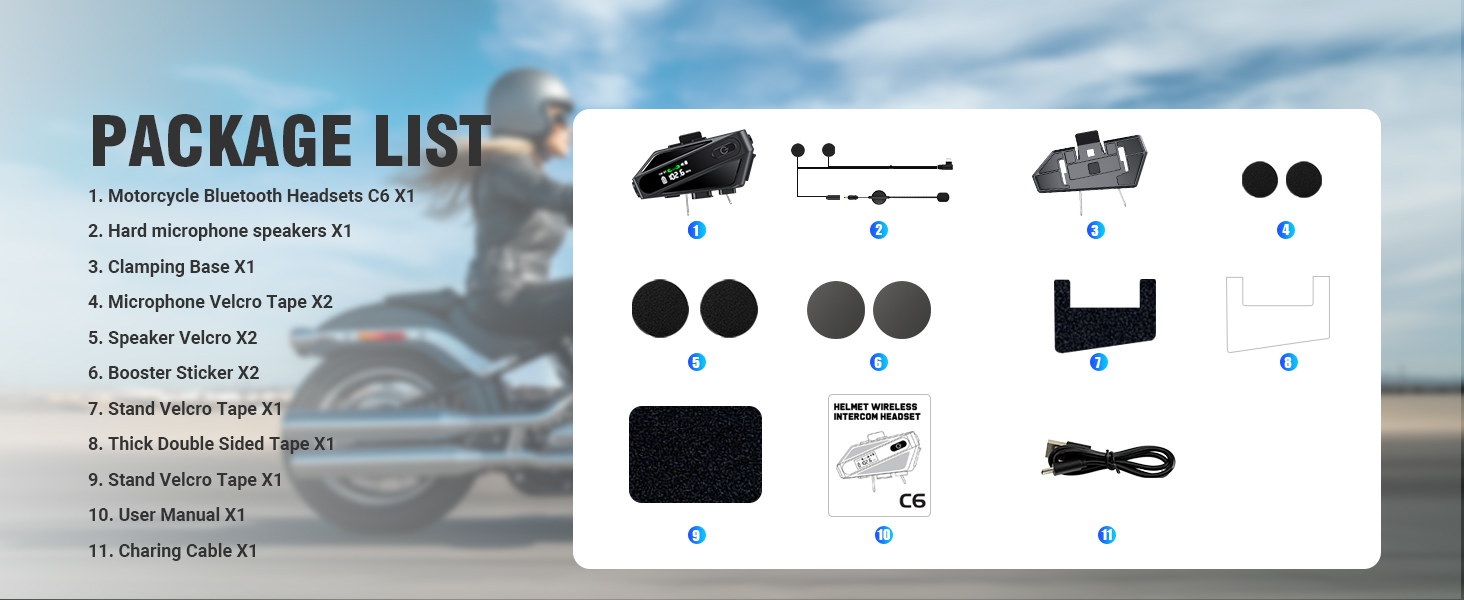
Image: Contents of the EDYELL C6 package, including the headset unit, speakers, microphone, mounting accessories, and charging cable.
3. Produk Lebihview
The EDYELL C6 features an intuitive design with clearly labeled controls and an OLED screen for easy status monitoring.
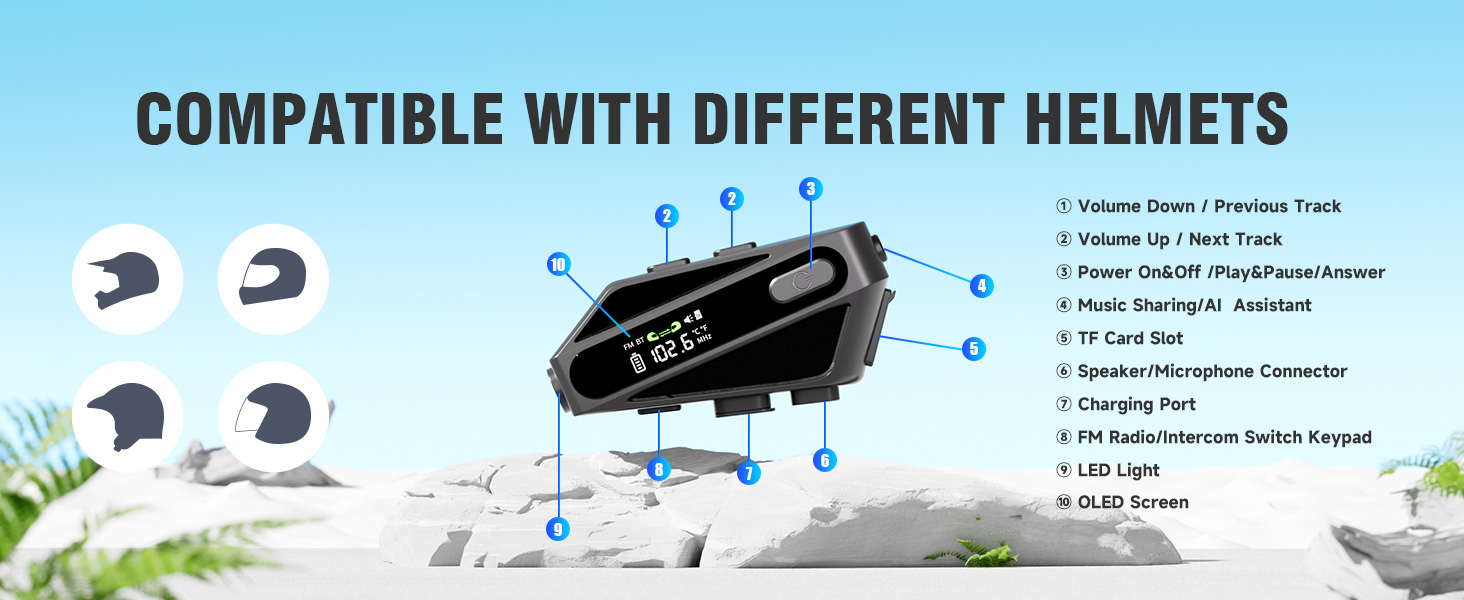
Image: Labeled diagram of the EDYELL C6 headset, highlighting its buttons, ports, and screen.
Kawalan dan Penunjuk:
- Butang Kelantangan Kurang / Trek Sebelumnya: Decreases volume or skips to the previous song.
- Butang Naikkan Kelantangan / Trek Seterusnya: Meningkatkan kelantangan atau melangkau ke lagu seterusnya.
- Power On/Off / Play/Pause / Answer Button: Mengawal kuasa, main balik muzik dan pengurusan panggilan.
- Music Sharing / AI Assistant Button: Activates music sharing or the voice assistant.
- Slot Kad TF: Insert a MicroSD card for offline music playback (up to 128GB).
- Penyambung Pembesar Suara/Mikrofon: Port for connecting the speaker and microphone assembly.
- Port Pengecasan: Port USB Type-C untuk mengecas peranti.
- FM Radio / Intercom Switch Keypad: Toggles between FM radio and intercom modes.
- Lampu LED: Menyediakan pencahayaan.
- Skrin OLED: Displays battery level, FM frequency, Bluetooth status, and other information.
4. Persediaan
4.1. Mengecas Peranti
Before first use, fully charge the headset. Connect the provided USB Type-C charging cable to the charging port (7) on the device and to a USB power source. The OLED screen will indicate the charging status. A full charge takes approximately 1.5 hours.

Image: The EDYELL C6 headset connected to a Type-C charger, illustrating its 1000mAh battery capacity and fast charging capability.
4.2. Pemasangan pada Topi Keledar
The EDYELL C6 can be installed on various helmet types using the clamping base or adhesive tape. Ensure the speakers are positioned directly over your ears inside the helmet for optimal audio quality, and the microphone is placed near your mouth.

Image: The EDYELL C6 headset securely attached to a helmet, demonstrating its waterproof design.
Imej: Cthamples of different helmet types compatible with the EDYELL C6 headset.
5. Arahan Operasi
5.1. Hidupkan/Mati Kuasa
- Hidupkan kuasa: Press and hold the Power On/Off button (3) for approximately 3 seconds until the OLED screen illuminates.
- Matikan: Press and hold the Power On/Off button (3) for approximately 3 seconds until the OLED screen turns off.
5.2. Berpasangan Bluetooth
To connect your EDYELL C6 to a mobile phone or other Bluetooth device:
- Pastikan alat dengar dimatikan.
- Press and hold the Power On/Off button (3) for approximately 5-7 seconds until the OLED screen shows 'Pairing' or a similar indicator, and the Bluetooth icon flashes.
- Pada telefon bimbit anda, dayakan Bluetooth dan cari peranti yang tersedia.
- Select 'EDYELL C6' from the list of devices.
- Once connected, the OLED screen will show a stable Bluetooth icon.

Image: The EDYELL C6 supports Bluetooth 5.3 for quick pairing and communication up to 600 meters.
5.3. Main balik Muzik
- Main/Jeda: Short press the Power On/Off button (3).
- Lagu Seterusnya: Short press the Volume Up button (2).
- Trek Sebelumnya: Short press the Volume Down button (1).
- Pelarasan Kelantangan: Long press the Volume Up button (2) to increase volume, long press the Volume Down button (1) to decrease volume.
5.4. Panggilan Telefon
- Jawab Panggilan: Short press the Power On/Off button (3) when a call comes in.
- Tamatkan Panggilan: Short press the Power On/Off button (3) during a call.
- Tolak Panggilan: Long press the Power On/Off button (3) when a call comes in.
- Dail Semula Nombor Terakhir: Double-press the Power On/Off button (3) in standby mode.
5.5. Fungsi Interkom
The C6 supports intercom communication with another C6 unit up to 600 meters. Refer to the specific pairing instructions for intercom mode in the full user manual for detailed steps.
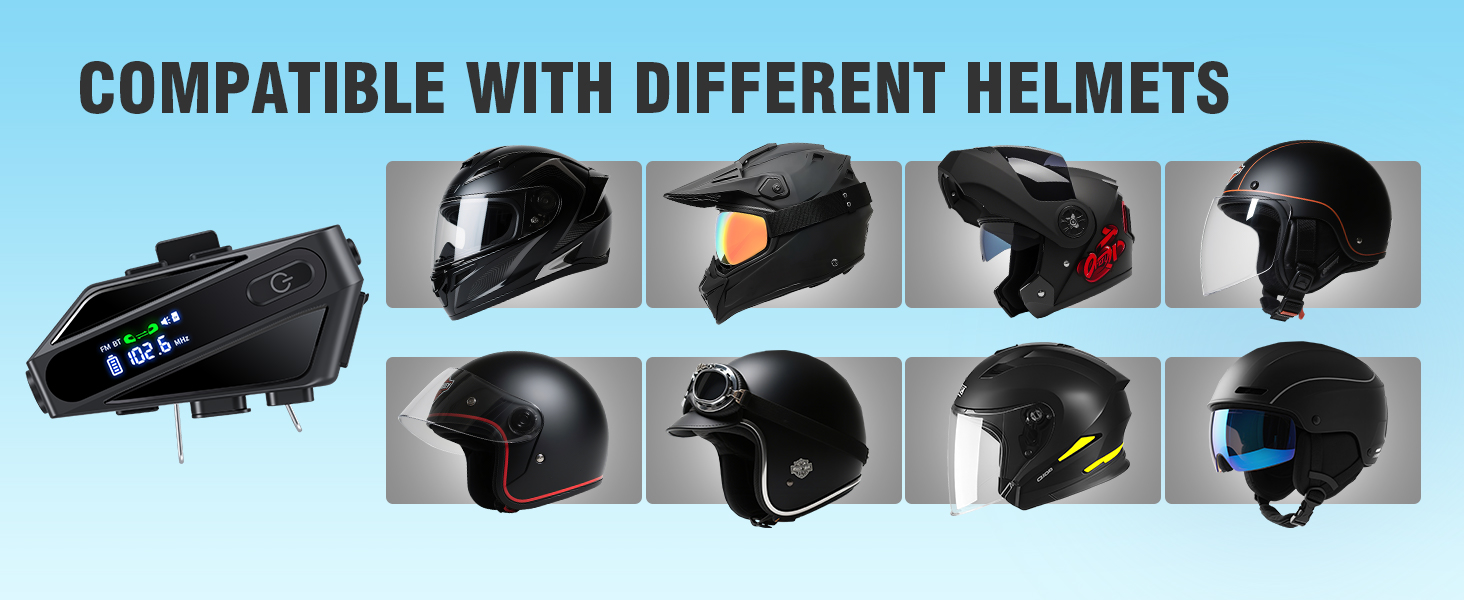
Image: The EDYELL C6 offers an extra-long communication distance of 600 meters for rider-to-rider intercom.
5.6. Radio FM
To activate FM radio, short press the FM Radio/Intercom Switch Keypad (8). Use the Volume Up/Down buttons (1, 2) to change stations. Short press the FM Radio/Intercom Switch Keypad (8) again to exit FM mode.
5.7. Pembantu Suara
Activate your phone's voice assistant (e.g., Siri, Google Assistant) by short pressing the Music Sharing/AI Assistant button (4). You can then issue commands like "Hey Siri, call Mike."

Image: The EDYELL C6 supports intelligent voice assistant functions for hands-free control.
5.8. Perkongsian Muzik
To share music with a companion's EDYELL C6 headset, long-press the Music Sharing/AI Assistant button (4). Both headsets must be in intercom mode or paired for this feature to work.
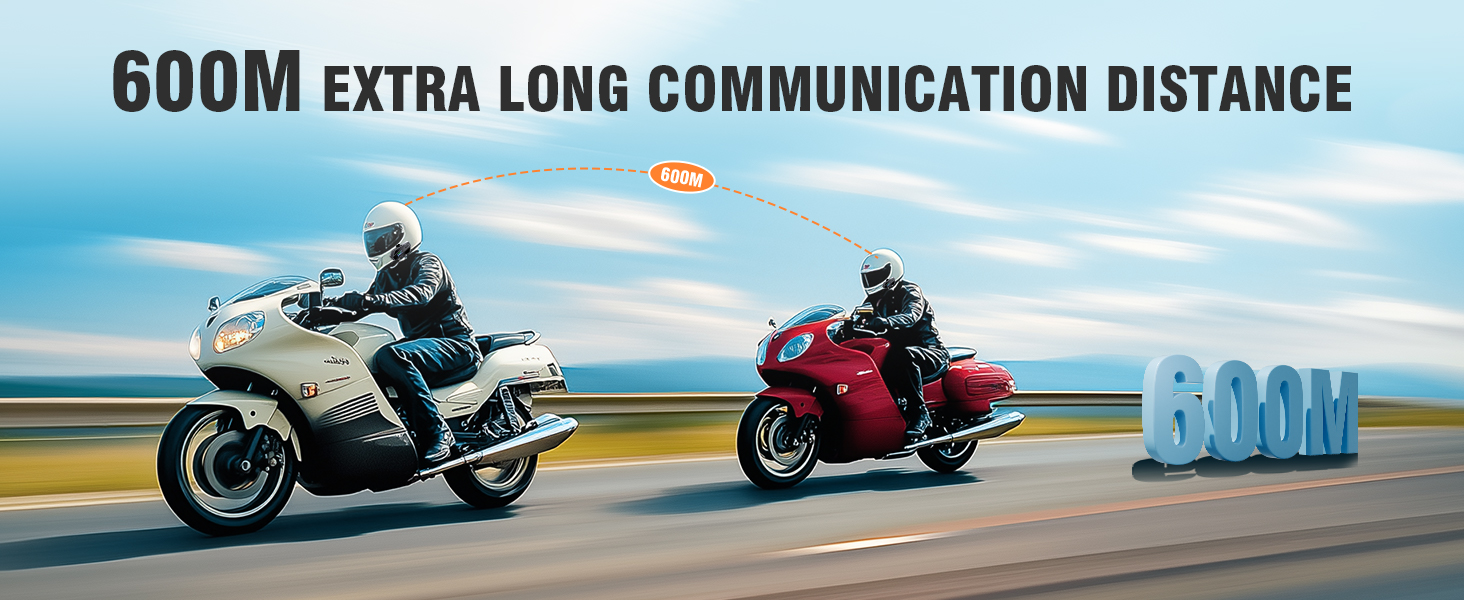
Image: Music sharing feature of the EDYELL C6, allowing two riders to listen to the same audio.
5.9. TF Card Offline Playback
Insert a MicroSD card (up to 128GB) into the TF Card Slot (5) to play music directly from the card without needing a Bluetooth connection to a phone.
6. Penyelenggaraan
To ensure the longevity and optimal performance of your EDYELL C6 headset:
- Pembersihan: Lap peranti dengan lembut, damp kain. Elakkan menggunakan bahan kimia yang keras atau pembersih yang kasar.
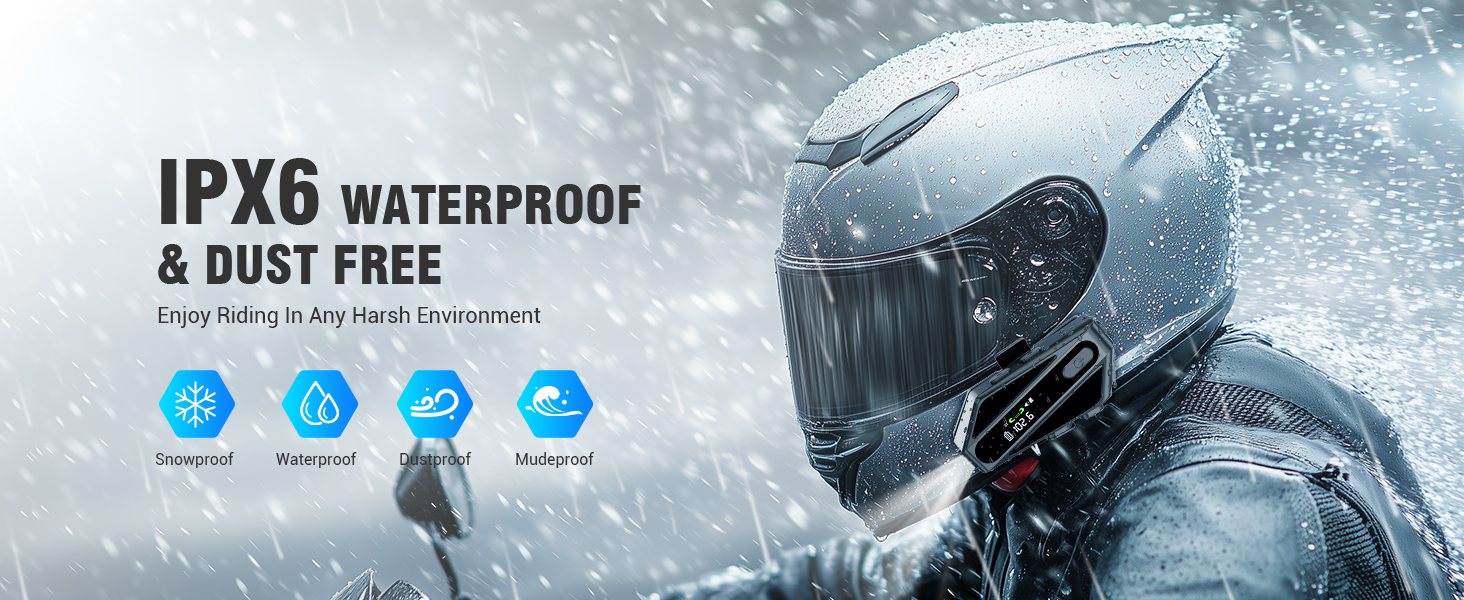
- Tahan Air: The device is IP67 waterproof. While it can withstand rain and splashes, avoid submerging it in water for extended periods. Ensure the charging port cover is securely closed.
- Storan: Simpan alat dengar di tempat yang sejuk dan kering jauh dari cahaya matahari langsung dan suhu yang melampau.
- Penjagaan Bateri: Untuk penyimpanan jangka panjang, cas bateri kepada kira-kira 50% setiap beberapa bulan untuk mengelakkan nyahcas yang teruk.
Image: The EDYELL C6 features IP67 waterproof and dustproof design for use in harsh environments.
7. Penyelesaian masalah
If you encounter issues with your EDYELL C6, refer to the following common solutions:
- Peranti tidak dihidupkan: Pastikan bateri dicas. Sambungkan ke pengecas dan cuba lagi.
- Tidak boleh berpasangan dengan telefon: Ensure the headset is in pairing mode (flashing Bluetooth icon). Turn off and on your phone's Bluetooth, then try pairing again.
- Tiada bunyi daripada pembesar suara: Check if the speakers are properly connected to the headset. Ensure volume is not set to minimum.
- Intercom not connecting: Ensure both units are within range (up to 600m) and are in intercom pairing mode.
- Kualiti audio yang lemah: Check speaker placement inside the helmet. Ensure microphone is positioned correctly to reduce wind noise.
- Peranti tidak bertindak balas: Try resetting the device by holding the power button for an extended period (e.g., 10-15 seconds) or by allowing the battery to fully discharge and then recharging.
8. Spesifikasi
| Ciri | Spesifikasi |
|---|---|
| Nama Model | C6 |
| Teknologi Ketersambungan | Wayarles (Bluetooth V5.3) |
| Versi Bluetooth | 5.3 |
| Kapasiti Bateri | Polimer Lithium 1000mAh |
| Masa Mengecas | lebih kurang 1.5 Jam |
| Masa Main semula Muzik | Sehingga 30 Jam |
| Masa Panggilan | Sehingga 40 Jam |
| Masa Tunggu Sedia | Lebih 300 Jam |
| Julat Interkom | Sehingga 600 Meter |
| Tahap Ketahanan Air | IP67 Kalis Air |
| Kawalan Bunyi | Passive Noise Cancellation (ENC) |
| Saiz Pemacu Audio | Pemacu Dinamik 50mm |
| Sokongan Kad TF | Sehingga 128GB |
| Kaedah Kawalan | Suara, Butang |
| Berat Barang | 180 Gram |
| Dimensi Produk | 10 x 5 x 2 cm |
9. Waranti dan Sokongan
Fon Kepala Bluetooth Motosikal EDYELL C6 didatangkan dengan Waranti EDYELL India 12 Bulan. For any quality problems, technical assistance, or warranty claims, please contact our customer support team:
e-mel: support@fenman.in
telefon: +91 8882786235
Please have your purchase details and model number (C6) ready when contacting support.


