pengenalan
This manual provides detailed instructions for the installation, operation, and maintenance of your PUTORSEN Sit-Stand Monitor Desk Mount with Keyboard Tray. This product is designed to enhance your workstation ergonomics by allowing seamless transitions between sitting and standing positions. Please read this manual thoroughly before installation and retain it for future reference.
Maklumat Keselamatan
- Pastikan semua komponen ada dan tidak rosak sebelum pemasangan. Jangan gunakan jika mana-mana bahagian hilang atau rosak.
- Verify that your desk surface can support the combined weight of the mount, monitor, keyboard, and any other items placed on the tray.
- Do not exceed the maximum weight capacities for the monitor arm (19.8 lbs / 9 kg) and keyboard tray (2.2 lbs / 1 kg).
- Tighten all screws and bolts securely. Periodically check for loose connections.
- Jauhkan kanak-kanak dan haiwan peliharaan semasa pemasangan.
- Adjust the monitor and keyboard tray carefully to avoid pinching fingers or damaging equipment.
Kandungan Pakej
Sahkan bahawa semua komponen berikut disertakan dalam pakej anda:
- 1 x Stand Monitor
- 1 x Dulang Papan Kekunci
- 1 x Mounting Hardware Kit (includes C-clamp, grommet base, screws, and tools)
Persediaan dan Pemasangan
Follow these steps to install your sit-stand monitor desk mount.
Step 1: Choose Your Mounting Option
The mount supports two installation methods: C-clamp or Grommet base.

Imej: Ilustrasi C-clamp and grommet base mounting options. The C-clamp is suitable for desks 0.39 to 3.15 inches thick, while the grommet base is for desks up to 1.97 inches thick.
- C-Clamp: Pasangkan C-clamp to the edge of your desk. Ensure the desk thickness is between 0.39 and 3.15 inches (10-80mm). Tighten the clamp dengan selamat.
- Grommet Base: If your desk has a grommet hole, use the grommet base. Ensure the desk thickness is up to 1.97 inches (50mm). Secure the base through the grommet hole.
Langkah 2: Pasang Monitor
Attach your VESA-compatible monitor (17-32 inches) to the monitor arm. The mount supports standard VESA patterns (75x75mm and 100x100mm). Secure the monitor using the provided screws.
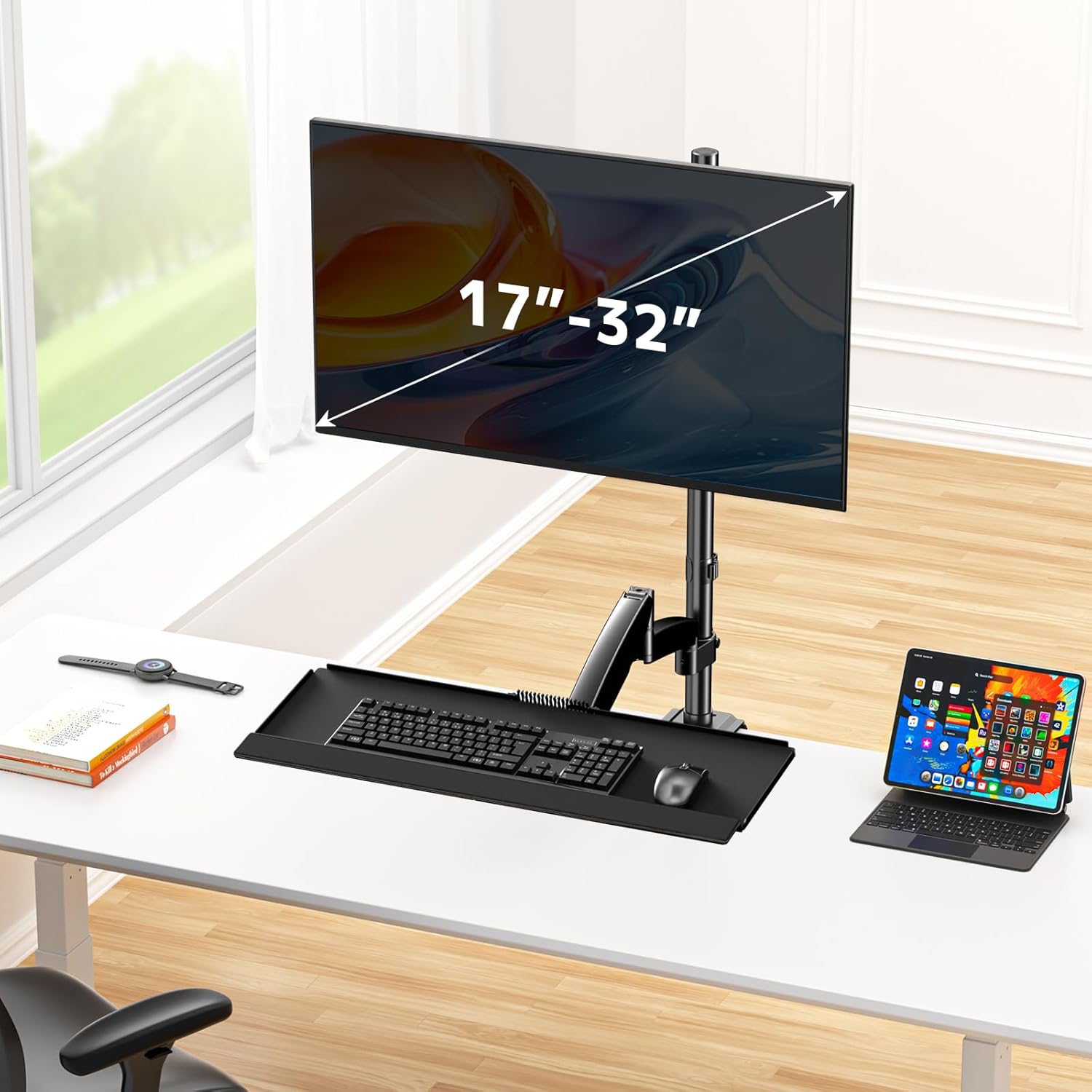
Image: A monitor ranging from 17 to 32 inches attached to the desk mount, positioned above the keyboard tray.
Step 3: Attach the Keyboard Tray
Connect the keyboard tray to the lower articulating arm. Ensure it is firmly attached. The tray features wire management, ample space for a keyboard and mouse, and a padded wrist rest.
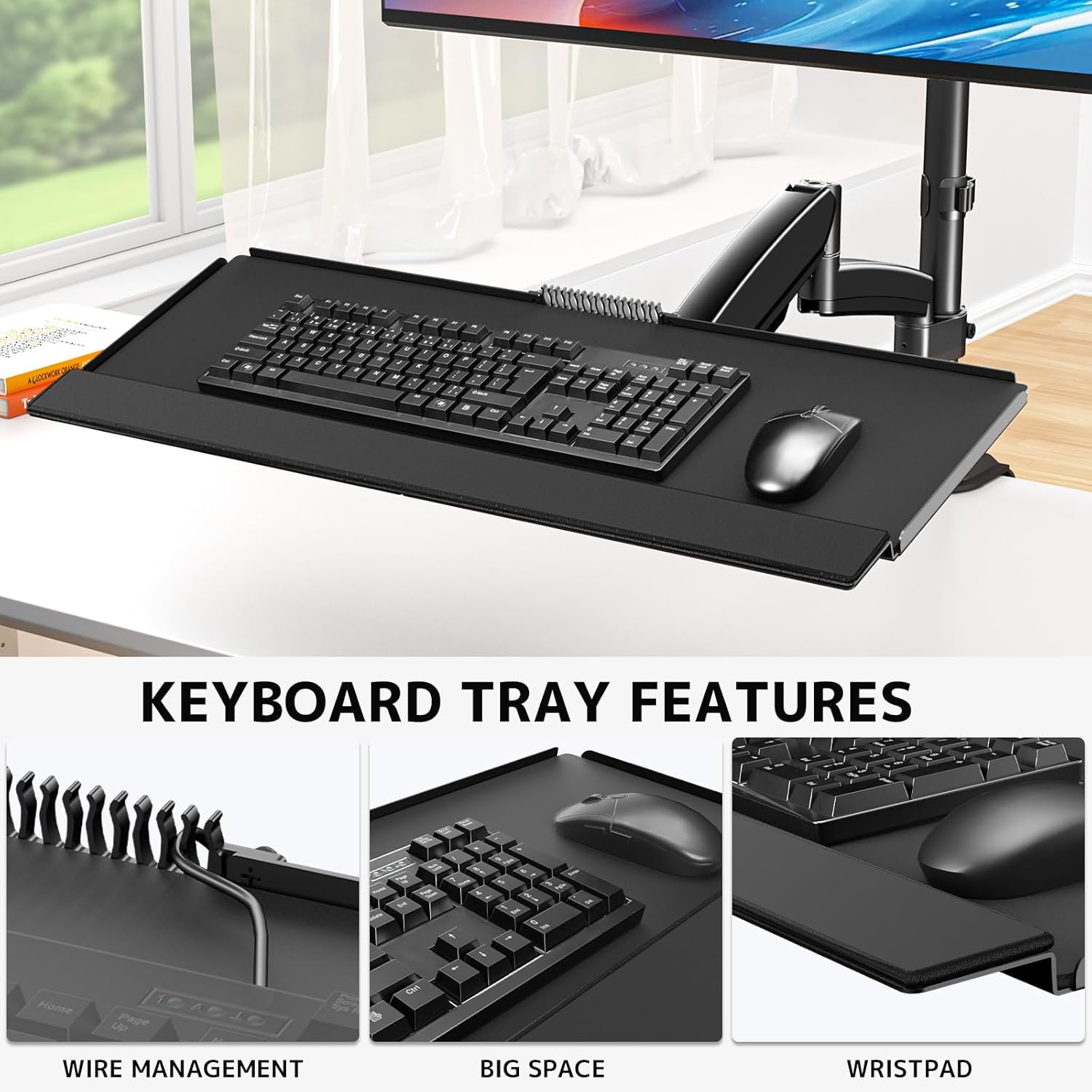
Imej: Jarak dekat view of the keyboard tray highlighting its features: integrated wire management, spacious surface for keyboard and mouse, and a comfortable wristpad.
Langkah 4: Pengurusan Kabel
Utilize the integrated cable management system along the arm and pole to keep your wires organized and out of sight. This helps maintain a clean and organized workspace.

Image: Demonstrates the pneumatic lift mechanism and the cable management clips along the arm and pole, showing how wires are neatly routed.
Arahan Operasi
The PUTORSEN Sit-Stand Monitor Desk Mount offers full adjustability for optimal ergonomic positioning.
Height Adjustment (Sit-Stand Function)
The deluxe pneumatic spring technology allows for smooth and quick height adjustments. Gently push or pull the monitor and keyboard tray to your desired sitting or standing height. The gas spring will hold the position securely.
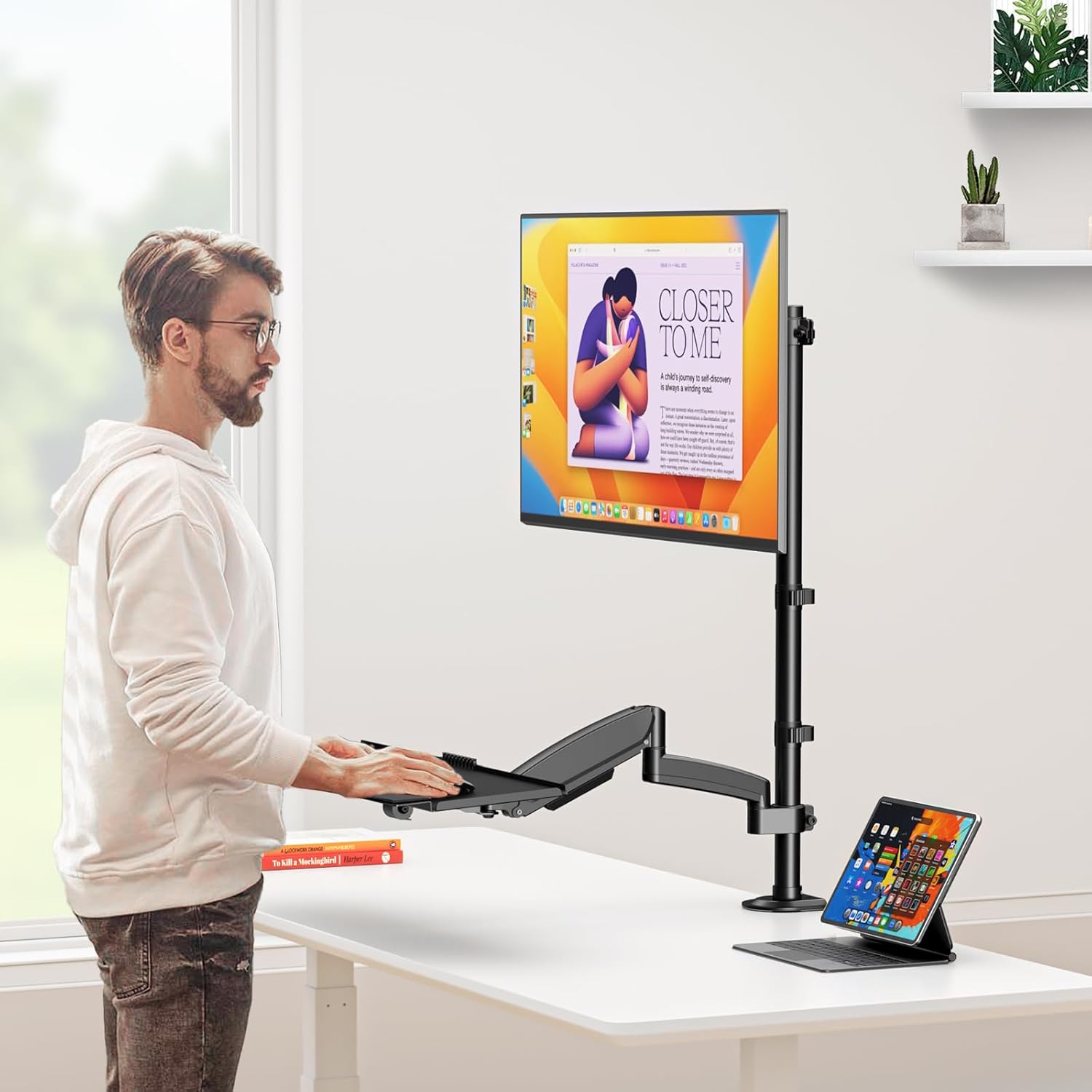
Image: A person demonstrating the sit-stand functionality of the desk mount, showing comfortable positions for both sitting and standing work.
Monitor and Keyboard Tray Adjustments
Both the monitor arm and keyboard tray offer extensive movement capabilities:

Image: Diagram illustrating the full range of motion, including tilt (±35°), swivel (180°), and rotation (360°) for both the monitor and keyboard tray.
- Condong: Adjust the monitor tilt from -35° to +35° to reduce glare and find your optimal viewsudut ing.
- Pusing: Swivel the monitor arm 180° to share your screen with others or adjust your viewarah dalam.
- Putaran: Putar monitor 360° untuk bertukar antara orientasi landskap dan potret.
- Keyboard Tray Tilt: The keyboard tray can also be tilted for ergonomic typing comfort.
Penyelenggaraan
To ensure the longevity and proper function of your desk mount, follow these maintenance guidelines:
- Pembersihan: Lap permukaan dengan lembut, damp kain. Elakkan pembersih atau pelarut yang melelas.
- Semak Sambungan: Periodically inspect all screws and bolts to ensure they remain tight. Re-tighten if necessary.
- Pelinciran: The pneumatic spring mechanism is designed for maintenance-free operation. Do not attempt to lubricate internal components.
Menyelesaikan masalah
If you encounter issues with your PUTORSEN Sit-Stand Monitor Desk Mount, refer to the following common problems and solutions:
| Masalah | Kemungkinan Punca | Penyelesaian |
|---|---|---|
| Mount is unstable or wobbles | Longgar clamp/grommet base; uneven desk surface; monitor/keyboard too heavy. | Pastikan clamp/grommet base is securely tightened. Check desk for stability. Verify monitor and keyboard tray weights are within limits. |
| Kesukaran menyesuaikan ketinggian | Monitor/keyboard weight is too low or too high for the gas spring tension. | Adjust the gas spring tension screw (usually located on the arm joint) according to the instructions in the assembly guide. |
| Monitor does not tilt/swivel/rotate freely | Sendi terlalu ketat. | Loosen the corresponding adjustment screws on the monitor arm joints slightly. |
Spesifikasi

Image: Detailed dimensional drawing of the PUTORSEN Sit-Stand Monitor Desk Mount, showing various measurements in inches and millimeters.
- Jenama: PUTOR
- model: B0DRJ8YDRH
- Bahan: besi
- warna: Hitam
- Saiz Monitor yang Serasi: 17-32 inci
- Kapasiti Beban Monitor: Sehingga 19.8 paun (9 kg)
- Kapasiti Beban Dulang Papan Kekunci: Sehingga 2.2 paun (1 kg)
- Jenis Pemasangan: Tabletop (C-Clamp atau Grommet)
- C-Clamp Ketebalan Meja: 0.39 - 3.15 inci (10-80mm)
- Grommet Base Desk Thickness: Sehingga 1.97 inci (50mm)
- Jenis Pergerakan: Articulating, Full-Motion
- Monitor Tilt Angle: -35° hingga +35°
- Monitor Swivel Angle: 180°
- Putaran Monitor: 360°
- Product Weight (approximate): 20 paun (berat pakej)
Waranti dan Sokongan
PUTORSEN is committed to providing high-quality products and customer satisfaction. If you have any questions, concerns, or require assistance with your product, please do not hesitate to contact our professional service team. We are available 7 days a week, 24 hours a day, to assist you.
Please refer to your purchase documentation or the PUTORSEN official webtapak untuk butiran waranti khusus dan maklumat hubungan.


